

This post is about developing ASP.NET Core application, using EF Core. We will demonstrate how we can connect in different ways to SQL Server database and PostgreSQL database.
- Visual Studio 2015 Update 3.
- .NET Core 1.0.
- SQL Server 2014 / 2016 Server Management Studio with a default localdb.
- PostgreSQL
We will follow in this article the steps, which are given below.
- Create database - samplecoreEF
- Create an ASP.NET Core Web Application - Samples.AspCoreEF
- Add Class Library Core to the solution - Samples.AspCoreEF.DAL.EF
- Create model classes - Task and Person.
- Add Context - TaskSystemDbContext.
- Register the context class with Dependency Injection.
- Auto-Create the database.
- Add Web API controller and test, using Postman.
Create database - samplecoreEF
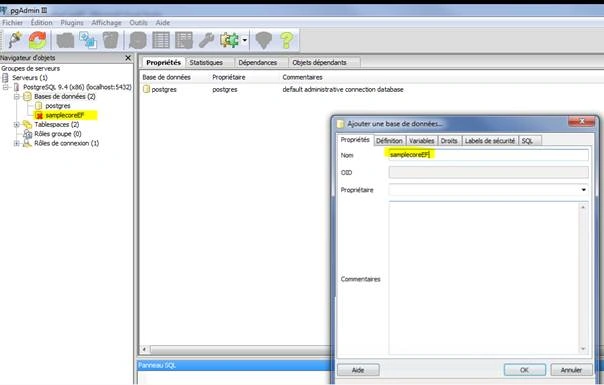
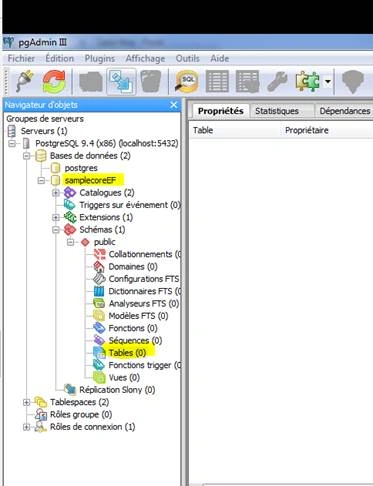
Create a new database “sampleCoreEF” in PostgreSQL.
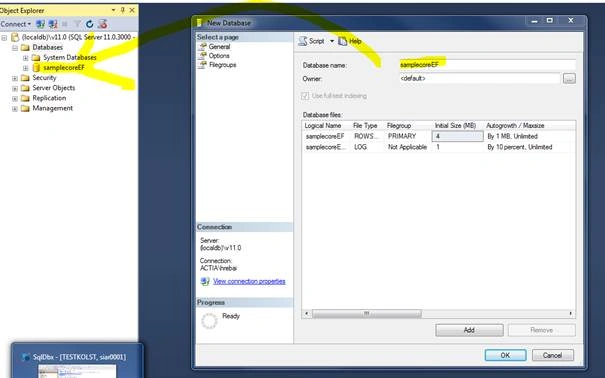
Create a new database “sampleCoreEF” in SQL Server 2016.
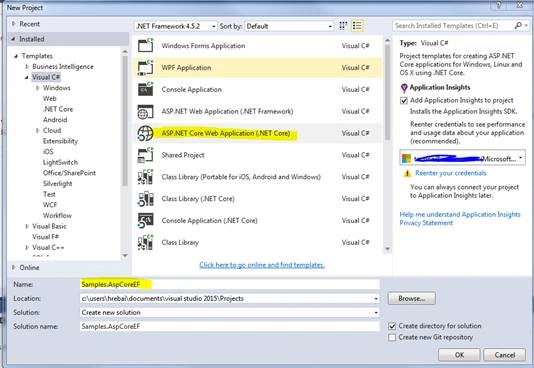
Create an ASP.NET Core Web Application - Samples.AspCoreEF
Now, we Open Visual Studio > File > New Project> Select “ASP.NET Core Web Application” > Enter Name “Samples.AspCoreEF” & Location > OK.
Afterwards, we will select the template “Web Application” and we confirm the choice by clicking OK.
Add Class Library Core to the solution - Samples.AspCoreEF.DAL.EF
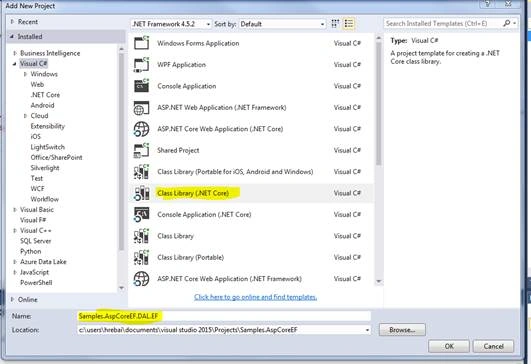
Now, we take a look to Samples.AspCoreEF project structure, as shown in the screenshot, given below.
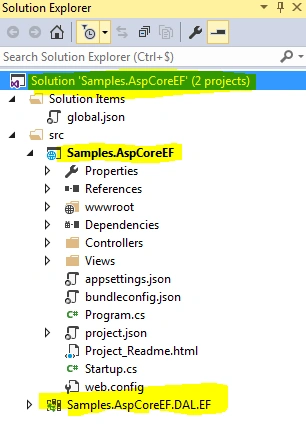
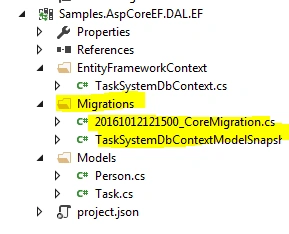
The project Samples.AspCoreEF.DAL.EF will contain our EntityFramework models, migrations, context.
Create model classes - Task and Person
We will add to the Samples.AspCoreEF.DAL.EF project the Models folder that will contains two models: Person.cs and Task.cs.

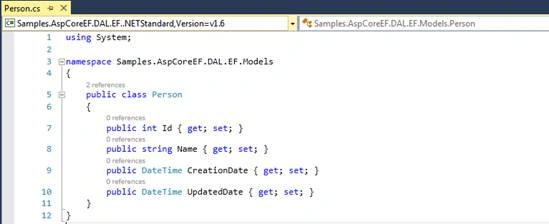
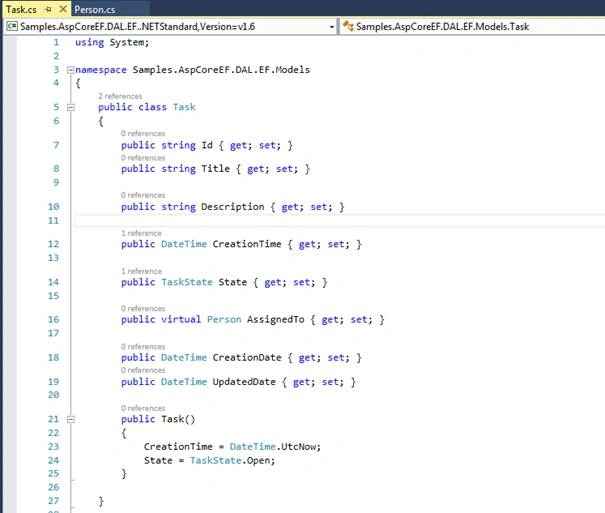
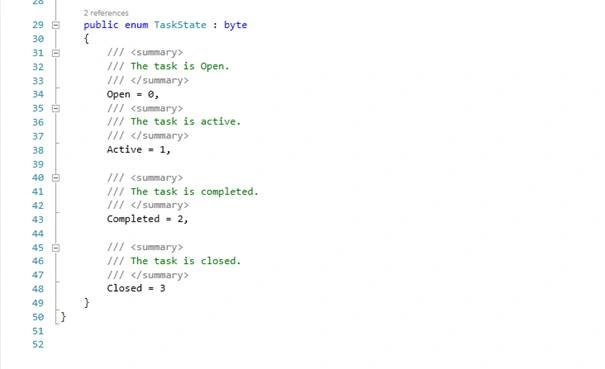
In project.json
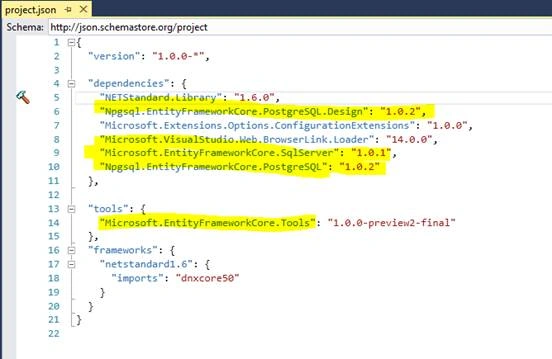
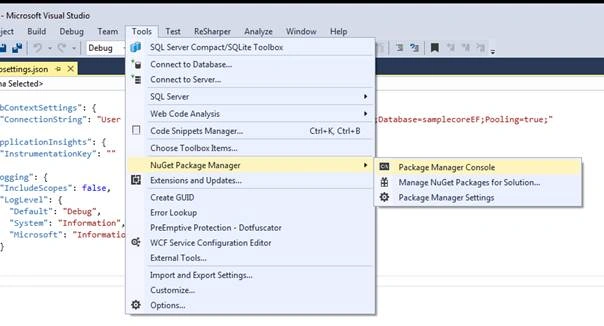
We install the Entity Framework Core package for the database provider from NuGet Package Manager Console in Visual Studio 2015.





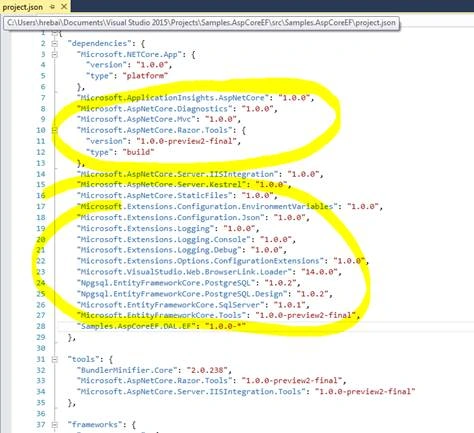
Thus, “project.json” should have this content to be sure that we are adding the right version.
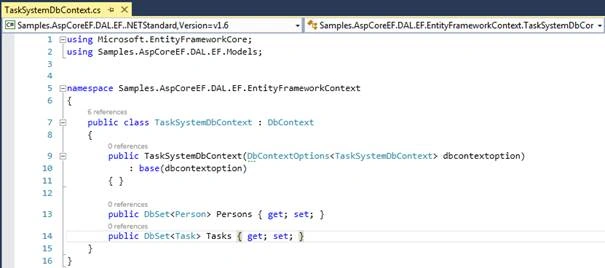
Add Context - TaskSystemDbContext
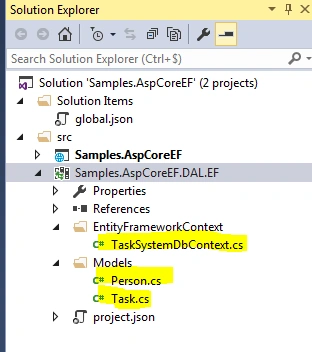
We have to add a new folder called EntityFramework, where we will add our context, as given below.
So, we will have this structure:
Register the context class with Dependency Injection
We will work now in ASP.NET Web Application to be able to register our context.
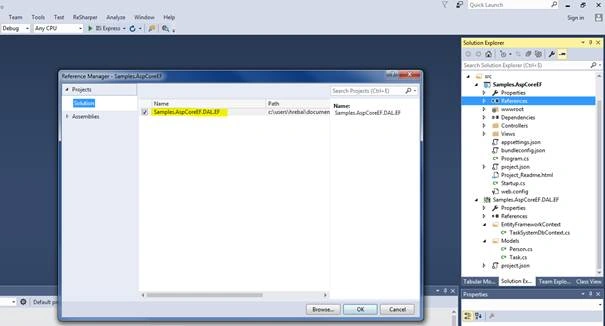
We will start by adding Samples.AspCoreEF.DAL.EF as a reference to Samples.AspCoreEF.
Afterwards, we will add the needed references to generate our database as before. Thus, our project.json will look, as shown below.
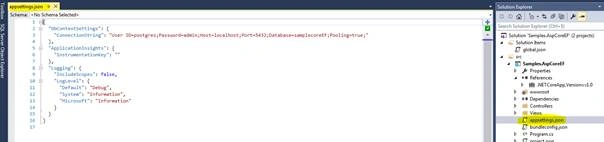
In the Startup.cs, we will add two blocks to show you how we can register context class in two different ways. Thus, this method looks like-


Join the conversation! Your thoughts help the community grow.