

Introduction
Web applications are shifting toward cloud infrastructure and microservices, to achieve high availability and extensibility.
Instead of deploying an application per client, organizations prefer multitenancy to save infrastructure cost and deployment time. Multitenant architecture helps to adopt changes for different clients under the hood. In this article, I am not going to discuss database design for multitenant applications but I will be focused on achieving separation for different clients.
In this article, I will explain how we can build a multitenant system using asp.net core and autofac.
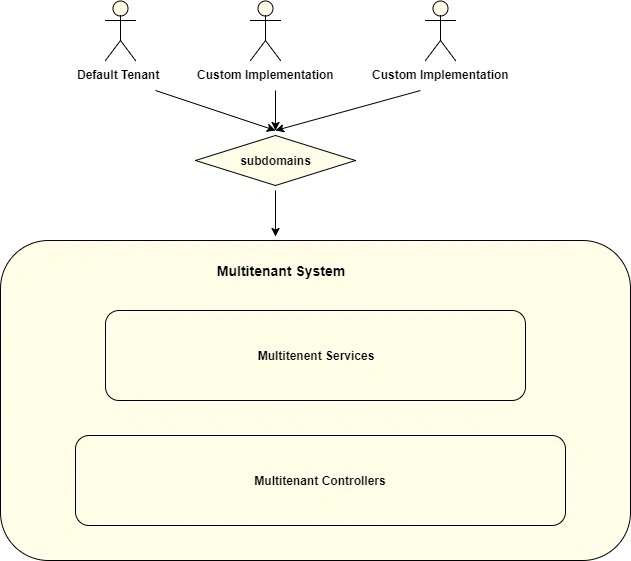
How to achieve multitenancy
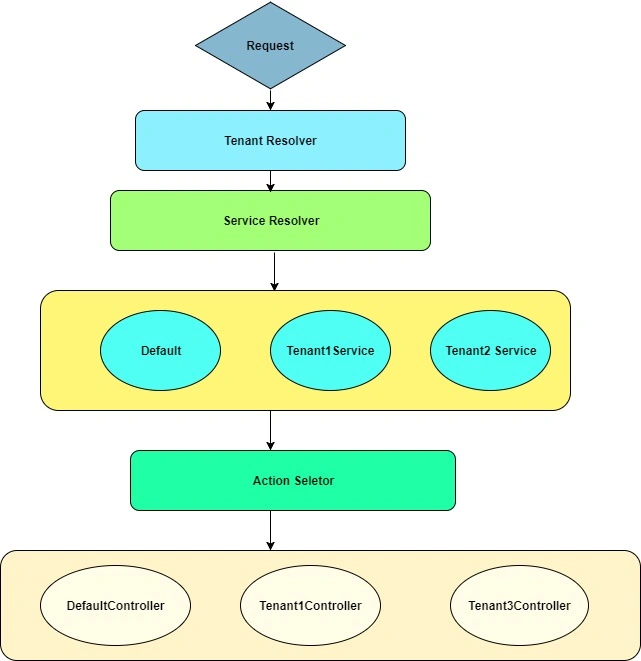
In multitenant architecture, the very first step is to identify tenant. In real infrastructure we have multiple ways to identify tenants; e.g., from subdomain name tenant1.xyz.com, tenant2.xyz.com. Since there are many ways to identify tenant and resolve all the dependencies for specific tenants, I am going to use autofac multitenant(DI framework) which has a great support for multitenancy.
In this application I am using url segment as {tenant}/Home/Index to identify tenant. I will use custom implementation of ITenantIdentificationStrategy to retrieve tenant id to identify tenant from url as follows.
- public class TenantResolverStrategy: ITenantIdentificationStrategy {
- private IHttpContextAccessor _httpContextAccessor;
- public TenantResolverStrategy(IHttpContextAccessor httpContextAccessor) {
- _httpContextAccessor = httpContextAccessor;
- }
- public bool TryIdentifyTenant(out object tenantId) {
- tenantId = null;
- try {
- var context = _httpContextAccessor.HttpContext;
- if (context != null && context.Request != null) {
- // get very first segment
- var uriSeg = context.Request.Path.Value.Split('/');
- tenantId = uriSeg[1];
- }
- } catch (Exception) {}
- return (tenantId != null || tenantId == (object)
- "");
- }
- }
Our next step will be to add default (common) implementation for tenants. In multitenant system most of the clients(tenants) will be using common behaviour but many of them will ask for the different behaviour and business rules as per their business model.
In order to consider both, we must have two implementations as follows,
- Default implementation : common implementation.
- Custom implementation : custom implementation.
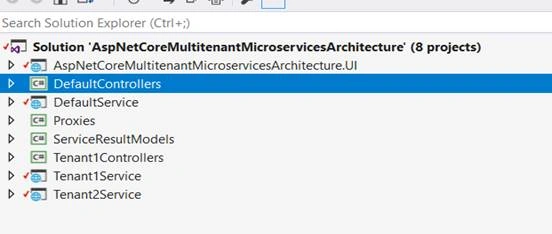
Now we will create three different loosely coupled services (microservices) for above architecture as follows,
- DefaultService : it will have basic implementation for getting user data.
- Tenant1Service : it will have custom implementation for tenant1.
- Tenant2Service : it will have custom implementation for tenant2.
I am using a proxy implementation for each service and using the same for the different tenant. If there is no service registered for current tenant or user, the default implementation will work. The purpose of separate service is scalability.
We use Multitenant container to register tenant-wise service dependency as follows,
- var mtc = new MultitenantContainer(appContainer.Resolve < ITenantIdentificationStrategy > (), appContainer);
- // Configure the overrides for each tenant by passing in the tenant ID
- mtc.ConfigureTenant("tenant1", b => {
- b.RegisterType < Tenant1ServiceProxy > ().As < IServiceProxy > ().InstancePerDependency();
- });
- mtc.ConfigureTenant("tenant2", b => {
- b.RegisterType < Tenant2ServiceProxy > ().As < IServiceProxy > ().InstancePerDependency();
- });
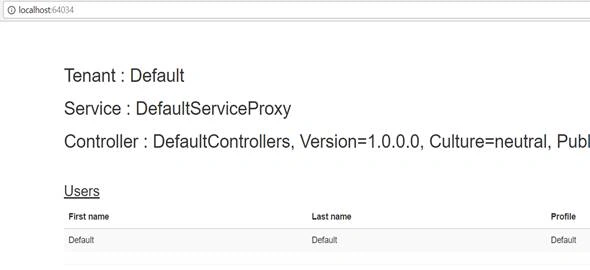
Once we have done this, we can resolve serivces as usual,
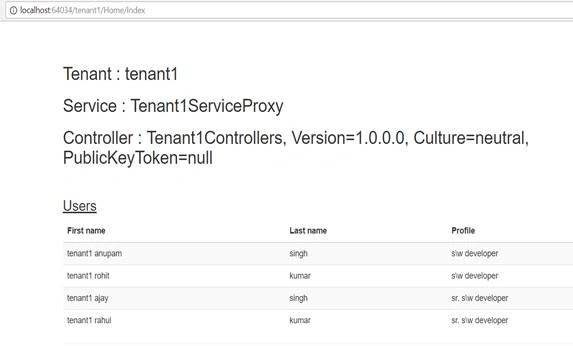
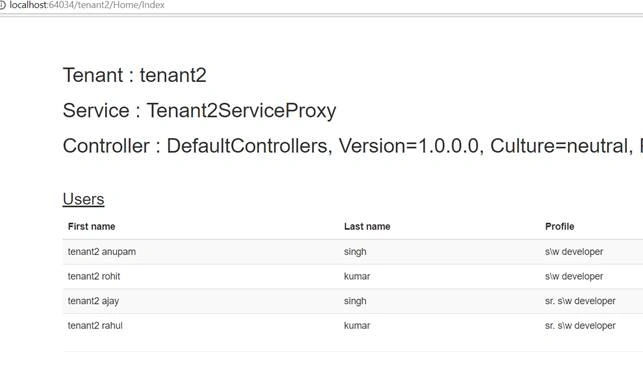
Dawood AbbasPosted Jun 27, 2019, 5:57 AM
I couldn't understand, can get in step by step or source code?
Dennis ThomasPosted Dec 21, 2017, 4:36 AM
Thank you for the article!