

Hi Friends.
Contents
Chapter 1
- Getting Started
- What is in this chapter
- Introduction
- What a SPA is
- Technologies used to build a SPA
- Glimpse of Movie Review App
- Summary
Chapter 2
- Creating a solution from a blank slate
- What is in this chapter
- Introduction
- Solution Creation
- Adding Project References
- Adding Packages
- Important Tools
- Data Technologies
- Creating Models
- Creating Entity Framework
- Database Initializer
- Implementing Repository Pattern
- Creating Unit of Work Pattern (UOW)
- Summary
Chapter 3
- Implementing Web API
- What is in this chapter
- Introduction
- Creating first Web API Controller
- Implementing HTTP Put Request
- Implementing HTTP Post Request
- Implementing HTTP Delete Request
- Improvising Web APIs
- Adding More Controllers
- Testing Web APIs with QUnit
- Summary
Chapter 4
- Getting Started with AngularJS
- What is in this chapter
- Introduction
- Getting started with PLNKR
- Getting started with UI Design
- Creating first Angular Controller
- Data-Binding using Angular
- Retrieving Data from API
- Summary
Chapter 5
- Deeper into AngularJS
- What is in this chapter
- AngularJS Routing
- Adding More Routes
- Client-side validation
- Saving Data using Angular
- Creating an AngularJS Service
- Creating a Movie Edit Feature
- Creating a Reviews Workflow
- Summary
Chapter 6
- Testing
- What is in this chapter
- Introduction
- Creating Test Project
- Installing Chutzpah Test Adapter
- Writing first JavaScript Test
- Writing Angular Test
- Using $httpBackend Service
- Writing Controller Tests
- Code Coverage
- Summary
WHO SHOULD READ THIS BOOK
Building a SPA using MVC 5 and Angular is designed to build the application right from the grass-roots level. This book is actually targeted to those people comfortable with ASP.NET MVC and Angular since this needs a basic knowledge of both technologies. Throughout this book my focus will be on teaching you how to make a full-blown application rather than explaining the basics. For the basics you can check my other book Hands on With ASP.NET MVC. This book covers the basics in great detail with a live demo in Azure. You can refer to this book at the URL http://ow.ly/JetAi. I recommend you download the app from the github URL shown below to help you when building Movie reveiw.
Chapter 1
- Getting Started
- What is in this chapter
- Introduction
- What a SPA is
- Technologies used to build a SPA
- Glimpse of Movie Review App
- Summary
Introduction
Hi, my name is Rahul Sahay and I will introduce this entire new story of building Single Page Applications right from scratch. Here, in this context I will talk about many client/server side technologies and demonstrate how these small pieces are combined together to create a robust end-to-end application. So, without wasting time let's get started.
What a SPA is
A Single Page App is all about the user experience. People will love your app if you give them a nice user experience that not only fits nicely in your laptop or desktop but also goes nicely with a multitude of devices, like tabs, phones and so on without breaking any single functionality. As shown in the following diagram, the following are the basic requirements for building a SPA.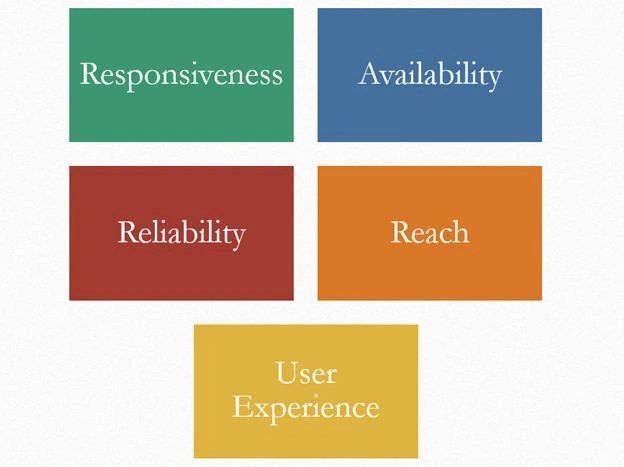
- Reliability: People know that it's reliable and it's going to work. This kind of reliability only comes with a positive experience.
- Responsiveness: Responsiveness means it will work quickly for them. Quick is the key thing that any user expects to have in the app that he is using.
- Reach: Reach is often substituted with mobility. Mobility is again one of the key ingredients that every user is looking for. They always want to have the data handy irrespective of what device they are on.
- Available: This thing is really important when it comes to the point at working offline. So, delivering a good user experience is a must when building a SPA.
“So, in a nutshell a Single Page App is web application that fits in a single page providing a fluid UX by loading all the necessary data in a single load.”
Now, apart from this there are many other attributes linked to a SPA. They are:
- Maintain History: When you flip between pages, it maintains your history in the same order you visited them. Actually, it's not going to different pages, rather it's loading different information into the same page. But, it looks to the user as if it's presenting multiple pages to them.
- Persisting Information: Persisting information is also a very important aspect of a SPA. It doesn't mean that you need to save each and every thing in the cache but you can store important things in the cache to improve the performance.
- Usually loaded on Page Load: Usually loaded on the page load means the majority of information the user requires to use is loaded initially to avoid roundtripping back to the server.
- Dependent Elements: As and when the user requires access to various features of the application, the app will go and download whatever is needed for the user.
Technologies used to build SPA
The Movie Review app is built using tons of client-side and server-side technologies. Some of these I have listed below.
Client-side Technologies
- HTML 5 and CSS
- Modernizer and LESS
- Media Queries
- Responsive Design
- AngularJS
- Toastr JS
- jQuery
- QUnit JS
- JQuery.MockJSON
- Change Tracking
- And many out of the box things
Server-side Technologies
- SQL Server
- Entity Framework Code First Approach
- Repository Pattern
- Unit of Work Pattern
- Web API
- JSON and AJAX
- NuGet
- Ninject IOC
- POCO Models
Glimpse of Movie Review App
I think it would be a good idea to show you the finished app before directly jumping in and creating it. Here is the URL Movie reveiw where I have hosted my app. Now, when you click on this, you will land on the following page.
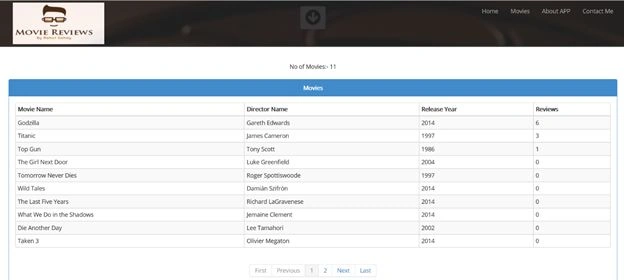
The preceding screen shot is the home page of the app. Now, when you click on the Movies link, it will take you to the following page.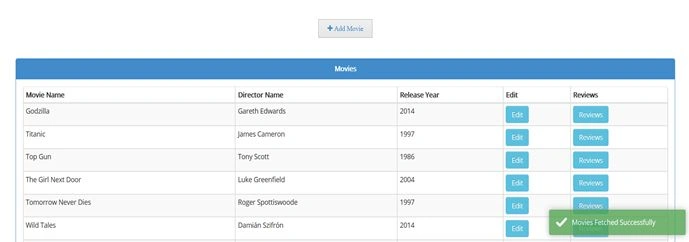
Once, the page is loaded, a little toast message at the bottom-right of the screen pops up saying Movies Fetched Successfully. Now, from this screen you can do all the CRUD operations. Here the very first link is Add Movie that will provide the user the flexibility to go ahead and add a new movie as shown below.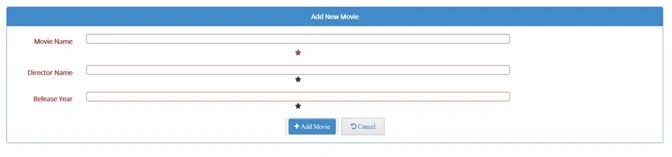
Now, let's assume we try to post the Form. Since it is blank, it won't work, because the preceding fields are marked as required by its CSS color and star mark as well. Now, once I enter some information, a different validation will be triggered.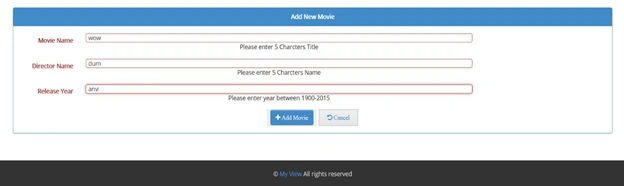
Even at this moment I cannot submit the form since the form is invalid. Once I modify and enter valid details, the form shows an error message and its error color (Red) will disappear.
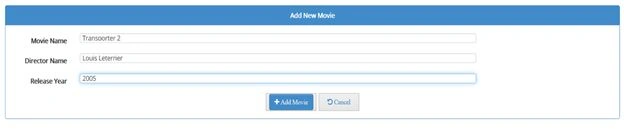
Now, at this instant I can go ahead and submit the movie. Once I click the Submit button, a toast message will appear saying Data Saved Successfully and will it will redirect back to the movies link.
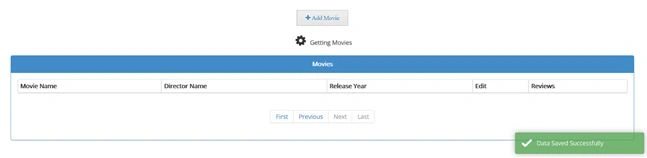
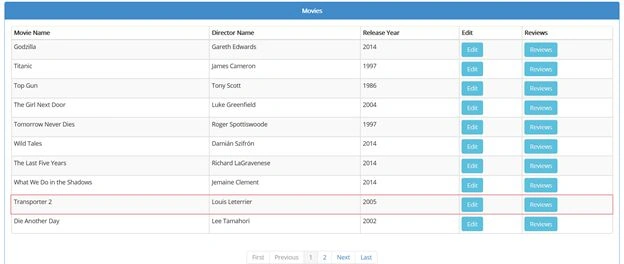
Next is the Edit link corresponding to the movie. When you click on this, it will present the following screen for editing it.
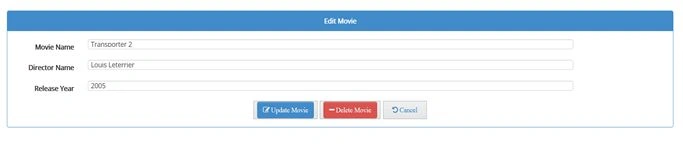
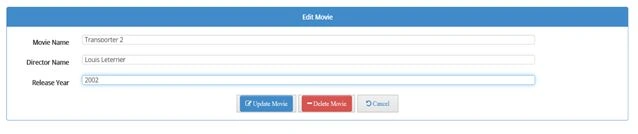
Here, each and every validation will also be there, what we have seen during creation. However, you can go ahead and edit anything here, let's say I change the year to 2002 and update.
Once I update the movie it will save it to the database and then it will redirect to the Movies link as shown below.
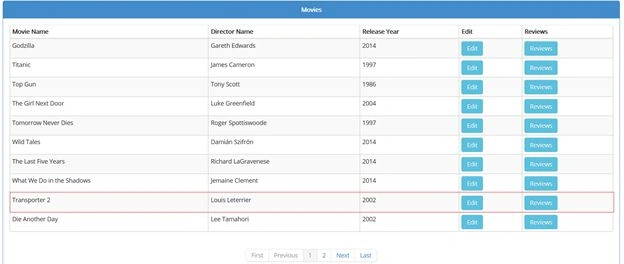
However, let me change it back to the original one since it's not correct. Similarly, you can go ahead and delete the movie from the Edit link as well. Next to the Edit link, there is a link for Reviews as well. From this link you can go ahead and add a new review as shown below.
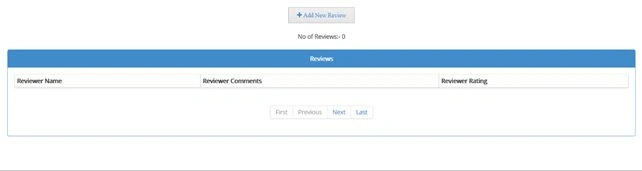
Here, when I click on Add New Review, it will take me to the following form.
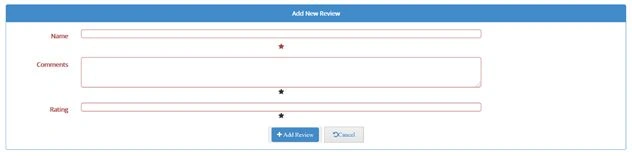
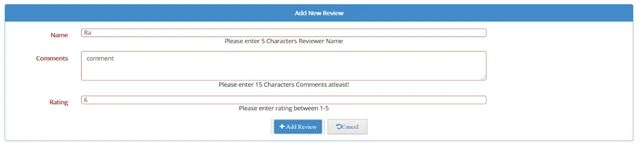
The preceding form has a different set of validations as shown below.
Once all the corrections have been, it will be like this:
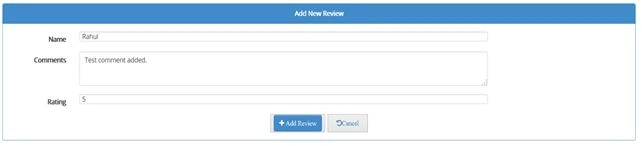
After successful submission, it will redirect back to the movies link.
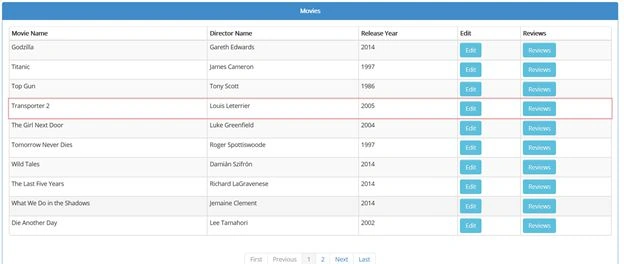
After adding a Review, the position of the newly added movie moves up in the list since behind the scenes the order by clause is working on the total number of reviews. Now, when I click on the Reviews link again, it will show me the review that I added.
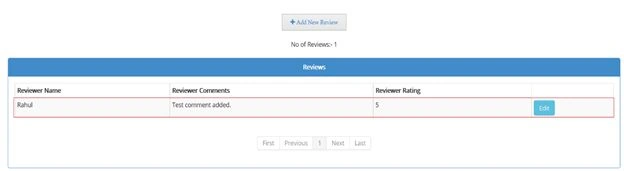
Here, corresponding to the Review, a new Edit link is also enabled for editing or deleting the Review. This also works the same as what I explained above for Movie. The About App link lists all the details of the application, like what technologies are used and what tools you need, where to download the code and so on.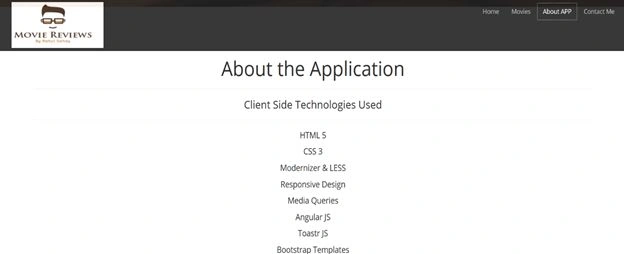
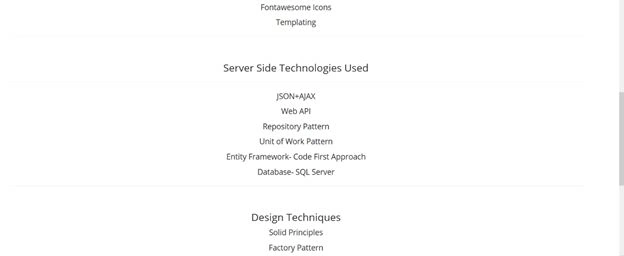

I have also used the QUnit Library to test my Web APIs. The following is a glimpse of it.
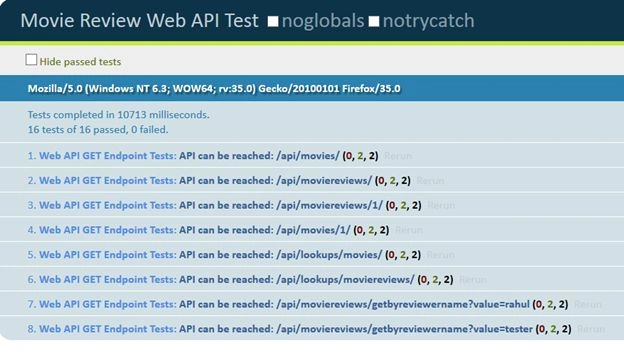
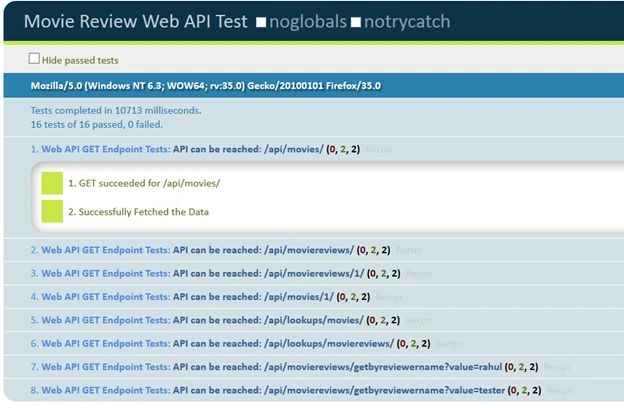
When you click on any individual test, it will present you the detailed results as shown below in the screen shot.
And if there is anything wrong with any end points then let's assume that it doesn't exist. That is the easiest way to break the test, then it will be like:

You can also verify these APIs as shown below.
movie reveiw
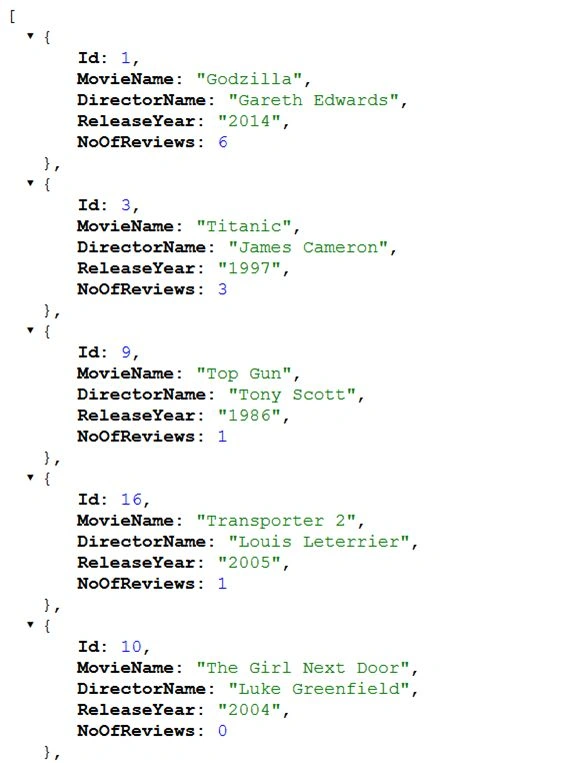
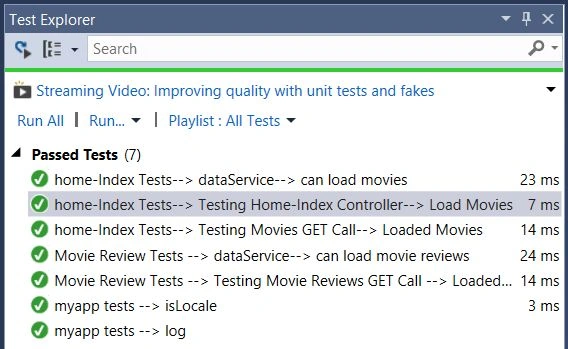
Similarly various endpoints can be tested. Apart from Web API tests, I have also used Jasmine to test my Angular code. You will also learn how to test client-side JavaScript code with Visual Studio. Here, I have used Chutzpah to integrate JavaScript Tests with Visual Studio. The following is a glimpse of it.
Now, when I check on the code coverage results for my tests, Chutzpah will open a new window in the browser with the code coverage results for the client side as shown below in the screen shot.
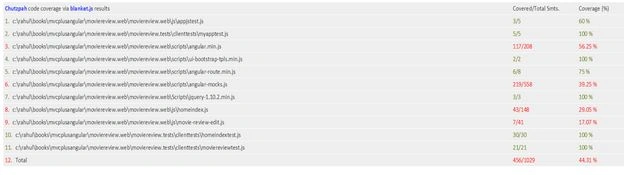
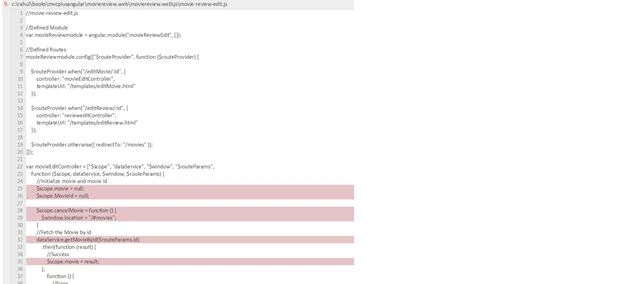
The ones that are highlighted in Red are the ones that are not covered 100%, so when I click on any of the links, it will open the code in the browser and show what is covered and what is not.
Glimpse of Movie Review Solution
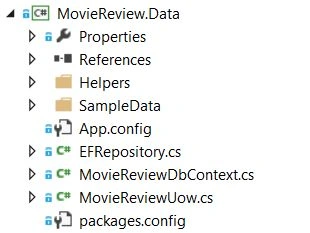
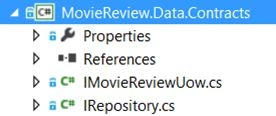
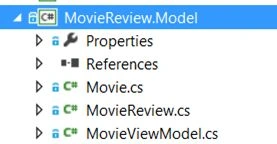
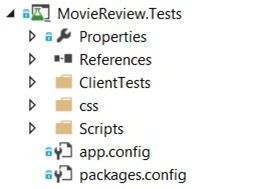
Let me go ahead and show you the solution structure of finished app. The following is the screen shot. I have 5 projects. Each has its on dependency and responsibility.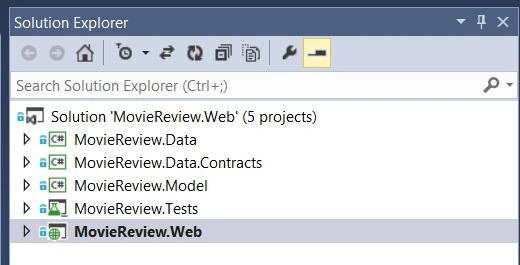
Here, the highlighted one is the web project that is dependent on the other infrastructure projects Data, Contracts and Model. The Data project is the place to maintain the initial seed data, Entity Framework DBContext and many more things involved in the direct interfacing down the layer with database. The Data Contract is the to manage your repositories and apply the Unit of Work Pattern on the repositories like movies and moviereviews. Model is the place where you will be having your Plain Old CLR Objects (POCOs). This is where you are maintaining all the properties attributed to the tables. The following is a glimpse of all the projects in their expanded form.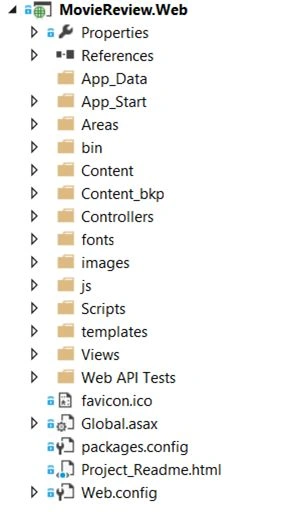
Summary
In this section, we saw the bits and bytes of the Single Page Application that we will make using tons of client/server side framework. We have also seen a glimpse at the app and solution. In the next section, we'll begin the learning by creating the application right from scratch. I would recommend you to download the app from github URL shown below to help you when building the Movie Reveiw.
I hope you have enjoyed the glimpse. You can have more info from the following link.
Book Description
Thanks,
Rahul Sahay.
Happy Coding.
Santhakumar MunuswamyPosted May 21, 2015, 3:19 PM
Thanks for nice one
Samah HammadPosted May 16, 2015, 12:52 PM
It's not available for non-Indian credit cards that is what appear when I try to purchase it.. anyway Thank you for your reply.
Samah HammadPosted May 15, 2015, 7:04 PM
I checked the book in Amazon but I found it is not available for purchasing.. is there another way to buy this book?
Samah HammadPosted May 14, 2015, 7:26 PM
Thank you it's really a nice article.. where can I find the other chapters?
Rahul SahayPosted May 13, 2015, 10:15 AM
Thanks :)
Sibeesh VenuPosted May 13, 2015, 8:26 AM
Good one
Humayun Kabir MamunPosted May 13, 2015, 7:35 AM
Nice @Rahul
Rahul Kumar SaxenaPosted May 12, 2015, 11:41 PM
Good Show..
Graham BellPosted May 12, 2015, 11:01 PM
Also i noticed that Live hosted URL is not mentioned here. At amazon its mentioned.
Graham BellPosted May 12, 2015, 10:58 PM
Thanks for sharing this pragmatic appraoch of building SPA with marriage of different client/server technologies