
In Part 1 and Part 2 of this article (Part 1; Part 2; Part 3) we have defined our task, have prepared a basis for creation and testing the Address control and have built the control. In this short part we are going to test the control with the help of the UC_Test project.
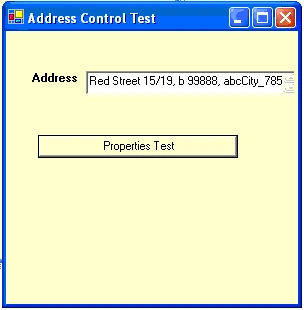
Inside of the UC_Test project from "My Users Controls" tab drag and drop on the Form1[Design] the Address control named " address1" and from "Windows Forms" tab drag and drop a button named "buttonTestProperties" (don't forget to add references to "Address" dll and "GetData" dll !). Set the buttonTestProperties text property to "Properties Test". Add to the Form1.cs the follow code :
private void Form1_Load(object sender, System.EventArgs e)
{
GetData.GetDataHelp DT_Cities = new GetData.GetDataHelp();
address1.C_Value_Member ="SYMBOL_CITY";
address1.C_Display_Member = "CITY";
address1.C_DataTableCities = DT_Cities.getDataSetCities(1000).Tables[0] ;
// address1.C_TextBox_Multiline = false;
}
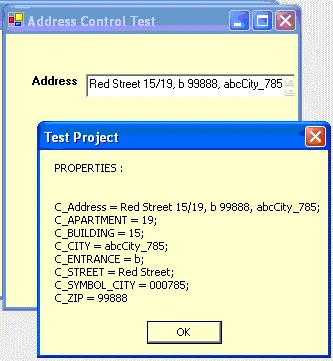
private void buttonTestProperties_Click(object sender, System.EventArgs e)
{
string sHelp =
"PROPERTIES : " + "\n\n\n" +
"C_Address = " + address1.C_Address + ";\n" +
"C_APARTMENT = " + address1.C_APARTMENT + ";\n" +
"C_BUILDING = " + address1.C_BUILDING + ";\n" +
"C_CITY = " + address1.C_CITY + ";\n" +
Join the conversation! Your thoughts help the community grow.