

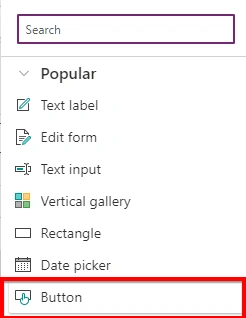
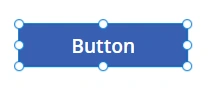
In PowerApps, the button control is a simple control that allows users to initiate actions such as navigating to another screen, submitting a form, or running a flow. The button control has several properties that you can use to customize its behavior and appearance.
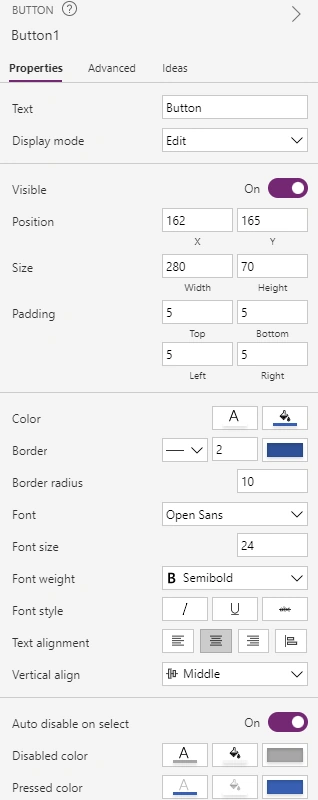
You can set these properties using the property pane or by using the formula bar. These properties can be used to create a custom button with desired appearance, actions, and behavior.
The property pane is on the right side of the screen.
You can find these properties on the upper left side also to set
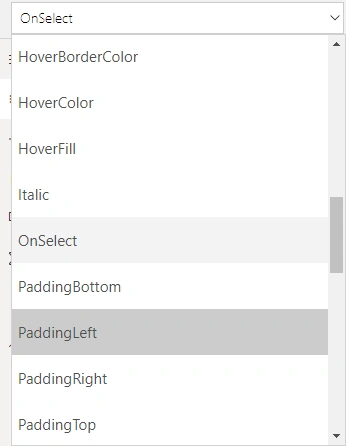
Here are some of the key properties of the button control in PowerApps,
- Text - The text that is displayed on the button.
- OnSelect - The formula or function that runs when the button is tapped or clicked.
- DisplayMode - The visibility of the button. It can be set to DisplayMode.Edit or DisplayMode.View.
- BorderColor - The color of the button's border.
- BorderRadius - The radius of the button's corners.
- BorderThickness - The thickness of the button's border.
- Fill - The background color of the button.
- FontSize - The size of the text on the button.
- FontWeight - The weight of the text on the button, such as bold or normal.
- Height - The height of the button.
- Width - The width of the button.
- Image - An image that appears on the button.
- ImagePosition - The position of the image relative to the text.
- Padding - The space between the button's border and its content.
- Visible - A true/false value that determines whether the button is visible or not.
- Tooltip - The text that appears when the user hovers over the button.
Note that the properties and their values depend on the version of PowerApps you are using.
Join the conversation! Your thoughts help the community grow.