

Word documents remain the universal format for business contracts, reports, invoices, compliance templates, and correspondence that needs to look like it came out of an office suite. Every .NET line-of-business application eventually has to generate one, parse one, or convert Word documents to something else like, for example, PDF format. The library you pick shapes your deployment footprint, your licensing costs, which file formats you get for free, and which features you hit a wall on six months into the project.
This article compares seven C# Word libraries I short-list in 2026, covering one commercial option I use often, Microsoft's own MIT-licensed SDK, the enterprise heavyweight, two popular community-edition libraries, one UI-vendor's bundled option, and the legacy-format specialist. The landscape has shifted in the last 18 months around licensing terms and what counts as "open source," and those shifts matter for teams picking a library today.
Why C# Word Library Selection Matters
Three categorically different workloads sit under Word document processing. Document generation creates DOCX files from data sources: invoices, reports, and letters via a mail merge engine. Parsing loads Microsoft Word files to extract text, tables, or built in document properties. Finally, document conversion renders Microsoft Word documents to PDF documents, HTML, or various image formats.
Layered on top are three licensing realities that have shifted meaningfully over the past two years. First, "open source" in the Word space is no longer uniform. Several libraries carry community licenses that forbid commercial use, maintenance-fee EULAs on binary packages, or debug-mode license-exception throws. Second, libraries that started as free community projects now gate features behind paid tiers.
Third, commercial pricing varies by a factor of ten or more across the options here. In our experience, licensing fit eliminates more libraries from your short-list than API taste or performance. Another thing to consider is moving away from Microsoft Office automation (specifically Microsoft Office Interop Word) is now mandatory for operating systems like Linux or macOS where Microsoft Office isn't present.
1. IronWord
IronWord is Iron Software's commercial .NET library, focused on high-speed word document manipulation. The intuitive API allows you to edit document structure or build a new document with minimal code. The API is compact: a WordDocument class for document-level operations, a Paragraph for block content, TextContent and ImageContent for inline elements, and a Run wrapper with TextStyle for styled text. The current NuGet release is v2026.3.1. The library targets .NET 10 through .NET Framework 4.7.2, runs on Windows, Linux, macOS, Docker, Azure, and AWS, and does not require Microsoft Word.
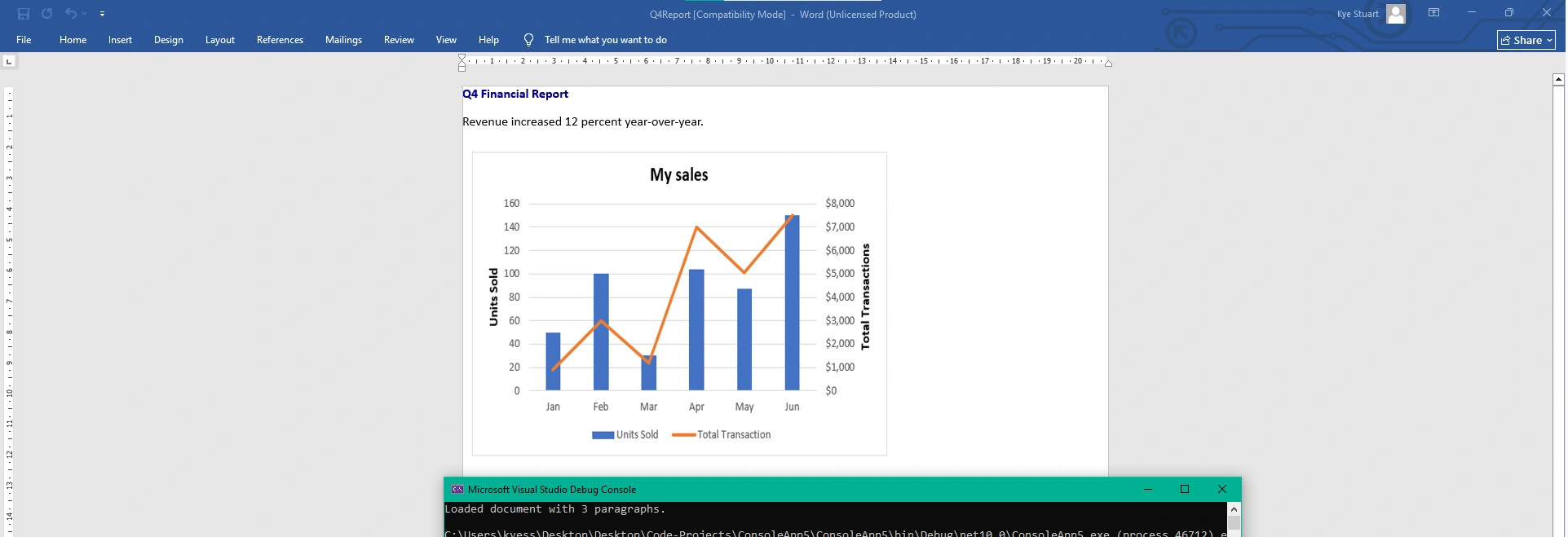
Create a DOCX with styled text and an embedded image: The three main element types (paragraph, styled run, image) appear in a single minimal flow, with just a few lines of code.
using IronWord;
using IronWord.Models;
using IronSoftware.Drawing;

WordDocument doc = new WordDocument();

// Styled heading
Paragraph heading = new Paragraph();

Run titleRun = new Run(new TextContent("Q4 Financial Report"));

titleRun.Style = new TextStyle
{
    IsBold = true,
    FontSize = 18,
    Color = Color.DarkBlue
};

heading.AddChild(titleRun);

doc.AddParagraph(heading);

// Body paragraph
Paragraph body = new Paragraph();
body.AddText(new TextContent("Revenue increased 12 percent year-over-year."));
doc.AddParagraph(body);

// Embedded image
ImageContent chart = new ImageContent("revenue-chart.png");
chart.Width = 400;
chart.Height = 300;

Paragraph imagePara = new Paragraph();
imagePara.AddImage(chart);
doc.AddParagraph(imagePara);

doc.SaveAs("Q4Report.docx");
IronWord Document Processing Output
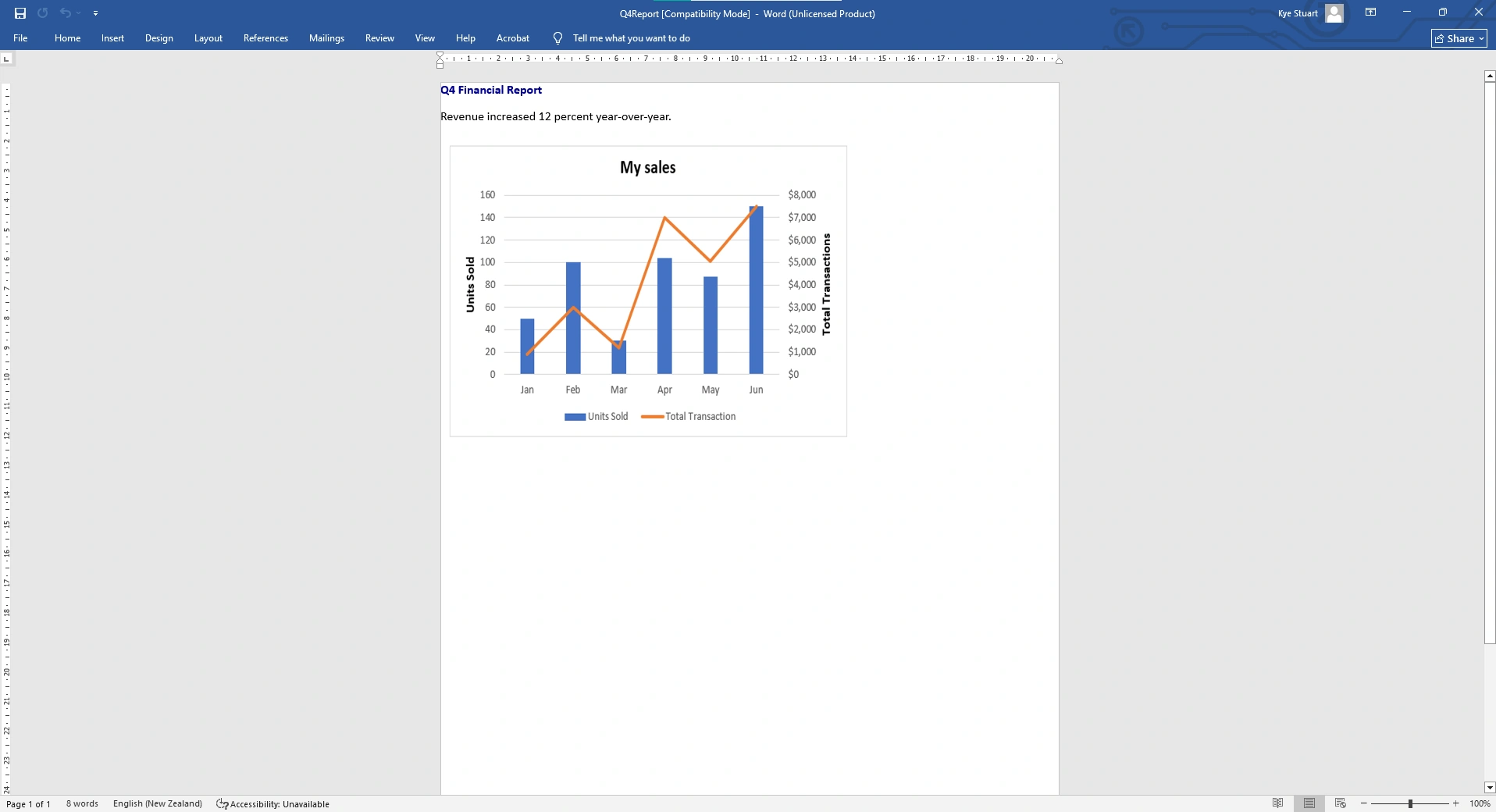
Beyond the surface shown above, IronWord covers tables (TableCell, TableBorders, BorderStyle), page setup, text-run splitting, shapes, and bullet or numbered lists. Licensing is commercial with a 30-day free trial and tiered per-developer pricing (Lite, Plus, Professional per Iron's published tiers). In my experience, IronWord fits teams that want DOCX handled without taking on the OOXML spec or the cost profile of an enterprise suite.
2. Open XML SDK
The Open XML SDK (DocumentFormat.OpenXml) is Microsoft's official low-level library for Office Open XML documents. It is maintained by the .NET team at dotnet/Open-XML-SDK on GitHub and is MIT-licensed. Current NuGet release is v3.4.1 (January 2026), which added bundled Q3 2025 Office schemas, support for MP4 video media parts, and JIT/AOT performance improvements (chunked base64 decoding is about 2.4 times faster with 70 percent less memory allocation).
Strengths: It's Microsoft. The library is first-party, MIT-licensed, covers every corner of the OOXML spec (WordprocessingML, SpreadsheetML, PresentationML, packaging), and is the ground truth every other .NET Word library has to agree with. For regulated environments where a Microsoft-maintained OSS library is itself a compliance requirement, this is our only option in the roundup.
Limitations: The API is deliberately low-level. A "hello world" DOCX runs 15 to 20 lines of nested part creation, namespace setup, body, paragraph, run, and text element construction before you save. Common document operations (replacing text, inserting a styled heading, building a table) require you to know the OOXML element hierarchy yourself. In my view, libraries like Aspose.Words, IronWord, DocX, and Syncfusion DocIO exist because most developers do not want to write that code, especially when they're building multiple documents a day or working with Word templates.
Licensing: MIT License. Free for any use, commercial or otherwise.
3. Aspose.Words
Aspose.Words is the enterprise commercial .NET Word library from Aspose, part of their broader document-processing suite. It handles over 30 formats for both input and output (DOCX, DOC, RTF, ODT, HTML, PDF, EPUB, Markdown, MHTML, XPS), and supports working with multiple Word documents. The library's signature is its DocumentBuilder cursor-based authoring model: instead of constructing a document tree node-by-node, you move a virtual cursor around the document and call Write or Writeln methods.
Build a Word document with DocumentBuilder: The cursor model covers a heading, body paragraph, and table with formatting state tracked across calls.
using Aspose.Words;
using Aspose.Words.Tables;

Document doc = new Document();

DocumentBuilder builder = new DocumentBuilder(doc);

// Heading
builder.Font.Bold = true;
builder.Font.Size = 18;

builder.Writeln("Q4 Financial Report");

// Body
builder.Font.Bold = false;
builder.Font.Size = 11;
builder.Writeln("Revenue increased 12 percent year-over-year.");

// Table
builder.StartTable();
builder.InsertCell();
builder.Write("Region");
builder.InsertCell();
builder.Write("Revenue");
builder.EndRow();
builder.InsertCell();
builder.Write("North");
builder.InsertCell();
builder.Write("$125,000");
builder.EndRow();
builder.EndTable();

// Output format is inferred from the extension.

doc.Save("Q4Report.docx");
Aspose.Words Document Generation Output
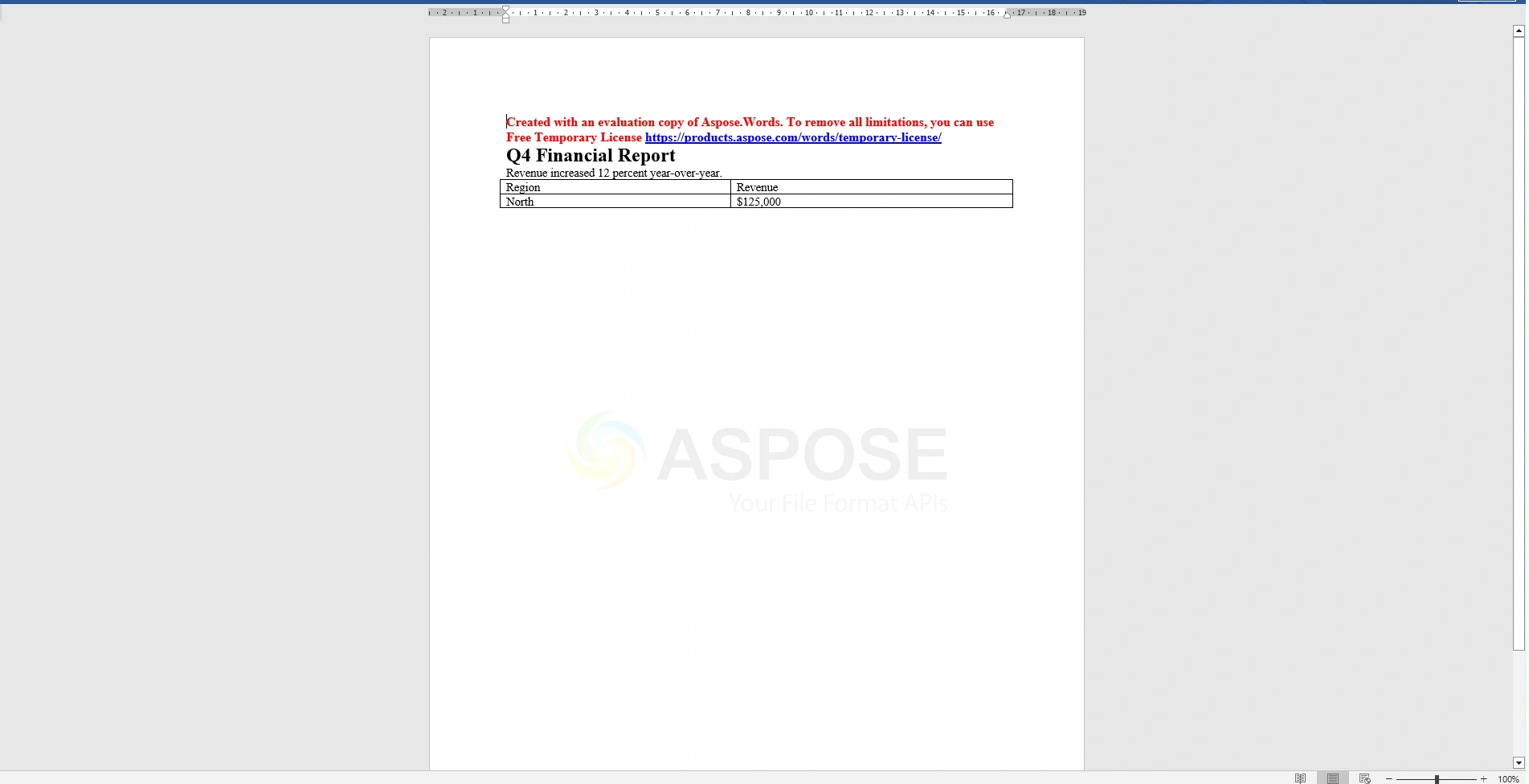
Aspose.Words earns its place on any short-list where Word-to-PDF, Word-to-HTML, or Word-to-Markdown conversion at production fidelity is a critical path. Recent versions (v24.11+) added AI-powered features: summarization, translation, and grammar checking integrated with your preferred model. Licensing is commercial at the enterprise tier. In our view, if conversion is not on the critical path, the price tilts against Aspose; if it is, the calculation flips.
4. DocX / Xceed DocX
DocX is an open-source .NET Word library originally written by Cathal Coffey and maintained by Xceed since version 1.5.0. It is the community edition of Xceed's commercial "Xceed Words for .NET" product. The library's signature is its fluent chainable API: you call InsertParagraph on a document and chain FontSize, Bold, Alignment directly off the returned paragraph.
Build a DOCX with the fluent chainable API: The distinctive DocX style covers a heading, body, and table.
using Xceed.Words.NET;
using Xceed.Document.NET;

// IMPORTANT: DocX is licensed for non-commercial use only.
// Commercial use requires Xceed Words for .NET (a separate paid product).
using DocX doc = DocX.Create("Q4Report.docx");

// Chained heading
doc.InsertParagraph("Q4 Financial Report")
    .FontSize(18d)
    .Bold()
    .Alignment = Alignment.center;

// Body paragraph
doc.InsertParagraph("Revenue increased 12 percent year-over-year.")
    .FontSize(11d);

// Table
var table = doc.InsertTable(2, 2);
table.Rows[0].Cells[0].Paragraphs[0].Append("Region").Bold();
table.Rows[0].Cells[1].Paragraphs[0].Append("Revenue").Bold();
table.Rows[1].Cells[0].Paragraphs[0].Append("North");
table.Rows[1].Cells[1].Paragraphs[0].Append("$125,000");

doc.Save();
DocX Output DOCX File
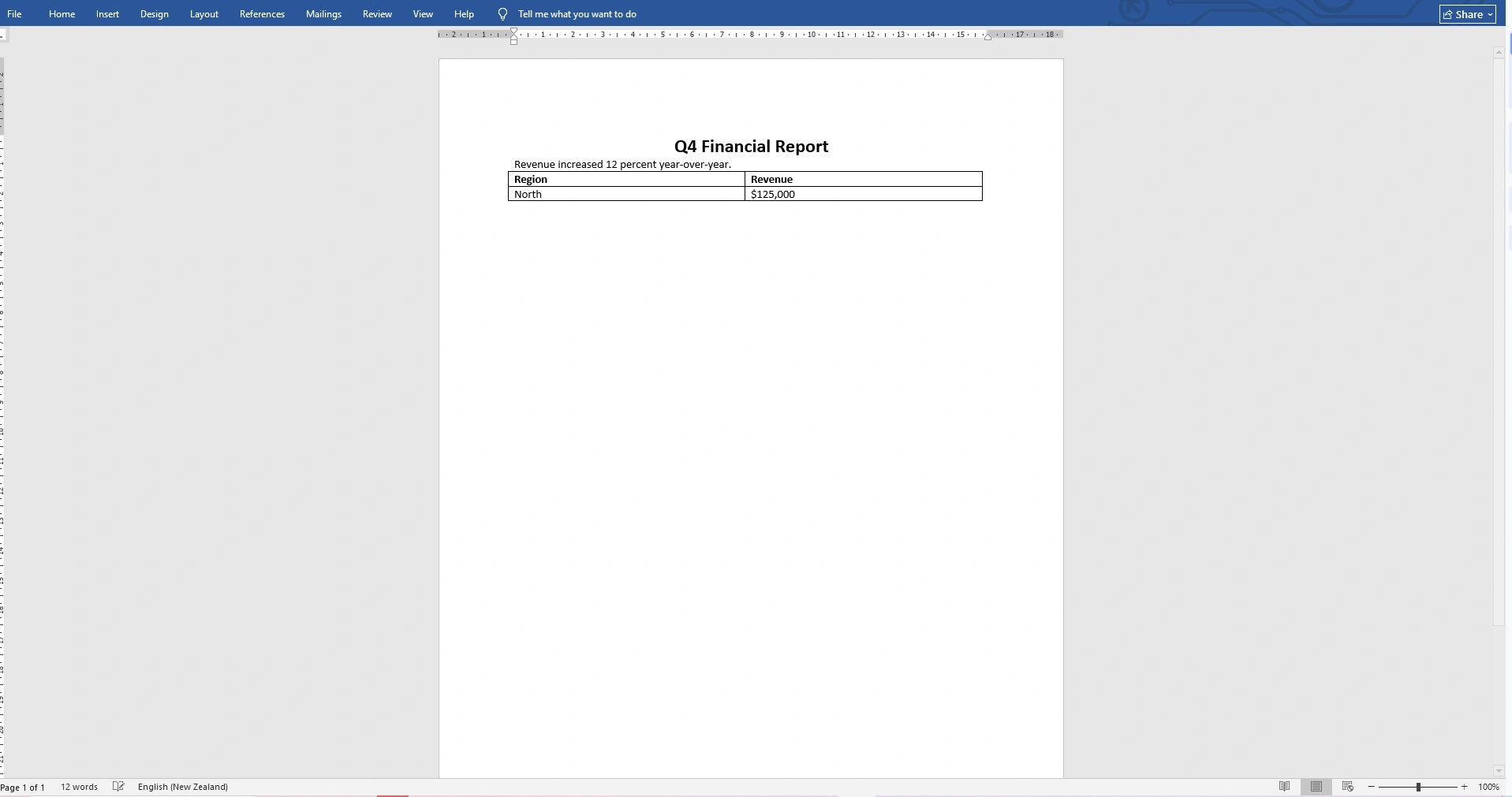
DocX v5.0.0 (September 2025) is the current community release. The licensing split is the detail most teams miss: the free DocX NuGet package is covered by the Xceed Community License, which explicitly restricts usage to non-commercial projects. In my experience, using DocX in a commercial product without a paid Xceed Words for .NET license is a terms violation teams only discover under audit. If your team is building a commercial application, upgrade to Xceed Words for .NET or pick a different library. I find the fluent API genuinely pleasant; the license terms are the gating factor.
5. Spire.Doc
Spire.Doc is E-iceblue's commercial .NET Word library. It covers DOCX, DOC, RTF, with conversion to PDF, HTML, EPUB, XPS, SVG, PostScript, and PCL. The library supports mail-merge, digital signatures, encryption, watermarks, footnotes, and math equations, plus a complete set of drawing primitives (shapes, text boxes, OLE objects).
Strengths: Broad format conversion coverage matched only by Aspose.Words in this roundup. Mail-merge plus encryption plus digital signatures in one package is useful for teams building contract-generation or compliance-document workflows. A genuine free community edition (FreeSpire.Doc) exists, which is rare in commercial document libraries. Current commercial release is v14.3.5, targeting .NET 2.0 through .NET 10.
Limitations: The FreeSpire.Doc community edition enforces hard limits: 500 paragraphs, 25 tables, and Word-to-PDF capped at the first three pages. These limits are enforced at read and write time, not advisory. For small internal tools the caps are livable, but any production workload will need the paid commercial edition.
Licensing: Dual. Commercial Spire.Doc (per-developer, tiered). FreeSpire.Doc community edition for documents within the 500-paragraph and 25-table caps.
6. Syncfusion DocIO
Syncfusion DocIO is the Word library inside Syncfusion Essential Studio. It sits alongside XlsIO (Excel), PDF, and Presentation in the same document-processing suite, and the four share license keys and deployment patterns. The API uses an explicit section-paragraph-run model: documents contain sections, sections contain paragraphs, paragraphs contain text ranges with character formatting.
Create a Word document with section, paragraph, and styled runs: The sample covers the DocIO authoring pattern with the mandatory license-key registration.
using Syncfusion.DocIO;
using Syncfusion.DocIO.DLS;

// Syncfusion requires a license key registration (v16.2.0.x+).
// Syncfusion.Licensing.SyncfusionLicenseProvider
//     .RegisterLicense("<Your License Key>");
using WordDocument doc = new WordDocument();

// Section with margins
IWSection section = doc.AddSection();
section.PageSetup.Margins.All = 50f;

// Heading
IWParagraph heading = section.AddParagraph();
IWTextRange title = heading.AppendText("Q4 Financial Report");
title.CharacterFormat.FontSize = 18f;
title.CharacterFormat.Bold = true;

// Body
IWParagraph body = section.AddParagraph();
IWTextRange bodyText = body.AppendText("Revenue increased 12 percent year-over-year.");
bodyText.CharacterFormat.FontSize = 11f;
doc.Save("Q4Report.docx", FormatType.Docx);

doc.Close();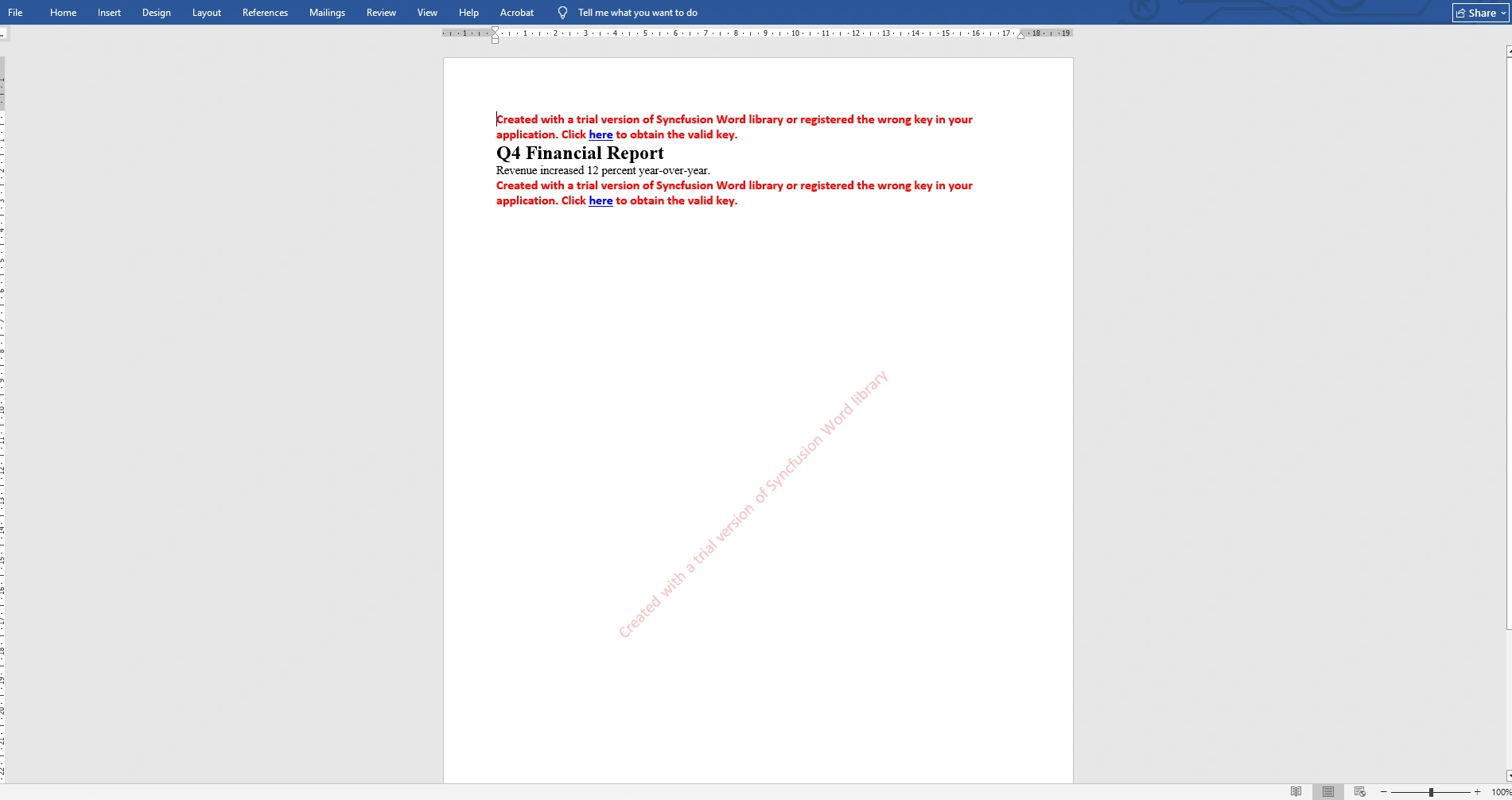
Join the conversation! Your thoughts help the community grow.