
Introduction:
Generally we consume web services in web application, but there may be a need
to call a web service in another web service application. As we know, a web application
can consume more than one web service (here). In this article I am describing
a simple way of calling a web service application in another web service
application. A web service application can also call another web service. Here I
will create two simple web services and will call one from another.
At first we create a web service application. Follow the given steps.
- Go to Visual Studio 2010 and create a New
Project
- Select an ASP.NET Web Service Application
- Give it a name and click ok button
using System;
using System.Collections.Generic;
using System.Linq;
using System.Web;
using System.Web.Services;
namespace firstservice
{
/// <summary>
/// Summary description for Service1
/// </summary>
[WebService(Namespace = "http://tempuri.org/")]
[WebServiceBinding(ConformsTo = WsiProfiles.BasicProfile1_1)]
[System.ComponentModel.ToolboxItem(false)]
// To allow this Web Service to be called from script, using ASP.NET AJAX, uncomment the following line.
// [System.Web.Script.Services.ScriptService]
public class Service1 : System.Web.Services.WebService
{
[WebMethod]
public string show()
{
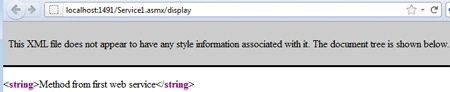
return "Method from first web service";
}
}
}
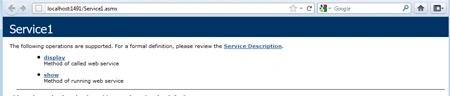
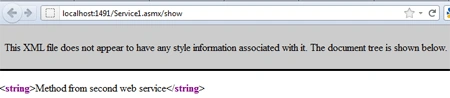
Run this
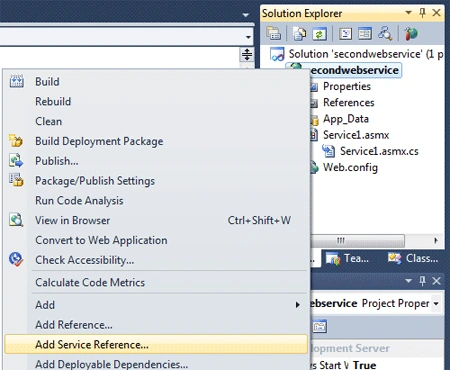
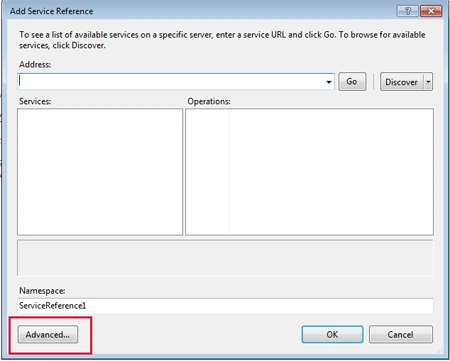
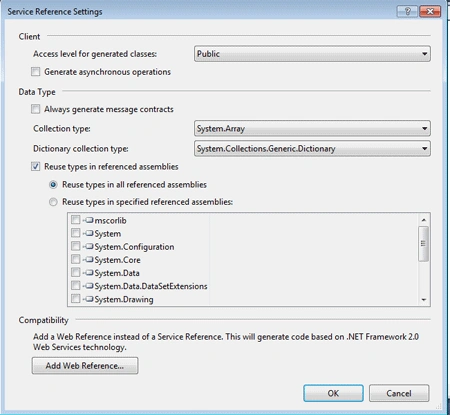
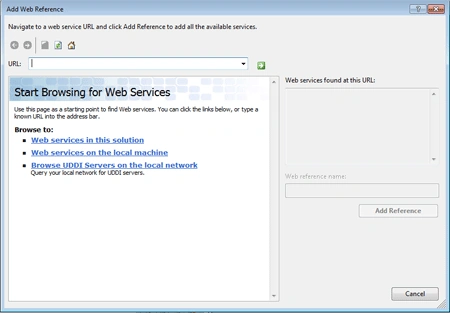
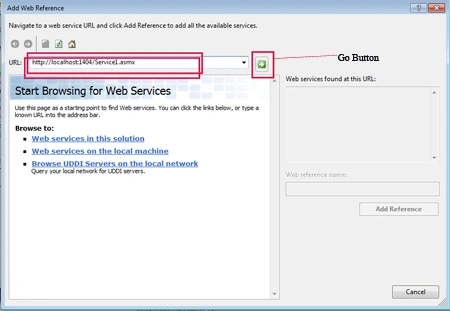
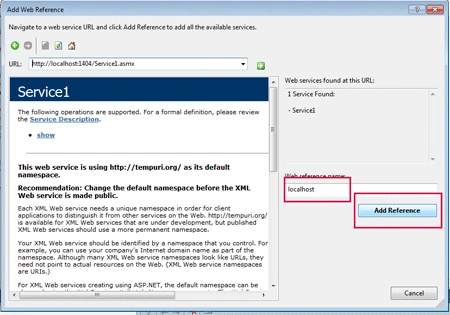
service application. Now create another ASP.NET Web Service Application (As above) and follow the given steps.
Dominus FaribPosted May 7, 2015, 8:06 PM
Very good! Your post helped me a lot, congratulations!
Dominus FaribPosted May 7, 2015, 8:06 PM
Muito bem! Sua postagem me ajudou muito, parab?ns!
sankar nareanPosted Mar 15, 2013, 8:38 AM
Thanks buddy it very usefull very thanks
Pravin MorePosted Dec 13, 2011, 12:50 AM
nice article Alok....i think, will need it soon in my currnt poject.