

Introduction
This article explains how to call ASP.NET Web API in the cross domain, using AJAX in a simple step by step way. We can deploy and use our Web API in the cross-domain. While calling cross domain, we will be facing some issues. This article explains how to resolve and how to use Web API in the cross domain. Please read the previous part of this article in the link given below before reading this article.
Calling Web API in Cross Origin
Web page and ASP.NET Web API Services hosted in the different domains are called cross-origin. For example, a Web Application hosted in http://test.com and ASP.NET Web API Service hosted in http://testAPI.com. We can see the URL for the Web Application and ASP.NET Web API looks as shown below in the cross domain or cross-origin.
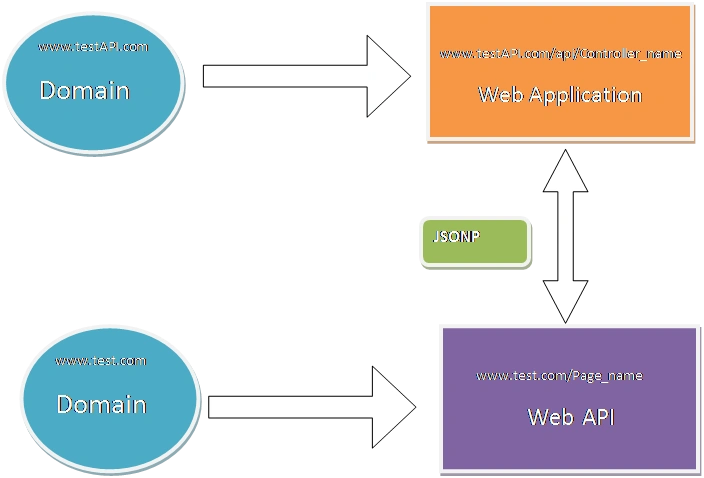
JSONP
JSONP is a JSON with padding. While accessing the data, using AJAX call, we cannot access the data cross-domain because of security reasons. JSONP is used to access the data in the cross domain. JSON returns a JSON-formatted object only. JSONP returns a JSON-formatted object, which is wrapped inside a function call. The example given below differentiates it for JSON and JSONP.
JSON format
- {
- “Id” : “1”,
- “Name” : “Vignesh”,
- “Address”: “India”,
- }
JSONP format
- callbackFunction ({
- “Id” : “1”,
- “Name” : “Vignesh”,
- “Address”: “India”,
- })
Steps to create cross-origin or cross domain
Step 1
This step is a continuation of previous part of the article. Please find the links given below for first part of the article.
Step 2
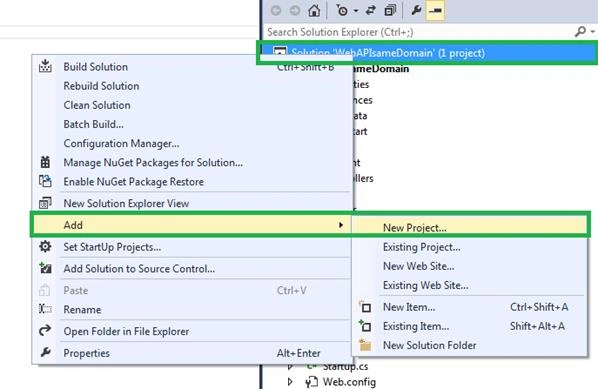
Remove the HTML page in our solution files. Now, add a new project in the same solution. Right click on the Solution Explorer, go to “Add” and click new project.
Step 3
Now, select The Web. Under Web, select ASP.NET Web Application in Add New Project Windows and give the project name. Finally, click OK.
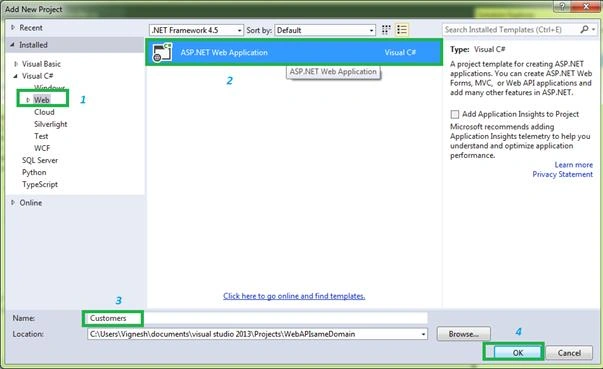
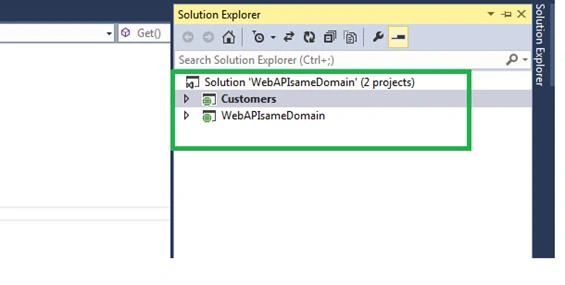
Now “New ASP.NET Project - Customers” Window will open. Now, select Web Forms and click OK. Afterwards, add the new project in the solution. We can see the two projects in the single solution.
Step 4
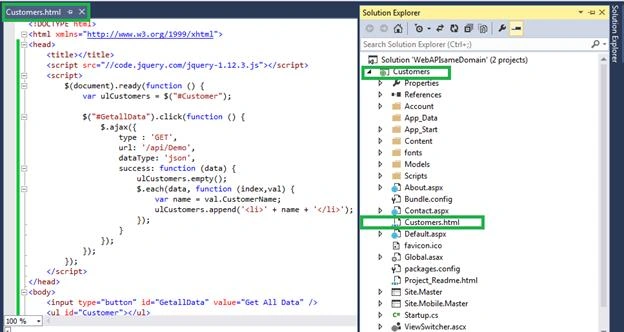
Now, right click on Customer project adds “Customer.html” page in Customers project. Now, copy the same code from “WebAPIsameDomain” project “Customers.html” page and paste it to “Customer” project “Customers.html” page.
Step 5
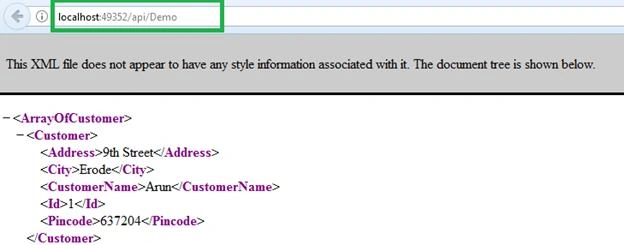
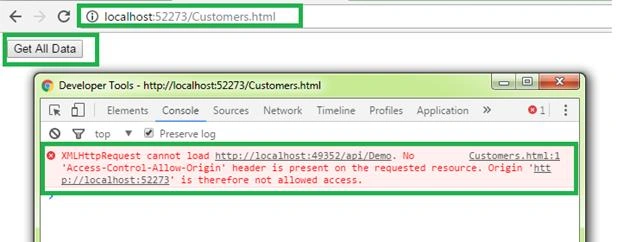
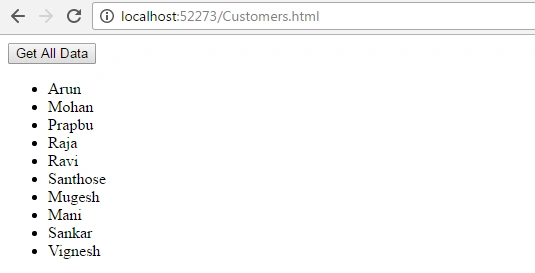
Now, build our solutions and run ASP.NET Web API Service and Customers.html page. We can see the different port number. The screenshot given below shows it differently.
http://localhost:49352/api/Demo - ASP.NET Web API URL.
http://localhost:52273/Customers.html - Web Page URL.

After building our solution and running “http://localhost:49352/api/Demo” for ASP.NET Web API and running “http://localhost:52273/Customers.html” for our Web page, now click Get button but we don't get any result because of the security problem in cross-origin.
ASP.NET Web API Service returns JSON format data. It is not supported in the cross domain because of the security issue. If we go to developer tool, we can see the error. The error is “XMLHttpRequest cannot load http://localhost:49352/api/Demo. No 'Access-Control-Allow-Origin' header is present on the requested resource. Origin 'http://localhost:52273' is therefore not allowed access.”
Akshay singhPosted Sep 20, 2018, 5:44 AM
But how to postdata in any webpage
Vishal PrajapatiPosted Feb 26, 2017, 11:08 PM
Worth reading........
Pradeep ShetPosted Feb 26, 2017, 3:03 PM
I liked it very much
Anu VPosted Feb 26, 2017, 5:51 AM
Thanks for sharing..nice..........
Catcher WongPosted Feb 25, 2017, 7:51 PM
Nice sharing , You can enable CORS to solve this problem as well!!
Satyaprakash SamantarayPosted Feb 25, 2017, 5:07 PM
Thanks for sharing