

While working on opportunity, we want to monitor closely all the changes happening in the opportunity, for example when the Probability value has changed, when the opportunity rating is changed and so on, maybe we also want to notify the sales manager about these changes with details. Let's use an example of Opportunity Rating, the OOB Opportunity Rating field contains the following three options:
- Hot
- Warm
- Cold
We can also modify this field if required to fulfill business requirements, so let us say when the opportunity rating is changed we want to notify our company sales manager with the following very simple information:
We can simply set up an asyn workflow to send notification on changes of the rating, but to capture the old value of the rating, we need to create a custom field to hold this value for us and create a real-time workflow to get the old value form rating field. The following is the procedure to complete this requirement.
Let's first create a custom field in the opportunity entity:
- Browse the Microsoft CRM 2013 Application and navigate to Settings.
- Navigate to Customization | Customize the System.
- Navigate to Components | Opportunity |Fields | New.
- Create a field text field for the old rating.
- Place this field over the Opportunity form.
- Save and Publish your changes.
Let's now set up our asyn workflow to send the notification. The following is the procedure to create the asyn workflow:
- Navigate to Settings | Processes | New.
- Use the following properties:
- Process Name: Send Notification.
- Category: Workflow
- Entity: Opportunity
- Ensure "Run this workflow in the background (recommended)" is selected.
- Configure to run the workflow as the Child (select “As a child process”).
- Click on Add Step and select the Send email option from the drop down.
- Click on Set Properties and configure your email like the following:
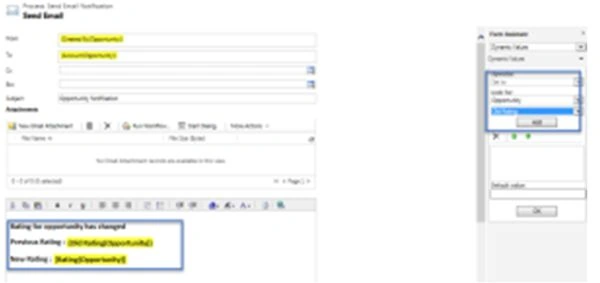
You need to get the Rating and old rating values from Form Assistant like above. Finally your workflow should look as in the following: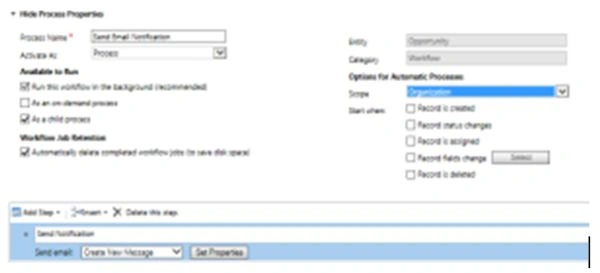
- Activate your process.
Now let's set up a Real time workflow to capture the old value before the change. The following is the procedure to set up the workflow:
- Navigate to Settings | Processes| New.
- Navigate to Settings | Processes| New.
- Use the following properties:
- Process Name: Capture Old Value
- Category: Workflow
- Entity: Opportunity
- Be sure to uncheck the “Run this workflow in the background (Recommended)” option.
- Click Ok.
- Configure your Syn workflow using the following properties:
- Scope: Organization
- Start when: Before
- Record fields changes: Check this (select the rating field using the Select button).
- Click on Add Step and select the Update option.
- Click on Set Properties and set the old rating field like the following screen.
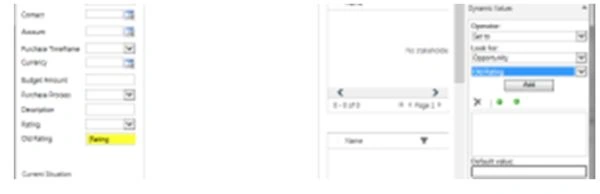
- Click on Save and Close.
- Click on Add Step and select Start child workflow.
- Select your workflow that was created in the earlier step.
- Finally it should look like the following:
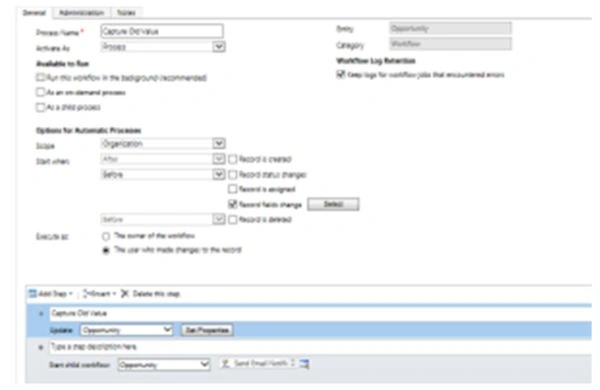
- Activate your workflow
Open any opportunity record and try to change the rating value then hit Save, you should be able to see the old rating value in the old rating field.
Join the conversation! Your thoughts help the community grow.