

Introduction
Let me go through the steps of setting the background color for the desktop in the Windows 10 Operating system.
Step 1
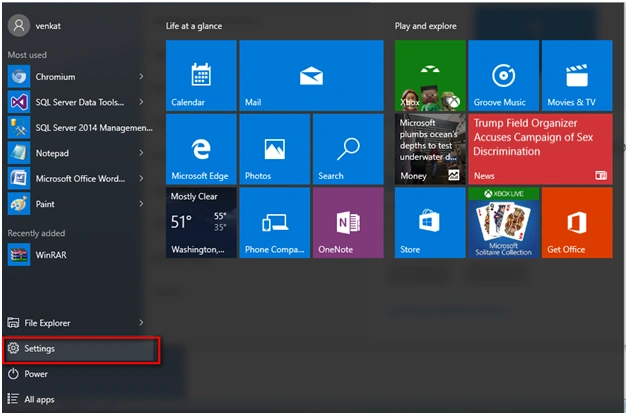
Go to Settings Tab under Windows Startup.
Step 2
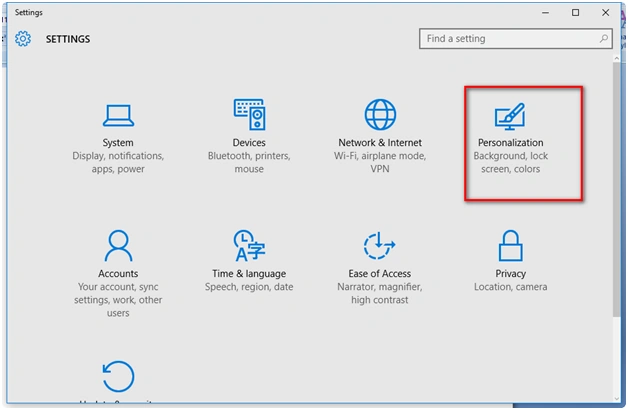
Under settings tab go to the "Personalization" tab.
Step 3
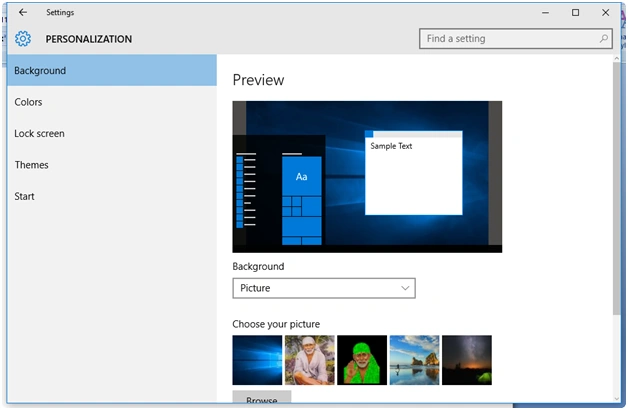
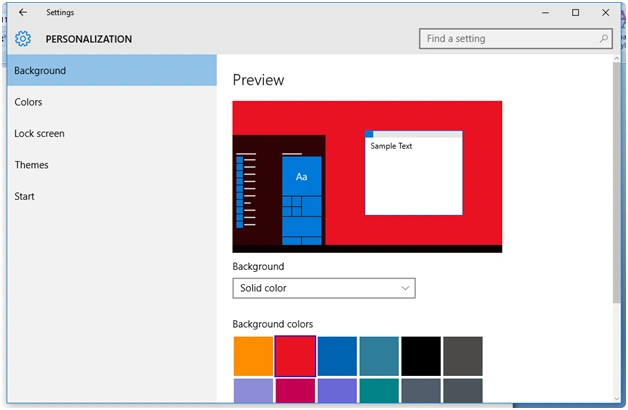
Under Settings, Personalization, you can see the dropdown for the background.
Step 4
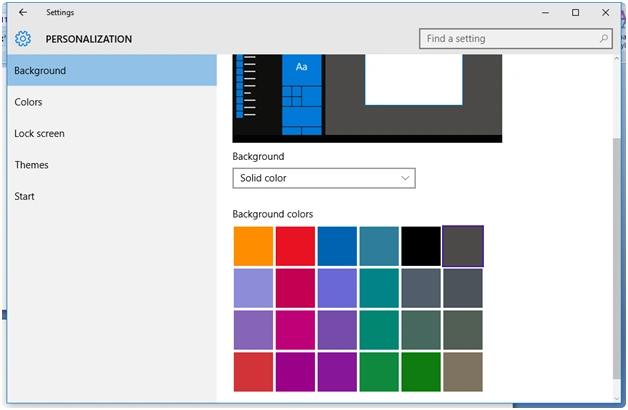
Change the option to 'Solid color' and you are able to choose the color for your background.
Step 5
Selecting the option of your preferred color, you can see the color in the preview window. Click the apply button at the bottom.
Step 6
You can see the background color setup for your Windows 10.
Read more articles on Windows 10:
Summary
In this article, we learned about Change Background Color In Windows 10.
Vignesh ManiPosted Feb 8, 2016, 4:28 AM
Good one