

Introduction
This article shows how to use the checkbox helper in MVC applications.
Create an ASP.Net web application

Figure 1 We Application
Choose MVC template
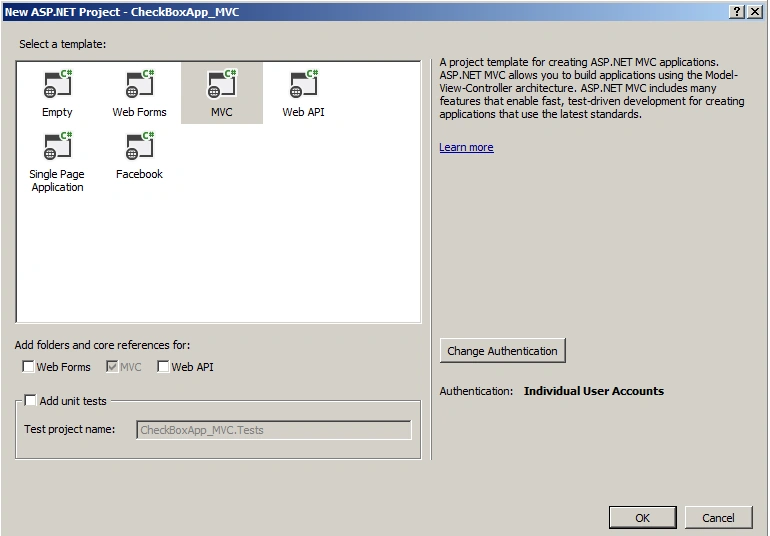
Figure 2 MVC Template
Add an employee controller

Figure 3 Employee Controller

Figure 4 Add Controller
Employeecontroller.cs
- using System;
- using System.Collections.Generic;
- using System.Linq;
- using System.Web;
- using System.Web.Mvc;
- namespace CheckBoxApp_MVC.Controllers
- {
- public class EmployeeController : Controller
- {
- //
- // GET: /Employee/
- public ActionResult Index()
- {
- List<SelectListItem> items = new List<SelectListItem>();
- items.Add(new SelectListItem { Text = "IT", Value = "0" });
- items.Add(new SelectListItem { Text = "HR", Value = "1" });
- items.Add(new SelectListItem { Text = "Management", Value = "2" });
- ViewBag.List = items;
- return View();
- }
- }
- }
Index.cshtml
- @{
- ViewBag.Title = "Index";
- }
- <h2>Index</h2>
- @foreach (SelectListItem item in ViewBag.List)
- {
- @Html.CheckBox(item.Text)@item.Text
- <br />
- }
The following is the output of the application.

Figure 5 Index
Summary
In this article we saw how to use the checkbox helper in MVC applications. Happy coding!
Gowtham RajamanickamPosted May 26, 2015, 8:58 AM
Good one..
Vijay SPosted May 26, 2015, 5:08 AM
Nice One
Sibeesh VenuPosted May 26, 2015, 1:03 AM
Good one.
Santhakumar MunuswamyPosted May 26, 2015, 12:41 AM
Good