

Introduction
This article shows how to use a CheckBoxFor helper handling HttpPost in MVC applications.
Create an ASP.Net Web Application as in Figure 1.
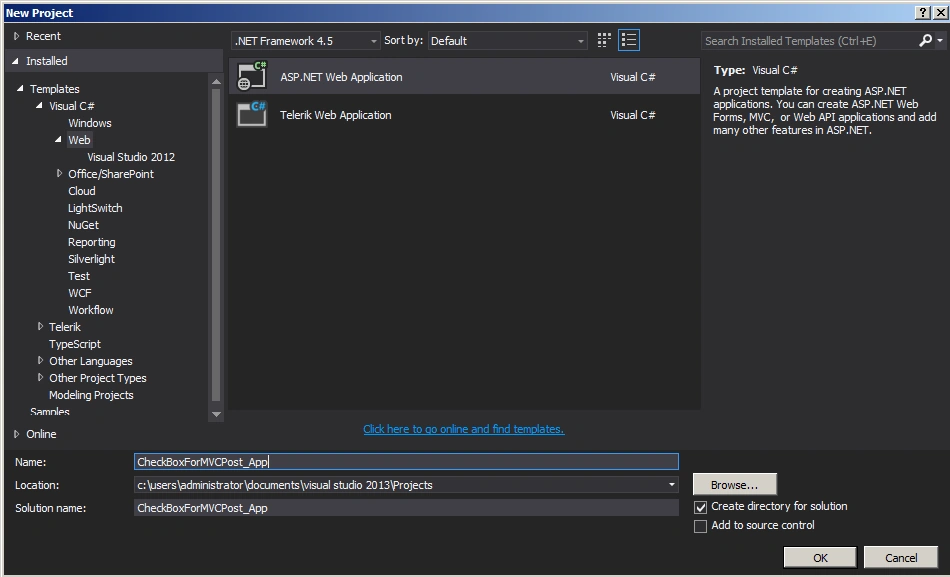
Figure 1: Web Application
Choose MVC template as in Figure 2.
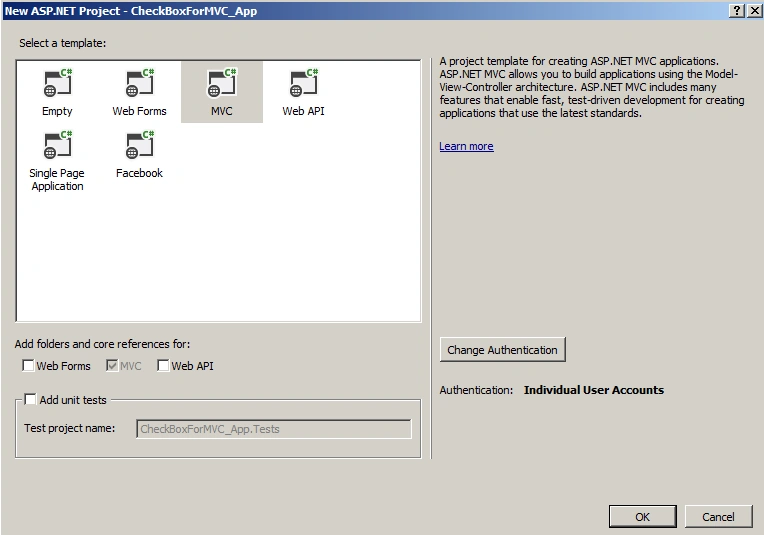
Figure 2: MVC Template
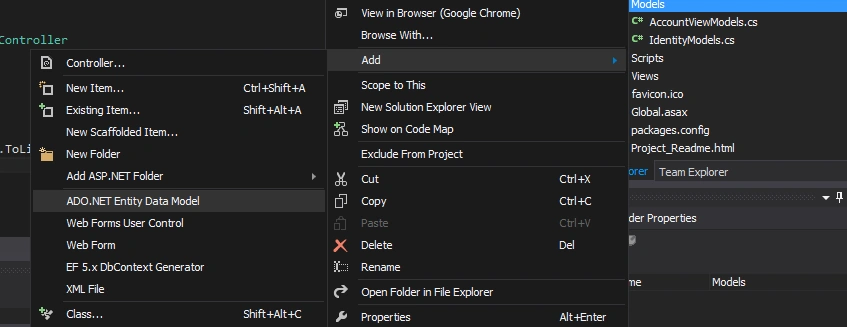
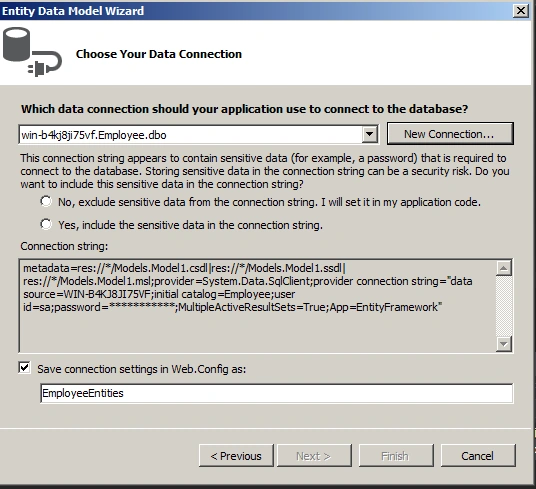
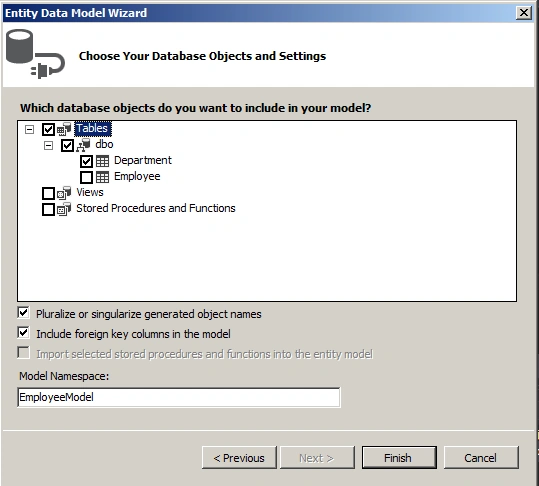
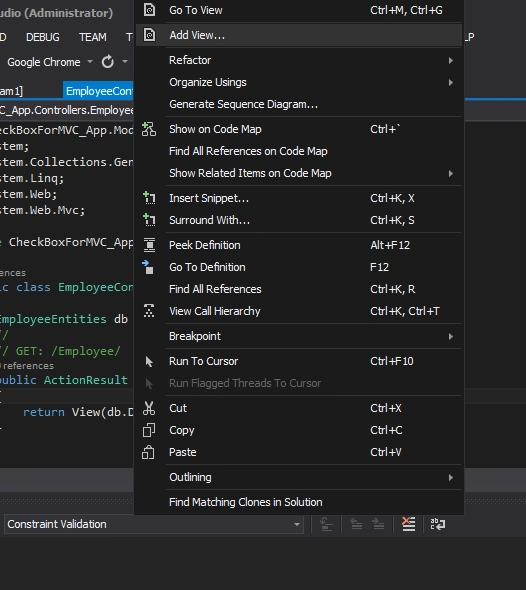
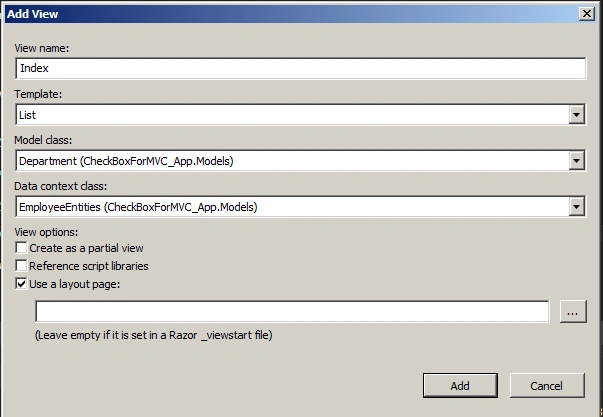
Add an Employee Controller as in Figures 3, 4 and 5.
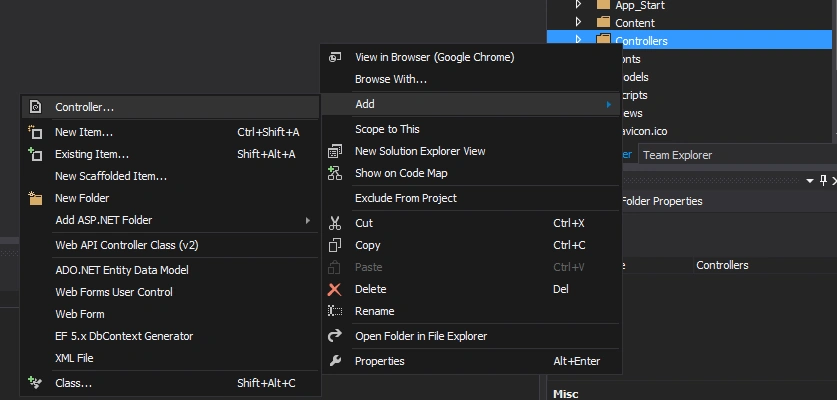
Figure 3: Add Controller
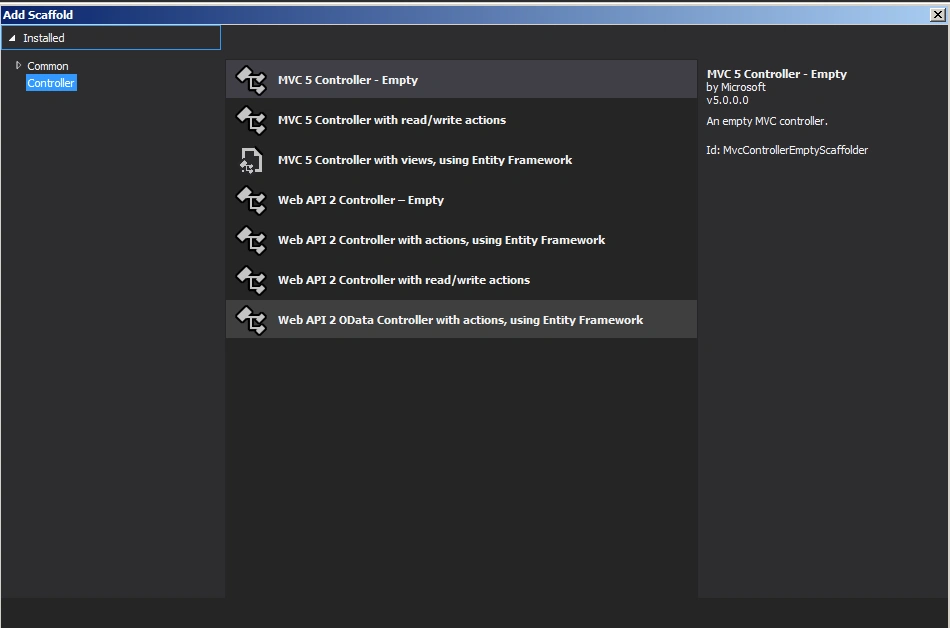
Figure 4: MVC Controller Empty
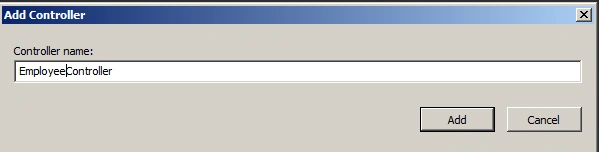
Figure 5: Employee Controller
EmployeeController.cs
- using CheckBoxForMVCPost_App.Models;
- using System;
- using System.Collections.Generic;
- using System.Linq;
- using System.Text;
- using System.Web;
- using System.Web.Mvc;
- namespace CheckBoxForMVCPost_App.Controllers
- {
- public class EmployeeController : Controller
- {
- EmployeeEntities db = new EmployeeEntities();
- //
- // GET: /Employee/
- public ActionResult Index()
- {
- return View(db.Departments.ToList());
- }
- [HttpPost]
- public string Index(IEnumerable<Department> model)
- {
- StringBuilder sb = new StringBuilder();
- foreach (var mode in model)
- {
- if (mode.IsSelected)
- {
- sb.Append("Selected Value is : <b>" + mode.DepartmentName + "</b>");
- sb.Append("<br />");
- }
- }
- return sb.ToString();
- }
- }
- }
NitinPosted May 28, 2015, 1:02 PM
good one
Santhakumar MunuswamyPosted May 27, 2015, 3:19 PM
Thanks for nice article
Shailesh UkePosted May 27, 2015, 10:29 AM
Nice Article
Gowtham RajamanickamPosted May 27, 2015, 8:24 AM
great...
Sibeesh VenuPosted May 27, 2015, 5:56 AM
Good one.