

Introduction
A ComboBox is very much helpful when you want to provide the ability to choose one or more items of multiple items in your application to be selected by the user.
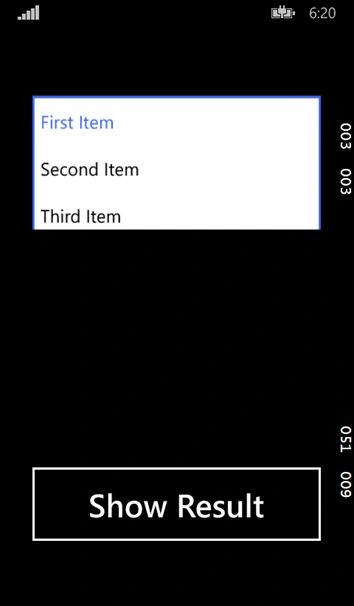
This article shows a very simple demo of a ComboBox control.
Step 1
To build a Windows Phone 8.1 application, ensure you have Visual Studio 2013 and the Windows Phone 8.1 SDK installed in your system.
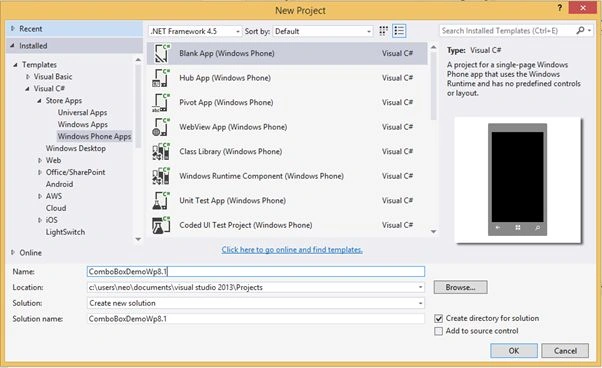
Go to "New Project". Under "Installed" > "Templates" > "Visual C#" > "Store Apps" select "Windows Phone Apps" then select "Blank App (Windows Phone)" and provide it a name as you choose (here I am using "ComboBoxDemoWp8.1").
Step 2
Navigate to the "MainPage.xaml" section of the project and add a "Button" control and a "TextBlock" Control to the Show the Content of item selected from ComboBox.
Finally add a "ComboBox" Control to your project.
- <Grid>
- <Button x:Name="ResultButton" Content="Show Result" FontSize="36" HorizontalAlignment="Left" Height="100"
- Margin="37,478,0,0" VerticalAlignment="Top" Width="326" Click="ResultButton_Click"/>
- <TextBlock x:Name="ResultTextBlock" HorizontalAlignment="Left" Height="65" Margin="37,264,0,0" TextWrapping="Wrap"
- Text="" FontSize="36" VerticalAlignment="Top" Width="326"/>
- <ComboBox x:Name="ComboBoxMenu" HorizontalAlignment="Left" Height="71"
- Margin="37,70,0,0" VerticalAlignment="Top"
- Width="326">
- <ComboBoxItem Content="First Item" IsSelected="True"/>
- <ComboBoxItem Content="Second Item"/>
- <ComboBoxItem Content="Third Item" />
- <ComboBoxItem Content="Fourth Item"/>
- <ComboBoxItem Content="Fifth Item"/>
- <ComboBoxItem Content="Sixth Item"/>
- </ComboBox>
- </Grid>
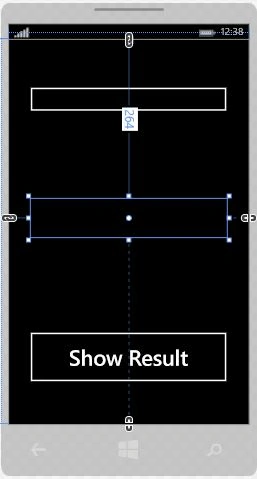
Your MainPage will look like this:
Step 3
Now it's time to add some C# code to the project. Navigate to the "Button" Event Handler in your project and add the following line of code:
- private void ResultButton_Click(object sender, RoutedEventArgs e)
- {
- //Showing the Selected Item of ComboBox in a TextBlock
- //Firstly the Selected Item is fetched
- //then it is Type Casted to ComboBoxItem
- //after that Content of the Selected item is fetched
- //by using the Content Property of the ComboBox
- //and then ToString() method is used to return a String
- ResultTextBlock.Text = ((ComboBoxItem)ComboBoxMenu.SelectedItem).Content.ToString();
- }
That's it; just compile and run your project.
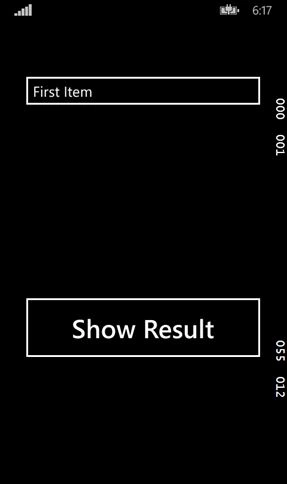
Initially when the application launches it may be like this:
Now when you select the ComboBox a flyout window will appear like this:
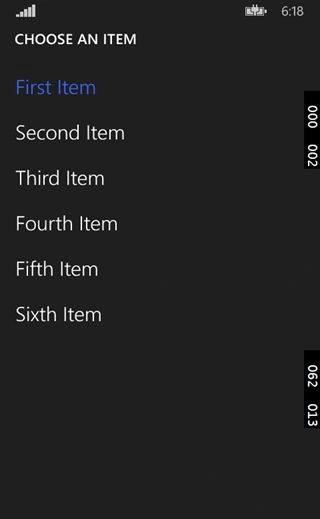
After selecting any of the items, the content of the item will be reflected in the TextBlock like this:
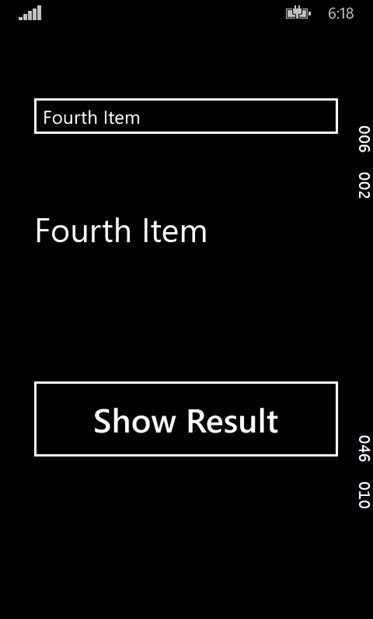
That's it for the article. If you have any query then feel fee to ask.
In the future articles we will see some of the more cool features and controls of Windows Phone 8.1.
Ajendra PrasadPosted Jan 19, 2017, 6:31 AM
You have set Height="71" for ComboBox, are you sure it is not going to hide the items when we open ComboBox?
Ajendra PrasadPosted Jan 19, 2017, 6:29 AM
Didn't get following statement as I couldn't select multiple items : "A ComboBox is very much helpful when you want to provide the ability to choose one or more items of multiple items in your application to be selected by the user."
Vaibhav DeshmukhPosted Oct 27, 2015, 10:10 AM
using PlaceholderText property of Combobox you can set default value of combobox..i think this will help you
Mathias BoisgardPosted Sep 4, 2015, 10:11 AM
What do you mean by setting ComboBox to its default value ? as long as you don't specify when creating the ComboBox one of its item having IsSelected Boolean to True, the default value will always be "choose an item", at least on my version (Visual Studio 2015).
Chisui XPosted Aug 28, 2015, 10:46 AM
Hi Aman, thank you very much for the help. Could you please explain to me how to set a ComboBox to its default value: "choose an item" ?
Laurent DuthooPosted May 29, 2015, 8:11 AM
Hello thank you for all the very useful articles you've written so far. Could you also quickly explain how to pass the item selected in the Combobox from one page to another. Thx a lot
Terrence WrightPosted Dec 23, 2014, 2:53 PM
How do you retrieve data from the Tag property?
Keyur PatelPosted Aug 20, 2014, 4:33 AM
Good One Aman. I would love to see more articles on Windows Phone 8.1 :-)