

This series of articles shows how to automate the process of changing the config file when deploying an App to different destination environments.
- Configuration Transformation (1): Web.Config --- this article
- Configuration Transformation (2): App.Config --- SlowCheetah
This article shows how to automate the process of changing the Web.config file when deploying an ASP.NET Web App to different destination environments.
Introduction
The content of this article:
- Transform File
- Web.Config Transformation
- Create Custom Web.Config Transformation
Transform File
A transform file is an XML file that specifies how the Web.config file should be changed when it is deployed. Transformation actions are specified by using XML attributes that are defined in the XML-Document-Transform namespace, which is mapped to the xdt prefix.
The XML-Document-Transform namespace defines two attributes:
- Locator: specifies the Web.config element or set of elements that you want to change in some way.
- Transform: specifies what you want to do to the elements that the Locator attribute finds.
The following example shows the contents of a transform file that changes a connection string and replaces the customErrors element:
<?xml version="1.0"?>
<configuration xmlns:xdt="https://schemas.microsoft.com/XML-Document-Transform">
  <connectionStrings>
    <add name="MyDB"
      connectionString="value for the deployed Web.config file"
      xdt:Transform="SetAttributes" xdt:Locator="Match(name)"/>
  </connectionStrings>
  <system.web>
    <customErrors defaultRedirect="GenericError.htm"
      mode="RemoteOnly" xdt:Transform="Replace">
      <error statusCode="500" redirect="InternalError.htm"/>
    </customErrors>
  </system.web>
</configuration>
Web.Config Transformation
Most applications have settings in the Web.config file that must be different when the application is deployed. Automating the process of making these changes keeps you from having to do them manually every time you deploy, which would be tedious and error-prone.
There are two ways to automate the process of changing Web.config file settings:
- Web.config transformations and
- Web Deploy parameters --- not discussed in this article
A Web.config transformation file contains XML markup that specifies how to change the Web.config file when it is deployed. You can specify different changes for specific build configurations and for specific publish profiles.
The default build configurations are Debug and Release,
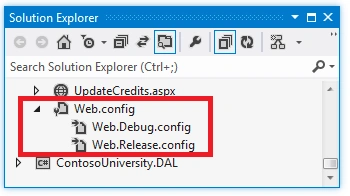
and you can create custom build configurations. A publish profile typically corresponds to a destination environment.
Create Custom Web.Config Transformation
Configuration Manager:
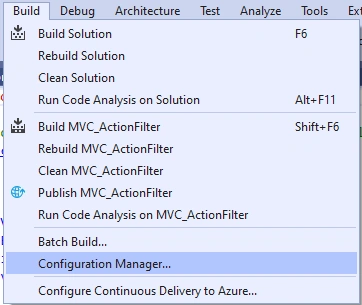
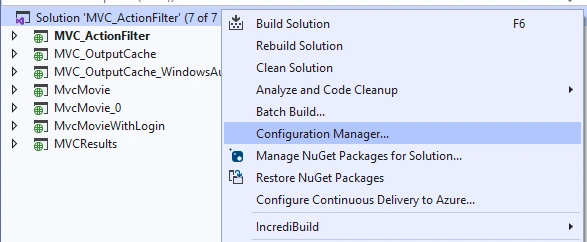
We use a configuration manager to create a custom Web.Config transform. We have several ways to open a configuration manager:
From Visual studio Build Tab.
Right Click solution.
From environment windows.
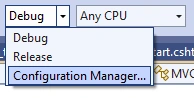
From CPU windows.
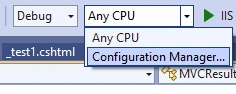
Add New Project Configuration
We can either in solution level.
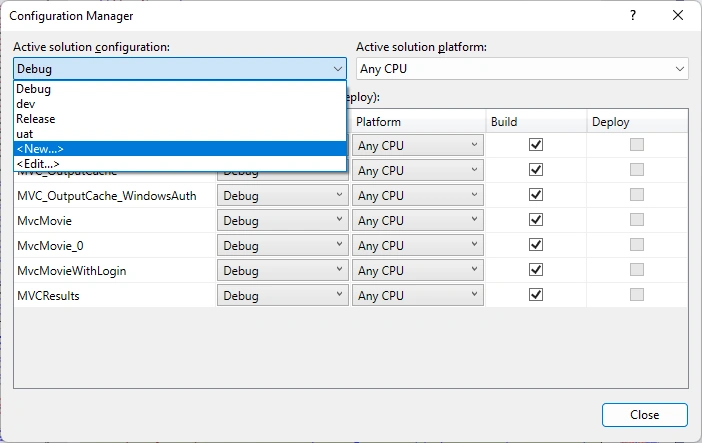
Or project level.
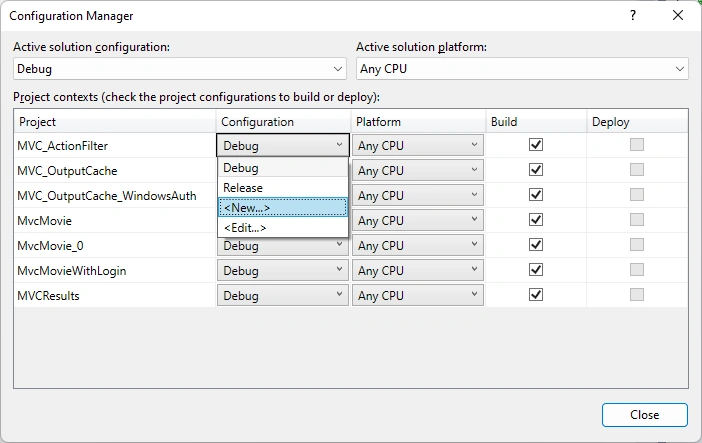
Add New, make sure that the "Copy settings from:" is <Empty> and the "Create new project configurations" is checked.
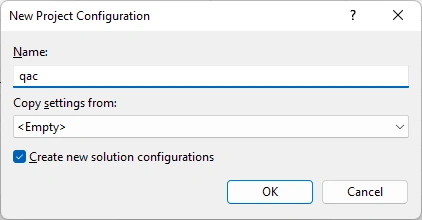
Added for Project MVC_ActionFilter.
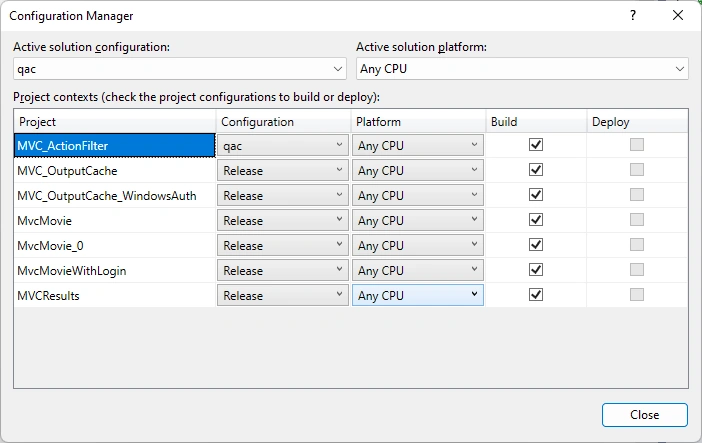
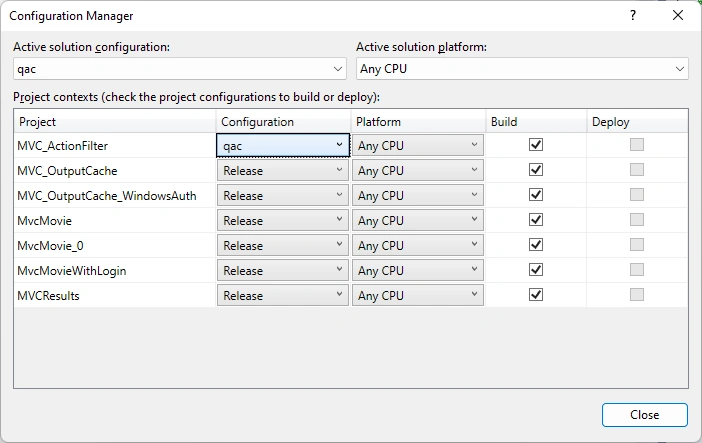
Newly created configuration is qac at both project level and solution level, while other projects are the same as previously:
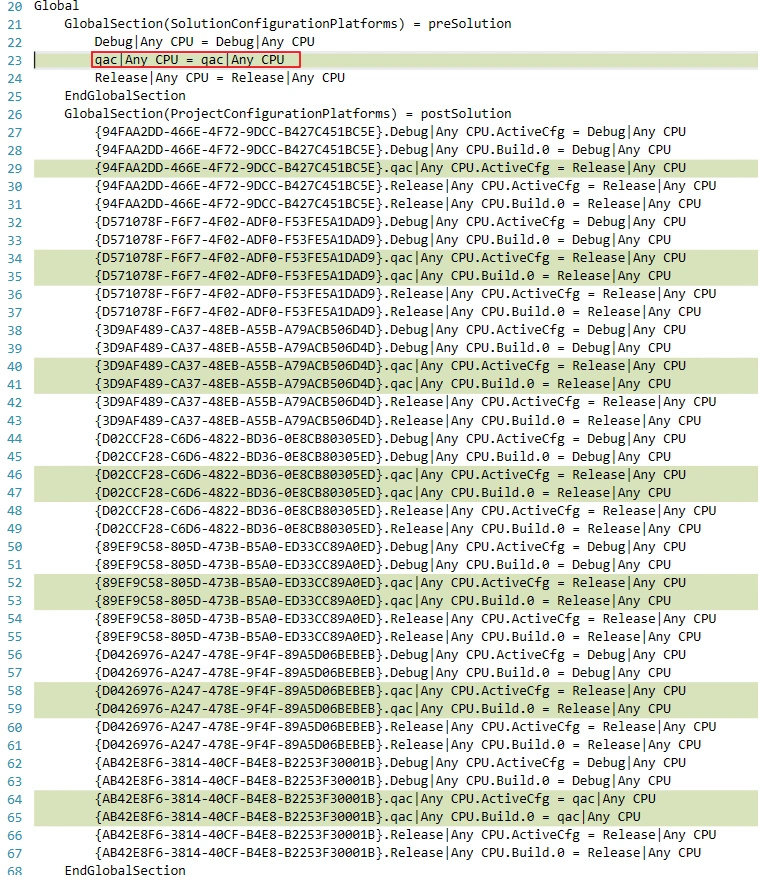
After adding the configuration, check the solution file, we can see the "qac" is added:
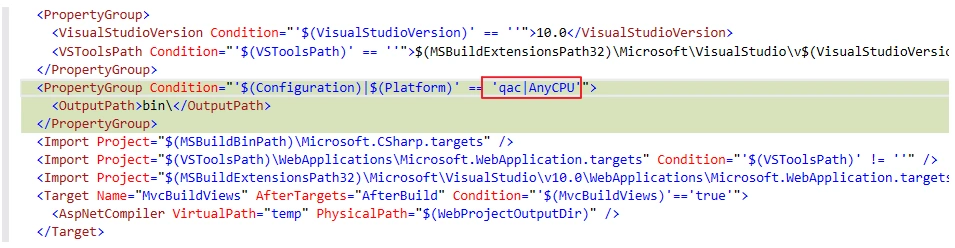
In the project file, it is added too:
Add config transform file
At this point, however, we do not see the configuration transform file added. Let us do it by right Click web.config file.
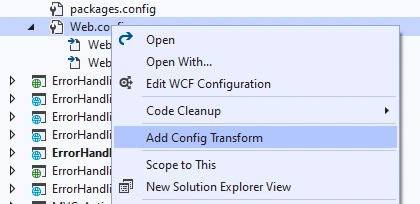
Then we get the configuration transform file, web.qac.config, added:
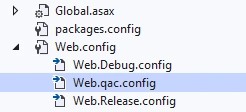
like this:
<?xml version="1.0" encoding="utf-8"?>

<!-- For more information on using web.config transformation visit https://go.microsoft.com/fwlink/?LinkId=125889 -->

<configuration xmlns:xdt="http://schemas.microsoft.com/XML-Document-Transform">
  <!--
    In the example below, the "SetAttributes" transform will change the value of
    "connectionString" to use "ReleaseSQLServer" only when the "Match" locator
    finds an attribute "name" that has a value of "MyDB".

    <connectionStrings>
      <add name="MyDB"
        connectionString="Data Source=ReleaseSQLServer;Initial Catalog=MyReleaseDB;Integrated Security=True"
        xdt:Transform="SetAttributes" xdt:Locator="Match(name)"/>
    </connectionStrings>
  -->
  <system.web>
    <compilation xdt:Transform="RemoveAttributes(debug)" />
    <!--
      In the example below, the "Replace" transform will replace the entire
      <customErrors> section of your web.config file.
      Note that because there is only one customErrors section under the
      <system.web> node, there is no need to use the "xdt:Locator" attribute.

      <customErrors defaultRedirect="GenericError.htm"
        mode="RemoteOnly" xdt:Transform="Replace">
        <error statusCode="500" redirect="InternalError.htm"/>
      </customErrors>
    -->
  </system.web>
</configuration>
Preview transform
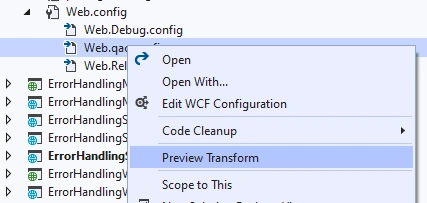
We can see, the debug mode is disabled.

by the code.
<compilation xdt:Transform="RemoveAttributes(debug)" />
Config for compiling
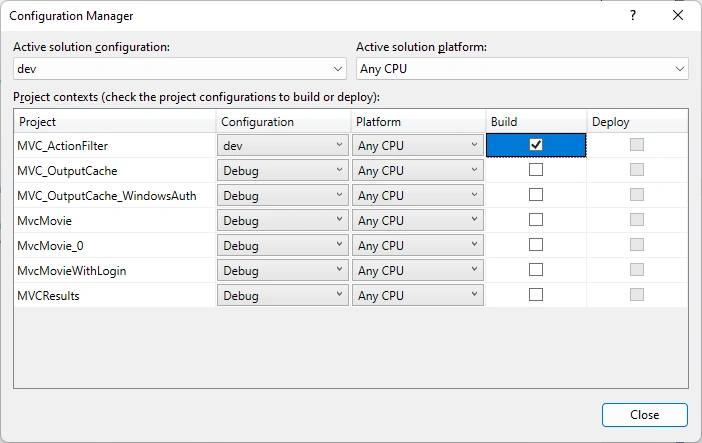
Use Configuration Manager, we can manage the compiling processes. For example, we can set dev only with one project as below, then each time when we build, it will only build one project if we choose dev, which can save a lot of time for us.
References
- How to: Create and edit configurations - Visual Studio (Windows) | Microsoft Learn
- ASP.NET Web Deployment using Visual Studio: Web.config File Transformations | Microsoft Learn
- Web.config Transformation Syntax for Web Project Deployment Using Visual Studio | Microsoft Learn
- (141) Using the Configuration Manager in Visual Studio | Quick Tips - YouTube
Join the conversation! Your thoughts help the community grow.