

Microsoft Defender for Endpoint is an endpoint security solution for preventing, detecting, investigating, and responding to advanced threats on enterprise networks. Defender for Endpoint is supported for multiple platforms, including Windows, Linux, macOS, and mobile platforms iOS and Android.
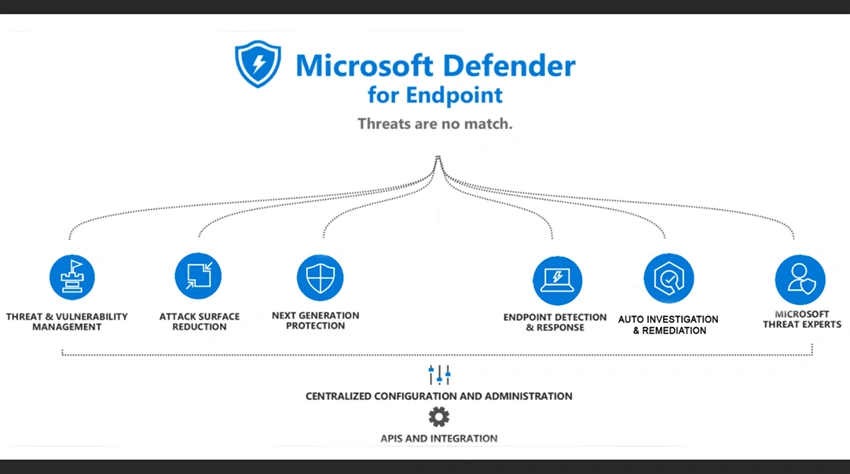
Configuring Microsoft Defender for Endpoint
1. Navigate to portal.microsoft.com, by using the URL https://portal.microsoft.com, then enter your administrator credential
Then Select "Security" in the Admin centers section, it will redirect to security.microsoft.com
Or
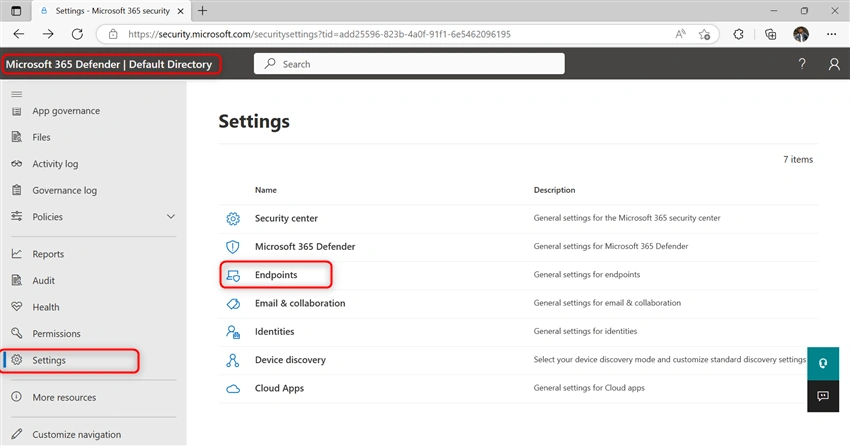
2. Directly go to the Microsoft 365 Defender, by using this URL https://security.microsoft.com/
- Then Enter your admin credential
- Then select the setting and select Endpoint
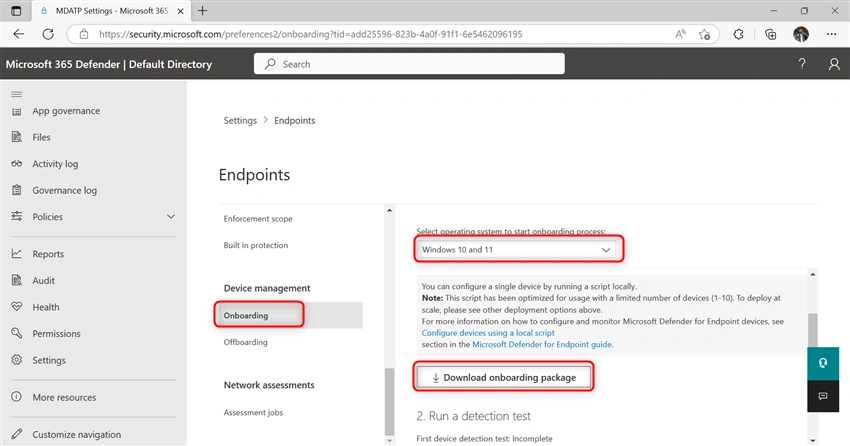
- Select "Onboarding" in the "Device Management" section
- Then Select your Operating System to start onboarding process Ex: Windows 10 and 11
- Keep the rest and then download onboarding package
Extract the script package file, if that had zipped
Then copy the script file and paste it into the new folder on the windows device.
"c drive" under the folder name "mdfe" (C:\mdfe)
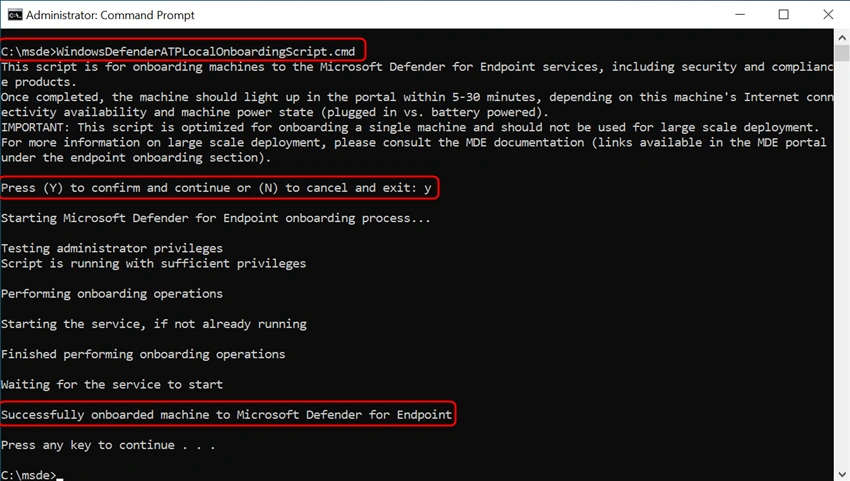
- Open Command Prompt run as administrator
- Then enter the path and name of the script file
"C:\mdfe\WindowsDefenderATPLocalOnboardingScript.cmd"
Then press 'y' to continue to configure the onboarding machine
You can check your onboarded devices from Microsoft 365 defender
- Go to Microsoft 365 defender, using this URL https://security.microsoft.com/
Then select "Devices"
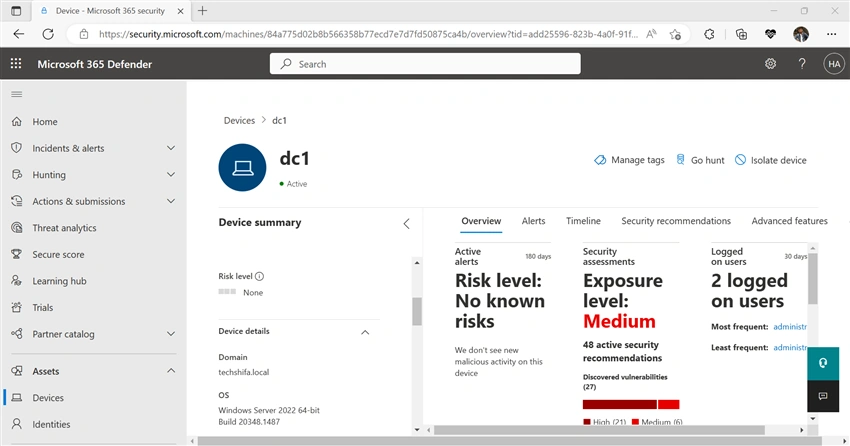
Your onboarded devices are listed for Microsoft defender for endpoint and also you can manage the devices
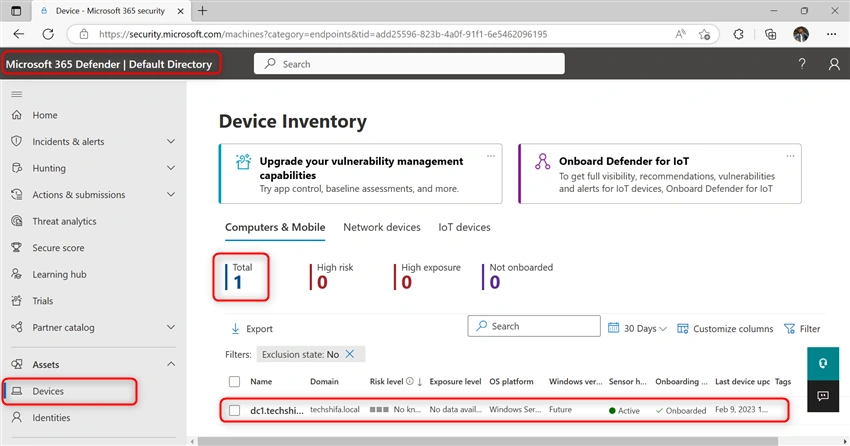
Now you can manage your onboarded machines from Microsoft defender for endpoint
Join the conversation! Your thoughts help the community grow.