
Here you can see how to configure and send mail from SQL Server.
Step 1: Open SQL Server then open Object Explorer then select "Management" -> "SQL Server Logs" then right-click "Database Mail" then click "Configure Database Mail".
Image 1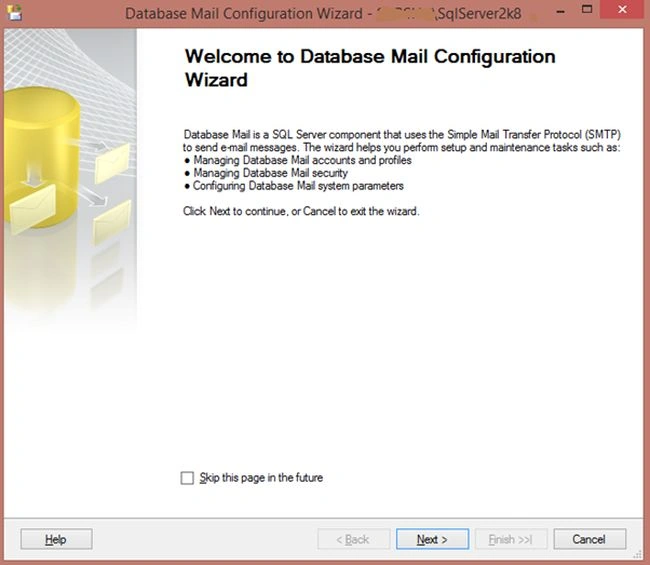
Image 2
Click "Next >".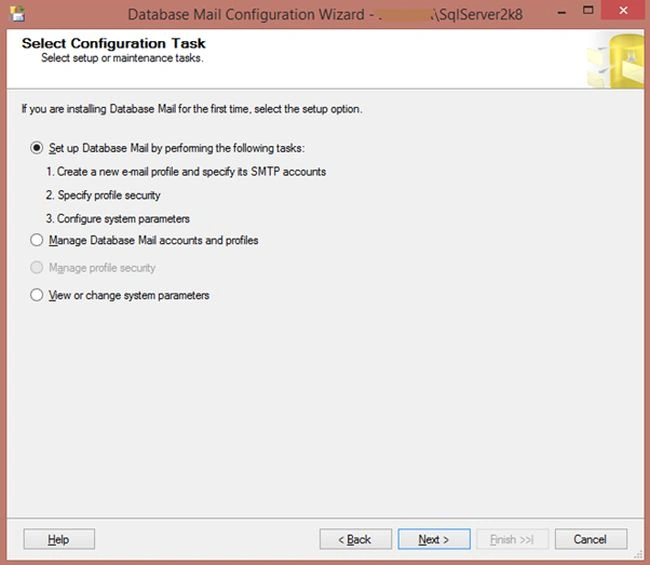
Image 3
Click "Next >".
Image 4
Step 2: Here enter a Profile Name and Description and click Add.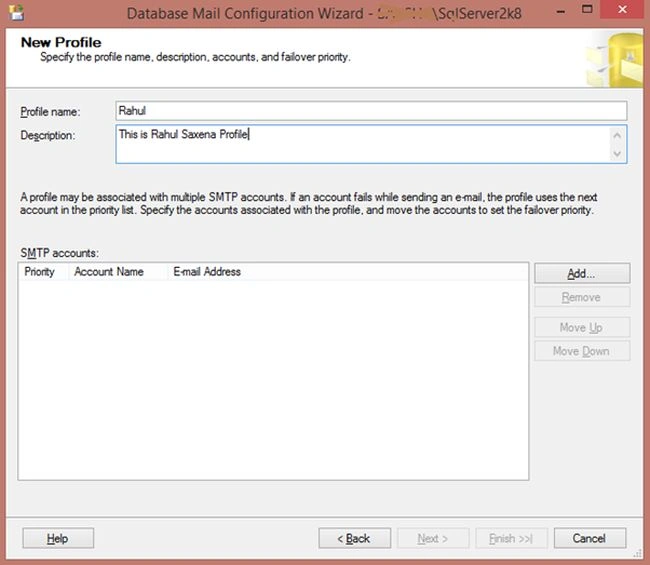
Image 5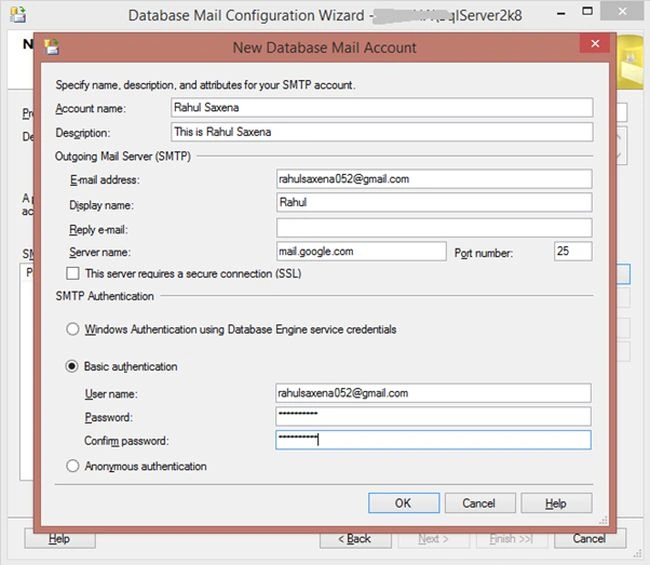
Image 6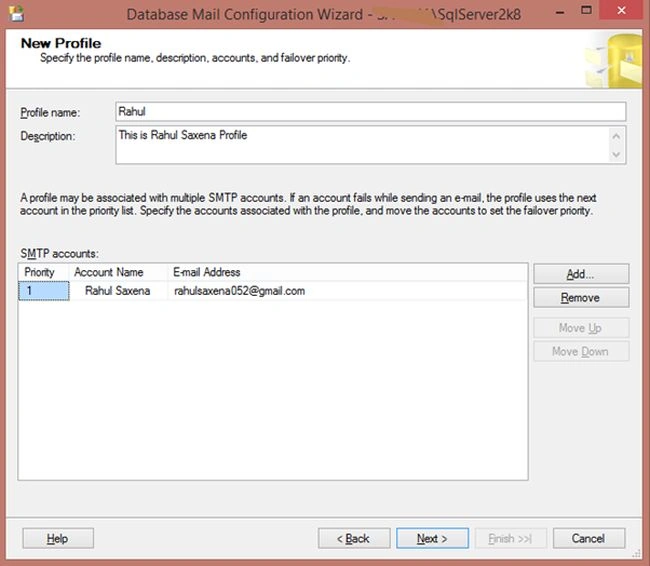
Image 7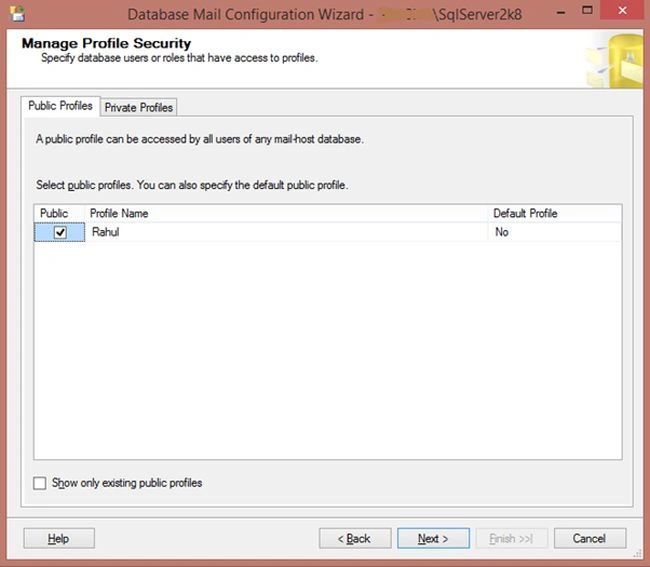
Image 8
Image 9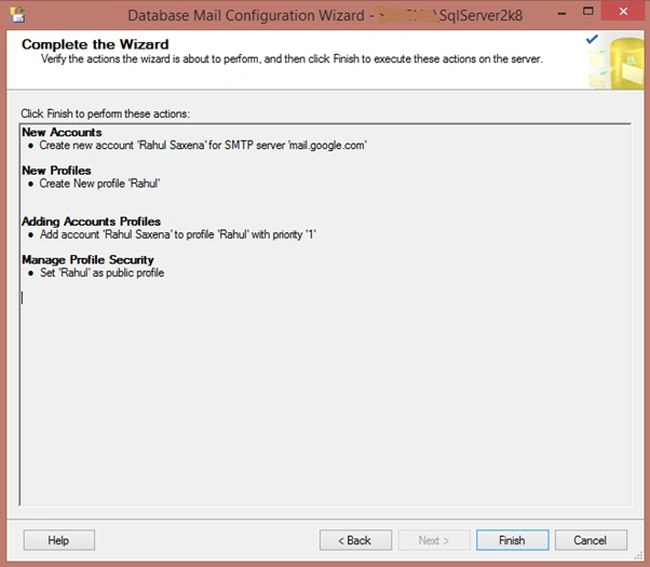
Image 10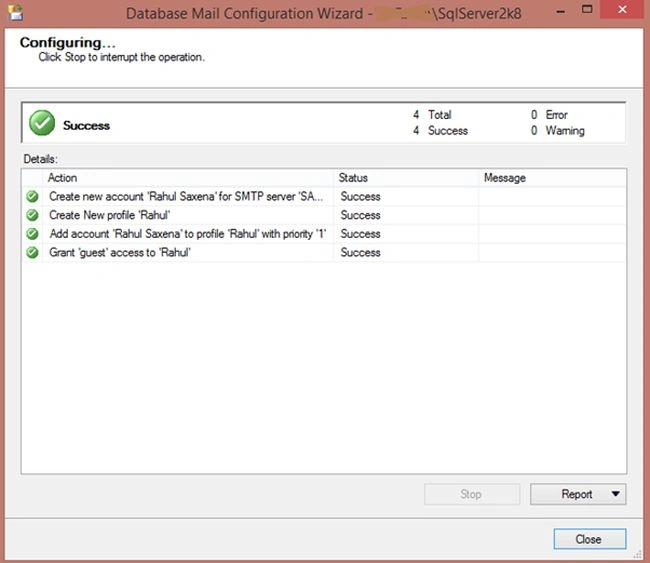
Image 11
Step 3: Now the profile and account have been created and we will configure the database mail using the following Stored Procedure.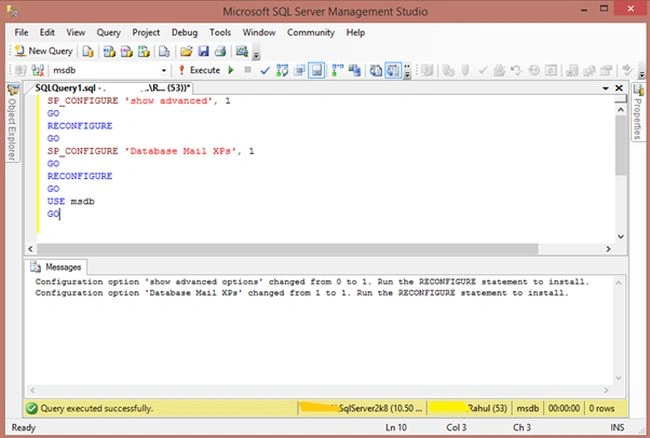
Image 12
Step 4: Now using the following Stored Procedure we will send mail.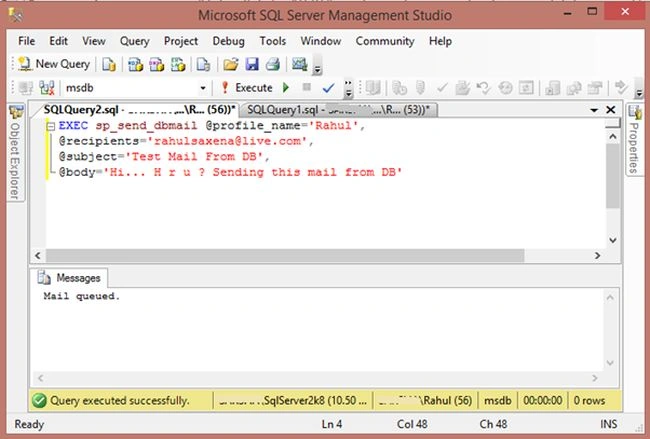
Image 13
Step 5: Now we can track the status of the mail.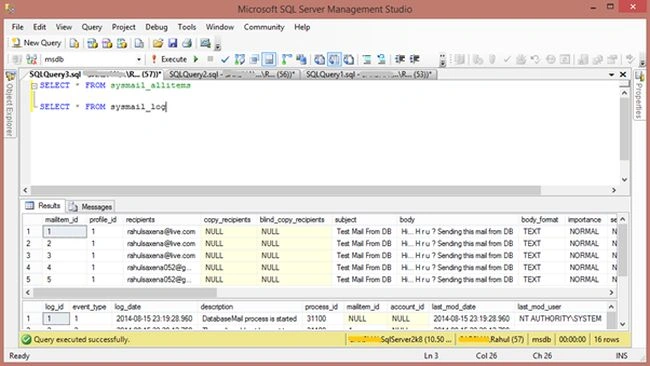
Image 14

Configure and Send E-Mail From SQL Server
Join the conversation! Your thoughts help the community grow.
Sign in to leave a comment
It is the same account you read, post and publish with — and you will come straight back to this page.
Anil KumarPosted Nov 6, 2014, 6:12 AM
Article should elaborate with given steps/actions. For example by default "Database Mail" is not available and there should be some details like how user will have that :)