

Introduction
Modern software development demands automation. Manually publishing applications is time-consuming and error-prone.
In this article, we will configure a CI/CD pipeline using GitHub Actions to deploy a .NET 8 Web API to Azure App Service automatically whenever code is pushed to GitHub.
Technologies Used:
Azure App Service
GitHub Actions
ASP.NET Core (.NET 8)
Agenda
What is CI/CD ?
Configure Azure App Service and download Publish Profile.
Add Publish Profile to GitHub Secrets.
Configure GitHub Actions Workflow.
Push Code and trigger deployment to GitHub.
What is CI/CD?
CI (Continuous Integration) → Automatically build and test code when changes are pushed.
CD (Continuous Deployment) → Automatically deploy the application after a successful build.
It is a modern DevOps practice that automates building, testing, and deploying applications.
What Happens in CI?
When you push code to GitHub:
Code is pulled
Dependencies are restored
Application is built
Unit tests are executed
If something fails → pipeline fails
Goal of CI:
Detect bugs early
Ensure code doesn't break existing features
Maintain stable codebase
Example in .NET:
dotnet restore
dotnet build
dotnet test
Continuous Delivery (CD)?
After CI succeeds:
Application is published
Artifacts are generated
Deployed to server (e.g., Azure)
Example deployment target:
Azure App Service
Virtual Machines (VM)
Docker container
Kubernetes
Why is CI/CD important?
| Without CI/CD | With CI/CD |
|---|---|
| Manual deployment | Automated deployment |
| Risk of human error | Consistent process |
| Late bug detection | Early bug detection |
| Slow release cycle | Faster releases |
Configure Azure App Service and Download Publish Profile.
The basic steps for creating and configuring Azure App Service are already covered in my previous article: Introduction to Azure App Service and Deploying with Visual Studio Please review that article before proceeding if you are new to Azure App Service.
Download Publish Profile
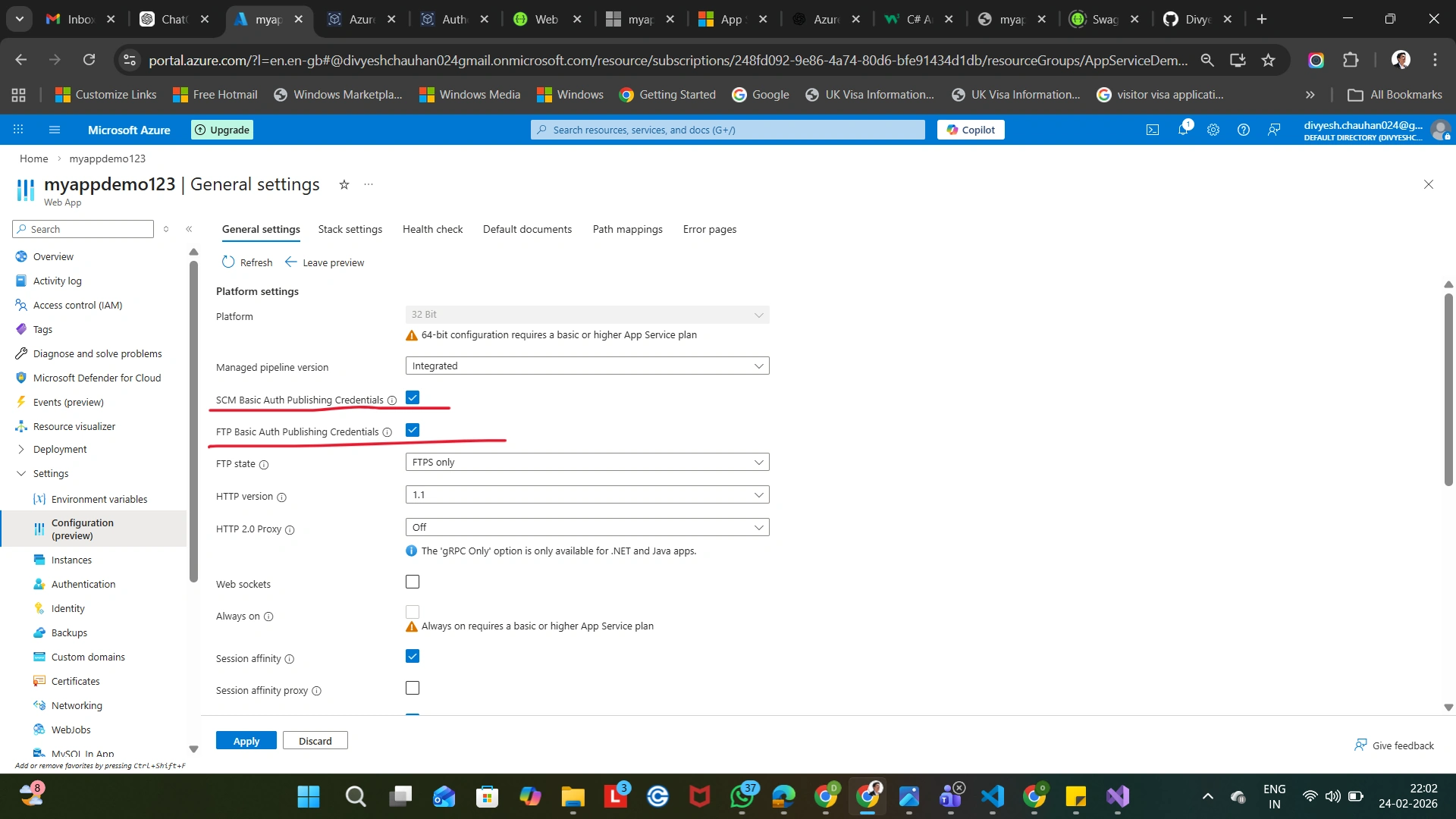
Enable Basic Authentication (Required for Publish Profile)
In Azure Portal:
Azure App Service → Configuration → General settings
Enabled SCM Basic Auth Publishing Credentials
Enabled FTP Basic Auth Publishing Credentials
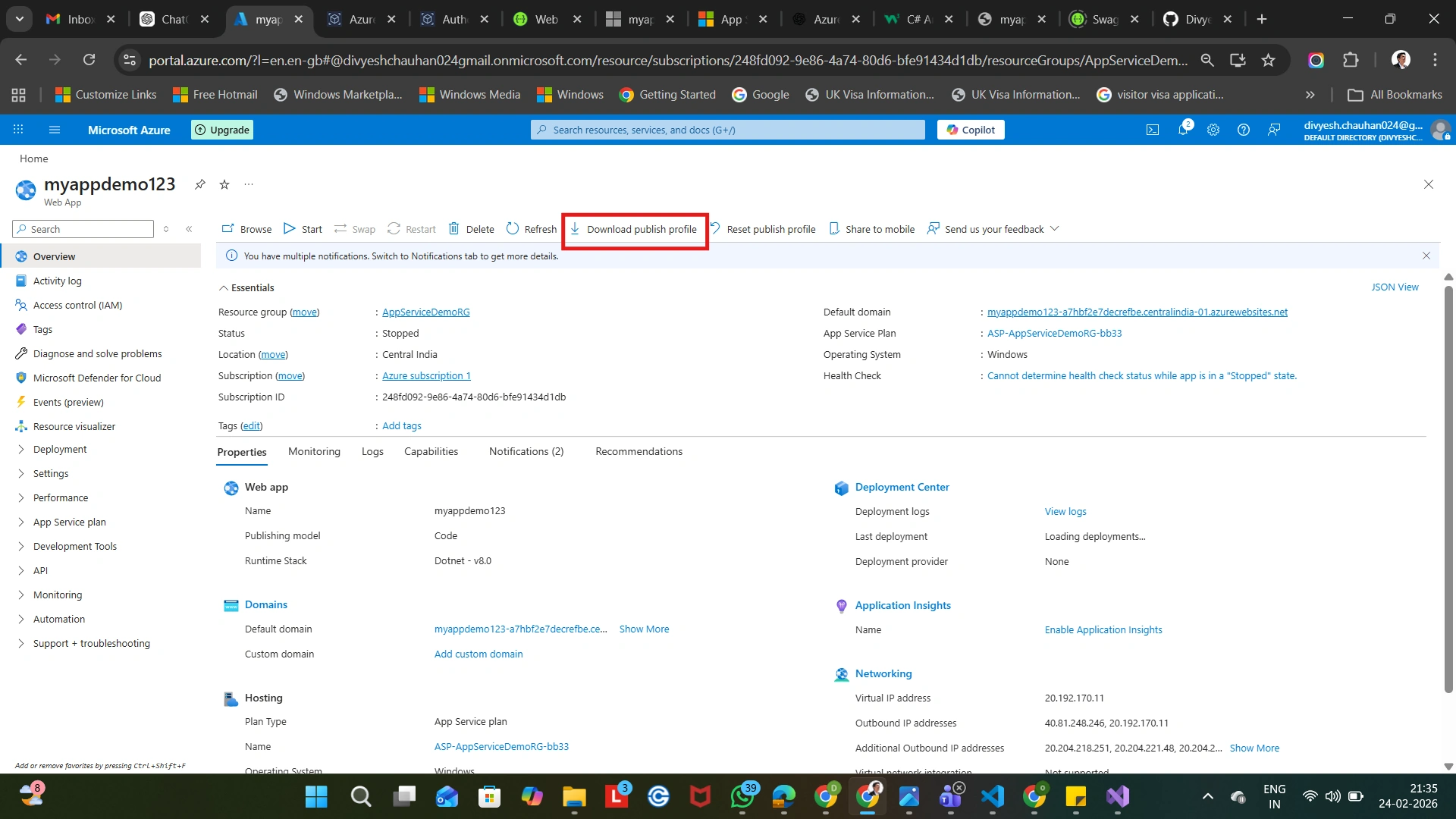
Azure App Service → Overview → Get Publish Profile
Download the .publishsettings file
Add Publish Profile to GitHub Secrets.
Create a new repository if not already created.

Go to:
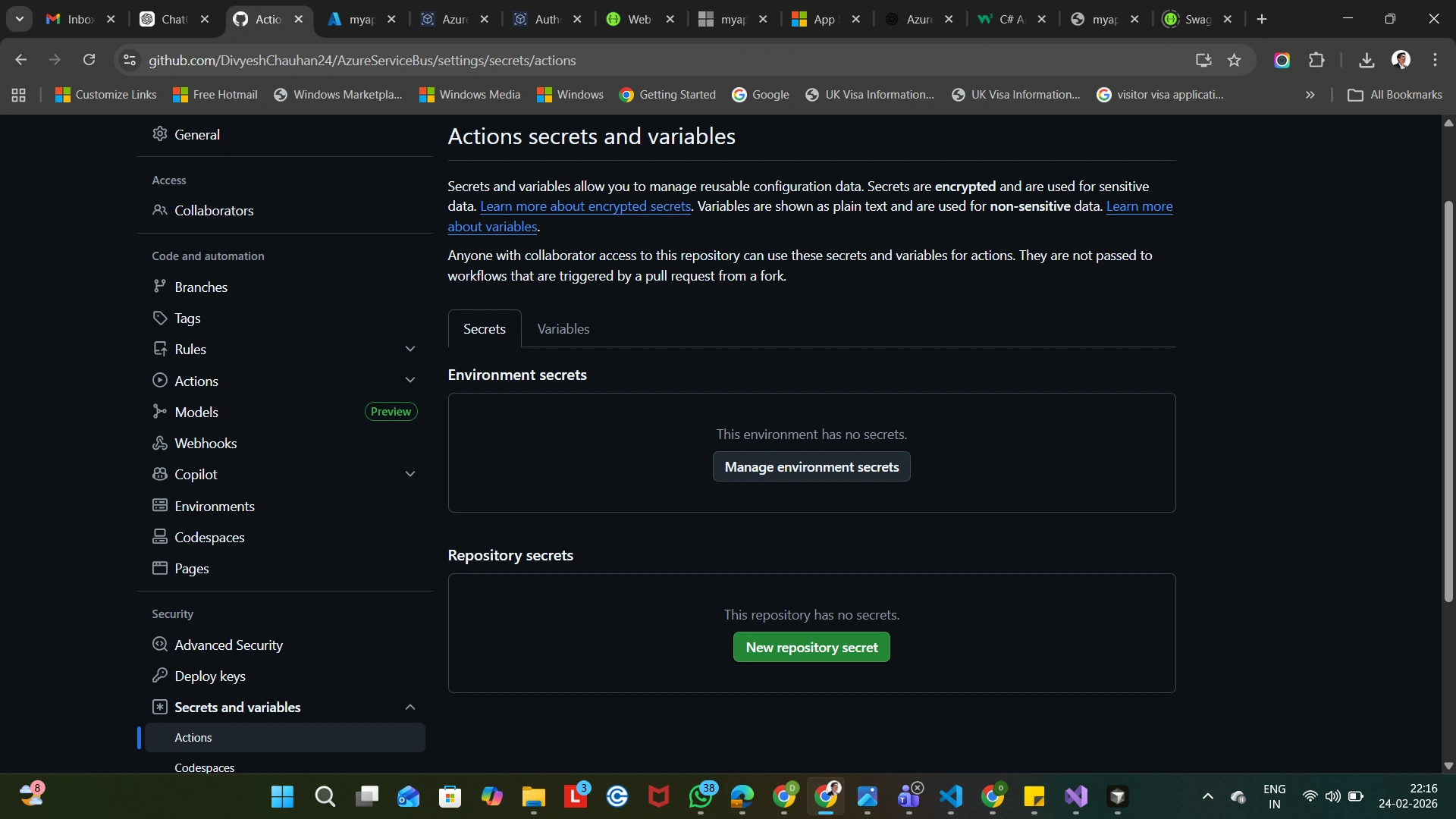
GitHub Repository → Settings → Secrets and variables → Actions → New Repository Secret
Add:
Name: AZURE_WEBAPP_PUBLISH_PROFILE
Value: (Paste full publish profile XML)
Configure GitHub Actions Workflow.
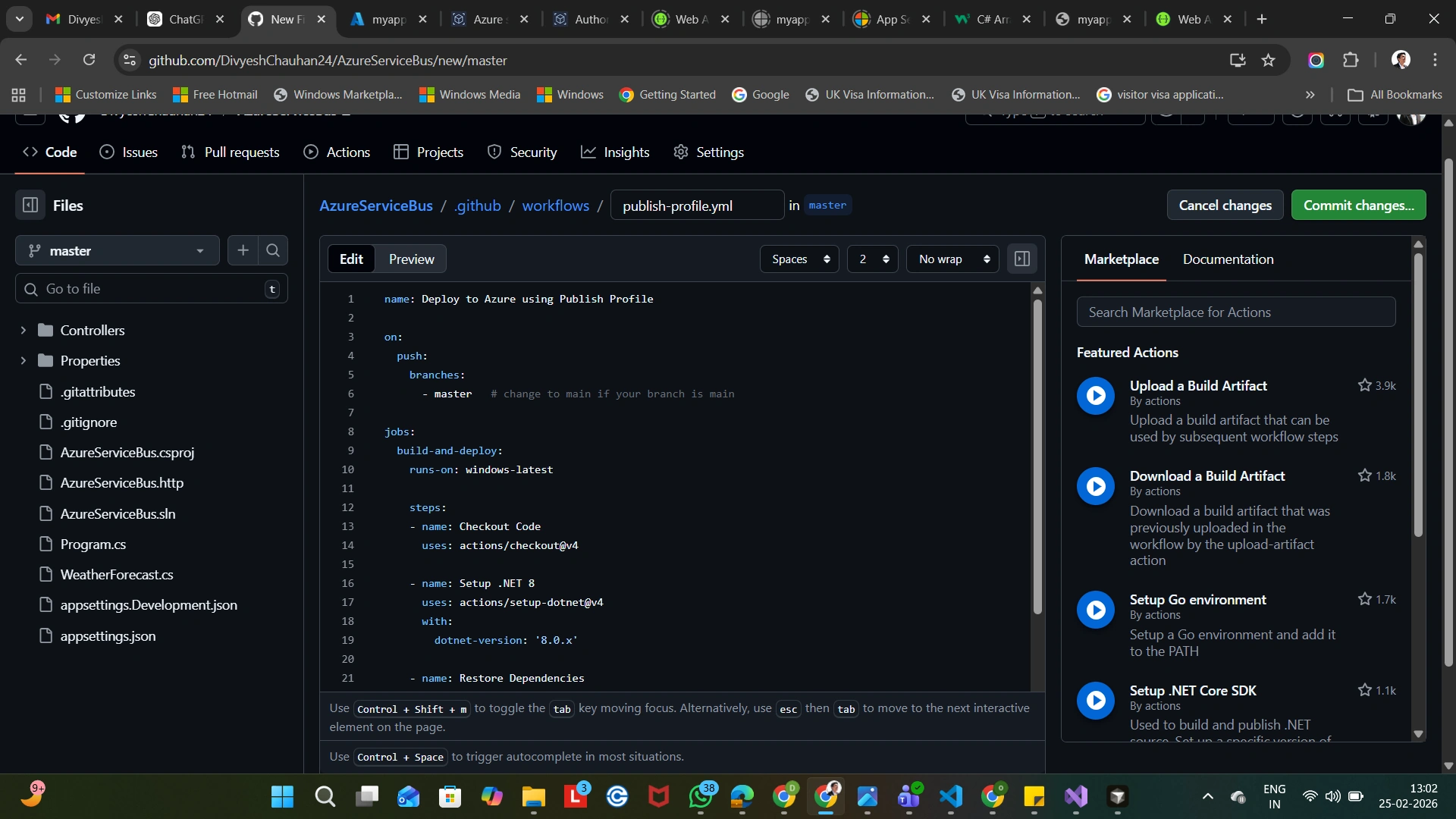
Inside your repository: .github/workflows/deploy.yml
Add the following YAML:
name: Deploy .NET App to Azure

on:
  push:
    branches:
      - main

jobs:
  build-and-deploy:
    runs-on: windows-latest

    steps:
    - name: Checkout code
      uses: actions/checkout@v4

    - name: Setup .NET 8
      uses: actions/setup-dotnet@v4
      with:
        dotnet-version: '8.0.x'

    - name: Restore dependencies
      run: dotnet restore

    - name: Build
      run: dotnet build --configuration Release --no-restore

    - name: Publish
      run: dotnet publish -c Release -o publish

    - name: Deploy to Azure Web App
      uses: azure/webapps-deploy@v3
      with:
        app-name: yourappname
        publish-profile: ${{ secrets.AZURE_WEBAPP_PUBLISH_PROFILE }}
        package: ./publish
Push Code to GitHub
Once you push code to main branch:
GitHub automatically triggers workflow
Builds project
Publishes output
Deploys to Azure App Service
GitHub Actions Workflow Execution

Application updated live
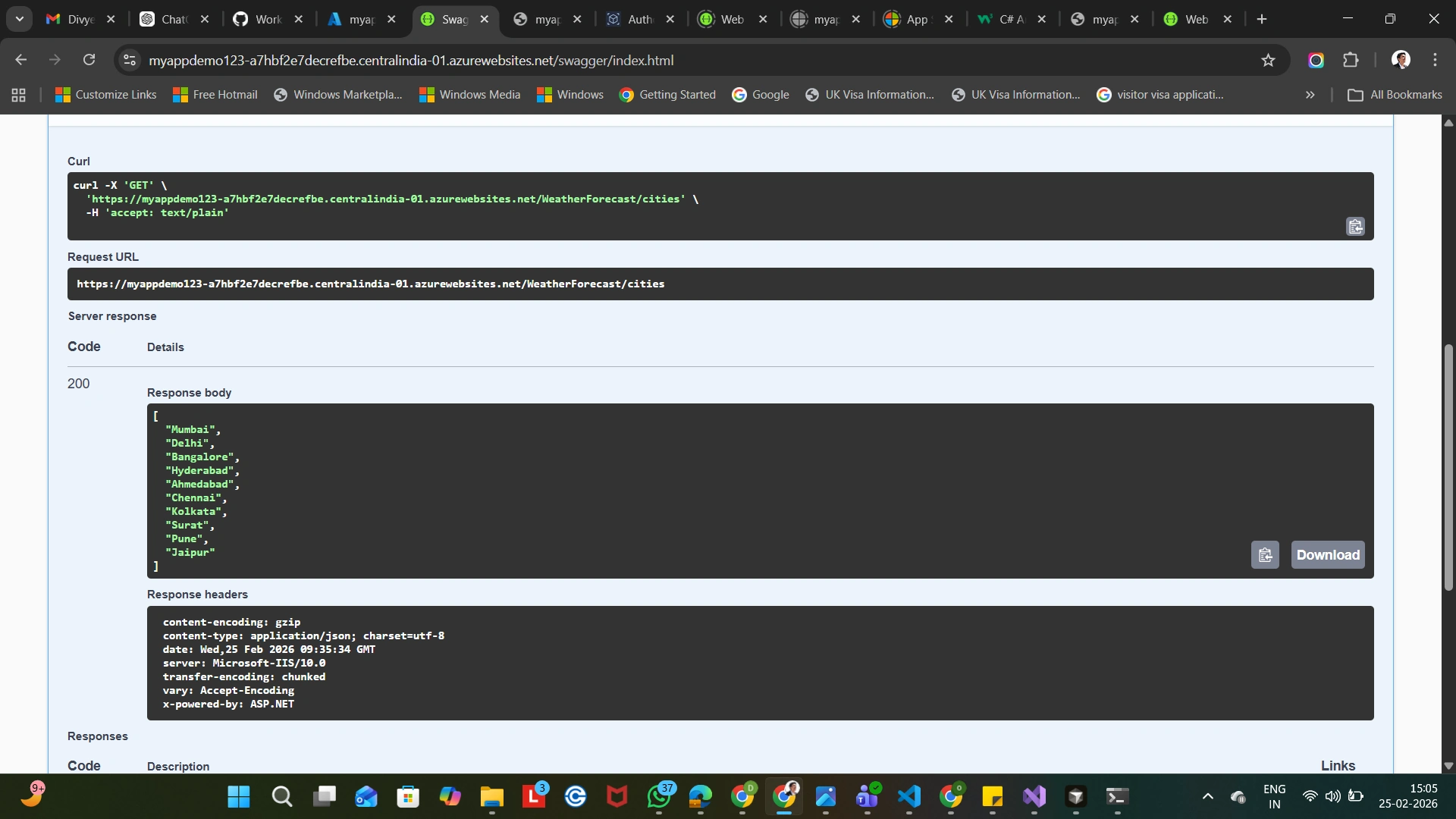
Deployment Flow Summary:
Developer pushes code
GitHub triggers workflow
Build & Publish
Deploy to Azure App Service
Application updated live
Conclusion
By integrating GitHub Actions with Azure App Service, we can create a fully automated CI/CD pipeline for .NET applications with minimal configuration.
This approach:
Improves productivity
Reduces deployment risk
Ensures consistent deployments
Aligns with modern DevOps practices
Thank you so much for reading this article.
Happy coding!!
Join the conversation! Your thoughts help the community grow.