

Overview
Just another article of the URL
shortening services series.
Today, we are going to talk
about another hot and easy-to-use service, it's Tweetburner. If you haven't used
it before, then it's the time to.
We're going to discuss how to
use Tweetburner first. After that, we'll inspect its API and learn how to use it
in your .NET application.
Introduction

Again, one of the most popular URL shortening services ever.
Today is dedicated for Tweetburner (known
as twurl,) one of the hot, simple,
and easy-to-use shortening services that you can compare to is.gd.
Description
When you visit Tweetburner
website (via http://tweetburner.com or http://twurl.nl,)
you can see that it allows users to register to gain more functionalities
(specifically, link analytics.) However, at the time of this writing, the
account page is disabled for technical issues and nothing interesting would
happen if you register there.
One of the hot features of
Tweetburner is that it allows you to post your links to twitter (you
guessed) and friendfeed as
soon as they're shortened just click 'Share this link' before you leave the
page.
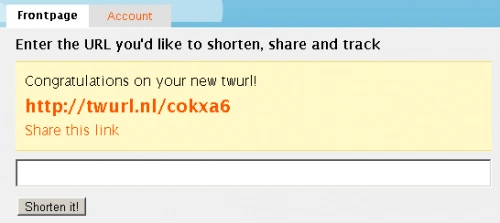
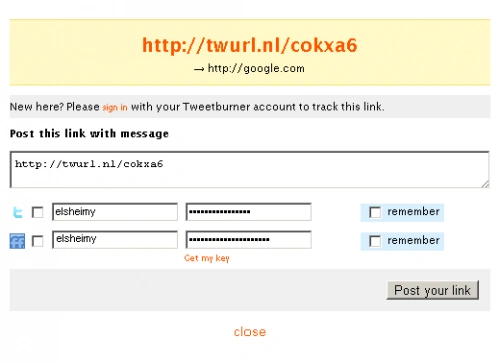
Unfortunately, you can't
benefit from this sharing feature programmatically, but of course, you can
create your own routines.
After shrinking your URL, you
get a new short link about 22 characters long (18 in is.gd) prefixed with http://twurl.nl.
API
Actually, Tweetburner doesn't
help you with an API.
Instead, it provides you with a simple web page (used for shortening URLs) that
you can access it from your code and get your short URLs.
Let's try it! Browse to our key
page, http://tweetburner.com/links,
and push your long URL and click the shortening button.
Again, one of the most popular URL shortening services ever.



Join the conversation! Your thoughts help the community grow.