

Here we are using ContactPicker to get the information of the contact.
Step 1: Open a blank app and add a Button and a TextBlock either from the toolbox or by copying the following XAML code into your grid.
- <StackPanel Margin="20,20,0,0">
- <TextBlock Text="Contact Picker" FontSize="20"></TextBlock>
- <StackPanel Margin="10" >
- <Button Name="contactPicker" Content="Pick a contact" Height="40" Width="130" Click="contactPicker_Click" ></Button>
- <TextBlock Name="selectedContact" Margin="10,20,0,0" Height="50" FontSize="20"></TextBlock>
- </StackPanel>
- </StackPanel>
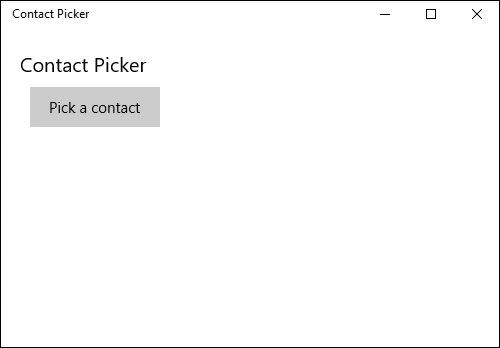
Step 2: Add the following namespaces to your project which is needed in further C# code.
- using System.Text;
- using Windows.ApplicationModel.Contacts;
Step 3: Copy and paste the following code to the cs page which will be called on button click event and will open the contact list.
- private async void contactPicker_Click(object sender, RoutedEventArgs e)
- {
- var contactPicker = new ContactPicker();
- contactPicker.DesiredFieldsWithContactFieldType.Add(ContactFieldType.PhoneNumber);
- Contact contact = await contactPicker.PickContactAsync();
- var result = new StringBuilder();
- result.AppendFormat("Name: {0}", contact.DisplayName);
- result.AppendLine();
- foreach (ContactPhone phone in contact.Phones)
- {
- result.AppendFormat("Phone: {0}", phone.Number);
- result.AppendLine();
- }
- selectedContact.Text = result.ToString();
- }
Step 4: Run your application and test yourself.
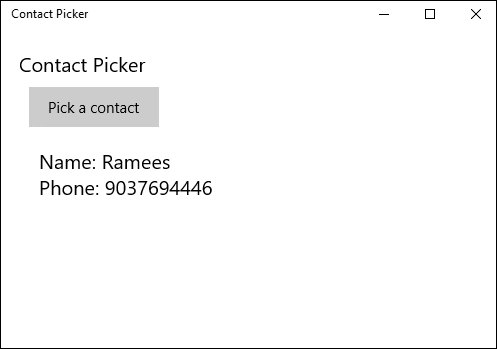
Ankit BansalPosted Jan 14, 2016, 12:13 AM
thanks for sharing..keep it up
Nanddeep NachanPosted Jan 13, 2016, 1:24 PM
Nice share