

Context Hub is an open-source CLI project that helps coding agents fetch curated, versioned documentation instead of guessing from old training data. It also adds a simple memory loop through annotations and feedback, so an agent can learn from one task and do better on the next one.
Abstract / Overview
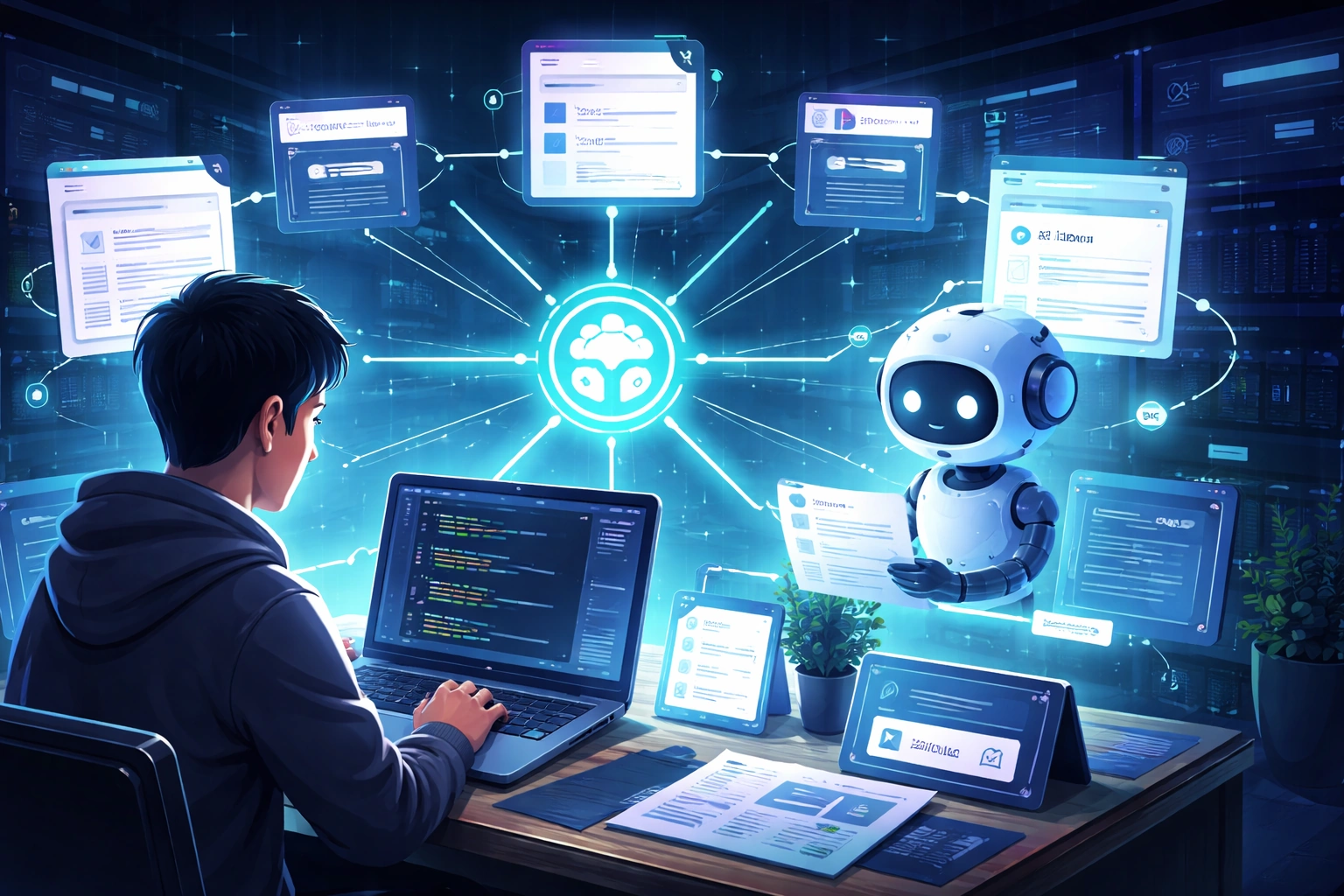
Context Hub, also called chub, is built around a simple idea: give coding agents the right docs at the right time, in a format they can use. It aims to solve a real problem: coding agents often guess APIs and forget what they learned in a previous session.
That matters because developer agents are only as good as the context they get. If the context is old, too broad, or missing key version details, the code can fail even when the prompt sounds correct. Context Hub tackles that by offering searchable docs, language and version-aware content, extra reference files, local annotations, and feedback back to maintainers.
As of March 2026, the project shows strong GitHub traction with thousands of stars and active contributions. This is a useful signal that the project is growing fast.
One short line from the project explains the problem well: “Coding agents hallucinate APIs and forget what they learn in a session.” That is exactly the gap Context Hub is trying to close.
If your team wants help turning scattered docs, SDK rules, and AI agent workflows into something real and production-ready, https://www.c-sharpcorner.com/consulting/ is a strong place to start.
Conceptual Background
What Context Hub really is
Context Hub is a CLI tool for searching and fetching LLM-friendly documentation and skills. In simple terms, it is a structured context layer for coding agents. Instead of sending an agent to the open web and hoping it finds the right answer, you let it search a curated registry and pull the exact doc it needs.
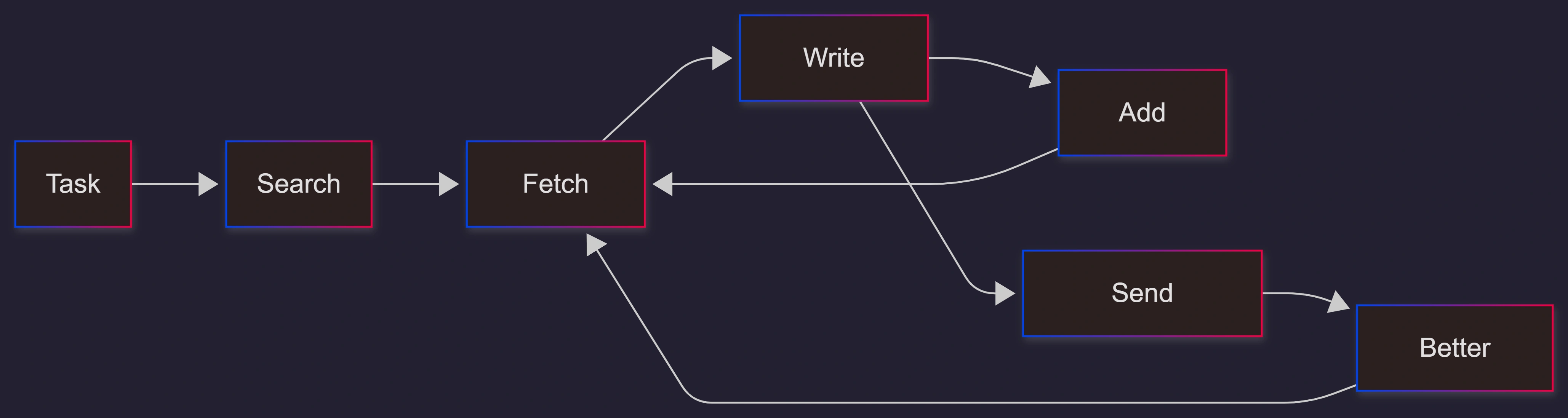
It is designed mainly for agents, not humans. The agent searches, fetches, uses the docs, and then stores a note if it learns something useful.
Why this matters for AI coding agents
Most coding failures from AI tools do not happen because the model cannot write code. They happen because the model is working with the wrong context. It may use the wrong SDK version, the wrong parameter name, or an outdated pattern.
Context Hub reduces this problem by making documentation:
structured
version-aware
easy for machines to read
This fits the idea of context engineering. Context engineering means giving an AI system the right information before it acts.
The core building blocks
Context Hub supports two main content types:
docfor API and SDK documentationskillfor task recipes and coding playbooks
Its content model is simple:
content grouped by author and type
supports multiple languages
supports versioning
supports extra reference files
includes metadata using YAML
This structure helps agents find and trust the right content faster.
Step-by-Step Walkthrough
Install the CLI
npm install -g @aisuite/chubYou need Node.js 18 or newer.
Search for documentation
chub search openai
chub search "stripe payments"
You can also output results in JSON format for automation.
Fetch the document
chub get openai/chat --lang py
chub get stripe/api --lang js
If there is only one language, it auto-selects.
Fetch only what you need
chub get acme/widgets --file references/advanced.md
chub get acme/widgets --full
This keeps the context small and focused.
Add memory with annotations
chub annotate stripe/api "Webhook verification requires raw body"
chub annotate stripe/api
chub annotate --list
This helps agents remember key lessons.
Send feedback
chub feedback stripe/api up "Clear examples"
chub feedback openai/chat down --label outdated
This improves shared documentation.
Build your own registry
node cli/bin/chub build content/ --validate-only
chub build my-content/ -o dist/
Teams can create private doc systems for internal use.
Use metadata
---
name: widgets
description: "Widget API"
metadata:
  languages: "javascript"
  versions: "2.0.0"
  revision: 1
  updated-on: "2026-01-01"
  source: maintainer
---
This helps search and trust.
Use Cases / Scenarios
AI agent writing SDK code
Agent fetches the correct docs, writes code, and saves a note for reuse.
Internal company documentation
Teams build private registries and share structured knowledge.
API providers
They publish official docs in a structured format for AI use.
Long-running workflows
Agents improve over time using annotations.
Smaller context windows
Agents load only needed data, saving cost and tokens.
Fixes
Be explicit about the version
Always pass a version when working with strict environments.
Set trust rules
Limit sources for production use.
Watch security discussions
Review the trust model and validation concerns before critical use.
Use annotations wisely
Store useful insights, not noise.
Future enhancements
smarter version matching
stronger validation
better trust scoring
richer enterprise support
more ecosystem coverage
FAQs
1. Is Context Hub a prompt tool?
No. It is a documentation layer for agents.
2. Can companies use it internally?
Yes. It supports private registries.
3. Does it support versions?
Yes. It supports multiple versions and languages.
4. Does it have memory?
Yes. Through annotations.
5. Is telemetry required?
No. It can be disabled.
6. Is it enterprise-ready?
It is promising, but review security and trust settings first.
References
https://github.com/andrewyng/context-hub/blob/main/docs/content-guide.md
https://github.com/andrewyng/context-hub/blob/main/docs/cli-reference.md
https://github.com/andrewyng/context-hub/blob/main/docs/feedback-and-annotations.md
Conclusion
Context Hub is a practical solution to a big problem in AI coding: bad context. It gives agents structured, versioned, and reusable knowledge.
Its real strength is simple:
better docs
smarter retrieval
memory across sessions
The bigger lesson is clear. Better AI results do not come only from better models. They come from a better context.
For best results, publish this content in multiple formats like blogs, PDFs, and videos. Track metrics like impressions, authority, and sentiment to see real impact.
If you are building AI tools or developer platforms, Context Hub shows a clear direction: the future belongs to teams that manage context well, not just prompts.
Join the conversation! Your thoughts help the community grow.