

This article has been
excerpted from book "The Complete Visual C# Programmer's Guide" from the Authors
of C# Corner.
Conversion Classes
You can convert one data type to another type using the Convert class. The
Convert class has a number of static methods, beginning with To and ending with
the target data type for example, ToInt32 or ToByte. If successful, the
returned instance is an object of the target data type. Not all Strings and
Arrays 645 conversions will be possible when using the Convert method, so use a
try-catch block if you think you may get uncertain results.
Listing 20.35: Convert Class
using System;
using
System.Collections.Generic;
using System.Linq;
using System.Text;
namespace
ConversionClass
{
class Program
{
static void
Main(string[] args)
{
Int32 intExample = 19;
// the methods inside convert
Console.WriteLine("Convert.ToString,
result = {0}", Convert.ToString(intExample));
Console.WriteLine("Convert.ToBoolean,
result = {0}",
Convert.ToBoolean(intExample));
//displays True
Console.WriteLine("Convert.ToByte,
result = {0}", Convert.ToByte(intExample));
Console.WriteLine("Convert.ToChar,
result = {0}", Convert.ToChar(intExample));
Console.WriteLine("Convert.ToDouble,
result = {0}", Convert.ToDouble(intExample));
Console.ReadLine();
}
}
}
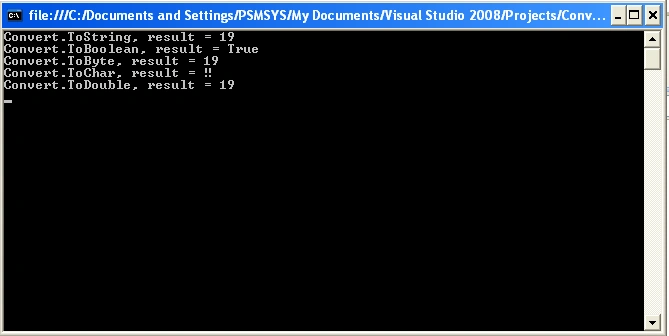
Output of above program
If you want to convert strings into dates, you can use the Parse method for the
DateTime data type or you can use the ToDateTime method. Both achieve the same
objective. Because users sometimes incorrectly enter dates, don't forget to
include appropriate exception handling to make sure that any conversion errors
are caught. If you want to provide more control over parsing a date, use the
ParseExact method.
CultureInfo Class
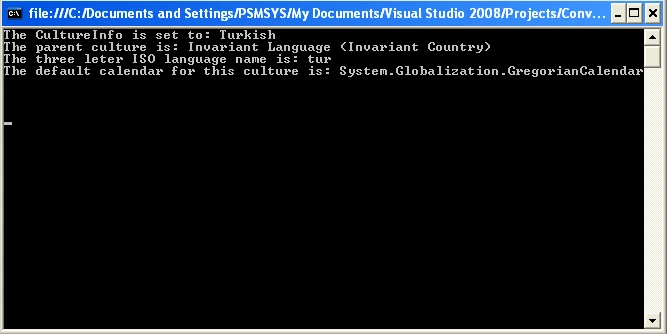
As shown in Listing 20.36, the CultureInfo class contains cultural information
like DisplayName, Calendar, and various official abbreviations.
Listing 20.36: CultureInfo Class
using System;
using
System.Collections.Generic;
using System.Linq;

Join the conversation! Your thoughts help the community grow.