

This article explains how to create a custom list level event receiver for an item updated in SharePoint 2013.
Step 1
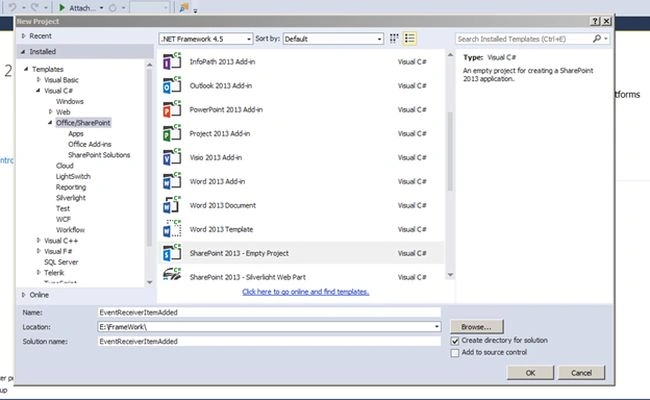
Open Visual Studio 2013 and create an empty SharePoint Project.
Step 2
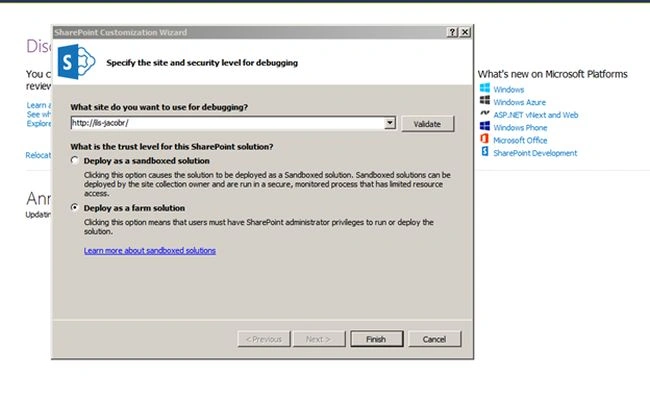
Enter the site URL and select Deploy as a Farm solution and click Finish.
Step 3
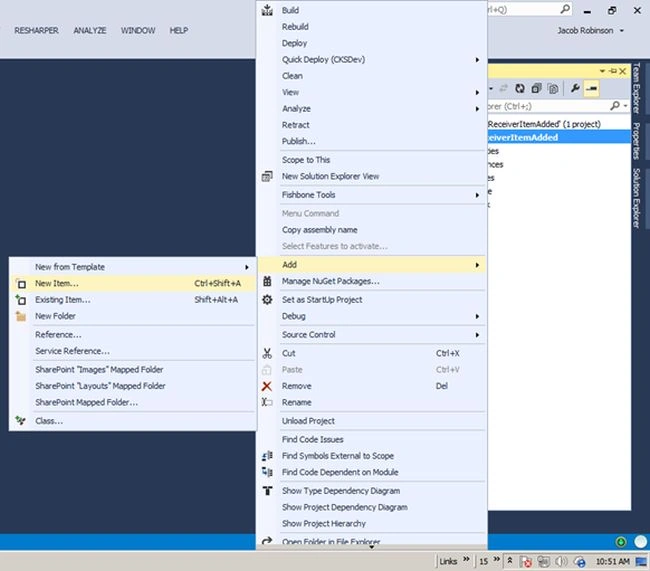
Open Solution Explorer and add a new item.
Step 4
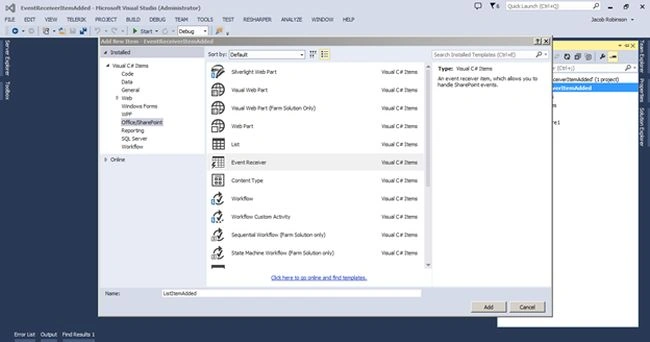
Select event receiver and enter the title of the event receiver. Click the Add button.
Step 5
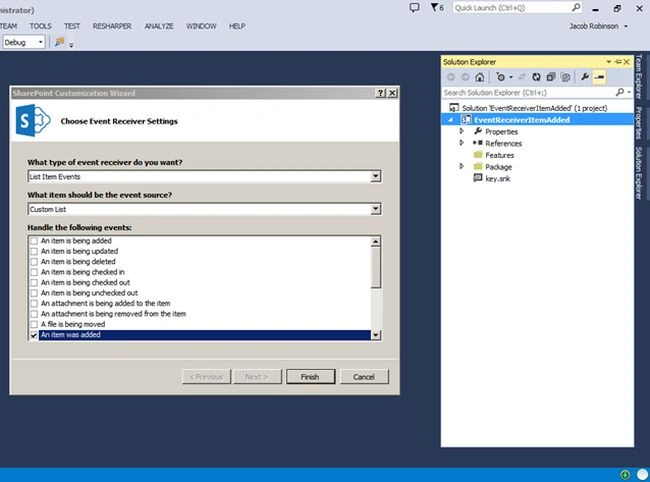
Select List Item Events in the type of event receiver and select the custom list option from the event source. Then select "an item was added" in events and click Finish.
Step 6
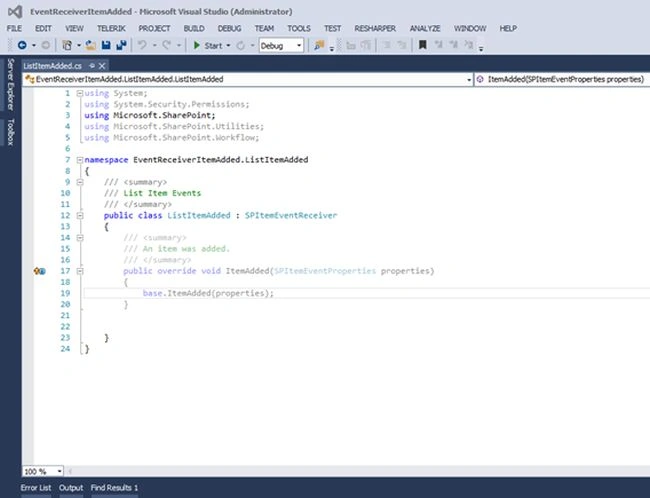
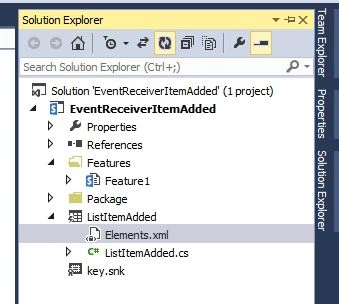
The following screen will appear.
Step 7
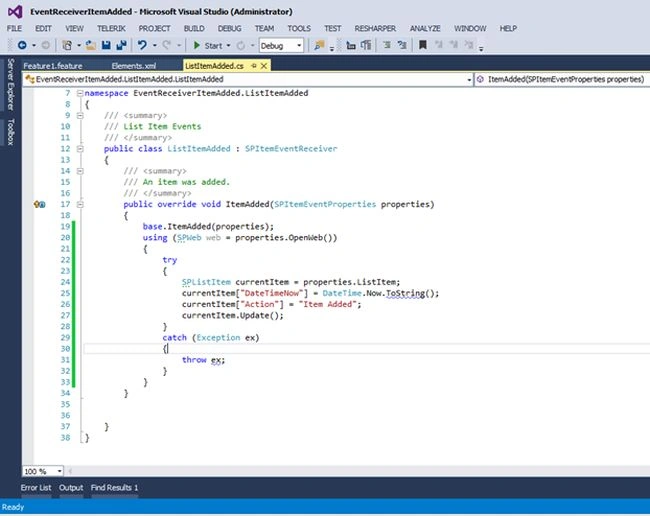
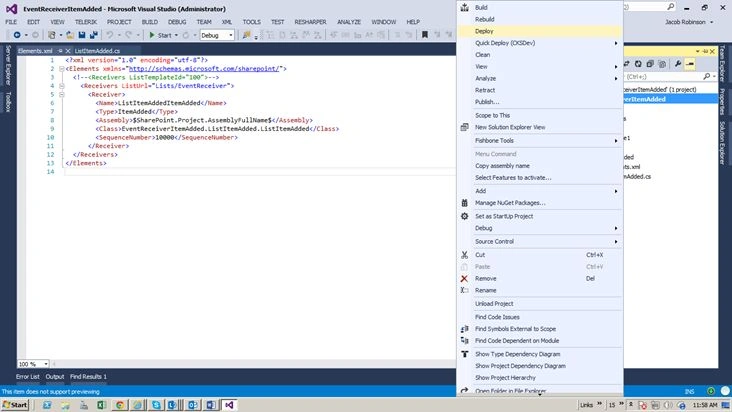
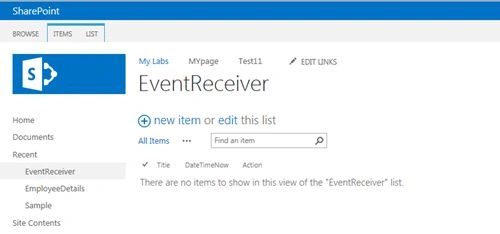
Go to the Event receiver cs file and paste the following coding into it. Here I have an “EventReceiver” list with Title, DateTimeNow and Action Columns.
Open Visual Studio 2013 and create an empty SharePoint Project.
Step 2
Enter the site URL and select Deploy as a Farm solution and click Finish.
Step 3
Open Solution Explorer and add a new item.
Step 4
Select event receiver and enter the title of the event receiver. Click the Add button.
Step 5
Select List Item Events in the type of event receiver and select the custom list option from the event source. Then select "an item was added" in events and click Finish.
Step 6
The following screen will appear.
Step 7
Go to the Event receiver cs file and paste the following coding into it. Here I have an “EventReceiver” list with Title, DateTimeNow and Action Columns.
Santhakumar MunuswamyPosted Jul 30, 2015, 10:56 AM
Good article. Thanks for sharing
Abhay ShankerPosted Jul 29, 2015, 11:34 AM
Nice One..
Rajeesh MenothPosted Jul 29, 2015, 11:19 AM
Good One
RakeshPosted Jul 29, 2015, 9:33 AM
Good show
Gopi ChandPosted Jul 29, 2015, 8:55 AM
Good work
Nilesh JadavPosted Jul 29, 2015, 8:54 AM
Nice one sir
Neeraj KumarPosted Jul 29, 2015, 8:05 AM
Good One