

Step 1
Open Visual Studio 2013 with Run as administrator.
Start Visual Studio 2013.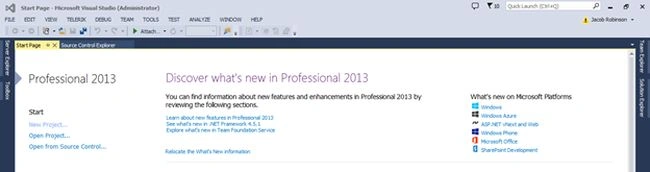
Step 2
Click the File menu item in the top navigation.
Go to File, New and then select Project.
The following screen will appear, here click Office/SharePoint templates, then click Click SharePoint2013-Empty Project.
Step 3
Enter the name of the solution and click the Ok button.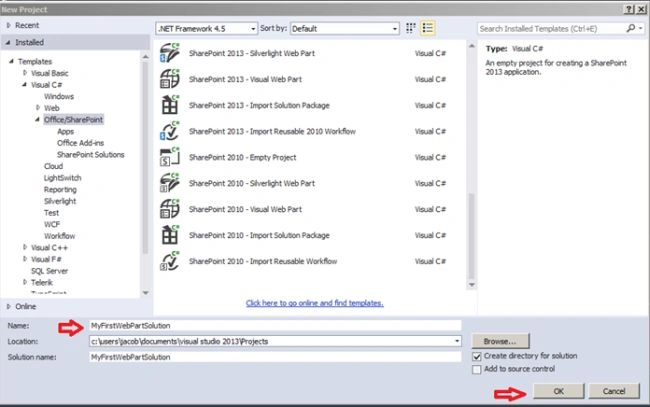
Step 4
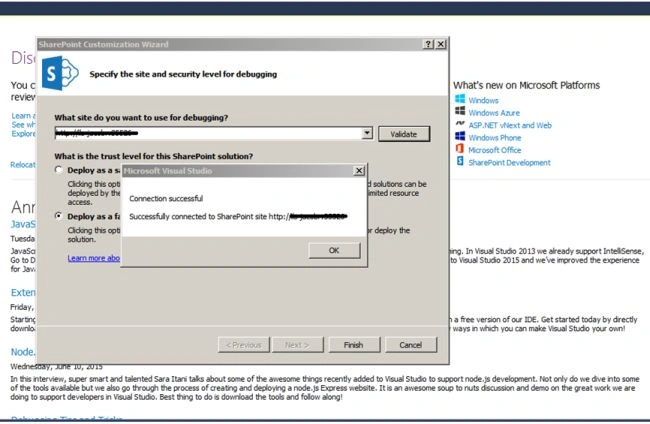
Once clicking the Ok button, the following window will appear. Enter your SharePoint site URL and click the Validate button. Then check the Deploy as a Farm solution checkbox.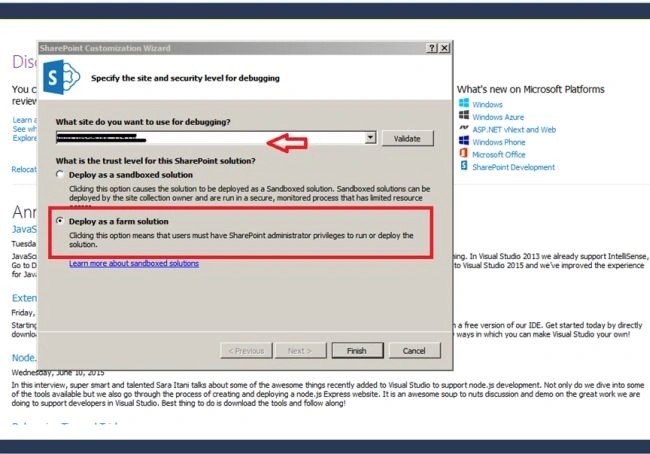
Step 5
Click OK and click the Finish button.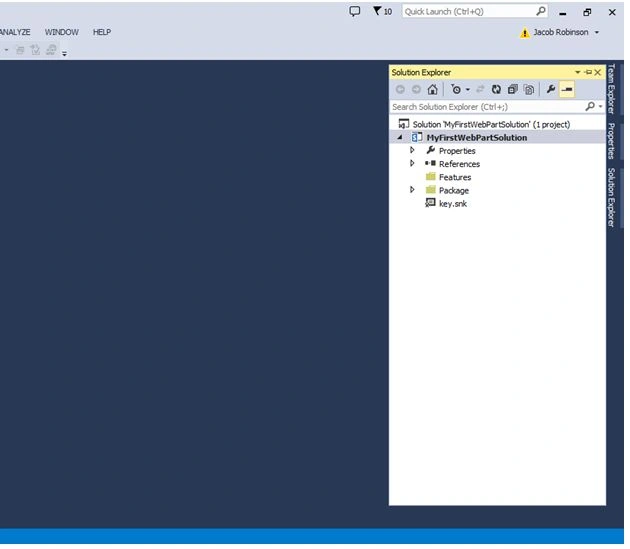
Step 6
Right-click on the solution then click select New Item.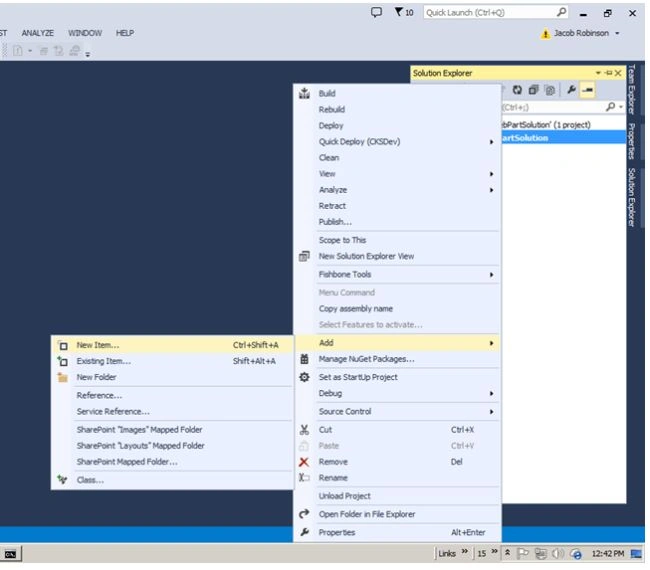
Step 7
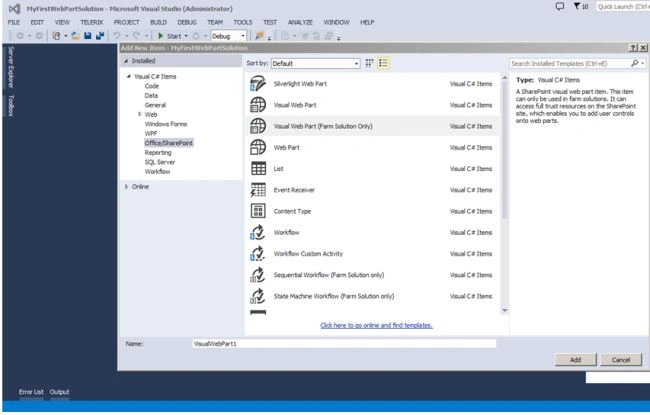

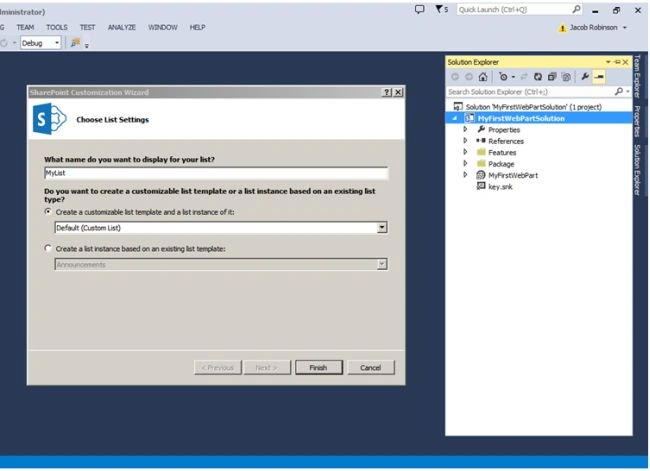

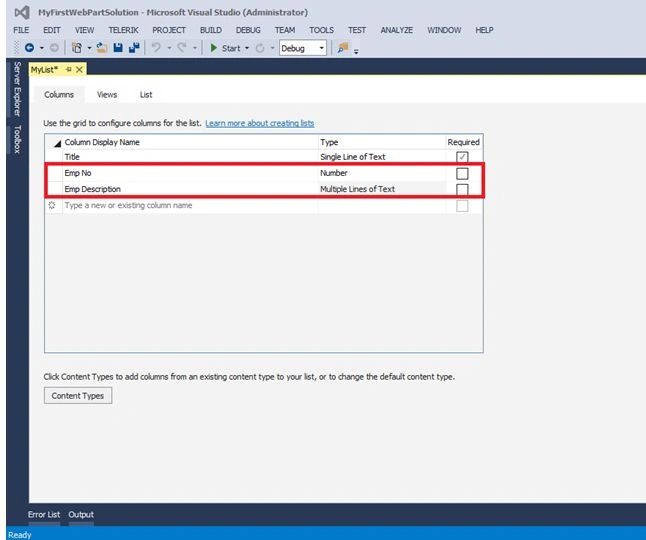
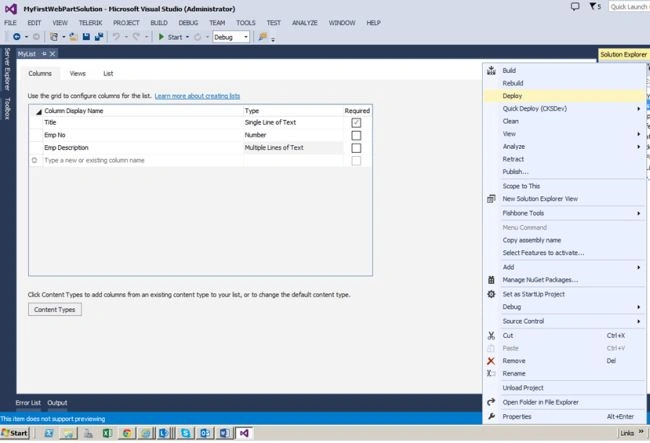
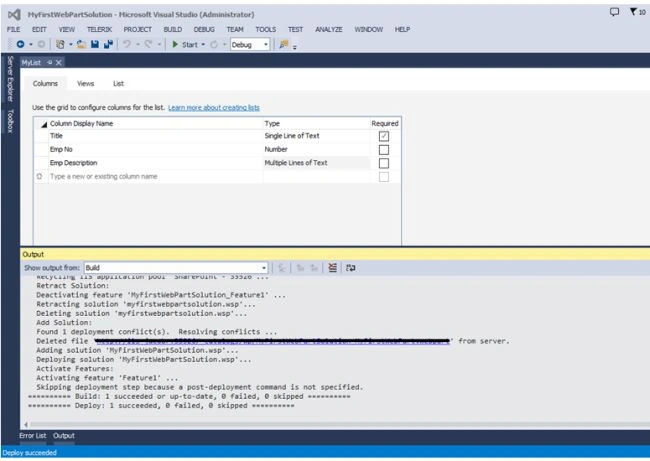
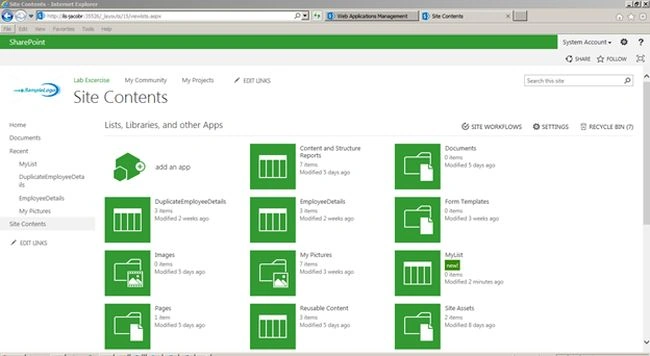
Alriyan RajamohamedPosted Feb 18, 2018, 11:30 PM
In same above process, how to create custom list forms in sharepoint online..?
sai jamesPosted Jan 19, 2016, 6:47 AM
guys iam a sharepoint developer and have few doubts in sharepoint , can anybody please give your email id so that i can ask few questions.
Santhakumar MunuswamyPosted Jul 8, 2015, 3:04 PM
Thanks for nice article. keep it up
Gowtham RajamanickamPosted Jul 8, 2015, 12:24 PM
good one
RakeshPosted Jul 8, 2015, 9:58 AM
Nice work
Sibeesh VenuPosted Jul 8, 2015, 9:08 AM
Good One! Thanks for sharing
SharadPosted Jul 8, 2015, 7:55 AM
nice one...
Gopi ChandPosted Jul 8, 2015, 5:57 AM
Great