

Introduction
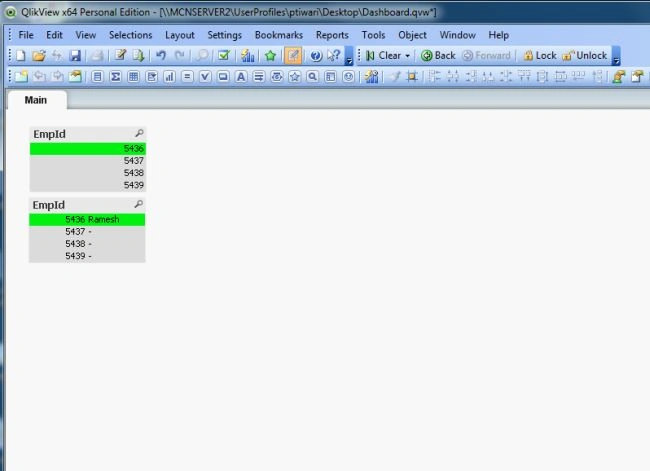
The Dashboard is very important part of the QlikView because it shows the entire information in a graphical manner using charts and a tabular format.
Step 1: Open the QlikView application, then go to:
"File" -> "New"
Then the following window will be opened: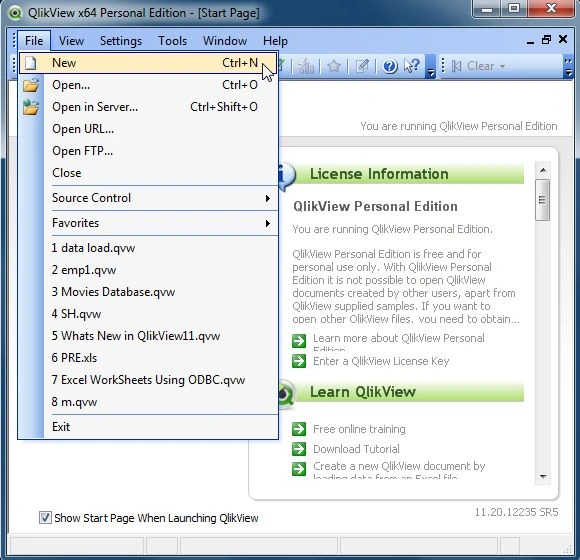
Step 2: Now open the window of Edit Script as in the following:
"File" -> "Edit Script"
Then the following window will be opened: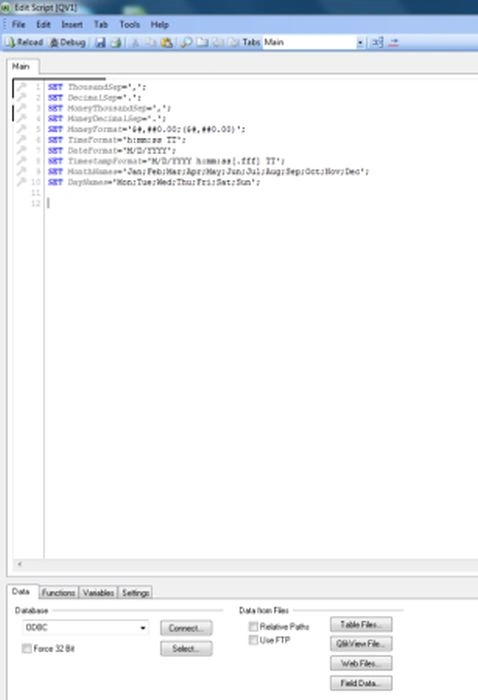
Step 3: The next step is to simply click on 'Table Files' and open our Excel file as in the following:
Step 4: After opening the Excel file, the following window will be opened; click on the "Next" button-.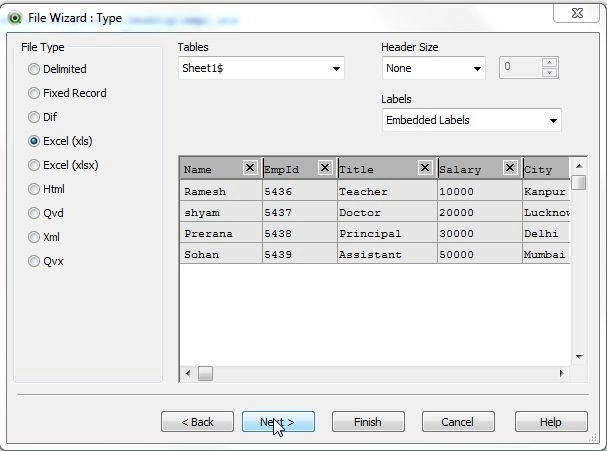
Step 5: After clicking on the "Next" button the following window will be opened; click on the "Next" button.
Step 6: After clicking on the "Next" button, the File Wizard Options window will be opened; simply click on the "Next" button.
Step 7: After clicking on the "Next" button, the File Wizard Edit Script window will be opened; simply click on the "Finish" button.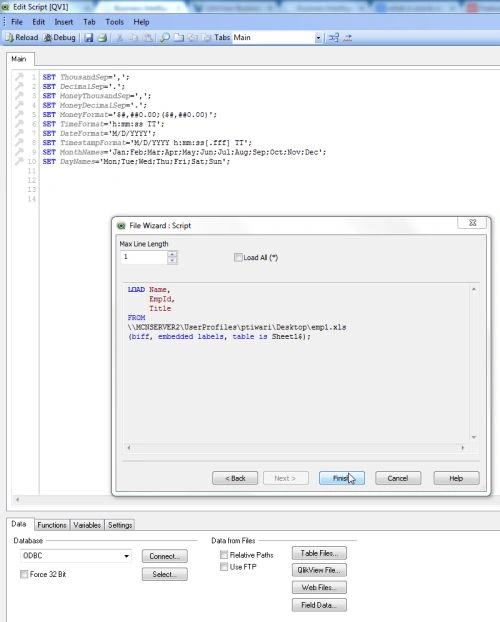
Step 8: Code for the Edit Script: the following window shows the code and reloads it.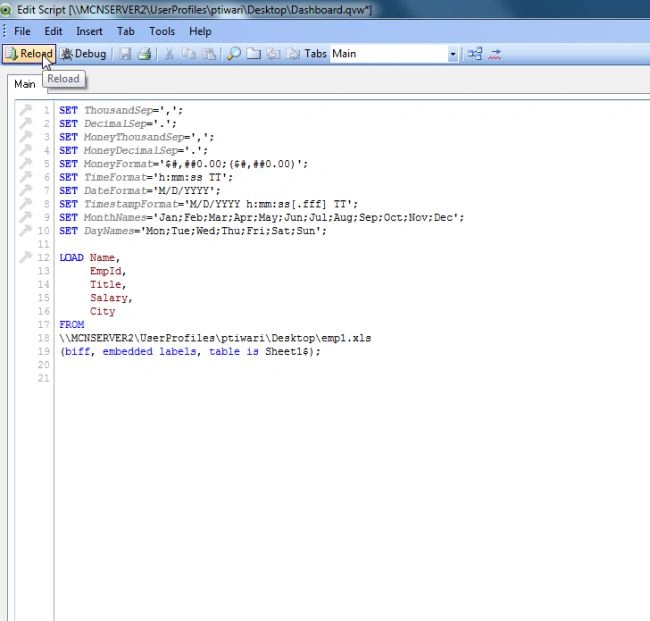
Step 9: After reloading the edit script, click on the "OK" button.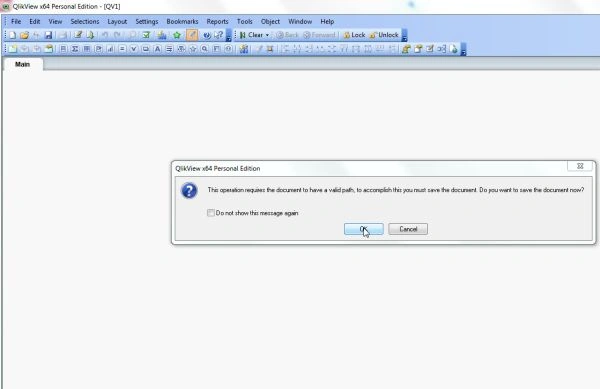
Step 10: Save the QlikView file: The next step is save the QlikView file and click on the "Save" button.
Step 11: After saving the QlikView file, the sheet property window will be opened and select a field and click on the "OK" button.
Then the following window will be opened:
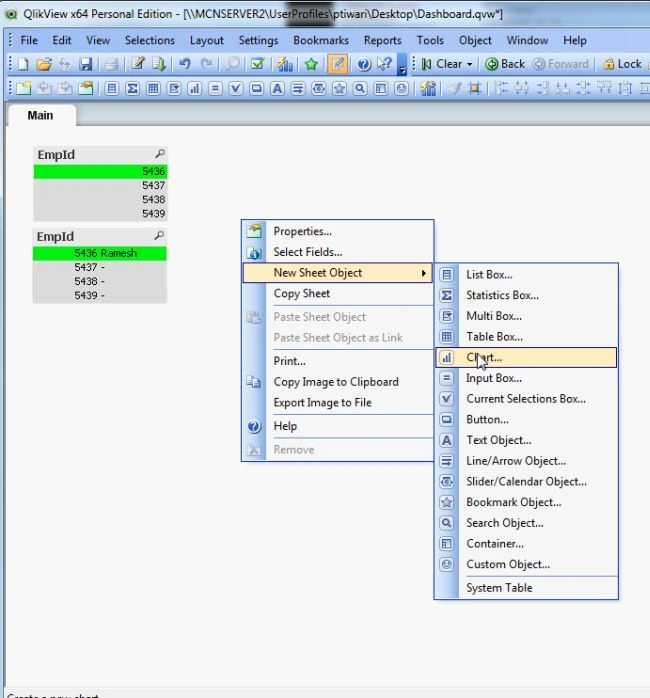
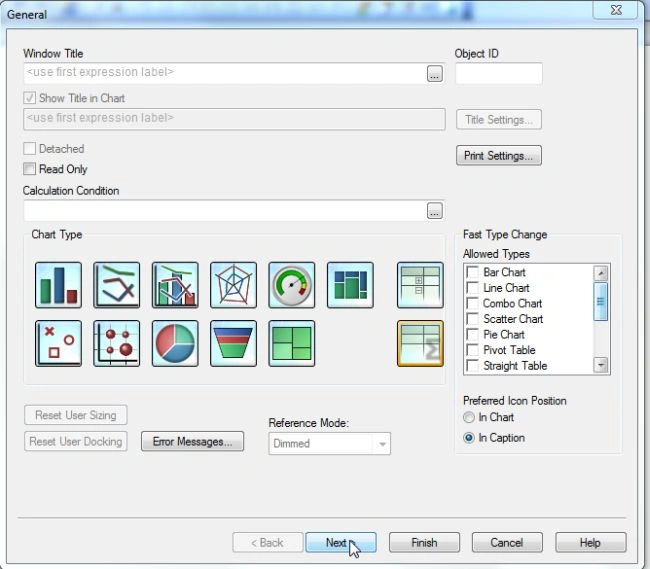
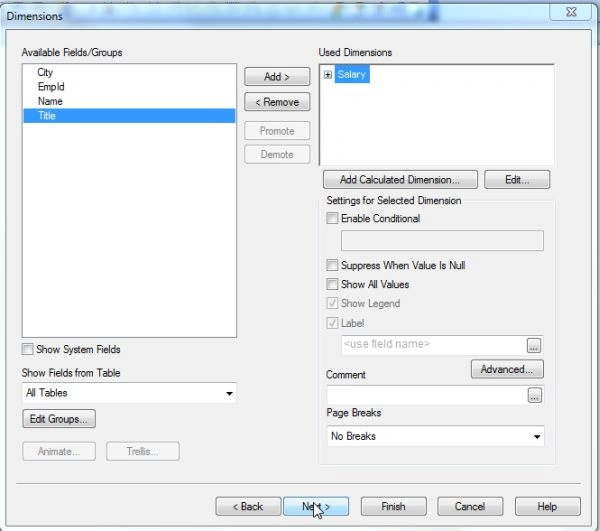
Step 12: Select a List Box: In the main window, right-click anywhere then select:
"Properties" -> "New sheet object" -> "List box"


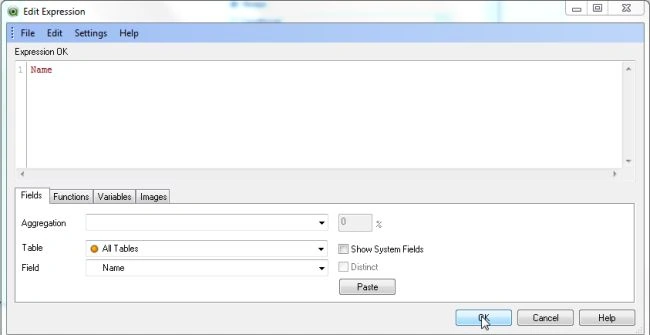
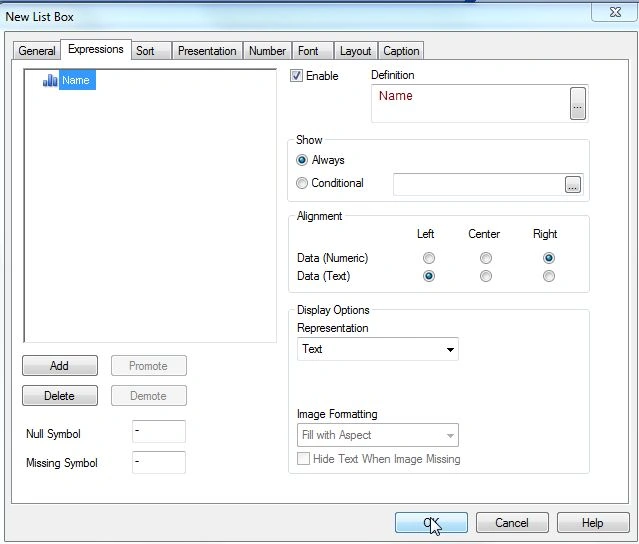




Anubhav ChaudharyPosted Apr 7, 2014, 1:25 AM
Nice one Prerna
Manish TewatiaPosted Apr 6, 2014, 11:22 PM
Very NIce prerana.. hope to see more good articles in future :-)
Nimit JoshiPosted Apr 6, 2014, 11:07 PM
Very Nice Explanation.. keep it up..
Prerana TiwariPosted Apr 6, 2014, 10:47 PM
Thanku ...............
Firoz KhanPosted Apr 6, 2014, 7:13 AM
great wisely explained
Arvind PradhanPosted Apr 5, 2014, 11:33 PM
Really very good way to explanation in this article
Shweta LodhaPosted Apr 5, 2014, 1:55 AM
Nice :)
Prerana TiwariPosted Apr 4, 2014, 1:26 PM
thanku ............
Mukesh Kumar TiwariPosted Apr 4, 2014, 8:12 AM
Very Nice..........with good explanation ...