

The amazing thing in this trick is, there is no need for any additional coding.
So, let’s begin with the topic.
Step 1
Open Visual Studio (here I used Visual Studio 2010 Express).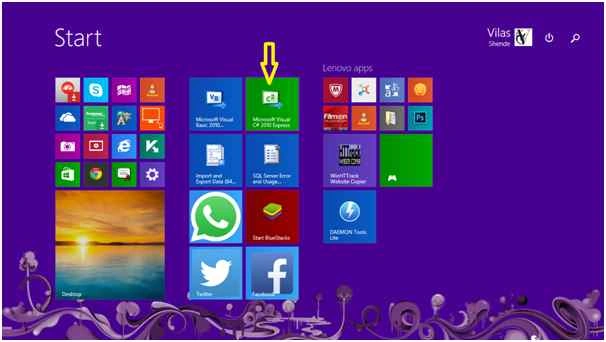
Step 2
Go to File Menu and click on New Project (alternatively we can use the shortcut key Ctrl + Shift + N).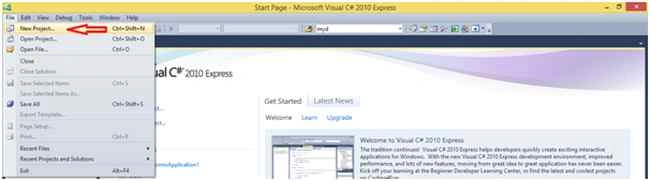
After clicking on New Project, our screen will look as shown in the following image.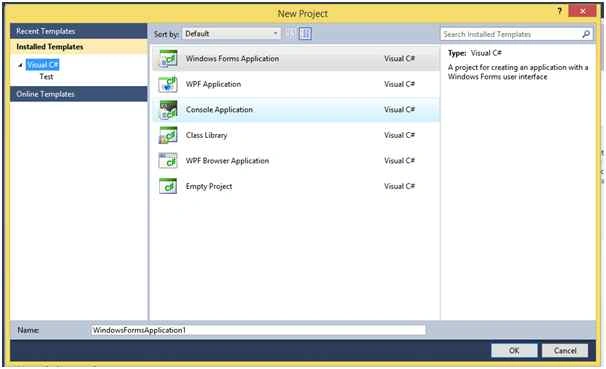
Step 3
Here we need to select the "Windows Forms Application" template, then we can also rename the project (I renamed it to RightClickMenuExample as shown in the following image).
After selecting the "Windows Forms Application" template click on the OK button that is showing at the bottom-right of the image.
Now our Windows Forms application is ready. Now to add the required controls so we need to move towards Step 4.
Step 4
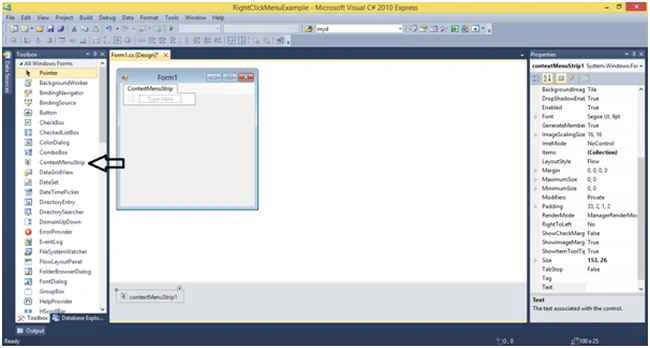

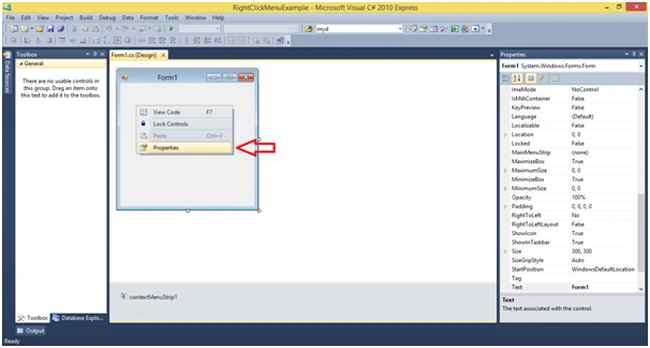

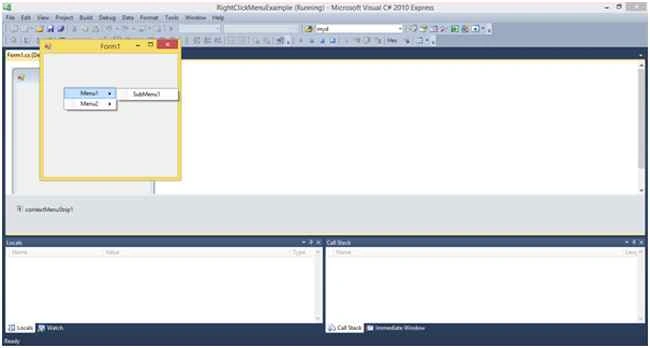
Burak GundogduPosted Mar 13, 2022, 11:28 AM
Thank you for the info bro
Lecho LechevPosted Oct 15, 2021, 6:24 AM
Thank you for the info, i spent hours of searching what did i do wrong on my project but in the end found out that i have skipped the 2nd screenshot from step 6.
Santhakumar MunuswamyPosted Jul 13, 2015, 3:06 PM
Nice article! Thanks for sharing
Sibeesh VenuPosted Jul 13, 2015, 3:30 AM
Nice share
Debasis SahaPosted Jul 13, 2015, 12:41 AM
Good One..
Nilesh JadavPosted Jul 13, 2015, 12:05 AM
Nice article sir
Narasimha Reddy ChennupalliPosted Jul 12, 2015, 11:45 PM
Good
RakeshPosted Jul 12, 2015, 11:37 PM
Good
Mozart HePosted Jul 12, 2015, 11:07 PM
Thanks for sharing
Pankaj Kumar ChoudharyPosted Jul 12, 2015, 10:37 PM
Nice Article ....