

Implementation:
- Get Host Web Context using App Web Context
- Get Fields collection of Host Web
- Define new Fields schema
- Add these Fields schema in the Fields Collection
Get Started:
- Create a SharePoint –hosted ‘Apps for SharePoint 2013’ project using Visual Studio 2012/2013.
- Add a button on the page that creates Site Columns.
- <asp:Content ContentPlaceHolderID="PlaceHolderMain" runat="server">
- <div>
- <input type="button" id="btnSiteColumns" value="Create Site Columns" onclick="createSiteColumns()" />
- </div>
- </asp:Content>
- Add the following code to App.js.
- 'use strict';
- var context = SP.ClientContext.get_current();
- var hostWebUrl, hostWebContext, hostWeb;
- $(document).ready(function() {
- hostWebUrl = decodeURIComponent(getQueryStringParameter("SPHostUrl"));
- //Get Host Web Context using App web
- hostWebContext = new SP.AppContextSite(context, hostWebUrl);
- hostWeb = hostWebContext.get_web();
- });
- // Retrieve a query string value.
- function getQueryStringParameter(paramToRetrieve) {
- var params = document.URL.split("?")[1].split("&");
- for (var i = 0; i < params.length; i = i + 1) {
- var singleParam = params[i].split("=");
- if (singleParam[0] == paramToRetrieve) return singleParam[1];
- }
- }
- //Create Site Columns on Host Web
- function createSiteColumns() {
- var fields;
- var createFields;
- //Get Host Web Fields Collection
- fields = hostWeb.get_fields();
- //Define the fields schema
- var fieldSchema = new Array(
- '<Field Name="EmployeeId" DisplayName="Employee ID" Type="Text" EnforceUniqueValues ="TRUE" Indexed="TRUE" Required="True" Group="EmployeeDetails"/>',
- '<Field Name="EmployeeName" DisplayName="Employee Name" Type="User" Required="FALSE" Group="EmployeeDetails"/>');
- for (var iFieldsCounter = 0; iFieldsCounter < fieldSchema.length; iFieldsCounter++) {
- //Parameters to pass
- //fields.addFieldAsXml(string schemaXml,bool addToDefaultView, AddFieldOptions options)
- createFields = fields.addFieldAsXml(fieldSchema[iFieldsCounter], false, SP.AddFieldOptions.addFieldCheckDisplayName);
- }
- context.load(fields);
- context.load(createFields);
- context.executeQueryAsync(
- function() {
- alert('Site Columns Created Successfully.')
- },
- function(sender, args) {
- alert('Failed to create Site Columns. Error:' + args.get_message() + '\n' + args.get_stackTrace());
- });
- }
- Build and Deploy the solution. Click ‘Create Site Columns’ button.
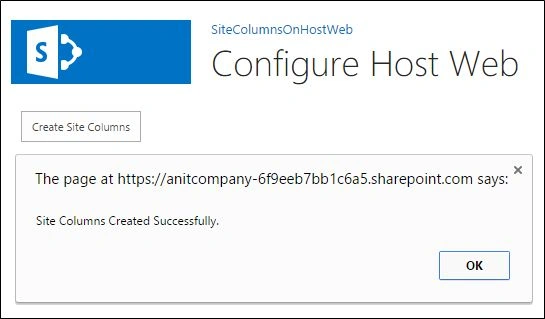
- Check Site Columns on Host Web; they have been created.

Conclusion
This creates site columns in Host Web. This code can be extended to create columns in List/Document Library. To create columns in Lists, get the Fields collection of List and add the schema of new column.
Harshad PansuriyaPosted Oct 6, 2015, 9:00 AM
Nice one
Santhakumar MunuswamyPosted Oct 6, 2015, 12:00 AM
Nice Share
Abhay ShankerPosted Oct 4, 2015, 4:02 AM
Nice Share...
Nilesh JadavPosted Oct 3, 2015, 9:41 PM
Nice one sir
Sumit JoshiPosted Oct 3, 2015, 4:32 PM
thanks for sharing.,
Vinodh NarayananPosted Oct 3, 2015, 12:18 PM
good one