
In SharePoint we can create term set in multiple ways using SharePoint portal, CSOM or JSOM and import the CSV files, etc. In this article I’ve shared how to create term set and terms using SharePoint online admin portal. This is the easy way to create terms in SharePoint for the beginners.
Click here to know about the group, term sets and terms and enterprise keywords.
Steps:
The following are the steps to create group, term set and terms.
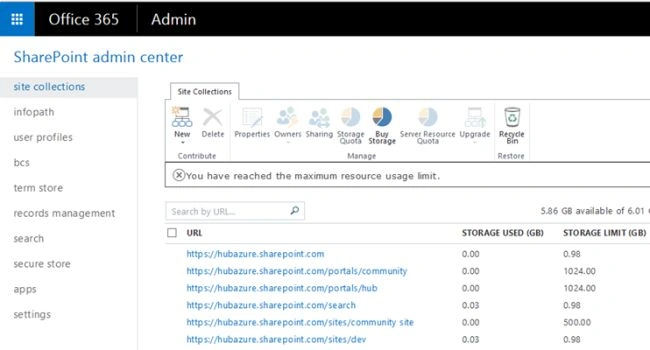
Step 1: Go to your admin portal (URL: https://xxx-admin.sharepoint.com/ ) as in the following screenshot:
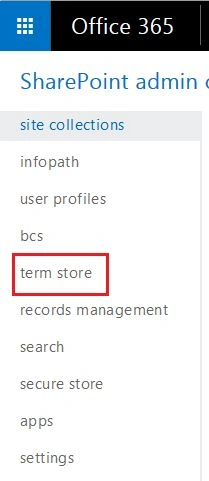
Step 2: Then select “Term store” from the left navigation.
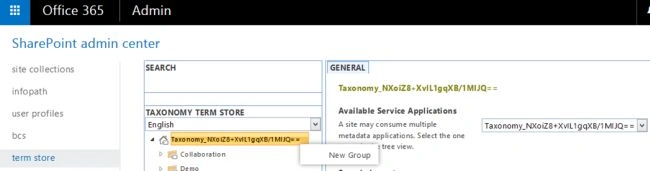
Step 3: On the Term store manager page select the dropdown from term store to create a new group as in the following screenshot:
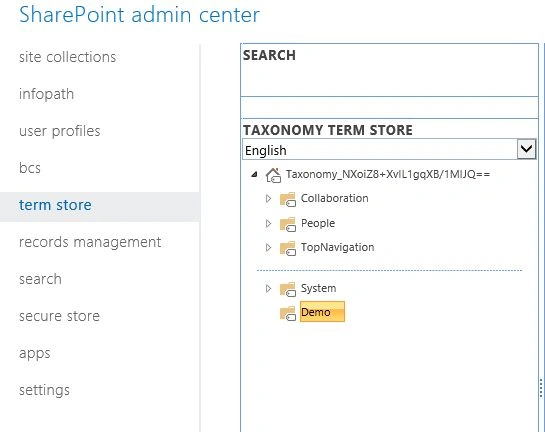
Step 4: Provide the Group Name. Under the Taxonomy group you can create multiple terms sets.
Step 5: Enter the details of the group as per your need and click on save to store the group details.
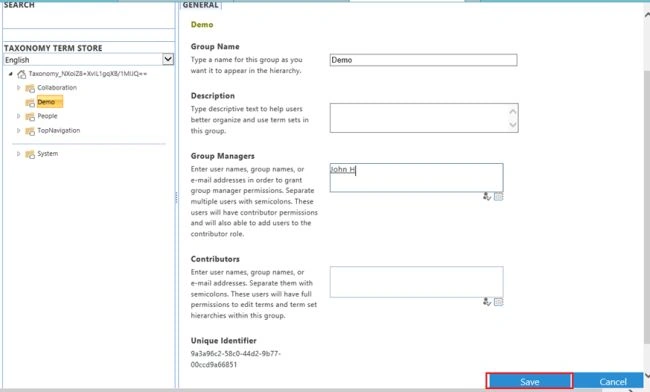
Step 6: Select the drop down from the group which you have created. You can see the option to create term set under the group as in the following screenshot:
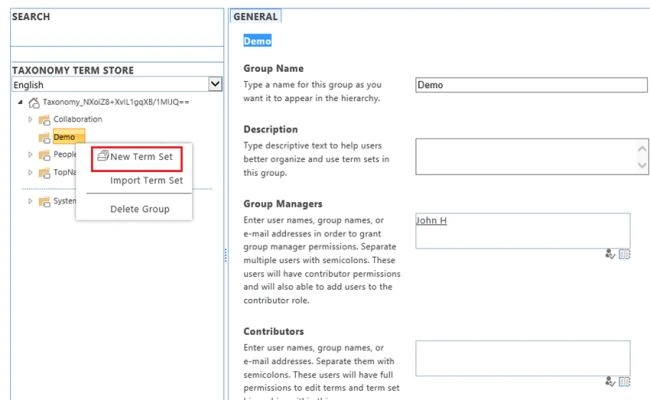
Step 7: Select the “New Term Set” and provide the term set name and term set details, after that click save.
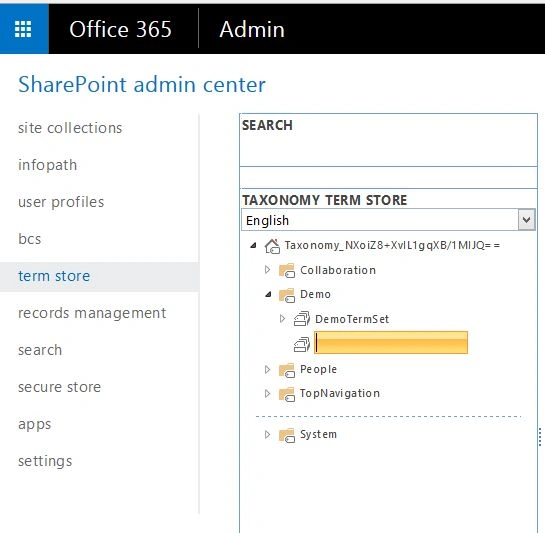
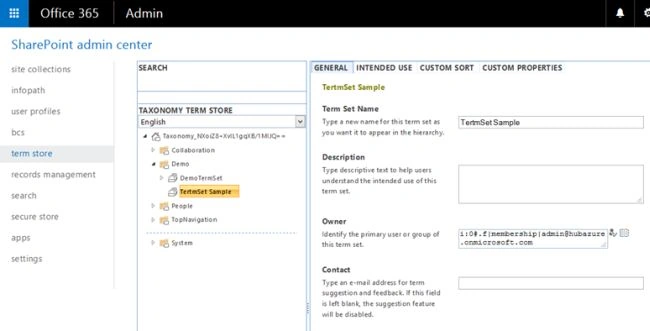
Step 8: On the Term set, click the dropdown to create terms under the term set so that you can create multiple terms.

Finally, Taxonomy group, term set and terms created successfully.
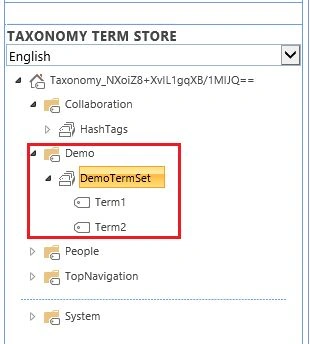
Summary
In this article we have learned what is the taxonomy, group, term set, terms and their types, and also we learned how to create those in SharPoint Online without any code.

Create Term Set And Terms In SharePoint Online
Join the conversation! Your thoughts help the community grow.
Sign in to leave a comment
It is the same account you read, post and publish with — and you will come straight back to this page.
Kaviya BalasubramanianPosted Aug 3, 2017, 6:42 AM
Yes We have the option
sarath kumarPosted Aug 3, 2017, 4:58 AM
How can we add term with Navigation Node Type (samplr link url) using import csv option? with out code. using OOB import csv option.
Santhakumar MunuswamyPosted Sep 8, 2015, 3:15 PM
Thanks for nice share
Mohammed IbrahimPosted Sep 8, 2015, 3:08 PM
nice share
RakeshPosted Sep 8, 2015, 12:28 PM
Good Share
Kaviya BalasubramanianPosted Sep 8, 2015, 9:00 AM
Thank u Vinoth and Pankaj
Pankaj Kumar ChoudharyPosted Sep 8, 2015, 8:46 AM
Nice Explain mam......
Vinodh NarayananPosted Sep 8, 2015, 6:59 AM
Good one
Kaviya BalasubramanianPosted Sep 8, 2015, 6:23 AM
Thank you :)
Yashwanth MuthineniPosted Sep 8, 2015, 5:32 AM
Nice Share
Karthikeyan KPosted Sep 8, 2015, 5:06 AM
Good one...Thanks for sharing