

Introduction
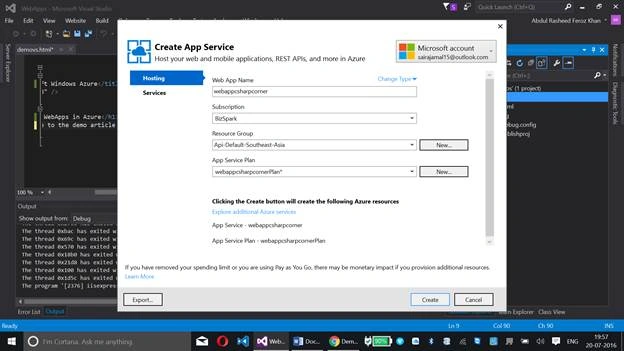
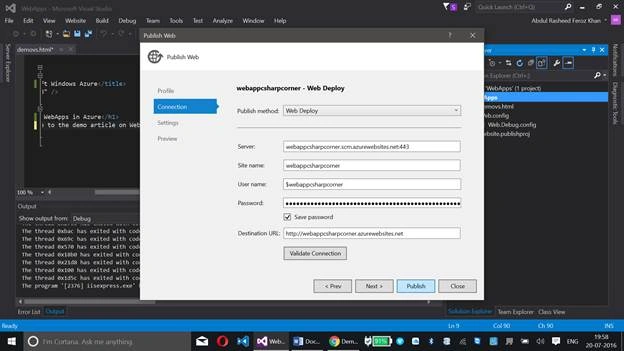
This article will help you learn about creating Web Apps in Azure, using Visual Studio (without accessing the Azure Management Portal via Web Browser).
What are Web Apps?
Azure provides us a service called Web Apps which we can use for constructing our website with the tools available or provided by Azure. We too have open source tools, like WordPress, Joomla, etc., by which we don't need to worry about the code and we can construct the websites just by using the templates available, or even by dragging and dropping. We can also control the website performance and other website oriented shared resources using this Web App in Azure.
Developer Requirements
- An Azure account (Click here to get a temporary Azure account at free of cost)
- Visual Studio 2015 installed on your machine (Click here to get the Azure SDK for Visual Studio)
Follow the below steps, now, to create a Web App in Azure, using Visual Studio:
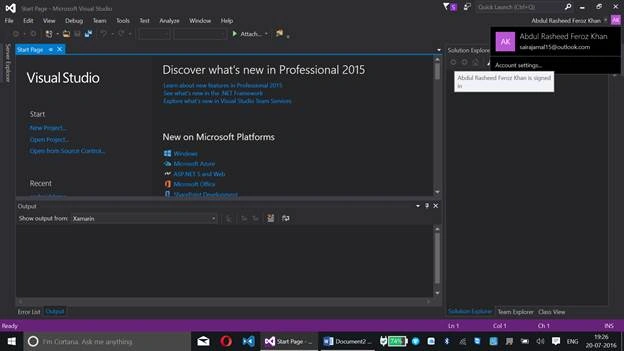
Step 1: Launch your Visual Studio 2015
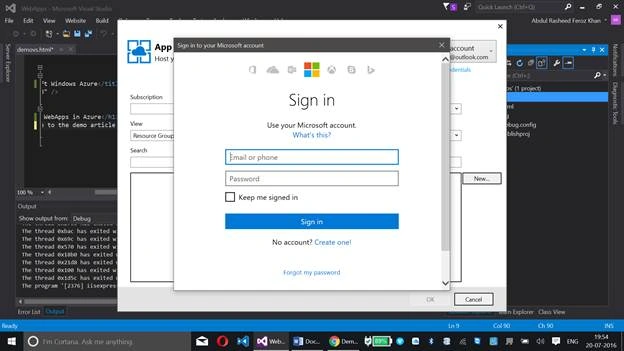
Make sure that the same Azure account has been signed in with your Visual Studio at the top right corner. If not, sign in with your Azure credentials in your Visual Studio 2015.
Go to File - New - File.
Select Visual C# - HTML Page. Name the file and click Add.
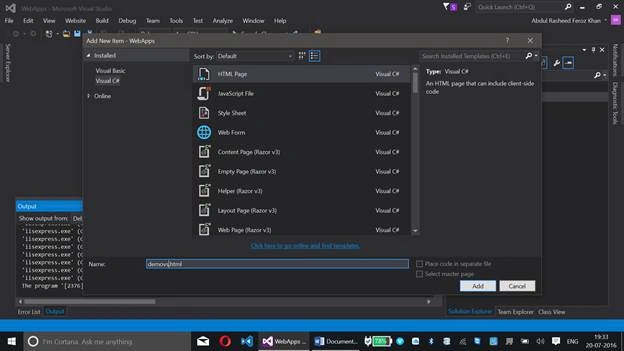
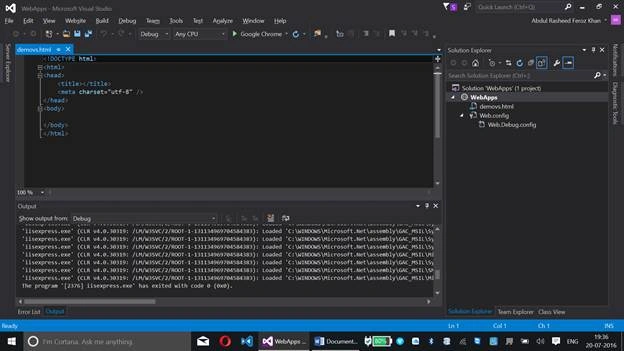
Step 2: Write code for adding a title to the page and some content on the page
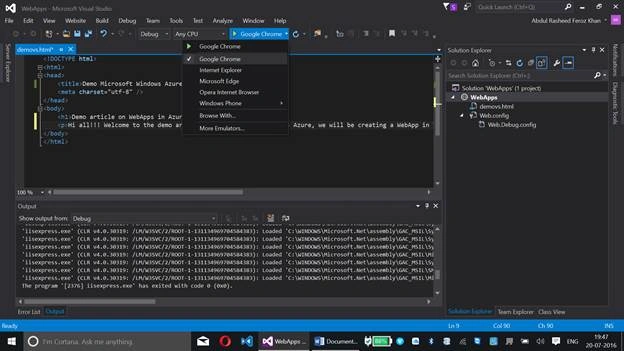
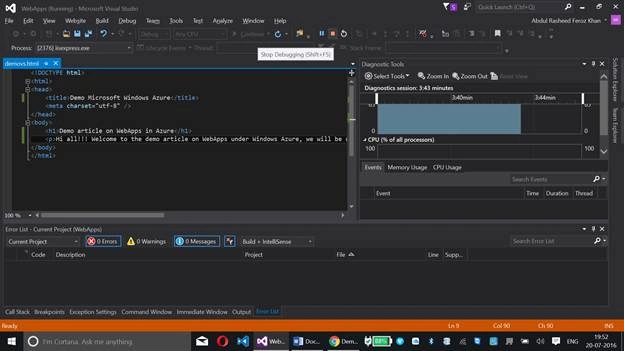
If needed, copy the following HTML code into your demovs.html page to add some content.
- <!DOCTYPE html>
- <html>
- <head>
- <title>Demo Microsoft Windows Azure</title>
- <meta charset="utf-8" />
- </head>
- <body>
- <h1>Demo article on WebApps in Azure</h1>
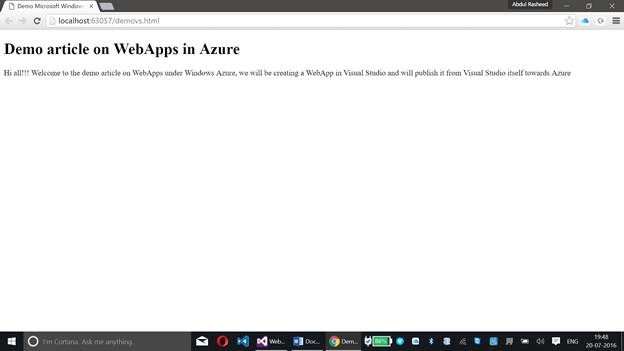
- <p>Hi all!!! Welcome to the demo article on WebApps under Windows Azure, we will be creating a WebApp in Visual Studio and will publish it from Visual Studio itself towards Azure</p>
- </body>
- </html>
Humayun Kabir MamunPosted Jul 24, 2016, 2:03 AM
Nice...
Vivek TripathiPosted Jul 23, 2016, 7:07 AM
Good one
Prasanna MuraliPosted Jul 22, 2016, 9:59 AM
Nice one..
kalu singh raoPosted Jul 22, 2016, 1:24 AM
Interesting !
Ganesh SattawanPosted Jul 21, 2016, 9:59 PM
Excellent...........
Vignesh ManiPosted Jul 21, 2016, 4:39 PM
Good one