

Xamarin is a tool to develop cross-platform and multi-platform apps (Ex - Windows phone, Android, and iOS). In Xamarin, the code sharing concept is used. Xamarin Studio is available in Visual Studio too.
The Check Box Control is used to automatically check (tick) the options and question-types in Android app.
Prerequisites
- Visual Studio 2015 update 3
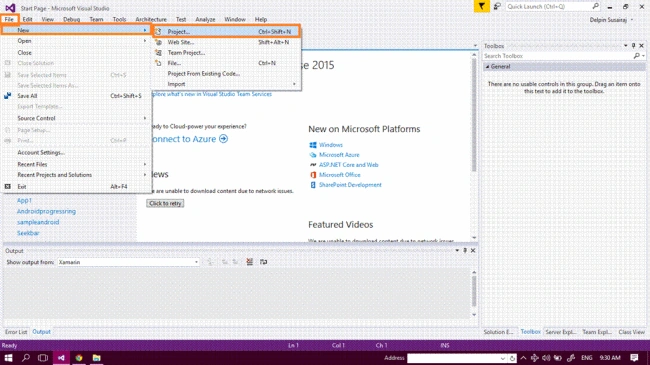
Step 1 - G to File--> New--> Project. The list of all the project types will be opened. Or, you can simply press "Ctrl+Shift+N".
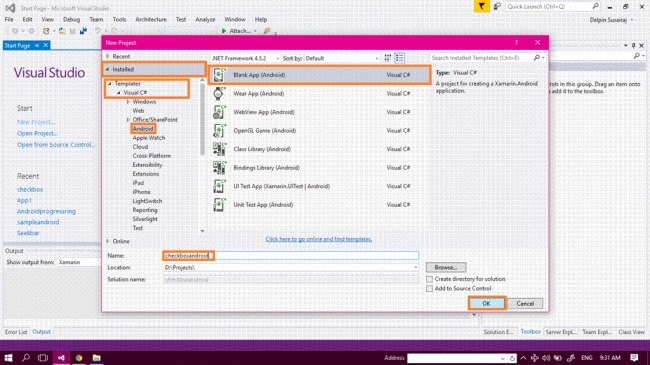
Step 2 - After opening the New project, select Installed --> Templates --> Visual C# --> Android --> choose Blank App (Android). Next, give your Android app a name (Ex: sample) and give path of your project. Finally, click OK.
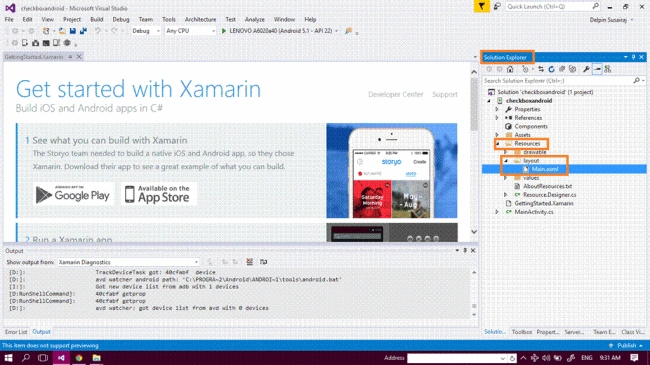
Step 3 - Next, go to the Solution Explorer. Next, select Resource --> Layout --> double click to open Main.axml page. You can select either Design view or Code view to design your app.
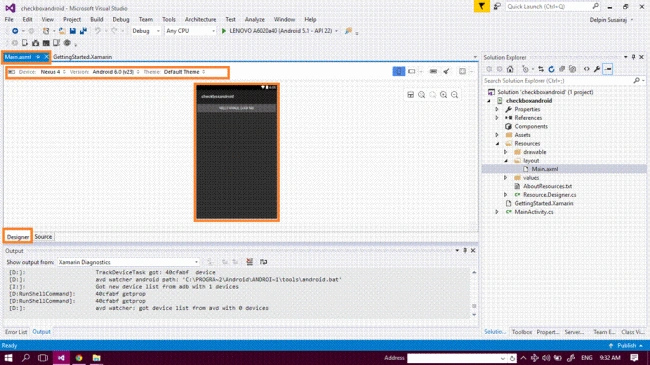
Step 4 - After this, open the Main.axml file. This will open the main page designer where you can design the app's homepage.
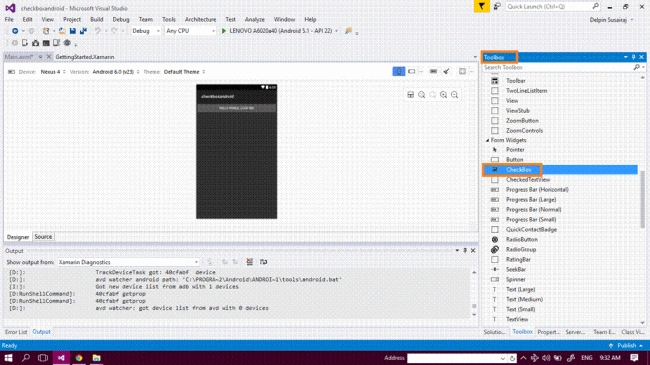
Step 5 - Next, go to the toolbox window where you have all types of tools and control. Go to the Toolbox window. Next, scroll down and look for all tools and controls.
Drag and drop the Check Box control in your Main.axml page.
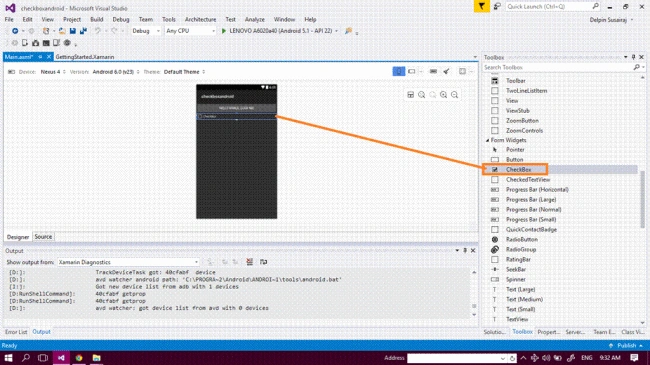
Step 6 - After dragging and dropping it, the Check Box will show up in your app.
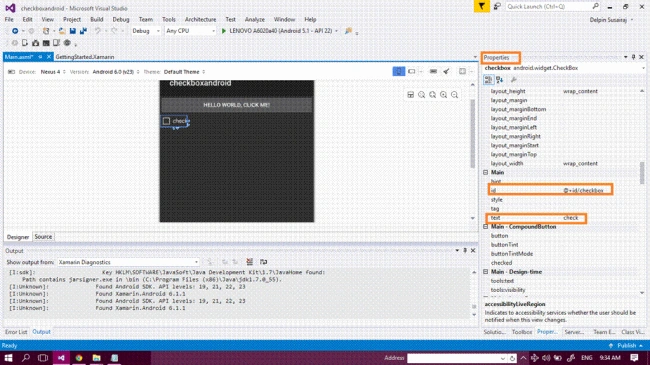
Step 7 - Next, go to the properties window and edit the text value (Ex- android:text=check) and change the id (Ex- CheckBox android:id="@+id/checkbox").
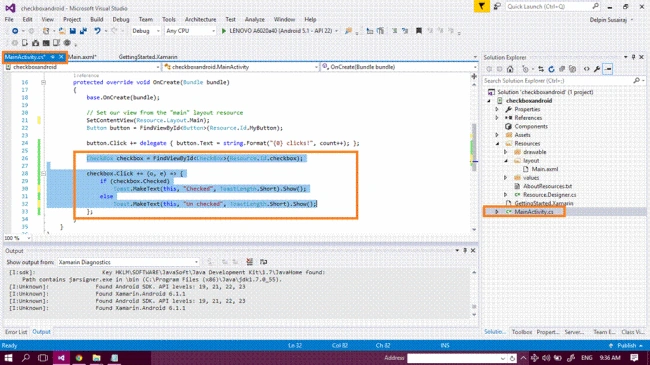
Step 8 - Now, go to the Main.axml source code and tap here. Change the id value or note the value.
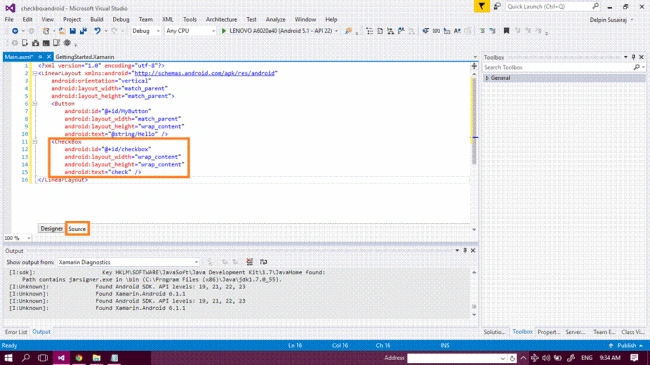
Main.axml
- <CheckBox android:id="@+id/checkbox" android:layout_width="wrap_content" android:layout_height="wrap_content" android:text="check" />
RashmiPosted Nov 17, 2023, 1:22 PM
Hi I want to have my checkbox to the right and its label to the left how I have do that
Uttam PadukonePosted Jan 9, 2019, 6:34 PM
Hi, Wanted some help in respect of programmatically created checkbox. I create Checkboxes in a do loop with unique ids assigned to each checkbox. Once created, I would now like to (a) detect when the state of each changes viz. checked to unchecked and vice versa and (b) when all checking / unchecking is completed, I would like to go through a do-loop so that the associated values for each checked checkbox is loaded into a different variable array.
Vijayaragavan SPosted Oct 10, 2016, 11:20 AM
Good....
Prasanna MuraliPosted Oct 9, 2016, 9:43 AM
Nice post
Humayun Kabir MamunPosted Oct 9, 2016, 2:14 AM
Nice...