

Introduction
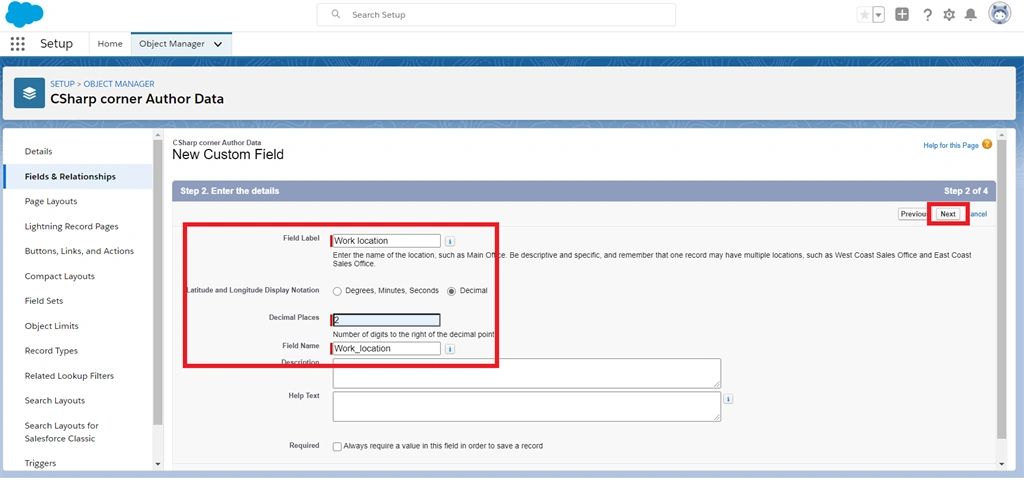
Salesforce CRM can gives many of data type fields to get information from users and store it in our org. This information includes name, date of birth, birth time, work location, email, mobile number, etc.…
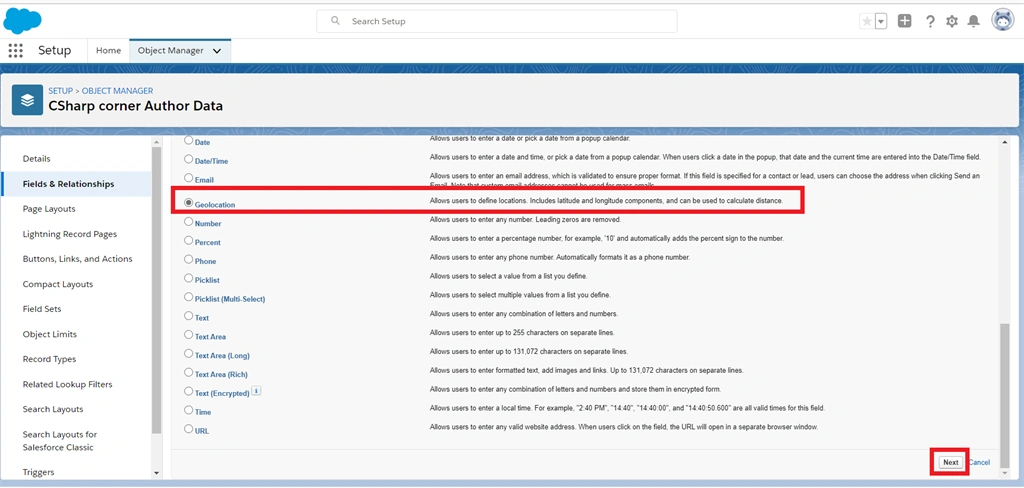
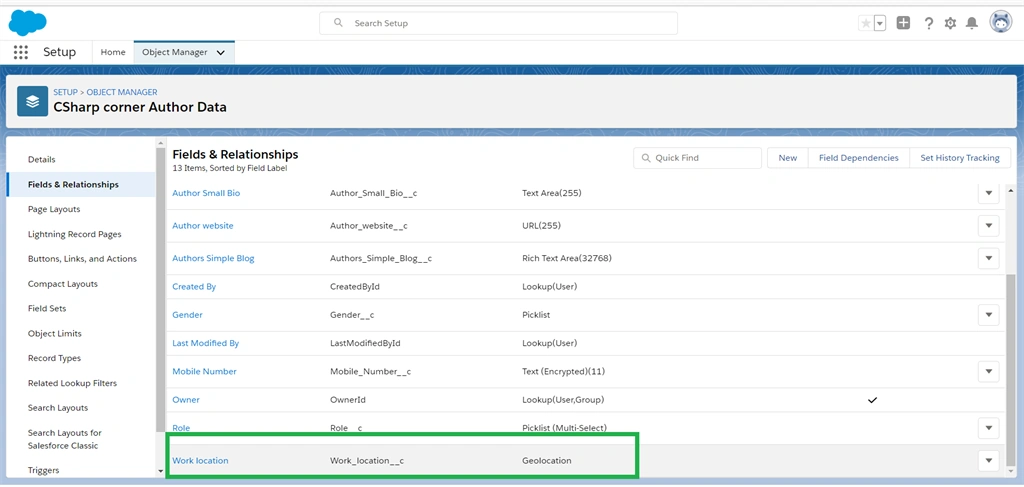
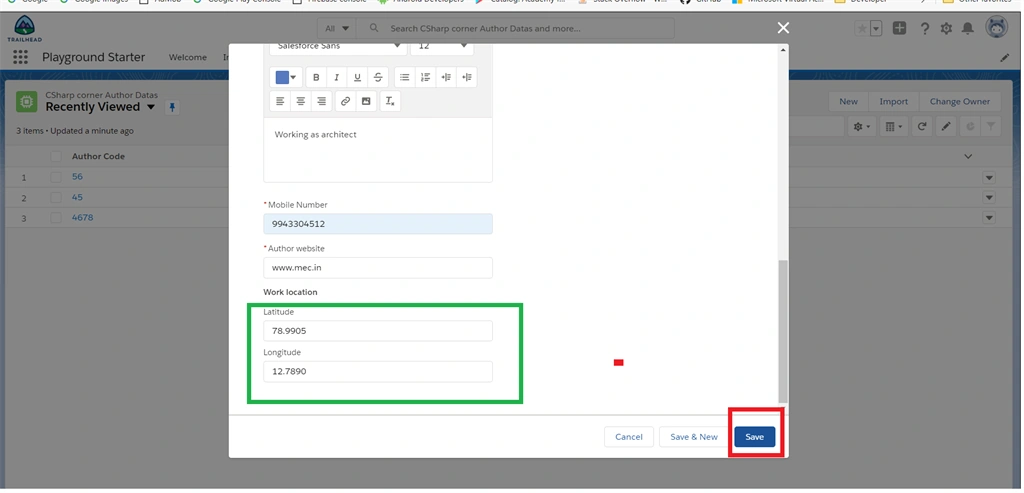
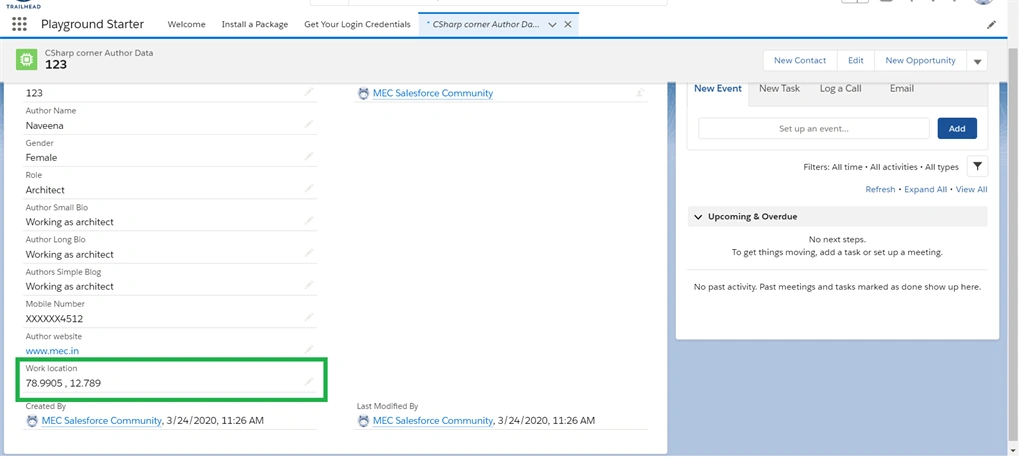
Salesforce has provided a new data type called Geo-Location. This data type can store latitude and longitude information in decimal form to calculate distance.
By reading this article, you will learn about how to create a Geo-Location field data type in salesforce org.
Prerequisites
- Before starting this process, you must sign up in the Salesforce Trailhead lightning platform. Click here to sign up
Step 1
Login to trailhead and Launch “trailhead playground” or “Developer Edition”
Step 2
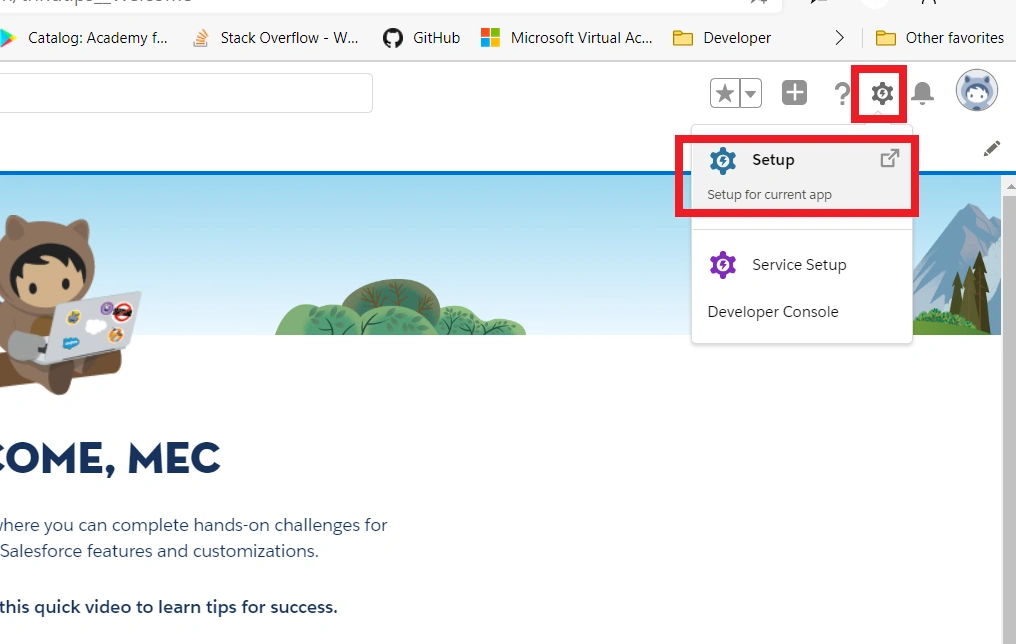
Click the “Gear” icon and then click the “Setup” option.
Step 3
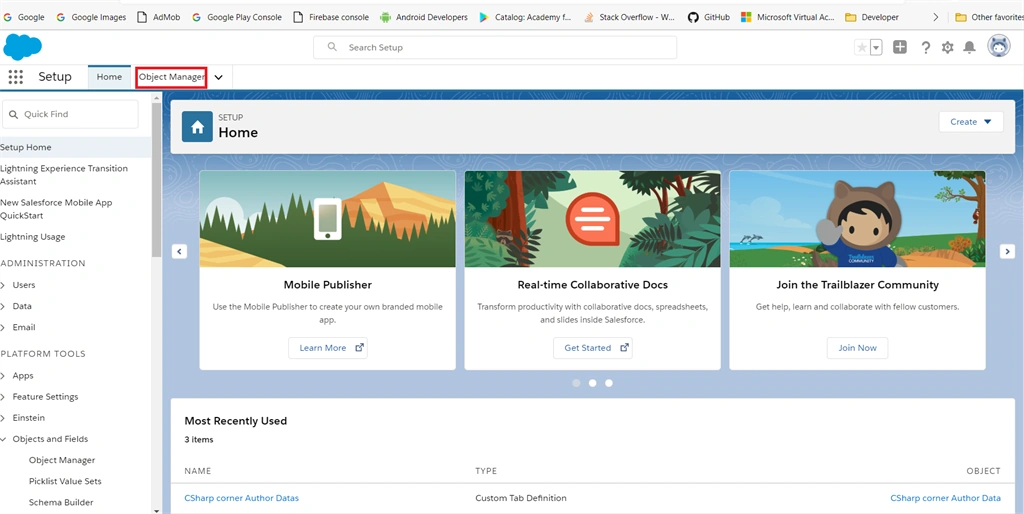
In the setup page, click the “Object Manager” at top of the page.
Step 4
Read my previous article on how to create a custom object in the salesforce lightning platform.
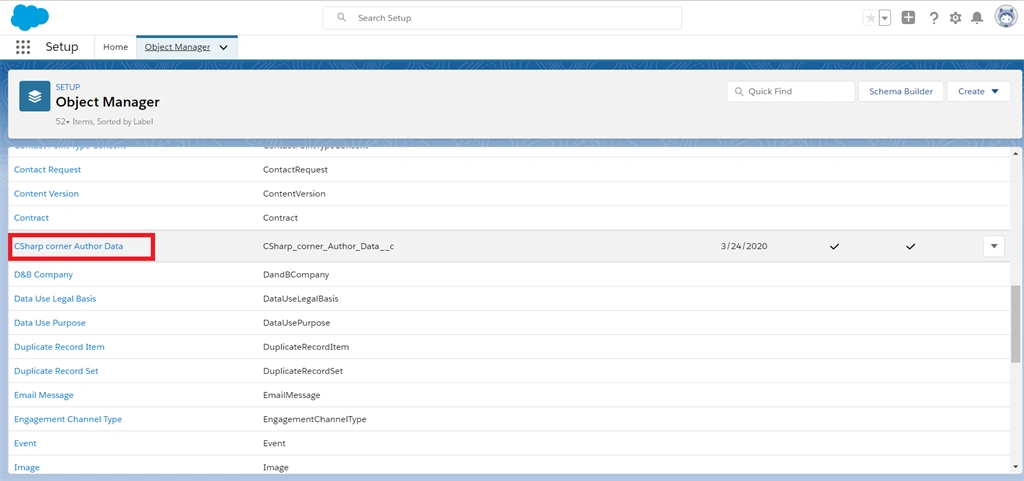
On the bject manager page, scroll down and click the created our custom object name from the object list.
Step 5
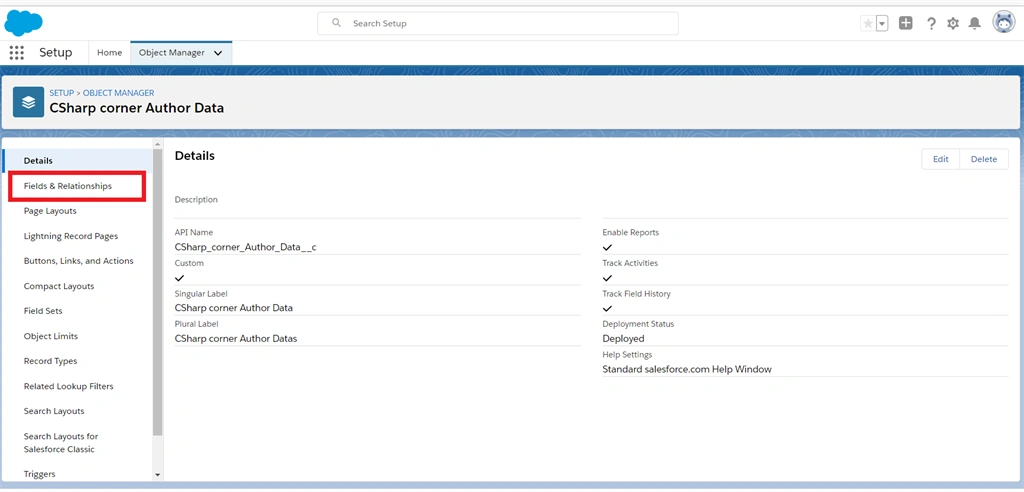
In our created custom object page, click the “Fields & Relationship” option from the left side pane.
Step 6
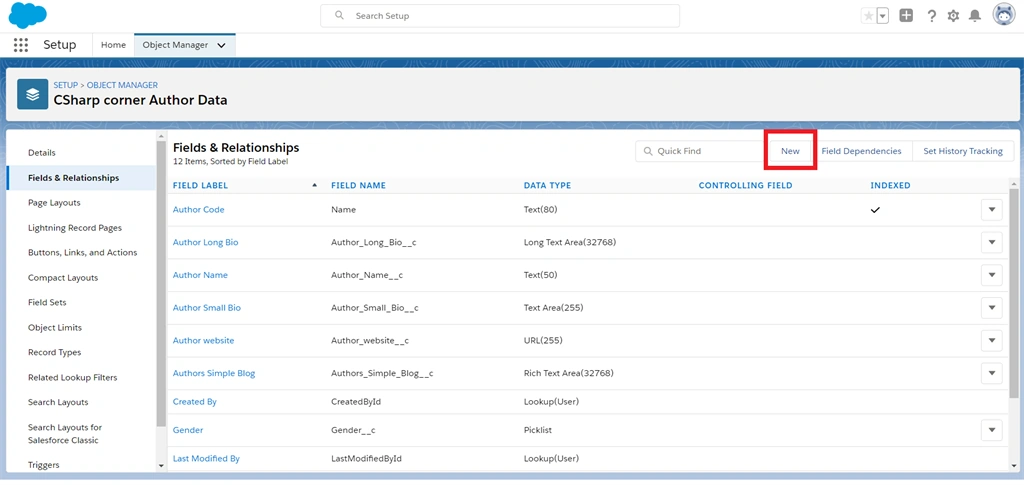
Next, in fields and relationship page our predefined fields are listed. Now we are creating a new Geo-Location field from datatype by clicking the “New” button.
Step 7
Join the conversation! Your thoughts help the community grow.