

In JIRA by default there is a set of default Issue types to help users to get started with the tool. In companies everyone's requirements are different and so JIRA Tool allows us to add, edit and delete the issue types. When creating a new issue type in JIRA, we can also create either a new standard or sub-task issue type but for this we must enable sub tasks.
To create a new issue type
Open the JIRA tool. Login as the Admin account and click on the Administrator tab on the page.
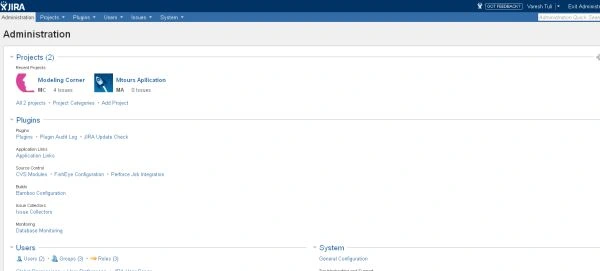
Select the Administration > Issues > Issue Types. It opens the Issue Types page.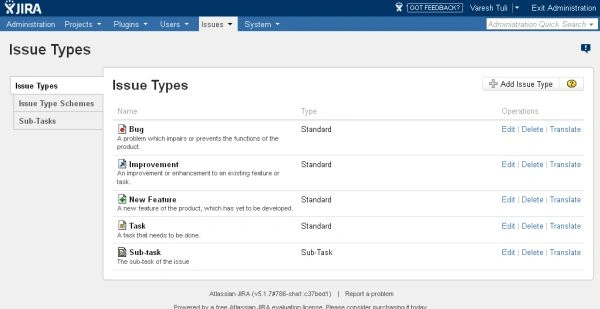
Click on the Add Issue Type button to the right side of the page. It will display the Add Issue Type dialog box.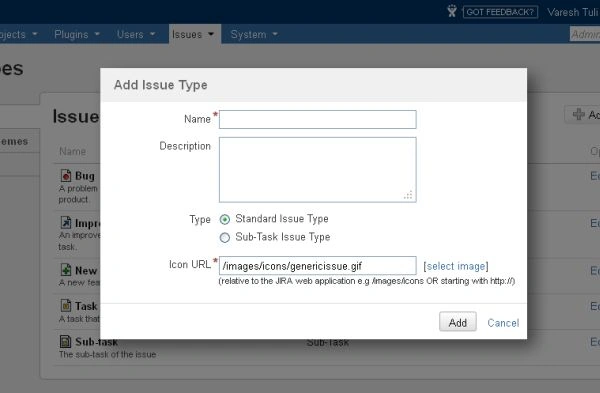
Write all the details under the Add Issue Type dialog box:
- Name - In this text box we will enter the phrase that describes the issue type.
- Description - Enter some description of the issue type.
- Type - In this section we specify that its a Standard issue type or a Sub-Task issue type.
- Icon URL - Click on the Select Image link. It will display an image window. In that it will display the default images or we can enter an image path. Click on the Update button.
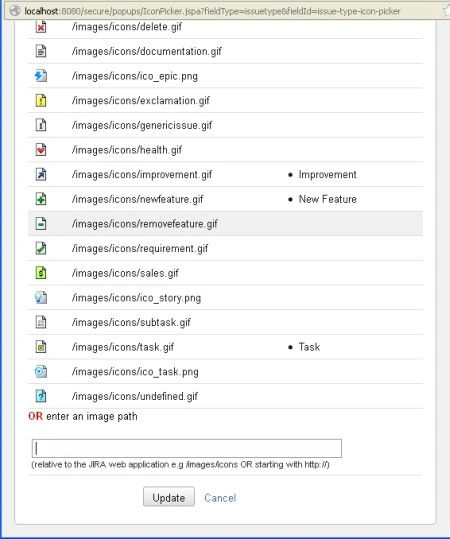
Now click the Add button to create the new issue type. The issue type will be automatically updated and displayed under the Issue Types page.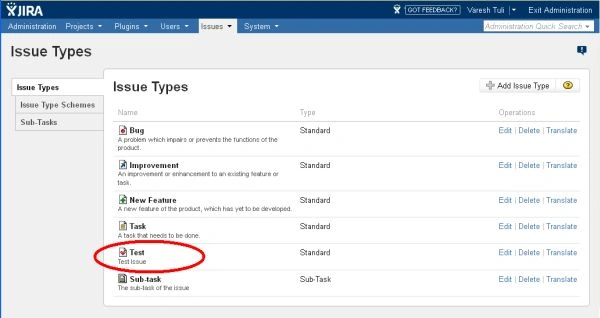
Join the conversation! Your thoughts help the community grow.