
Here are the steps:
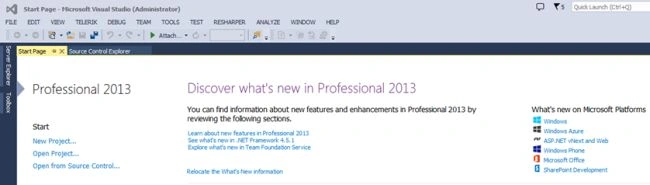
Step 1: Go to Start, then All Programs and click Visual studio 2013.
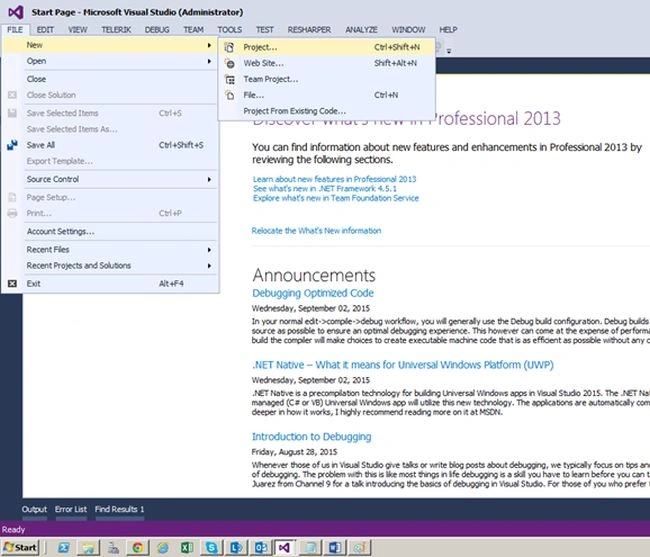
Step 2: Click File, then New and add Project.
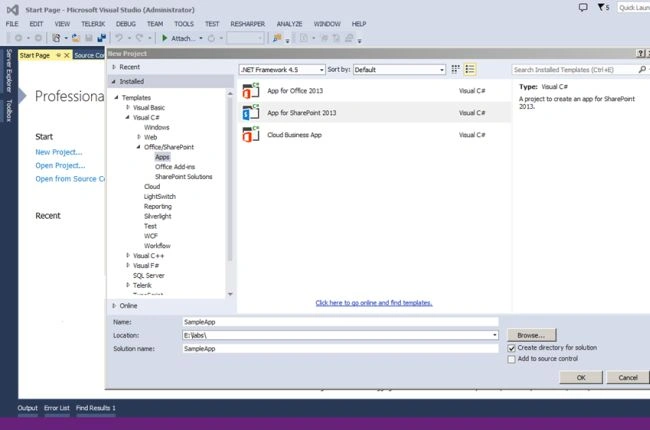
Step 3: Click Apps under Office/SharePoint and select App for SharePoint 2013. Enter the name of the app and click OK.
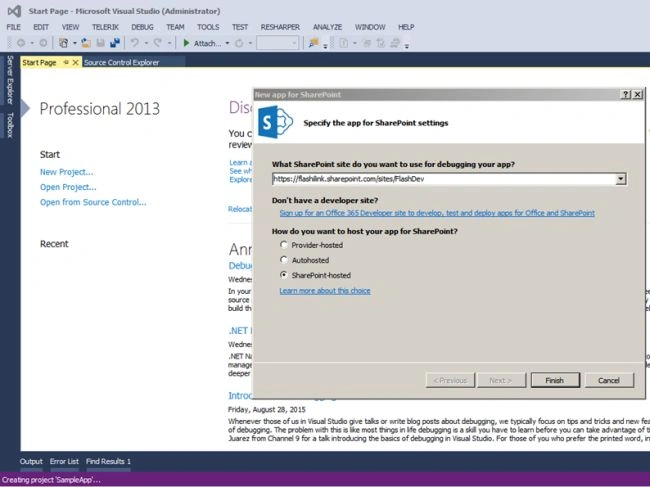
Step 4: Enter SharePoint office 365 site URL and select SharePoint-hosted and click Finish.
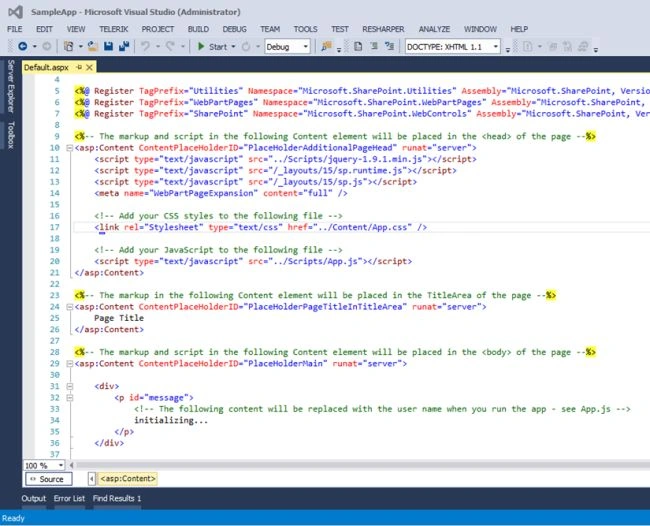
Step 5: The following screen will appear.
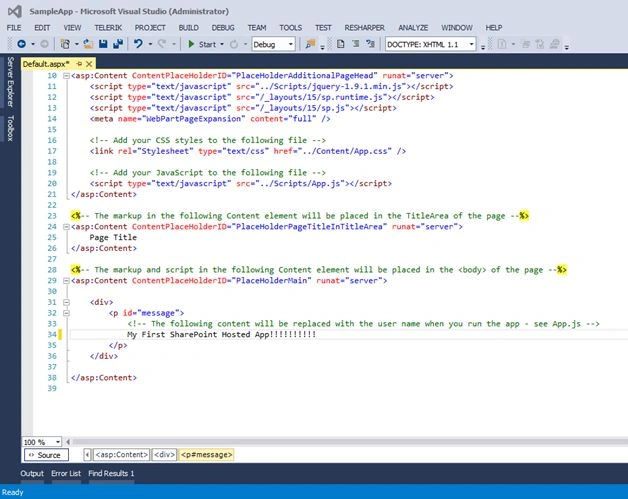
Here I have changed the message in div tag.
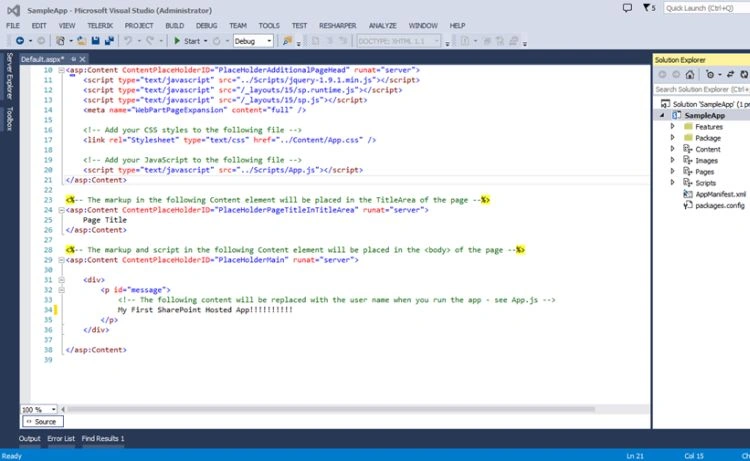
Step 6: Open Solution Explorer.
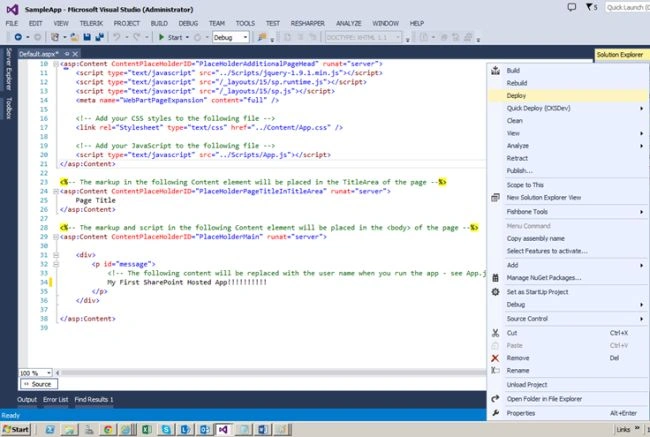
Step 7: Right click the solution, then Build and Deploy the App.
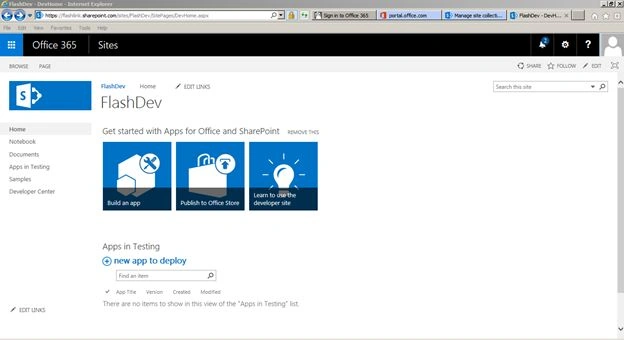
Step 8: Go to your SharePoint Office 365 site.
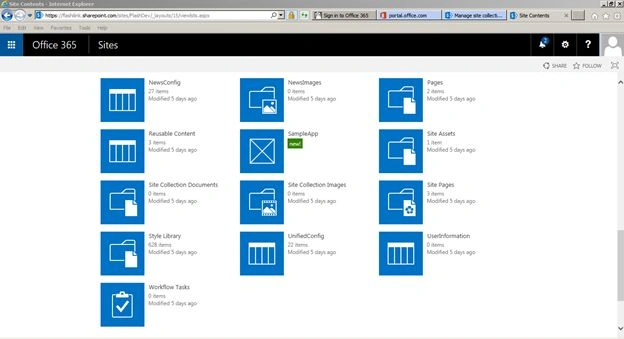
Go to Site Contents and you can see your App here:
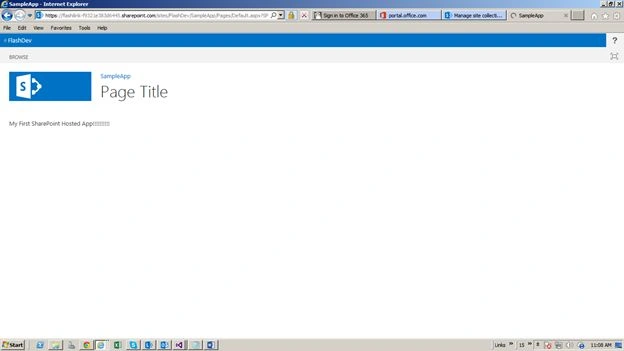
Click the App, then your app will be like the following screenshot:
Summary
In this article we saw how to create a SharePoint app using Visual Studio 2013 and deploy Microsoft SharePoint Office 365 site.

Create A SharePoint 2013 App Using Visual Studio 2013 And Deploy Office 365 Site
Join the conversation! Your thoughts help the community grow.
Sign in to leave a comment
It is the same account you read, post and publish with — and you will come straight back to this page.
Baimey RajeshPosted Sep 13, 2015, 8:07 AM
Hi Jacob, My company have a requirement for sharepoint with office 365 but have queries related to this. The client insist on Office 365 , but some articles say that the support for office 365 is not provided for public websites. Please lemme know any comments on the same thanks
Vipin TyagiPosted Sep 9, 2015, 2:01 AM
facing configuration problem....Don't know how to use central admin
Santhakumar MunuswamyPosted Sep 8, 2015, 3:18 PM
Thanks for nice share
Mohammed IbrahimPosted Sep 8, 2015, 3:09 PM
nice share
RakeshPosted Sep 8, 2015, 12:30 PM
Good One
Pankaj Kumar ChoudharyPosted Sep 8, 2015, 8:45 AM
Nice Explain Sir...........
Karthikeyan KPosted Sep 8, 2015, 5:58 AM
Good one sir...Thanks for sharing