

In this tutorial we will learn how to set up Visual Studio for a Windows Azure (cloud) project. On completing this tutorial, you'll have a simple web application up and running in the cloud. We are assuming that you are familiar with the Azure Portal. The following are the steps described in this tutorial:
- Setting up Azure project
- Designing web role project
- Development of web role project
- Deployment to Windows Azure
SETTING UP AZURE PROJECT
Procedure
1. For setting up the project, first for the Webrole project you need to sign in to the Azure Portal.
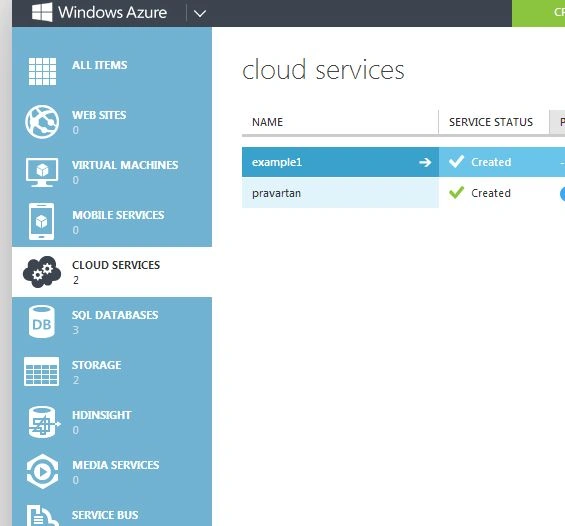
2. In the portal create a cloud service with a unique URL (Here it is example1.cloudapp.net) and a specified server location (here it is in Southeast Asia).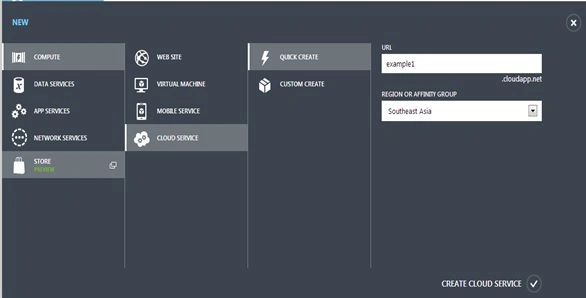
3. Now for using Visual Studio, in the file menu select "New project" and then in the cloud pane of the window edit the name of the project to example1 (it is not necessary that both the project name and cloud service name will be the same) and click "Ok".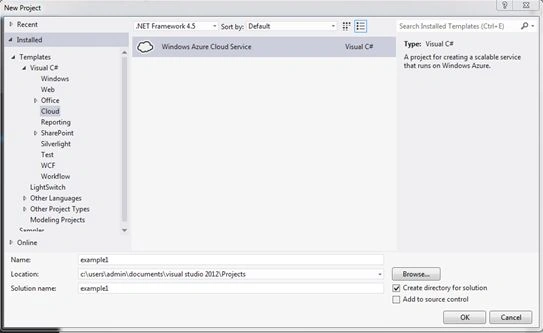
4. After clicking "Ok" a small window is shown from which we need to select a type of Webrole project, here we will select ASP.NET web role and give a name to it. Let's name it "firstwebrole" then click "Ok" to continue.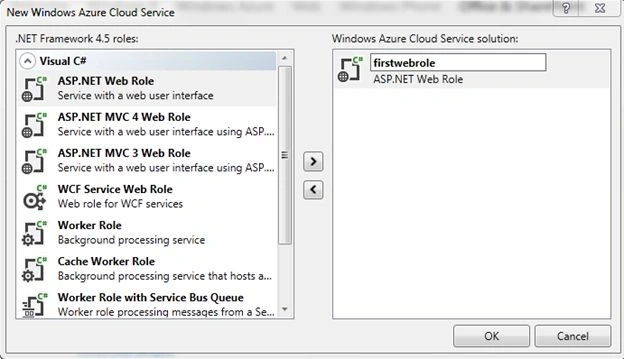
5. You will see the following files in your Solution Explorer.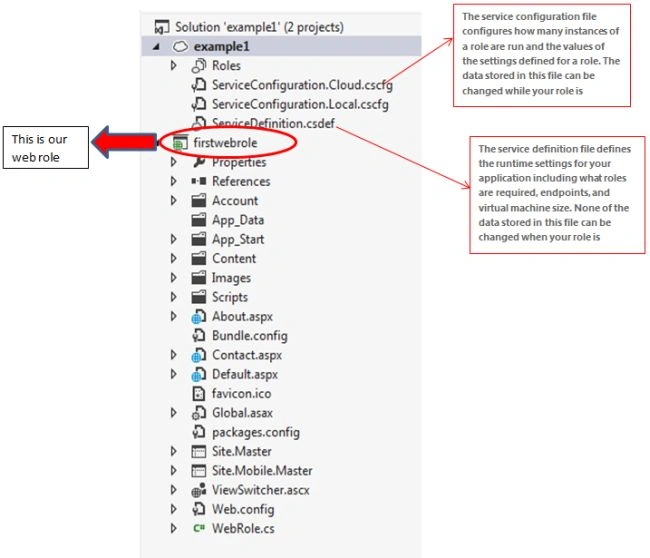
DESIGNING WEBROLE PROJECT
1. We will create a web form that will display the text entered into the TextBox after clicking the "Submit" button.
2. A wire frame of the form is: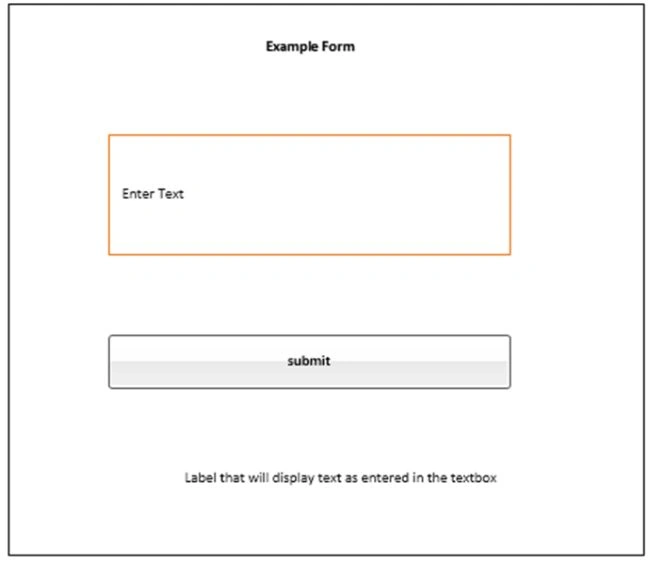
DEVELOPING WEBROLE PROJECT
Procedure
1. Now in Visual Studio go to the Solution Explorer tab and right-click the Webrole (here it is firstwebrole) then seelct "Add" > "Add new item". A window will appear for selecting the web form (top of the window) name; nme it "firstform.aspx" and click "Add" to continue: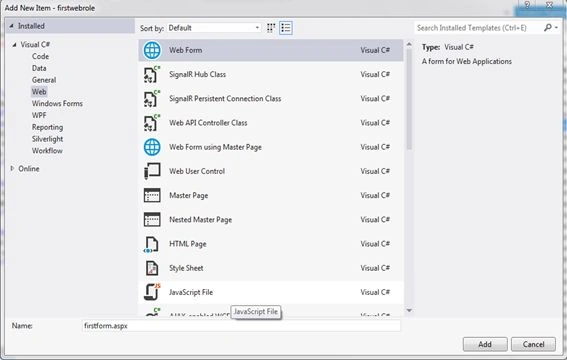
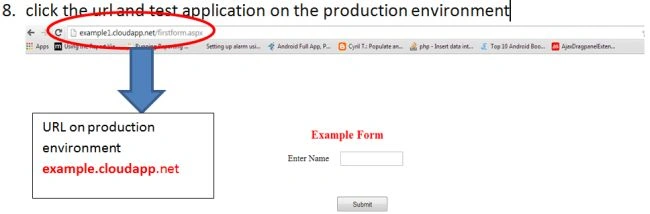
2. Then open the "firstform.aspx" file in design mode and drag & drop the following ASP.NET controls to the form and when you run the project in the local environment you will see the form as: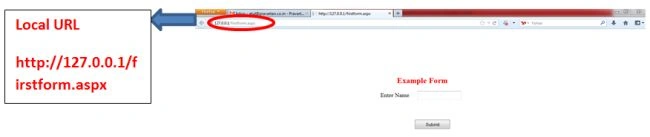
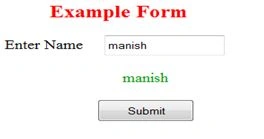
3. Open the "firstfom.aspx.cs" file and write the business logic for displaying the name entered in the testbox on a button click event:


HemlataPosted Apr 12, 2017, 1:18 AM
Thanks Atul ,But still i have one doubt,i will appreciate if you help me in this .... How Azure Web Role is different from a normal asp.net website ?
Atul SrivastavaPosted Apr 17, 2016, 1:38 AM
Thanks Jonathan...you encouraged me to do more things on this...thanks again :)
Jonathan JenkinsPosted Apr 16, 2016, 3:21 PM
Thanks for the write-up. I was looking for something very generic just to get the idea and this article satisfied it. Thanks!