

Introduction
Hypertext Markup Language 5 (HTML5) is the latest version of the Hypertext Markup Language developed by the World Wide Web Consortium (W3C) used for structuring and presenting content for the World Wide Web. All popular browsers such as Google Chrome, Mozilla Firefox, Microsoft Internet Explorer and Opera support HTML5. HTML5 provides support for document editing, drag, and drop, audio and video playback, 2D graphics and browser history management.
JavaScript is a programming language used to create websites and make the pages interactive. JavaScript interacts with the HTML source code that enables web authors to spice up their websites with dynamic content. JavaScript is an open language, which means that anyone can use it without purchasing a license.
Introducing the HTML5 Canvas API
The HTML5 Canvas API gives developers the ability to dynamically generate and manipulate graphics directly in the browser.
The most happening tag in HTML5 is the <canvas> tag. By simply specifying the area of a canvas, the browser creates the container accordingly. For example, to draw a canvas of the size 600 pixels wide and 400 pixels tall we can write the statement as:
- <canvas id="newcanvas" height="400" width="600"> </canvas>
Although not all browsers support the <canvas> element, we are provided with alternative text for such browsers that place it between the opening and closing tags, as shown below:
- <canvas id="newcanvas" height="400" width="600"> Your browser does not support HTML5 Canvas </canvas>
Browsers such as Mozilla Firefox, Google Chrome, iOS Safari, Opera, Internet Explorer 9 and Android support the <canvas> tag.
Canvas 2D Context Drawing basics
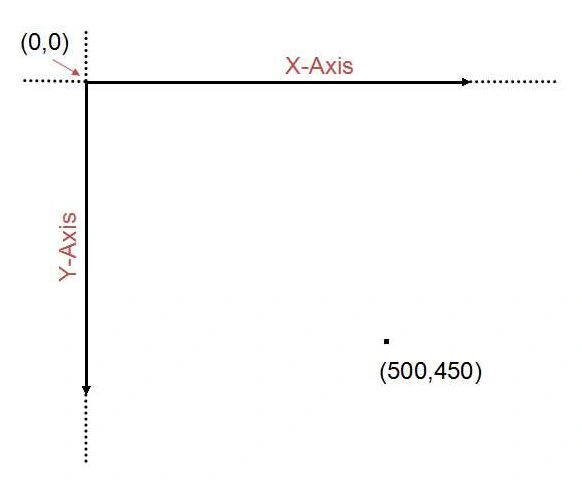
The canvas 2D is a two-dimensional grid. The coordinates (0,0) of the canvas 2D is at the upper-left corner of the canvas. The value of the X-axis increases towards the right edge of the canvas and the value of the Y-axis increases towards the bottom edge of the canvas.
Paths
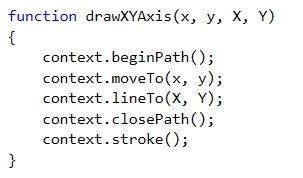
A Path is just like drawing with a pencil. A path can be a sequence of one or more sub-paths where every new path begins with the beginPath() method. A sub-path can be a sequence of two or more paths connected by a line and where every new sub-path begins with the moveTo() method. We can connect a new point with a straight line by calling the lineTo() method after defining the starting point of a sub-path with the moveTo() method. The more we call the moveTo() and lineTo() methods, the bigger the path we will get.
Rectangle
Similarly, we can draw a rectangle using one of 4 methods:
-
fillStyle(): The fillStyle property can be a pattern or a CSS color. The solid black color is the default fillStyle property.
-
strokeStyle(): This property sets or returns the style used by the strokes (lines) on shapes.
-
fillRect(x,y,width,height): The fillRect() method has the 4 parameters x, y, width and height used to draw the rectangle where x and y are the coordinates and the width and height are in pixels.
-
strokeRect(x,y,width,height): This method draws the outline of the rectangle without filling it in.
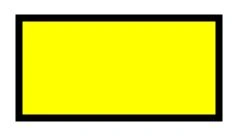
Here is a small demo to create a rectangle as shown below:
- <script>
- var canvas = document.getElementById('myCanvas');
- var context = canvas.getContext('2d');
- context.beginPath();
- context.rect(188, 50, 200, 100);
- context.fillStyle = 'yellow';
- context.fill();
- context.lineWidth = 7;
- context.strokeStyle = 'black';
- context.stroke();
- </script>
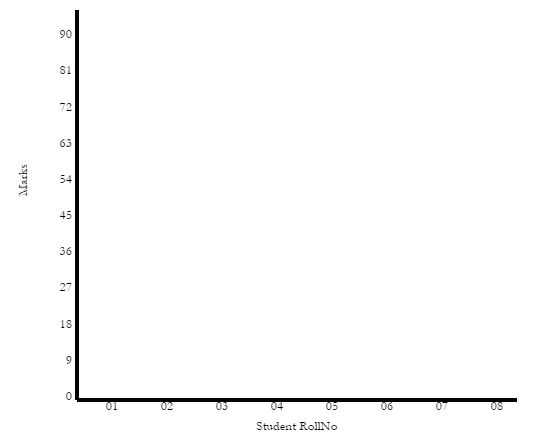
Animating Bar Charts using HTML5
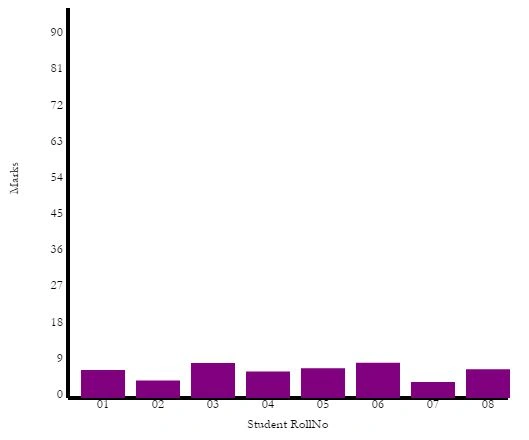
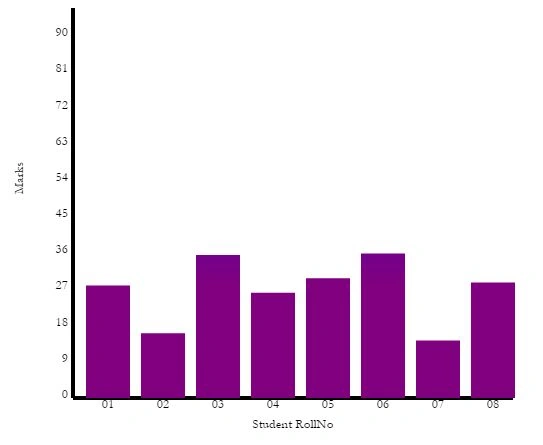
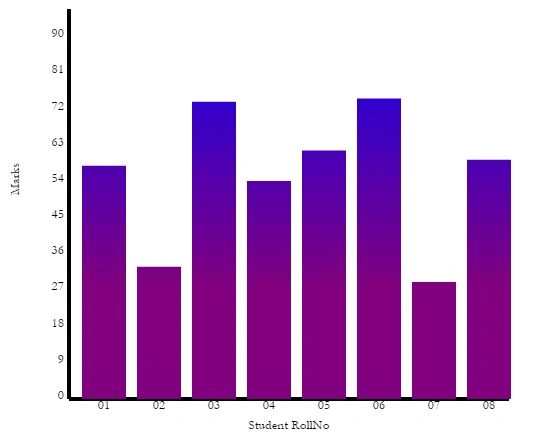
HTML5 can be used to draw simple or complex shapes and can also create graphs and charts. This article shows how to create a chart on a Canvas and how to animate it.
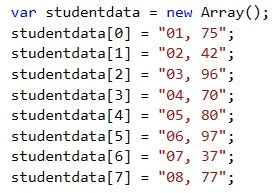
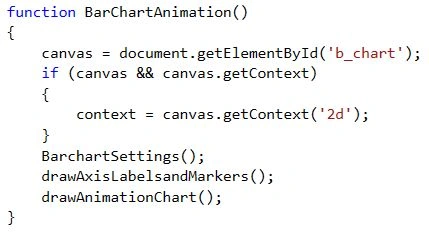
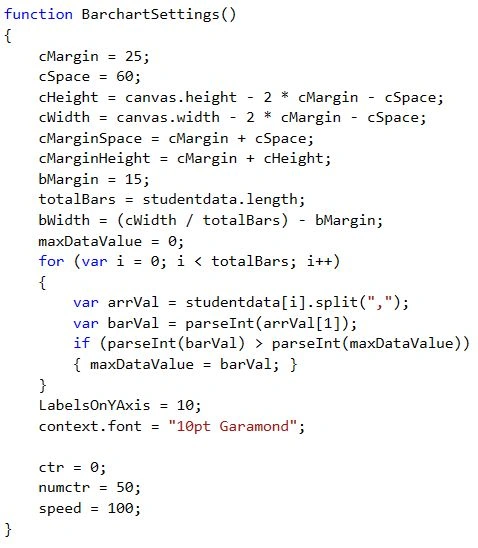
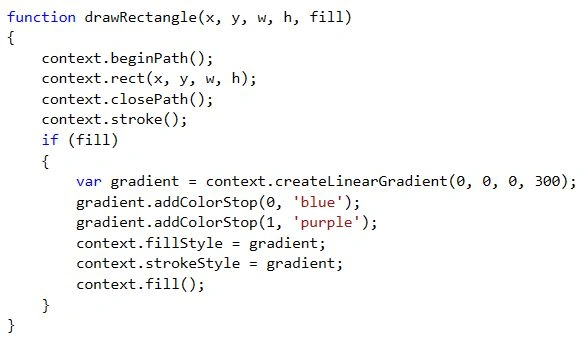
For visualizing data, bar charts are a popular tool. We will create a Bar Chart using HTML5 that will automatically position and draw itself from an array of data and we will use JavaScript for animating the chart.
I am using Visual Studio 2015 Preview, you can use any HTML5 editor.
Step 1
Open Visual Studio 2015 Preview
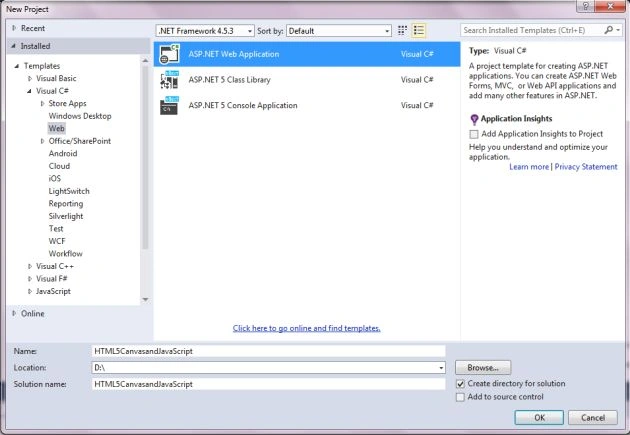
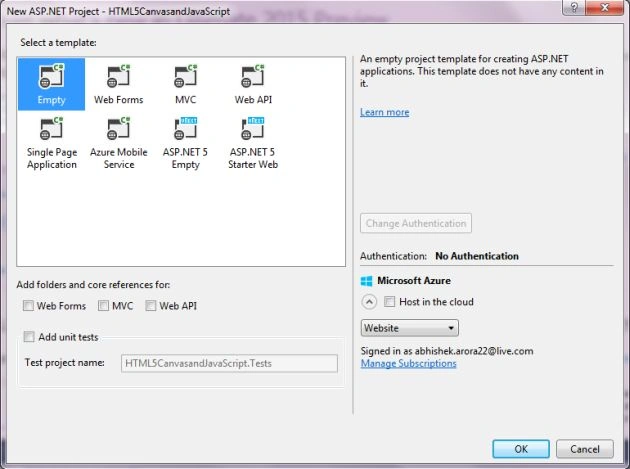
File -> New -> Project


Join the conversation! Your thoughts help the community grow.