

Introduction
To use the Associate in Nursing Azure Key Vault key management service (KMS), you must create the client application in Azure and a Keystore instance in Platform referring to the KMS. The integrative storage of application secrets in the Azure Key Vault allows you to regulate their distribution. The Azure Key Vault is accountable for the administration of the access keys and should ensure the access keys are up to date.
Azure Key Vault
Secrets Management - an exceedingly protected method. Allows for storage and management access to tokens, passwords, certificates, API keys, and completely different secrets.
Key Management - As a key administration, Azure Key Vault improves the method of making and managing coding keys.
Certificate Management - Often utilized with Azure and other internal connected resources.
Hardware Security Management - Secrets and keys are often protected by the software system.
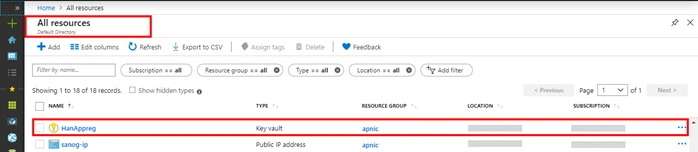
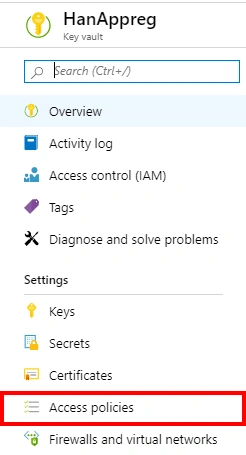
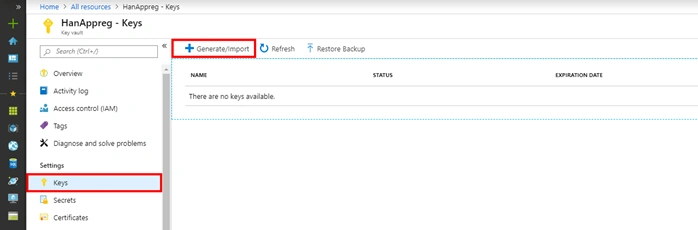
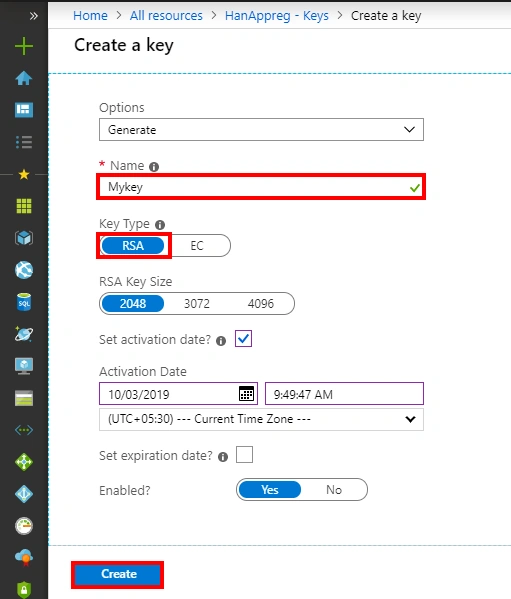
Creating the key vault and generating the master key
Login to your Azure portal with your account
First, click "create a resource", then search for Key Vault in the search box in Azure Portal
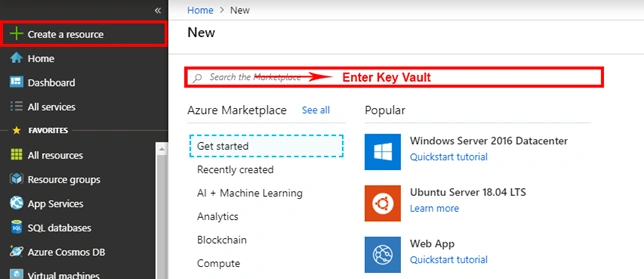
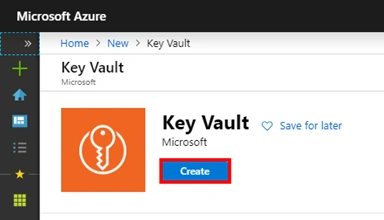
After searching, click on the Key Vault from the list and click the Create button.
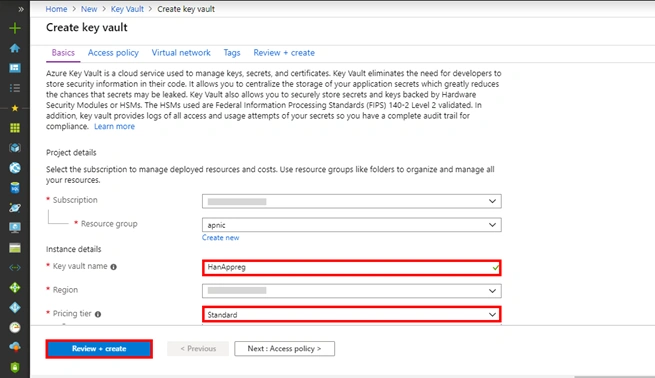
After opening, provide the required details (i.e. Name, Subscription, Resource Group, Location, Pricing Tier), then click Review + Create.
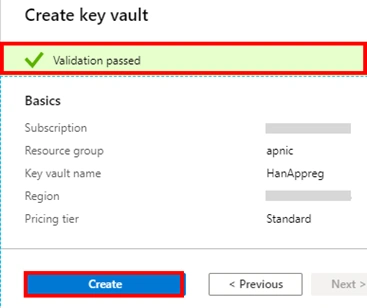
After filling the information, see that Result’s Validation has passed, then click on the Create button.

Join the conversation! Your thoughts help the community grow.