

In the Azure portal, navigate to the Mobile Service you need to create the API for. Click on the “API” option from the top.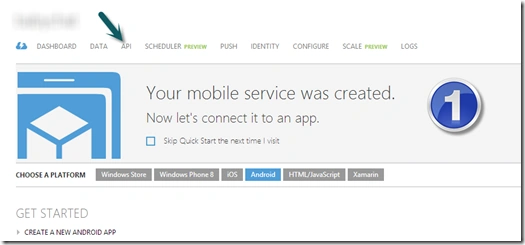
Choose “Create A Custom API” to create your custom API.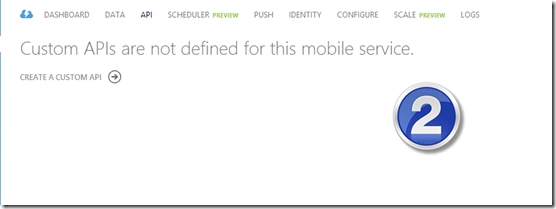
In the dialog that opens, provide a name for your API.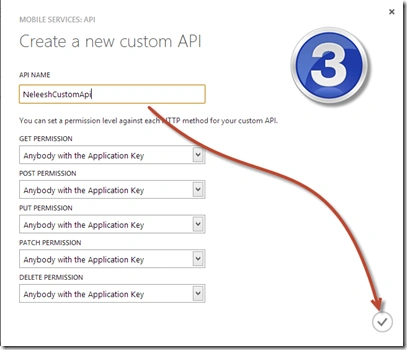
You can also specify the permission to the various HTTP methods from the various available permissions.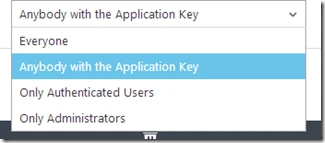
Once you are satisfied with your permission settings, click on the Done option below.
Your API is ready to use.
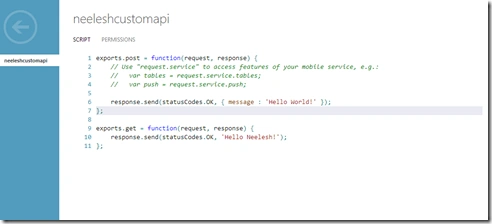
If you specify the permissions as “Everyone” like I did for the GET method, you can use your API via web browsers.

If you specify the permissions as “Everyone” like I did for the GET method, you can use your API via web browsers.
Gowtham RajamanickamPosted Apr 9, 2016, 4:28 AM
nice one
Karthik Muthu KaruppanPosted Apr 23, 2015, 11:27 AM
nice
Abhishek JaiswalPosted Apr 20, 2015, 3:45 PM
Interesting article! :)
Shridhar SharmaPosted Apr 20, 2015, 1:31 PM
good one..
Sibeesh VenuPosted Apr 20, 2015, 6:39 AM
good one.
Santhakumar MunuswamyPosted Apr 19, 2015, 3:56 PM
Thanks for sharing