

This article shows how to create a primary key and foreign key association in Employee and Department tables. I have used Dept_Id as the foreign key in the Employee table. In my previous article, I have shown how to add Entity Framework to Visual C#. Please check it once before going through this article. Here I am directly showing the creation of a primary key and foreign key association. You can download the Entity Framework.dll file from the internet and add it to Visual C#. The following is the procedure to create an association between the foreign key and the primary key.
Step 1. First, create a console application and add it. Here I have named it FK_PK_Association_Application.
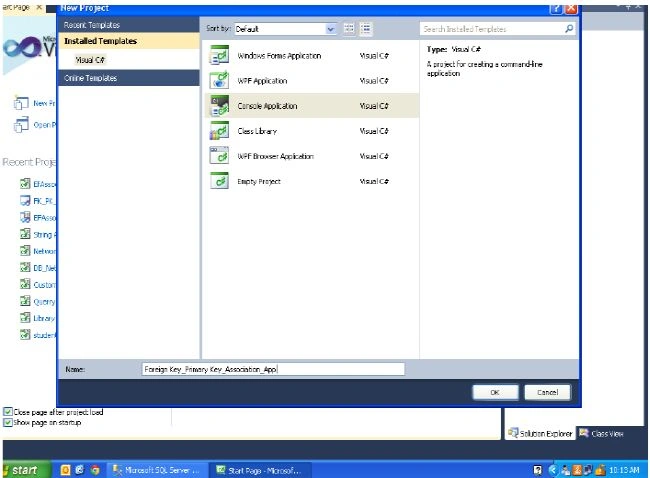
Click here to view the big Image
Step 2. Now add a Department table.
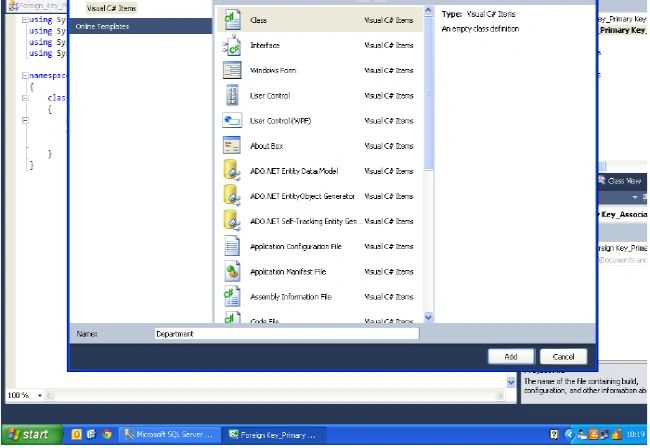
Click here to view the big Image
Step 3. Declare a variable and set the properties for the Department Table.
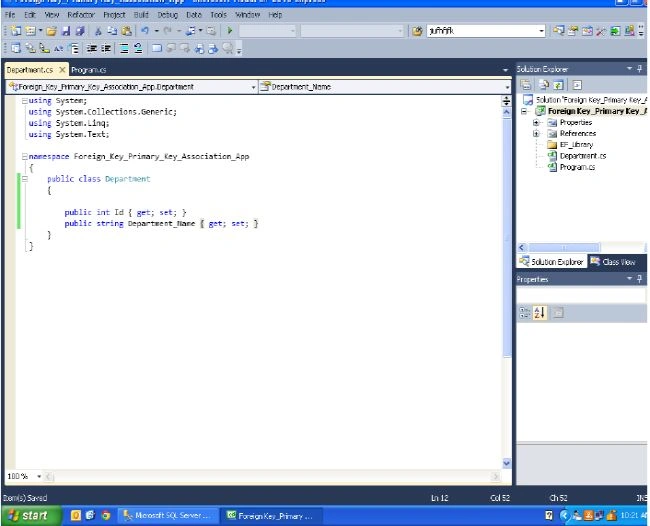
Click here to view the big Image
Step 4. Add an Employee Table.
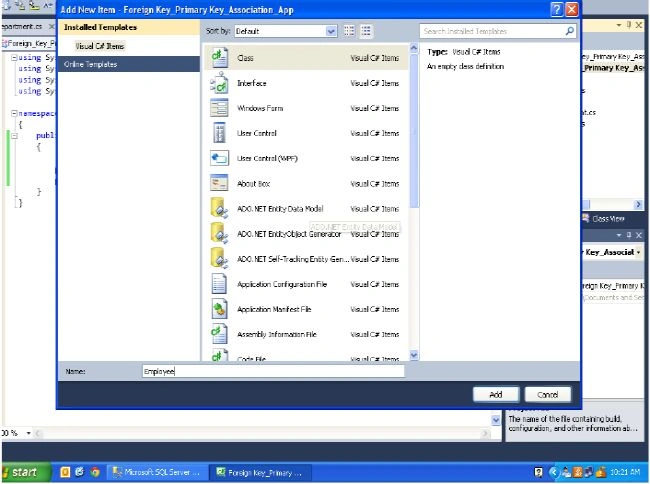
Click here to view the big Image
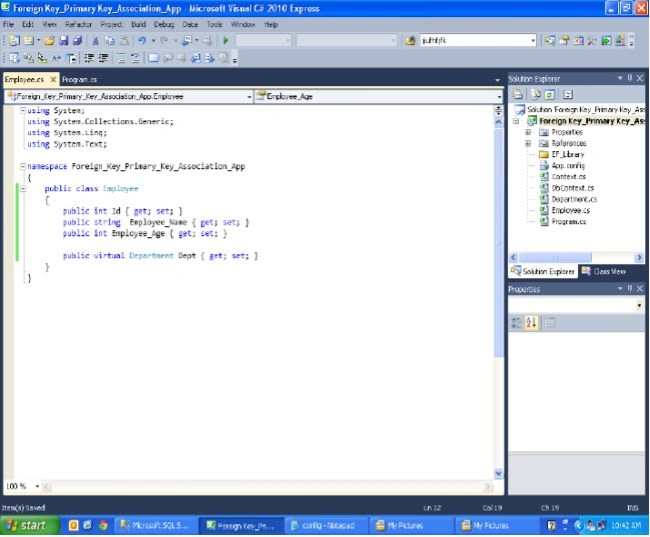
Step 5. Declare variables of the Employee Table and set the properties. Also, declare the Department Table as Virtual.
Click here to view the big Image
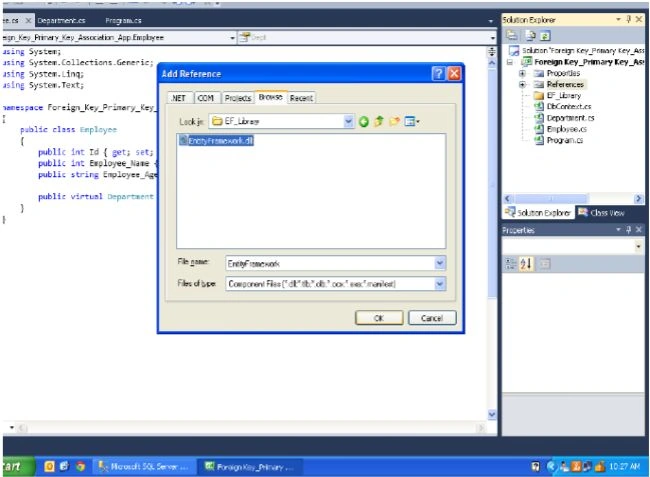
Step 6. Add an Entity Framework to the FK_PK_Console Application. Add a reference to it as shown in the previous article named "Entity Framework Approach to Connect to Microsoft SQL Server and Visual C#".

Join the conversation! Your thoughts help the community grow.