Here we are going to learn how to create a web services in ASP.NET which will return data as XML and JSON.
Step 1: Create new project and select ASP.NET web Application.
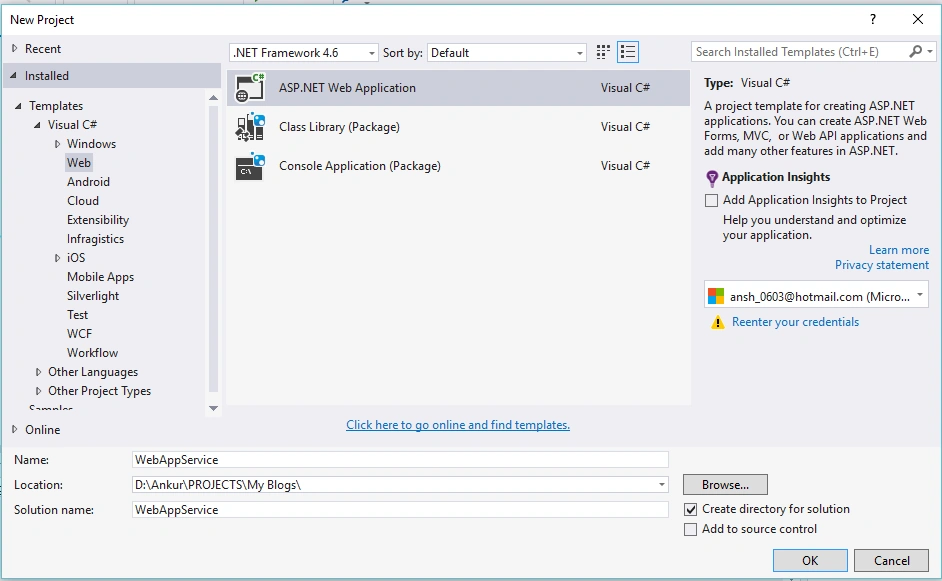 Step 2:
 Select
Empty template and click
OK.
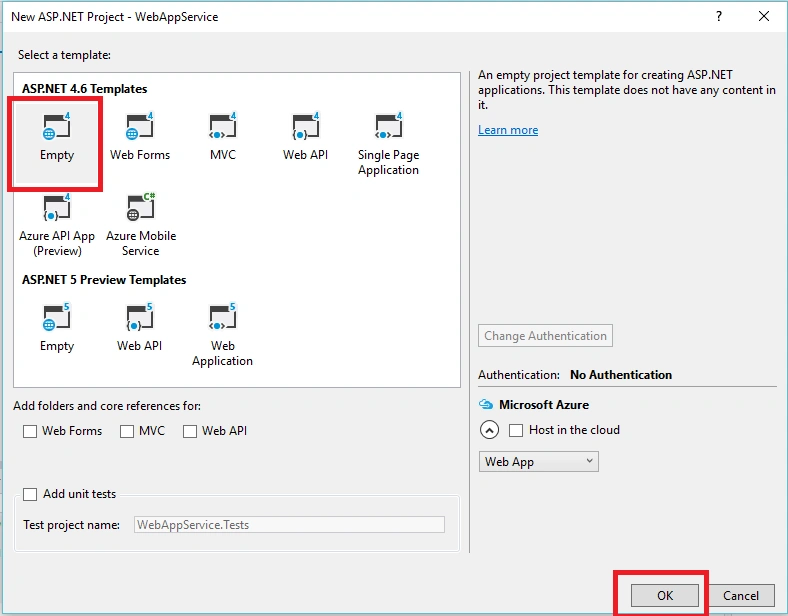 Step 3:
 Now add
Web Service in project and give it name
webservice1.asmx,
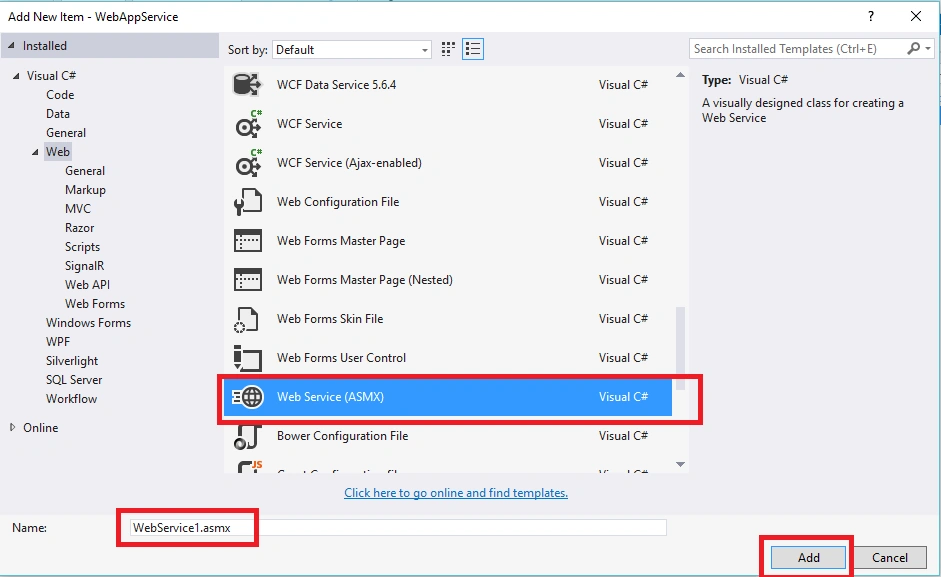 Step 4:
 Make sure you add the connection string in your web.config file as in the following screenshot,
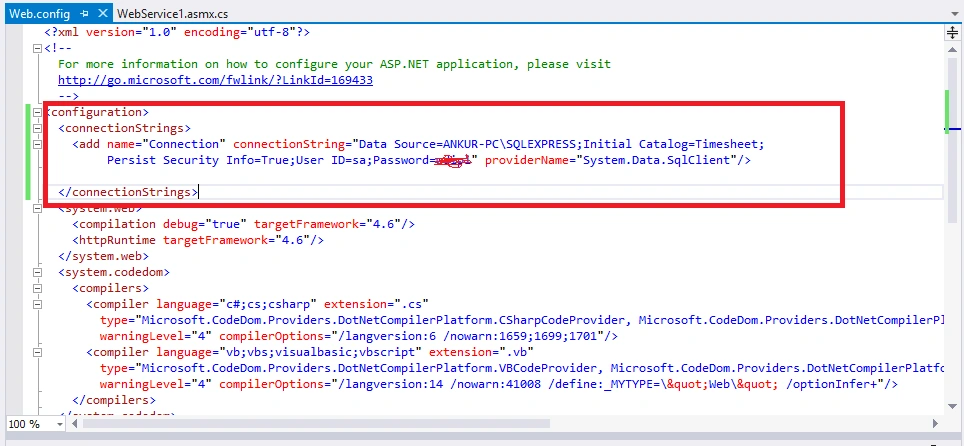 Step 5:
 Now add the references System.data, System.Data.SqlClient and System.configuration,
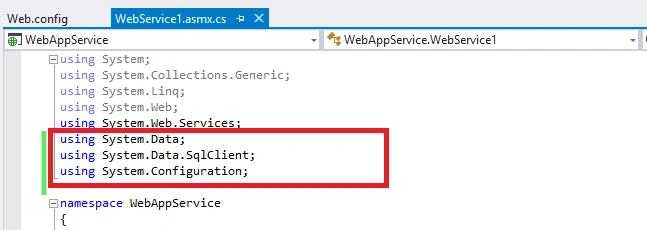 Step 6
: Create Employee table and run the following script in your SQL query editor,
- /****** Object: Table [dbo].[Employee] Script Date: 09-12-2015 23:40:32 ******/
- SET
- ANSI_NULLS ON GO
- SET
- QUOTED_IDENTIFIER ON GO CREATE TABLE [dbo].[Employee](
- [EmpId] [int] IDENTITY(1, 1) NOT NULL,
- [EmpFirstName] [nvarchar](50) NULL,
- [EmpLastName] [nvarchar](50) NULL,
- [DeptId] [int] NULL,
- CONSTRAINT [PK_Employee] PRIMARY KEY CLUSTERED ([EmpId] ASC) WITH (
- PAD_INDEX = OFF, STATISTICS_NORECOMPUTE = OFF,
- IGNORE_DUP_KEY = OFF, ALLOW_ROW_LOCKS = ON,
- ALLOW_PAGE_LOCKS = ON
- ) ON [PRIMARY]
- ) ON [PRIMARY] GO
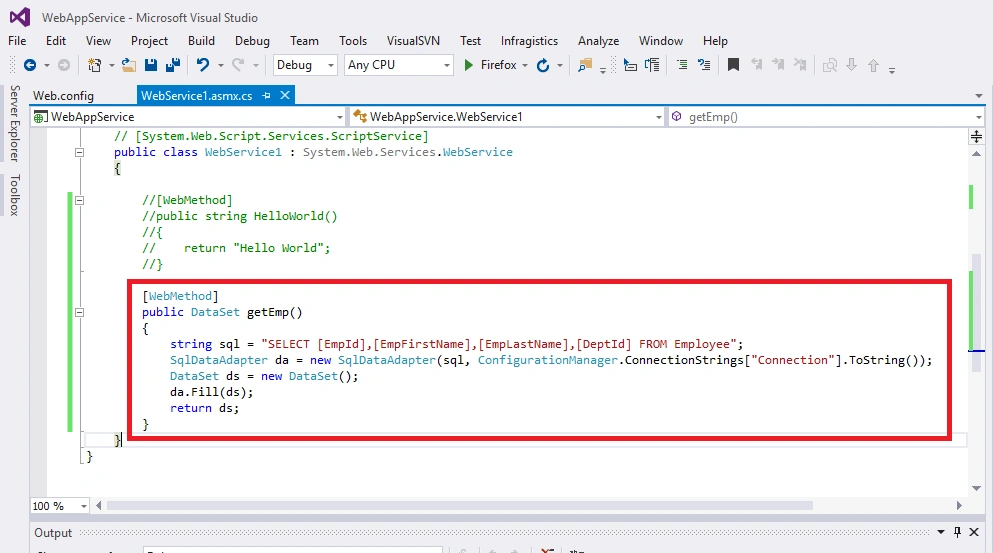
Now add the following method in your webservice1.asmx.cs file,
- [WebMethod]
- public DataSet getEmp()
- {
- string sql = "SELECT [EmpId],[EmpFirstName],[EmpLastName],[DeptId] FROM Employee";
- SqlDataAdapter da = new SqlDataAdapter(sql, ConfigurationManager.ConnectionStrings["Connection"].ToString());
- DataSet ds = new DataSet();
- da.Fill(ds);
- return ds;
- }
Write a SQL query, create a SqlDataAdapter object and pass the SQL query and connection string.
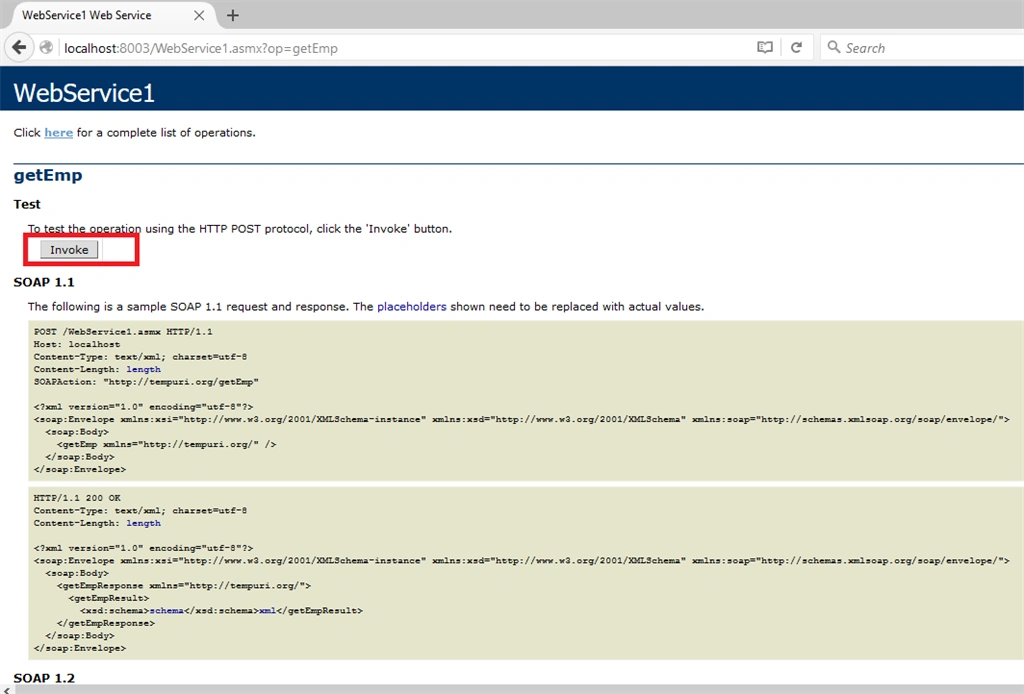
Step 7: Save and run the services by clicking F5 and invoking getEmp method as in the following,
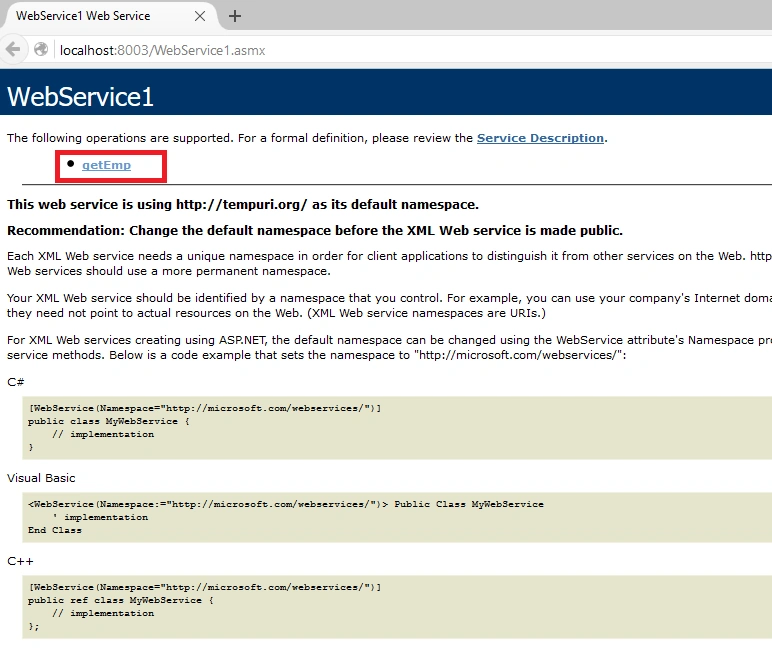 Step 8 :
 Click on
Invoke.
Step 9: It will return all the employees details in XML format.
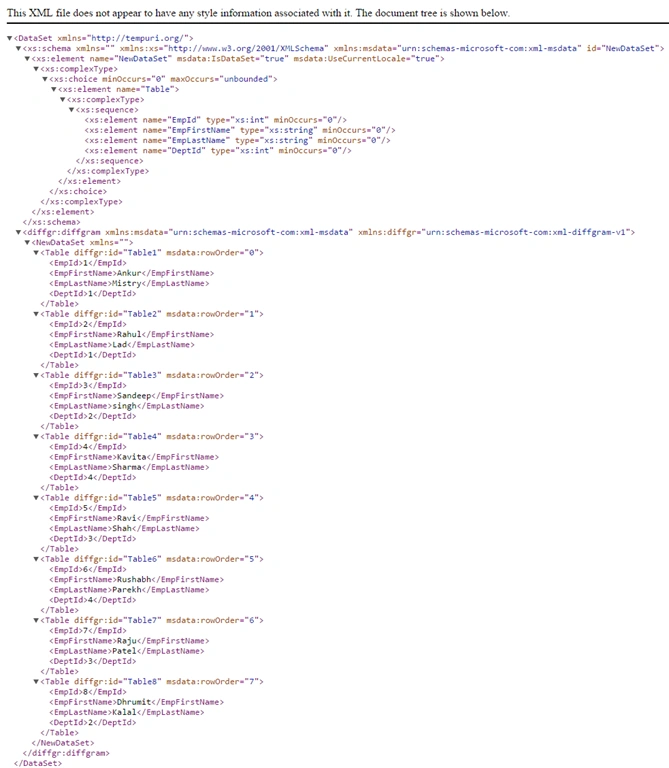
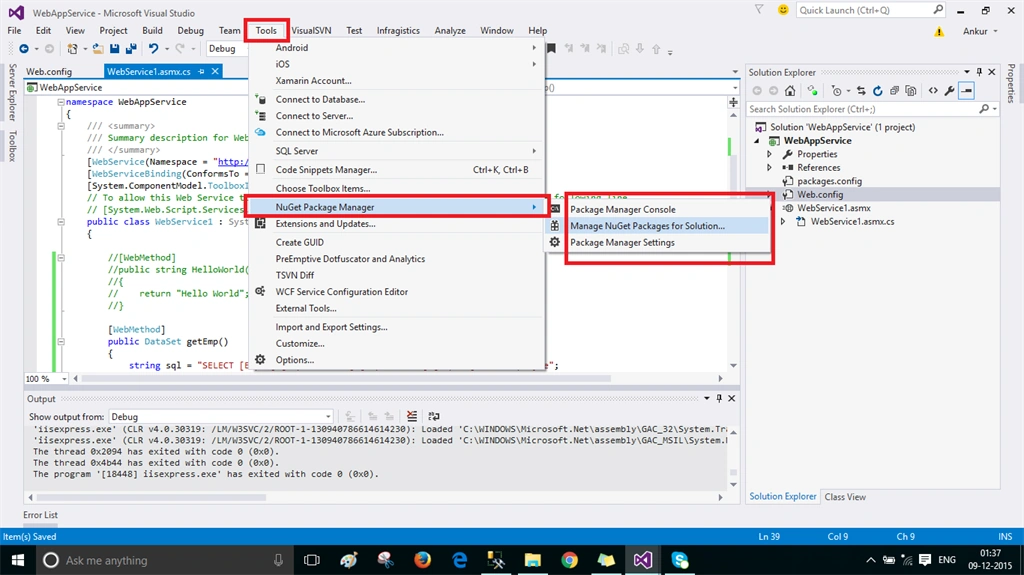
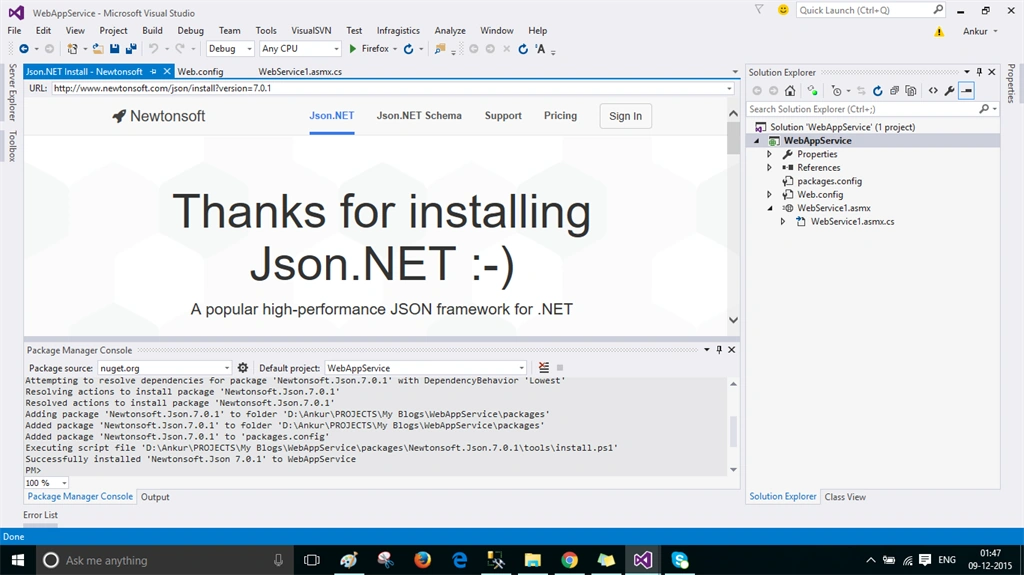
Step 10 : Now for JSON return please add newtonsoft.json from the NuGet Manager. Go to Tools, then NuGet Package Manager and click on Package Manager console.
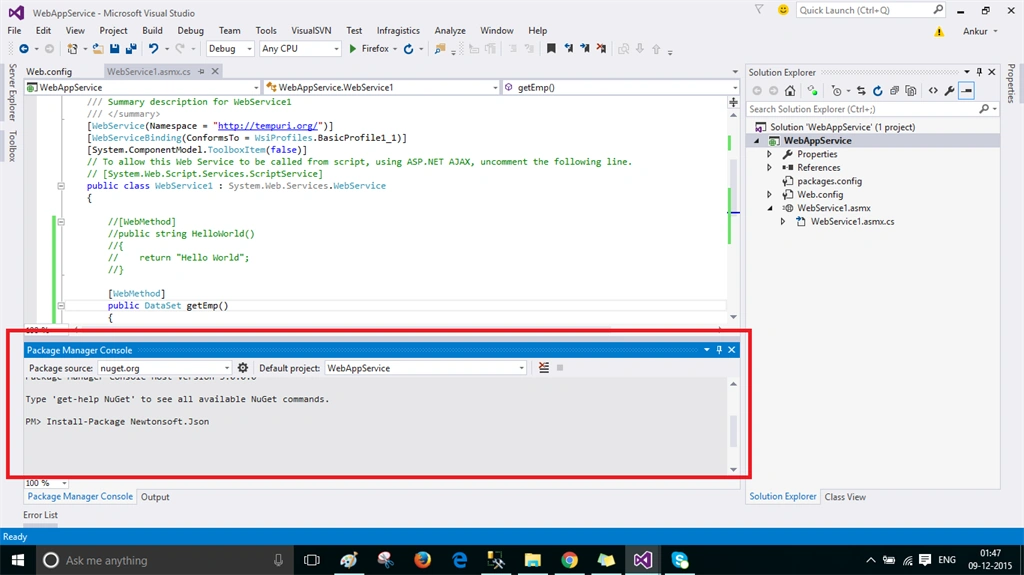
Step 11: Write PM> Install-Package Newtonsoft.Json. It will add the reference Newtonsoft.Json in our project.
Step 12: It will display Success message as per the following screen, once you install the package.
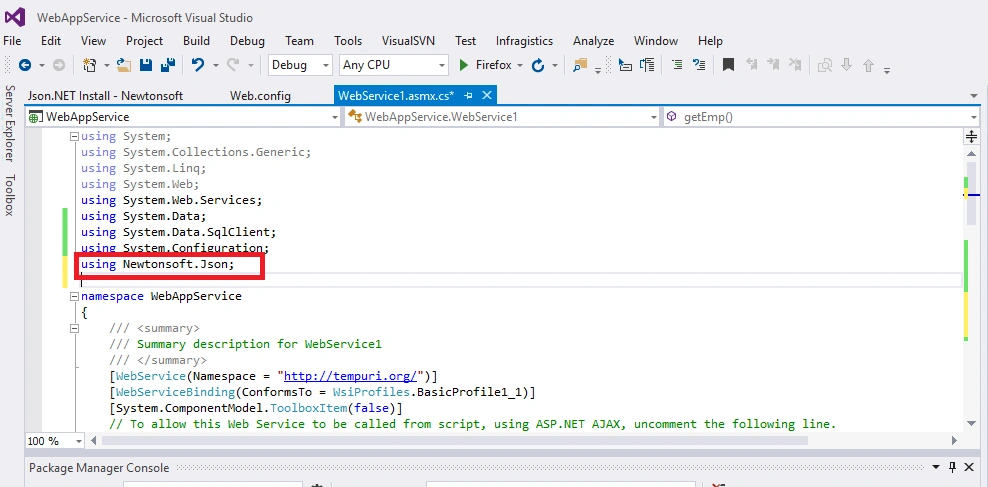
Step 13: Now add the reference Newtonsoft.Json in your code.
Step 14: Create the method 'getEmployee' same as above method 'getEmp'. The only difference here is we use jsonConvert.SerializateIbject to serialize the data.
- [WebMethod]
- public string getEmployee()
- {
- string sql = "SELECT [EmpId],[EmpFirstName],[EmpLastName],[DeptId] FROM Employee";
- SqlDataAdapter da = new SqlDataAdapter(sql, ConfigurationManager.ConnectionStrings["Connection"].ToString());
- DataSet ds = new DataSet();
- da.Fill(ds);
- return JsonConvert.SerializeObject(ds, Newtonsoft.Json.Formatting.Indented);
- }
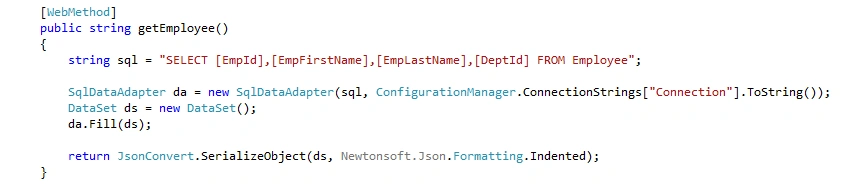
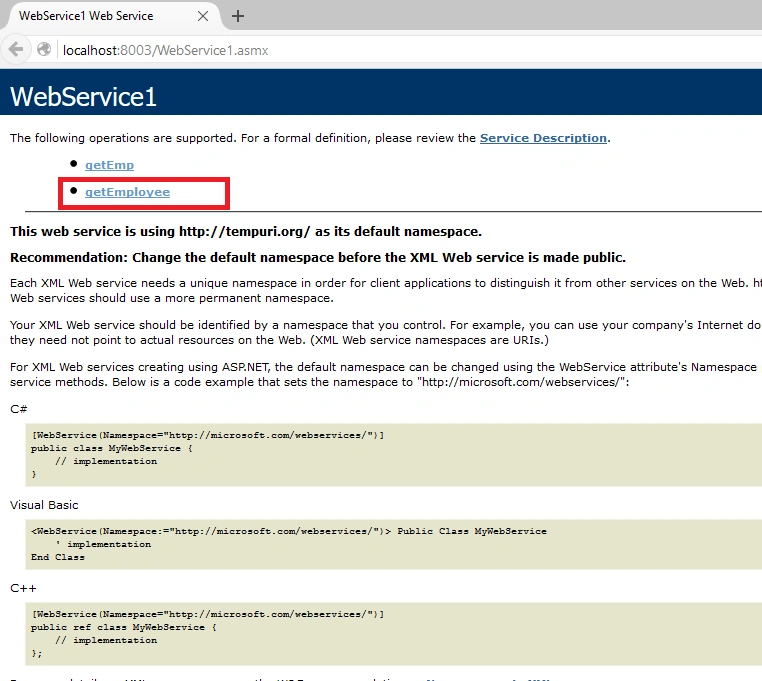
Step 15: Now run the service and invoke
getEmployee method.
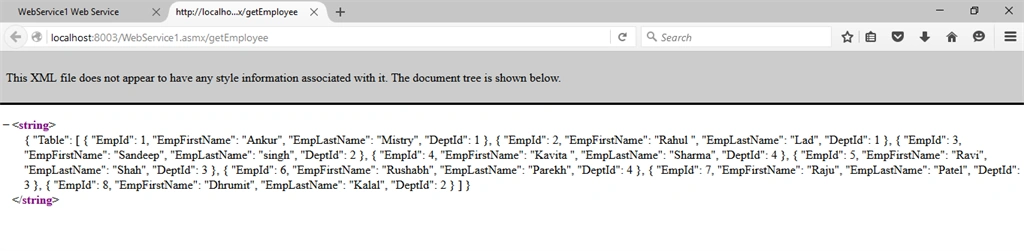
Step 16: It will return the same data but in JSON format.
Thanks for reading the article. Hope you like it.


mukul kandpalPosted Nov 24, 2018, 8:03 AM
Can you create image updating in .asmx. Please reply Mukul Kandpal
Hadshana KamalanathanPosted Jul 22, 2018, 1:49 AM
Good one...
Sohil AhmedPosted Jul 20, 2018, 1:44 AM
This is a good tutorial but I'm getting JSON in an XML tag, what should I do to get just the JSON.
Rafael CamaraPosted Jul 17, 2018, 10:24 PM
If I create two webmethods on the same asmx, one is to return in xml and second one to return in Json. It's possible if I put the code JsonConvert.SerializeObject(ds, Newtonsoft.Json.Formatting.Indented)?
Dharmendra KumarPosted Jan 16, 2018, 1:39 AM
Thanks Mr Ankur for helpful article
Mark LynnPosted Mar 16, 2016, 1:26 PM
The result is still XML. JSON is contained in the XML tags. How NOT to have the tags is the question. Is there an answer? No one seems to be able to answer that one.
Asfend YarPosted Feb 27, 2016, 4:03 AM
Nice Share
Santhakumar MunuswamyPosted Dec 26, 2015, 2:21 AM
Thanks for nice article
Paras PachouriPosted Dec 22, 2015, 7:19 AM
Nice Article!!!!!
Ravindra MorePosted Dec 12, 2015, 9:46 AM
Nicely explained !!
Ankur MistryPosted Dec 11, 2015, 9:44 PM
Thank you
Pinky SolankiPosted Dec 11, 2015, 9:05 PM
nice
Former memberPosted Dec 11, 2015, 2:36 AM
Nice article sir....
sagar nathePosted Dec 11, 2015, 2:22 AM
Very use full in real time scenario.
Ankur MistryPosted Dec 11, 2015, 1:02 AM
Thank you.
Saineshwar BageriPosted Dec 11, 2015, 12:57 AM
Good one
Humayun Kabir MamunPosted Dec 11, 2015, 12:37 AM
Nice...
Nikhil RajputPosted Dec 10, 2015, 8:20 AM
Very use full Information.
Mayank SharmaPosted Dec 10, 2015, 8:20 AM
Nice article Sir.
MannanPosted Dec 10, 2015, 8:04 AM
Good one