

In my previous article you have learned about the selection tool in Photoshop.
Introduction
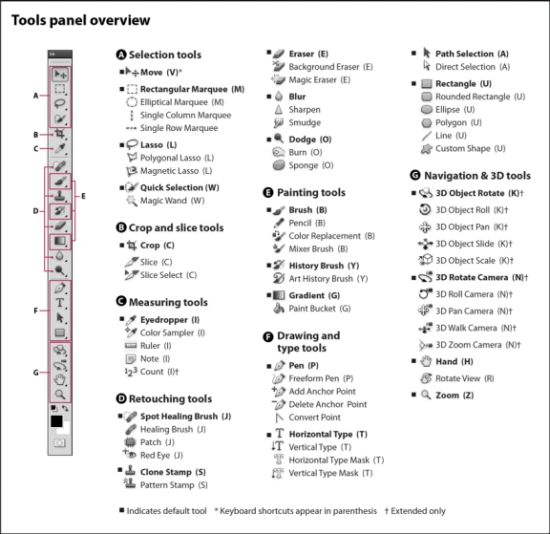
This article describes the Crop and Slice tools.
Crop and Slice Tools
-
Crop Tool
-
Slice Tool
-
Slice Select Tool
1. Crop Tool
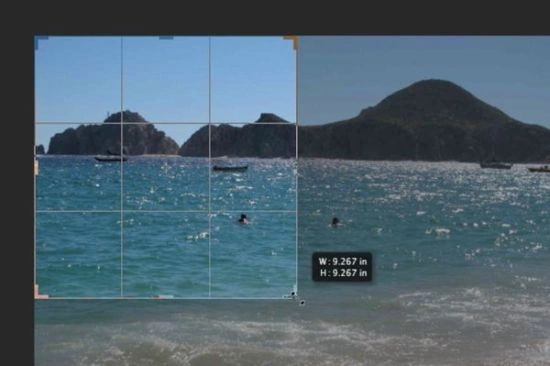
We use this tool to crop an image and it is similar to the Rectangular Marquee tool. The difference is that when you press the [Enter/Return] key, it crops your image to the size of the box. And outside of the box information is not shown whenever you do not press "Ctrl+Z".
2. Slice Tool
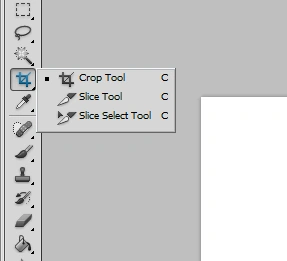
The slice tool creates multiple images from one image or layer.
3. Slice Select Tool
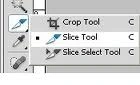
- Select the Slice Select Tool and click on a slice to select .
- You can move and resize, using the Slice Select Tool, the bounding box of the selected slice. To move a slice by a few pixels you can use the keyboard cursor keys.
Adam CarnolPosted Mar 15, 2016, 1:20 AM
Crop tool is the mostly used tool in Photoshop for me. Didn't used slice tool much! Thank you for explaining the thing in such a small but easier way.
Santhakumar MunuswamyPosted Jul 8, 2015, 3:42 PM
Thanks for sharing
Mirza ZamirPosted Feb 6, 2015, 1:49 AM
Thanks for sharing such A nice tutorial , Slice tool is really important if we need a very high optimized picture according to search engine can you also make a slice tutorial on http://www.toolpic.com