

This article will show you how to get the Kendo UI support to work with CRUD operations in grid using AngularJS.
This article flow as follows,
- Creating an ASP.NET Web API application.
- Creating a Controller.
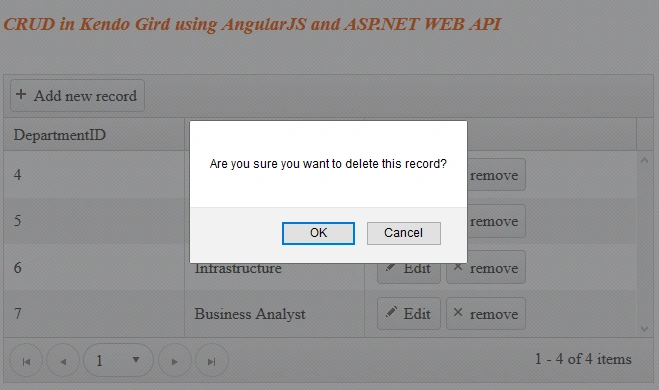
- Implementing the CRUD operation in Kendo Grid using AngularJS with the REST API.
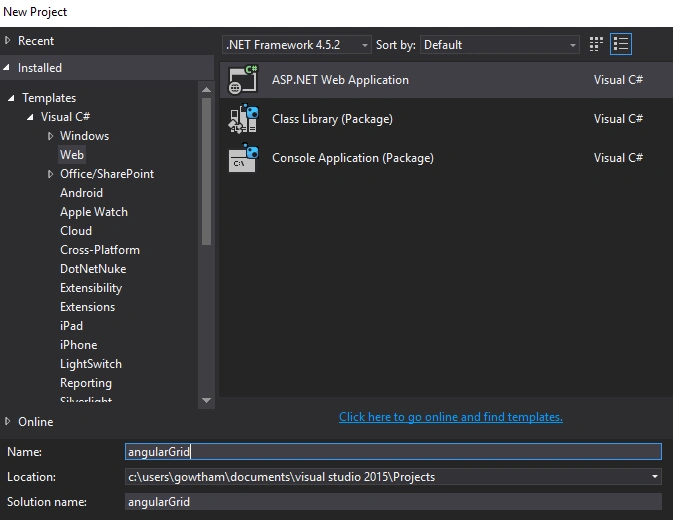
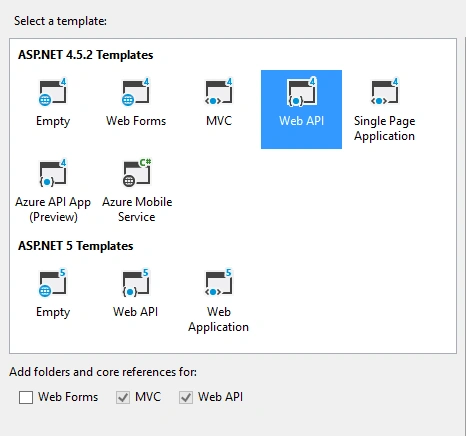
Create a Web API application using an installed web template in Visual Studio as in the following figures:
Creating a Model Classes:
In the Solution Explorer, right click the model folder, Add-> Class and name it as Department
Department.cs
- public class Department
- {
- public int? DepartmentID { get; set; }
- [Required]
- public string DepartmentName { get; set; }
- }
Creating a Context Class:
Add one more class in the Model and name it DetailGridContext which is our Entity framework code first context.
DetailGridContext.cs
- public class DetailGridContext : DbContext
- {
- public DetailGridContext() : base("name=DetailGridContext")
- {
- }
- public System.Data.Entity.DbSet<DetailGrid.Models.Department> Departments { get; set; }
- }
Now, open the Package manager console and run the following commands,
Check your Web config file and ensure the SQL connection string,
Open configuration.cs file under migration folder and add the following code in seed method,
Configuration.cs
- protected override void Seed(DetailGrid.Models.DetailGridContext context) {
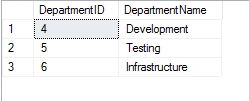
- context.Departments.AddOrUpdate(new Department { DepartmentID = 4, DepartmentName = "Development" },
- new Department { DepartmentID = 5, DepartmentName = "Testing" },
- new Department { DepartmentID = 6, DepartmentName = "Infrastructure" }); }
3. Update-Database
This will run the seed method,
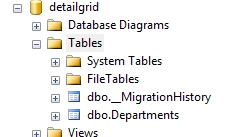
Please refer to my previous ASP.NET Web API With Entity Framework 6 Code First Technique - Part 1 to get more detail about Entity Framework code first technique.
Creating WEB API Controller:
Note: Before adding the controller build your application once.
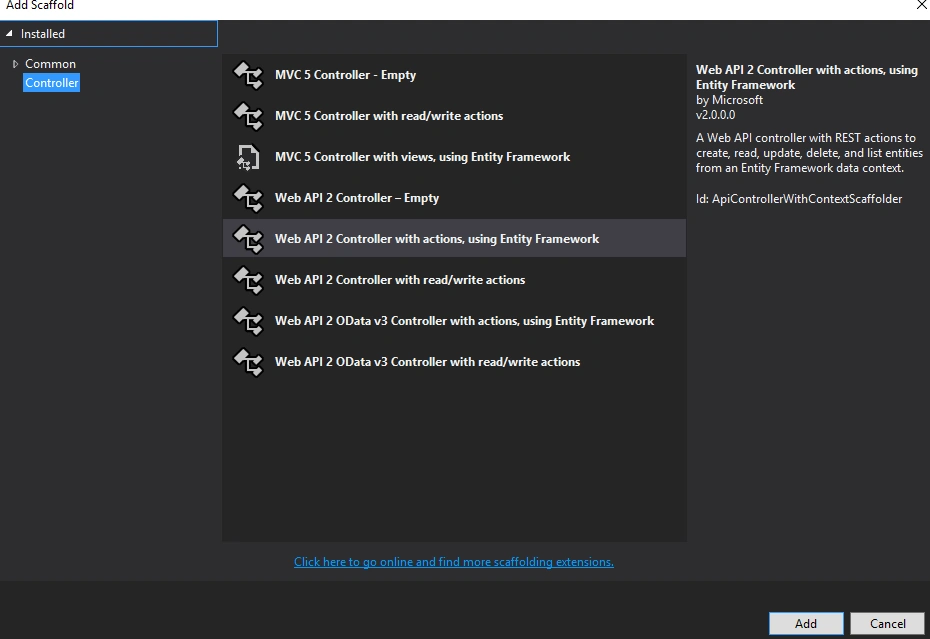
In Solution Explorer, right-click the Controller folder. Select Add -> Controller and name it DepartmentsController.cs
DepartmentController.cs
public class DepartmentsController : ApiController
{
- private DetailGridContext db = new DetailGridContext();
- // GET: api/Departments
- public IQueryable<Department> GetDepartments()
- {
- return db.Departments;
- }
- // GET: api/Departments/5
- [ResponseType(typeof(Department))]
- public async Task<IHttpActionResult> GetDepartment(int id)
- {
- Department department = await db.Departments.FindAsync(id);
- if (department == null)
- {
- return NotFound();
- }
- return Ok(department);
- }
- // PUT: api/Departments/5
- [ResponseType(typeof(void))]
- public async Task<IHttpActionResult> PutDepartment(Department department)
- {
- if (!ModelState.IsValid)
- {
- return BadRequest(ModelState);
- }
- db.Entry(department).State = EntityState.Modified;
- try
- {
- await db.SaveChangesAsync();
- }
- catch (DbUpdateConcurrencyException)
- {
- if (!department.DepartmentID.HasValue)
- {
- return NotFound();
- }
- else
- {
- throw;
- }
- }
- return StatusCode(HttpStatusCode.NoContent);
- }
- // POST: api/Departments
- [ResponseType(typeof(Department))]
- public async Task<IHttpActionResult> PostDepartment(Department department)
- {
- if (!ModelState.IsValid)
- {
- return BadRequest(ModelState);
- }
- db.Departments.Add(department);
- await db.SaveChangesAsync();
- return CreatedAtRoute("DefaultApi", new { id = department.DepartmentID }, department);
- }
- // DELETE: api/Departments/5
- [ResponseType(typeof(Department))]
- public async Task<IHttpActionResult> DeleteDepartment(Department _dept)
- {
- Department department = await db.Departments.FindAsync(_dept.DepartmentID);
- if (department == null)
- {
- return NotFound();
- }
- db.Departments.Remove(department);
- await db.SaveChangesAsync();
- return Ok(department);
- }
- protected override void Dispose(bool disposing)
- {
- if (disposing)
- {
- db.Dispose();
- }
- base.Dispose(disposing);
- }
- private bool DepartmentExists(int id)
- {
- return db.Departments.Count(e => e.DepartmentID == id) > 0;
- }
- }
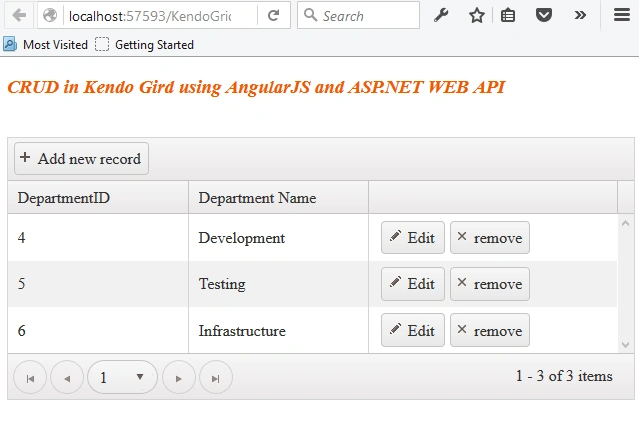
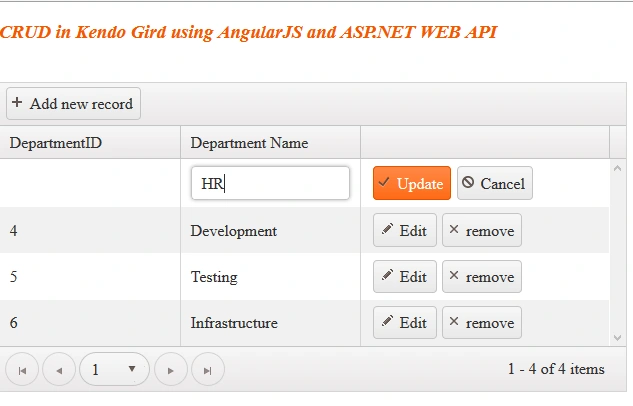
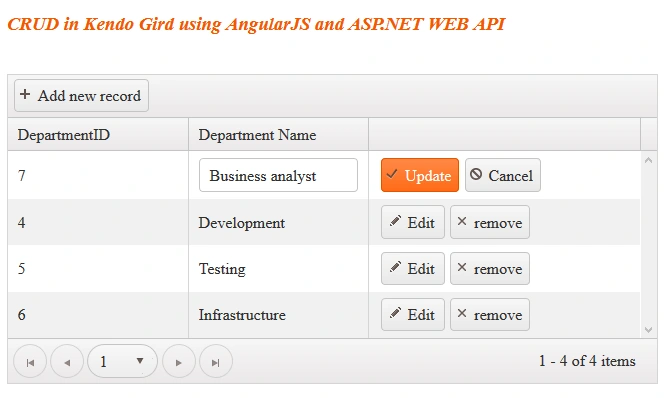
pmh mrhPosted Jun 23, 2018, 6:22 AM
Hi Gowtham, Do you have the same application with edit in new view (window) instead of inline editing? Also with reactive kendo forms?
pmh mrhPosted Jun 23, 2018, 6:22 AM
Hi Gowtham,
S NPosted Jan 5, 2017, 3:52 PM
The copy and paste code is different from the download. The downloadable code works, just need to uncomment the web.config database connection string.
S NPosted Jan 5, 2017, 1:51 PM
Kendo.all.js:2063Unknown DataSource transport type 'json'.Verify that registration scripts for this type are included after Kendo UI on the page.logToConsole @ kendo.all.js:2063 http://localhost:57981/api/Departments Failed to load resource: the server responded with a status of 405 (Method Not Allowed) jquery-1.9.1.min.js:5PUT http://localhost:57981/api/Departments 405 (Method Not Allowed)
alexe tavakoliPosted Aug 2, 2016, 4:56 AM
Hi, Nice Sharing, I've implemented. But unfortunately it did not work Edit.Please help me
Rupali ShindePosted Apr 22, 2016, 2:22 AM
thanks for sharing :)
Vignesh ManiPosted Apr 20, 2016, 4:08 PM
Nice
Rahul Kumar SaxenaPosted Apr 18, 2016, 1:48 PM
Great Work
Gowtham KPosted Apr 18, 2016, 1:10 PM
Thanks for your motivating comments friends:)
Kuppurasu NagarajPosted Apr 18, 2016, 12:59 PM
Nice Sharing...
Mohammed IbrahimPosted Apr 18, 2016, 12:35 PM
nice
Debasis SahaPosted Apr 18, 2016, 10:25 AM
Good One..
Chandradev PrasadPosted Apr 18, 2016, 5:34 AM
Cool article.