

In this article, you will learn about and get answers to these basic things:
- What is ASP.NET Web API?
- MVC Controller and API Controller
- Default API Controller Code
- What is ASP.NETWeb API Routing?
- What is HttpResponseMessage?
- What are FROMURI and FROMBODY?
- Create Sample Web API project
- What is WebApiConfig.cs?
- How to check Web API in the browser
- CRUD - Create Retrieve Update Delete
We will create a CRUD operation coding and in the next article, i.e., Part 2, we will use it in ASP.NET MVC Web applications.
ASP.NET Web API
API = Application Programming Interface.
ASP.NETWeb API is a framework, which is created to share and collect data. Web APIs are HTTP RESTful services which can be used by various clients like Desktop, Tablet, Mobile.
ASP.NET Web API is created on top of the .NET framework.
Wikipedia Definition - A Web API is an application programming interface for either a web server or a web browser.
Link - https://en.wikipedia.org/wiki/Web_API
RESTful services - https://en.wikipedia.org/wiki/Representational_state_transfer
In this tutorial, we will create a sample Web API.
Step by step
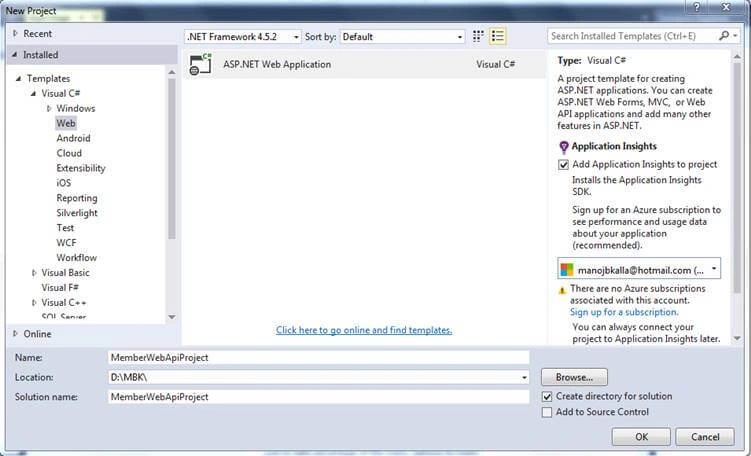
Create a project called MemberWebApiProject.
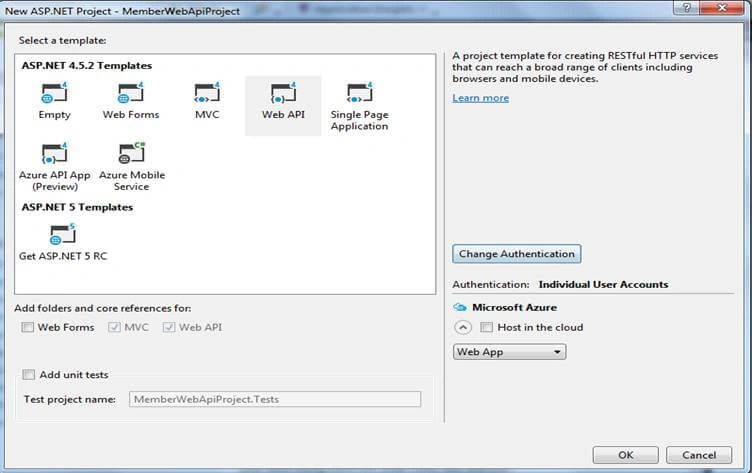
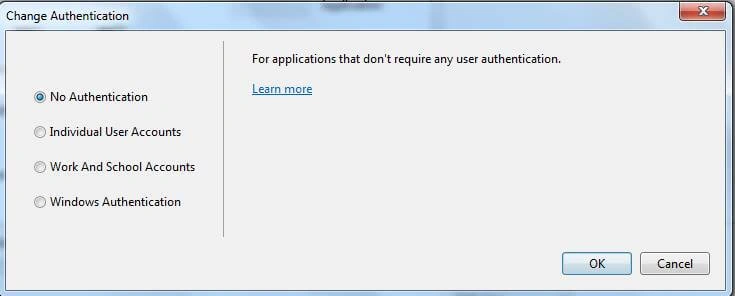
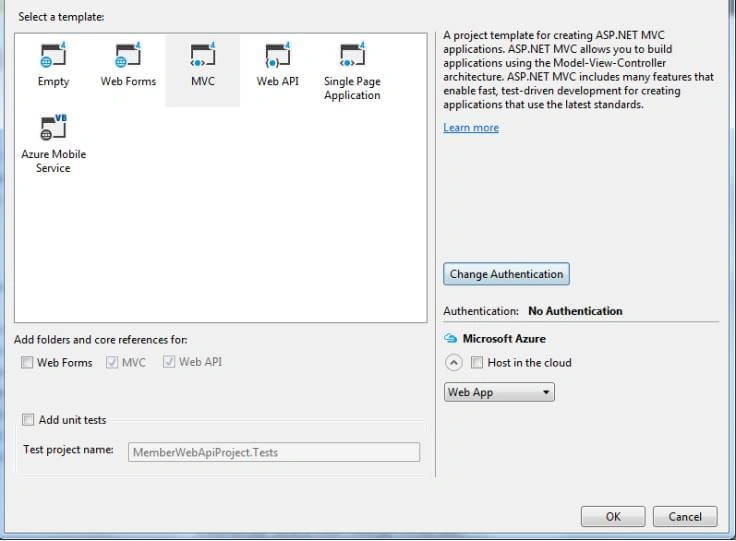
NOTE
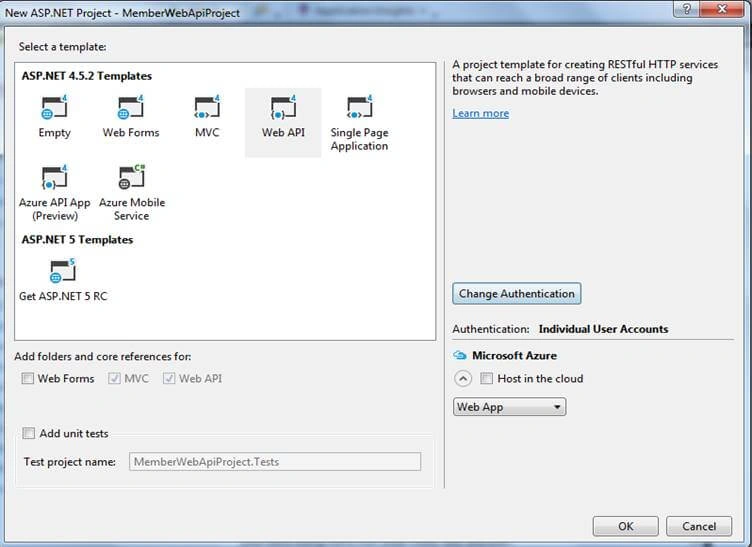
While creating ASP.NET Web API projects, you can see MVC checkbox is selected by default. Now, your screen should look like this.
ASP.NETWeb API controller class is inherited from ApiController classes (System.Web.Http.ApiController) and ASP.NET MVC Controller class inherited from Controller (System.Web.MVC.Controller).
Asp.net Web API works with the following HTTP verbs:
| HTTP VERBS | DESCRIPTION |
| Get | To get collection(list) or single member. To get the list of members or particular member. http://www.csharpcorner.com/api/values : All Members List http://www.csharpcorner.com/api/values/1 : Particular member which id = 1 |
| Post | To create a new member detail. |
| Put | To update member detail |
| Delete | To delete a particular member. |
Now we will look at the API controller. By default ValuesController.cs is created with the following method.
Default Code of VALUESCONTROLLER.CS
- using System;
- using System.Collections.Generic;
- using System.Linq;
- using System.Net;
- using System.Net.Http;
- using System.Web.Http;
- namespace MemberWebApiProject.Controllers
- {
- public class ValuesController : ApiController
- {
- //Return Collection of Values
- // GET api/values
- public IEnumerable<string> Get()
- {
- return new string[] { "value1", "value2" };
- }
- //Return Value
- // GET api/values/5
- public string Get(int id)
- {
- return "value";
- }
- //Receive the value and post it
- // POST api/values
- public void Post([FromBody]string value)
- {
- }
- //Receive the value and update it
- // PUT api/values/5
- public void Put(int id, [FromBody]string value)
- {
- }
- //Delete the value
- // DELETE api/values/5
- public void Delete(int id)
- {
- }
- }
- }
ASP.NET Web API Routing - Convention Routing
ASP.NET Web API support routing. Web API routing is similar to the ASP.NET MVC action method routing. To configure a new routing for ASP.NET Web API there is a file called “WebApiConfig.cs” which located inside App_Start folder in root path of project. You can create many routings as per your project demand inside webapiconfig.cs file.
Code WebAPIConfig.cs file
- using System;
- using System.Collections.Generic;
- using System.Linq;
- using System.Web.Http;
- namespace MemberWebApiProject
- {
- public static class WebApiConfig
- {
- public static void Register(HttpConfiguration config)
- {
- // Web API configuration and services
- // Web API routes - To enable attribute base routing.
- config.MapHttpAttributeRoutes();
- config.Routes.MapHttpRoute(
- name: "DefaultApi",
- routeTemplate: "api/{controller}/{id}",
- defaults: new { id = RouteParameter.Optional }
- );
- }
- }
- }
Attribute Routings
ASP.NETWeb API support attribute routing. Its as same and easy as routing we do on ASP.NET MVC controller action methods.
For more detail about convention vs. attribute routing, refer to the following link,
https://exceptionnotfound.net/attribute-routing-vs-convention-routing/
What are FROMURI and FROMBODY?
FromUri and FromBody are used to transfer the value from client to server. In FromURI attribute, the Web API searches data values in the query string while in FromBody attribute, the Web API searches the data value in the Request body.
Create a table, tblMembers, in your database.
- /****** Object: Table [dbo].[tblMembers] Script Date: 30-Jul-18 8:01:53 PM ******/
- SET ANSI_NULLS ON
- GO
- SET QUOTED_IDENTIFIER ON
- GO
- SET ANSI_PADDING ON
- GO
- CREATE TABLE [dbo].[tblMembers](
- [MemberID] [int] IDENTITY(1,1) NOT NULL,
- [MemberName] [varchar](50) NULL,
- [PhoneNumber] [varchar](50) NULL,
- PRIMARY KEY CLUSTERED
- (
- [MemberID] ASC
- )WITH (PAD_INDEX = OFF, STATISTICS_NORECOMPUTE = OFF, IGNORE_DUP_KEY = OFF, ALLOW_ROW_LOCKS = ON, ALLOW_PAGE_LOCKS = ON) ON [PRIMARY]
- ) ON [PRIMARY]
- GO
- SET ANSI_PADDING OFF
- GO
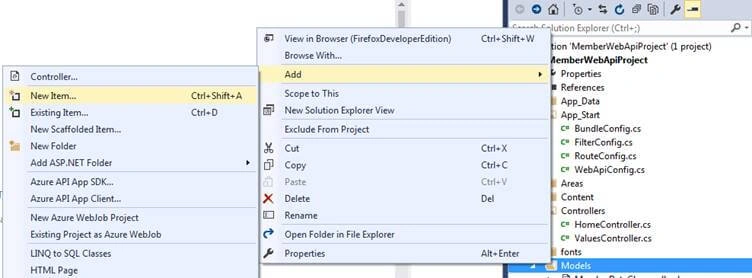
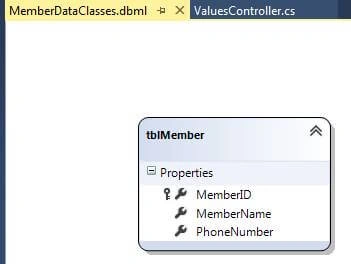
Right-click on Models folder and insert LINQ TO SQL Classes called MemberDataClasses.dbml.
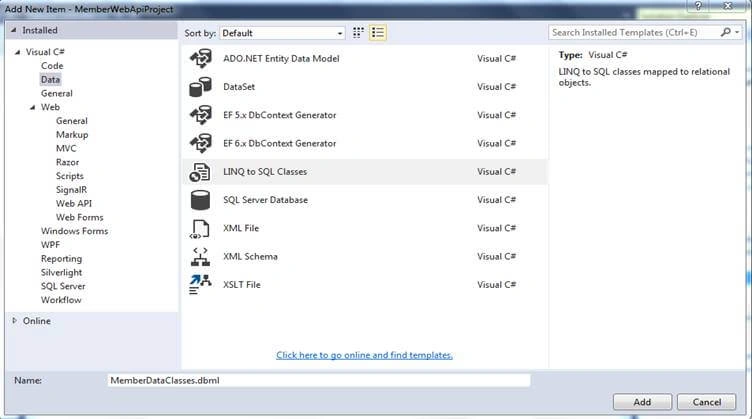
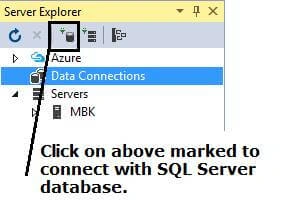
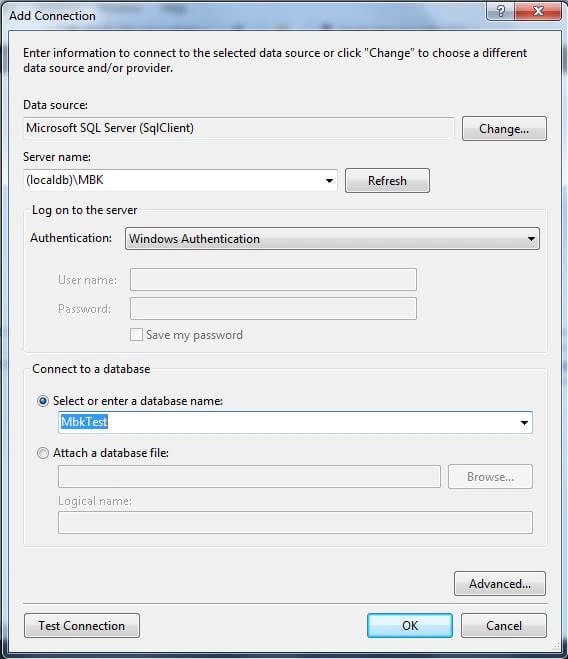
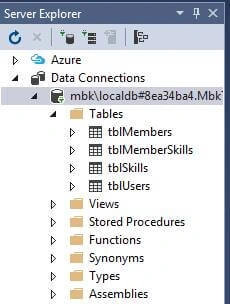
Double-click on MemberDataClasses.dbml file and press CTRL+ALT+S (Server Explorer).

Евгений ДиановPosted Aug 17, 2021, 7:35 PM
Why are you using linq to sql? It is an obsolete technology.
Ken WeigPosted Nov 4, 2019, 5:41 AM
Why you place zip without .csproj and .sln files?
Shailendra KumarPosted Aug 26, 2019, 4:13 AM
Very helpful for beginners.
Priyanka SainiPosted Jul 12, 2019, 5:09 AM
Is it not required to host the API? I can't access it in the Client Application..
ThiagarajanPosted Mar 5, 2019, 5:47 AM
Good article
hemal kotakPosted Feb 19, 2019, 6:25 AM
Very nice article bro, keep contributing..
Alice NguyenPosted Nov 20, 2018, 12:28 AM
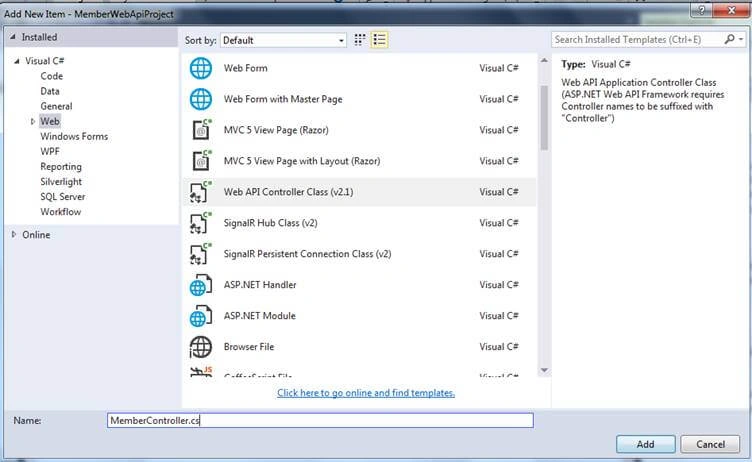
I went to the "And select Web API Controller Class (v2.1) and give the name" MemberController.cs "." but Code MemberControllers.cs auto GENCODE
Alice NguyenPosted Nov 16, 2018, 8:05 PM
You are great, Thank you so much
Nabeel HassanPosted Nov 16, 2018, 6:49 AM
BRO can u please tell me how to upload image and sotre path in database in asp.net web api
Ramzanali MominPosted Oct 27, 2018, 6:48 AM
You are great
Silambarasan PeriyasamyPosted Sep 9, 2018, 2:24 PM
Super Manoj, You have articulated Web API Hands-on.
Manohar Reddy PoreddyPosted Aug 24, 2018, 8:43 PM
The correct way: Patch method is for update. Put method is for replace.
Arun Kumar SinghPosted Aug 12, 2018, 11:34 AM
Article of the month for me
Jignesh KumarPosted Aug 11, 2018, 11:52 PM
Nice explanation with simple content