
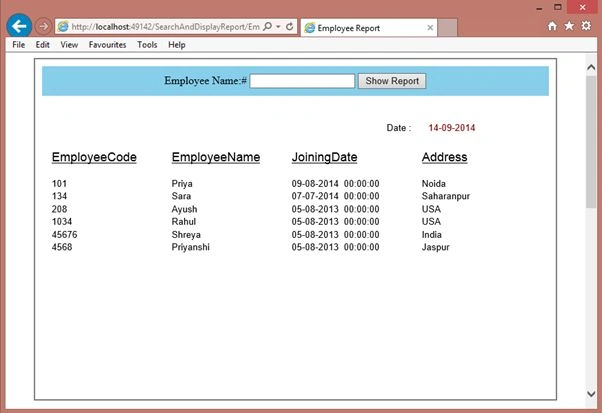
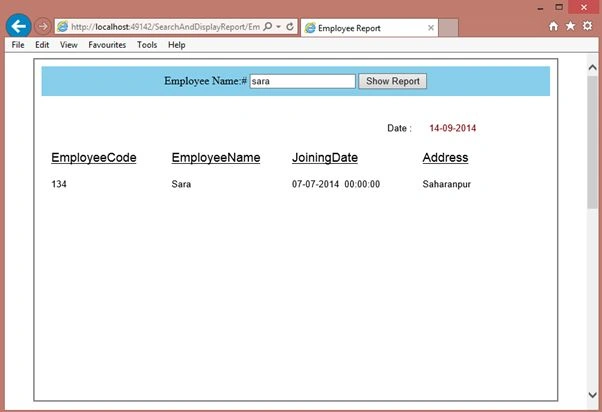
Here I will display an Employee report. The user can see any employee report by typing his/her name.
Now we will learn this step-by-step.
The following is my SQL Server table, for which I will show a Crystal Report.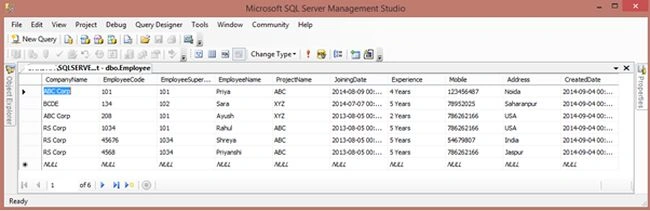
Image 1.
Open Visual Studio and select File -> New Web Site.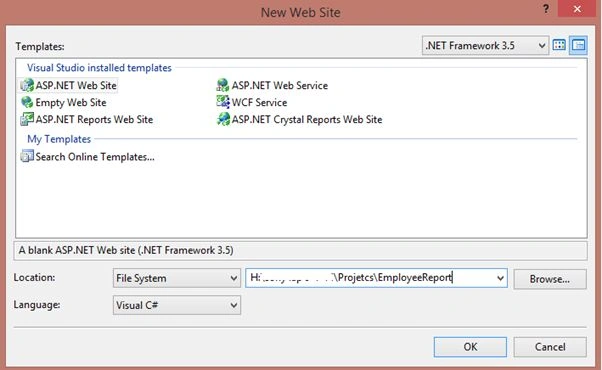
Image 2.
Right-click on the project in Solution Explorer then select Add New Item then select DataSet.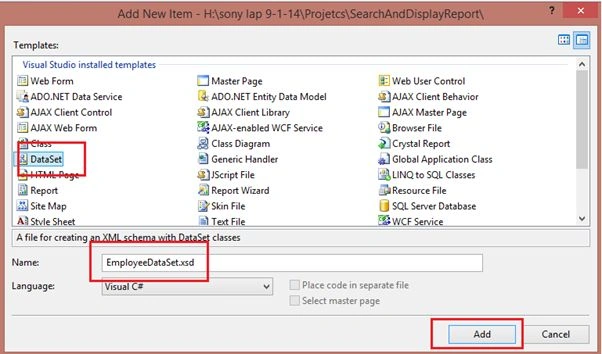
Image 3.
Now Right-click and seelct Add -> Data Table.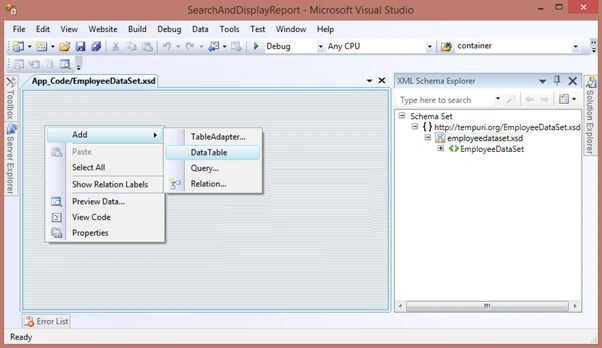
Image 4.
Now right-click on the Header and select Add -> Column.
Be sure the column name and their Data type are the same as in your data table. You can change the data type by selecting your added column. Then right-click on something and select the Data type property.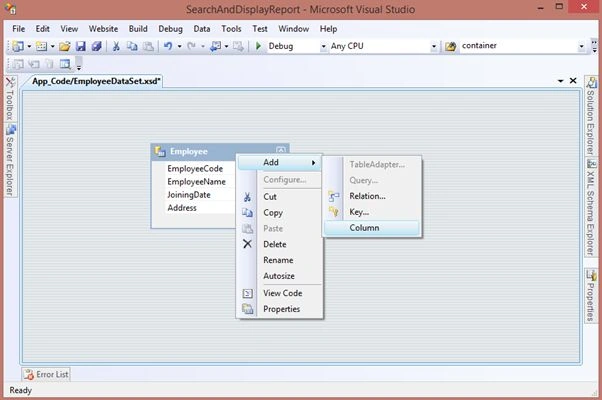
Image 5.
Now right-click on the project in Solution Explorer then select Add New Item then select Crystal Report.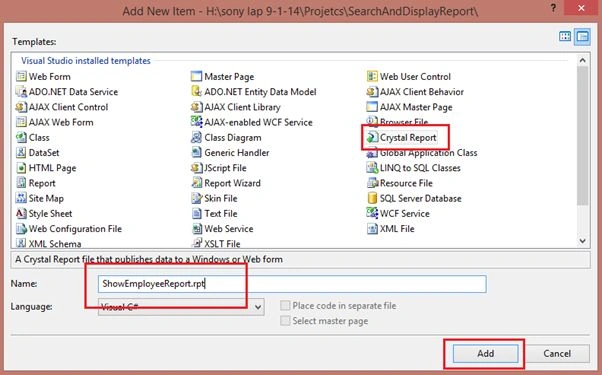
Image 6.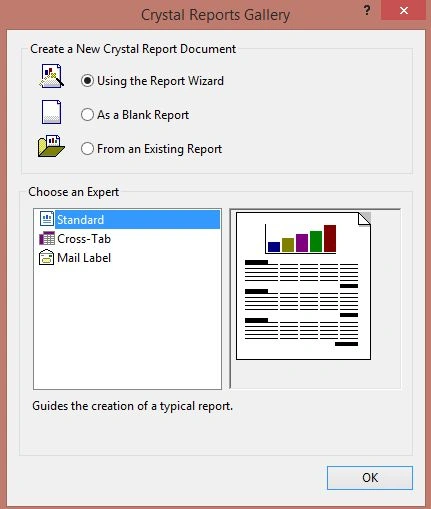
Image 7.
Select Project Data -> ADO.NET Data Sets then select your new Data Set then select your table then click Next.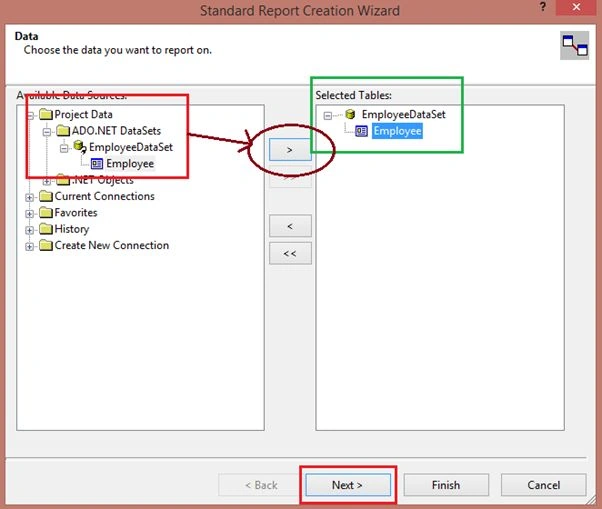
Image 8.
Now select the columns for the report and click on Finish.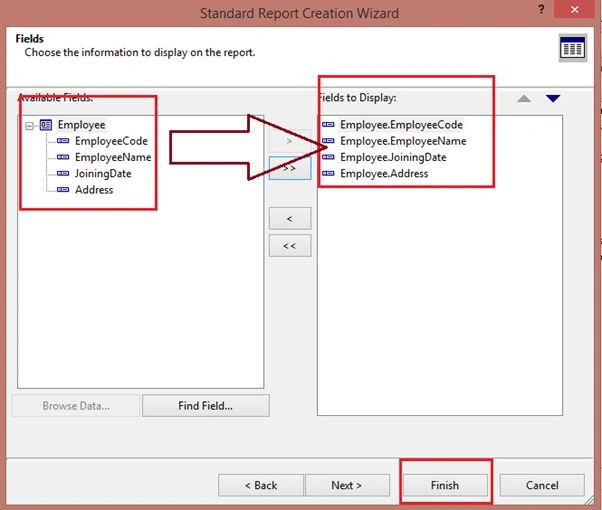
Image 9.
Now on your aspx page add a text box, button and a report viewer as in the following:

Crystal Report With Search Functionality in ASP.NET
Join the conversation! Your thoughts help the community grow.
Sign in to leave a comment
It is the same account you read, post and publish with — and you will come straight back to this page.
Rahul Kumar SaxenaPosted Apr 1, 2016, 5:20 AM
Thanks Sonu Chaudhary
Rahul Kumar SaxenaPosted Apr 1, 2016, 5:20 AM
Thanks Nikunj
Sonu ChaudharyPosted Mar 31, 2016, 12:03 PM
good one article
Nikunj TrivediPosted Aug 13, 2015, 7:52 AM
Thank u sir, Its a very useful blog for crystal report. But here i face one problem after viewing data in crystal report viewer. When I press PRINT button then Printer List not available. No one printer display to select to print. Please Help me to solve this.
Rahul Kumar SaxenaPosted May 18, 2015, 12:03 AM
Thanks Muhammad Abdul Manan
Rahul Kumar SaxenaPosted May 18, 2015, 12:02 AM
Thanks Gorki Lituma Guerrero
Muhammad Abdul MananPosted May 17, 2015, 4:45 PM
niceee Article Rahul
Gorki Lituma GuerreroPosted May 7, 2015, 12:54 PM
Excelente, me sirvi?, gracias...
Rahul Kumar SaxenaPosted Apr 13, 2015, 2:44 PM
Thanks Santhakumar Munuswamy...
Santhakumar MunuswamyPosted Apr 13, 2015, 2:36 PM
Thanks for sharing
Santhakumar MunuswamyPosted Apr 13, 2015, 2:36 PM
Good work..
Rahul Kumar SaxenaPosted Feb 26, 2015, 4:37 AM
Thanks ...
Rahul Kumar SaxenaPosted Feb 24, 2015, 8:09 AM
Thanks Md. Raskinur Rashid..
Md. Raskinur RashidPosted Jan 22, 2015, 7:01 AM
Thanks. very useful...