

Introduction
Here, we will learn how to create custom extension methods and use them.
Prerequisites
- Visual Studio
- Basic knowledge of C#
Article flow
- What is the Extension Method?
- Why do we use the Extension Method?
- Example of Extension Method.
- Rules to Create Extension Method.
- Create Extension Method.
- How to Use / Access Extension Method in Other Namespaces?
- Benefits Of Extension Method.
What are Extension Methods in C#?
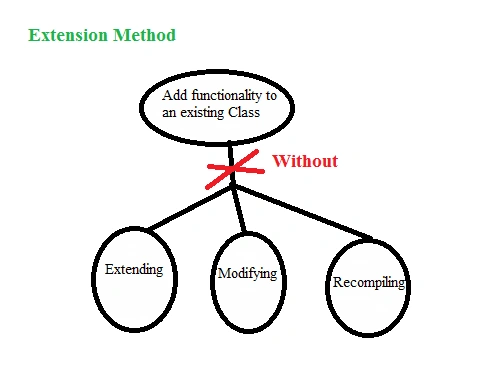
Extension methods allow us to "add" methods to the existing class or types without modifying them, adding code, extending them, or recompiling the class. Extension Methods are like normal methods, but they are all special kinds of static methods. We can call the extension method in the same general way, and there is no difference in the way of accessing the method. The extension method features are enabled from C# 3.0.
Why do we use the Extension Method?
In many situations, we need to call the same method or functionality at many places. Since extension methods are predefined methods having predefined properties without using Inheritance, we can extend the existing classes to add our own methods.
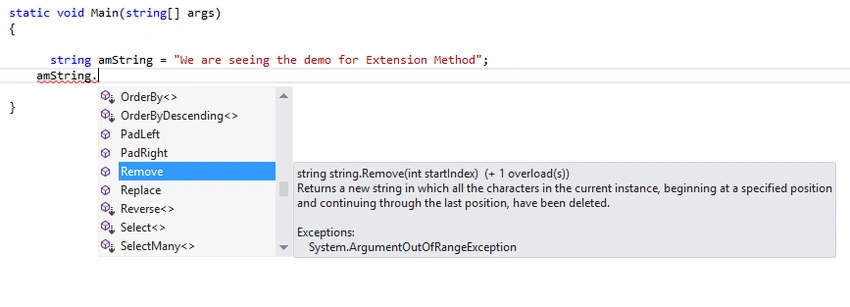
Example. Most of the time, we are in the position to call the extension method by knowing or without knowing this as an extension method. In our coding life, we keep using the extension methods regularly. We know very well that the .NET Framework comes with a set of predefined classes, functions, and properties. Okay, now let me show you the list of some extension methods used in our C# Language. The following is the extension method for a string. The extension method is loaded based on the datatype, class, collections, methods, and properties.
Rules to Create Extension Method in C#
Follow the below rules to create an extension method in your application.
- Create a static visible class that will hold the extension method(s). Make sure that the class is visible to the other class / Namespace by applying the appropriate access modifier.
- Create static Method(s) in the same Static Class with the same visibility level.
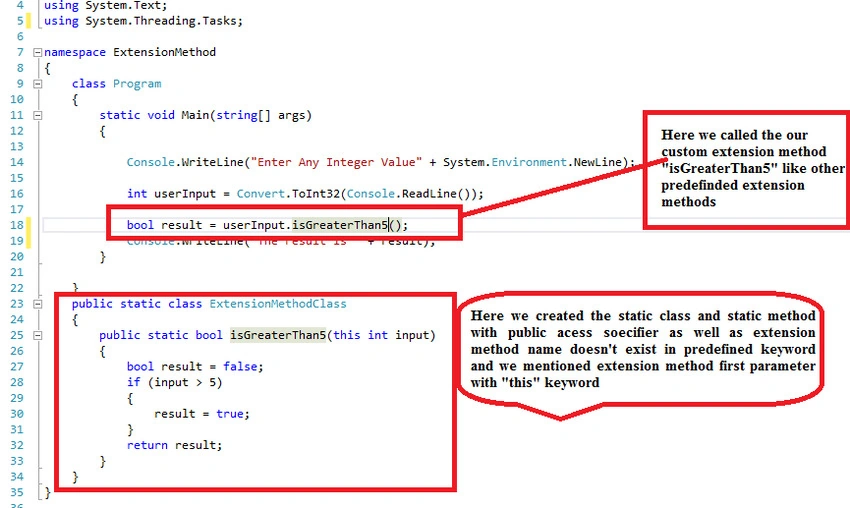
- The extension Method uses the "this" keyword as the first parameter. The first parameter always specifies the type that the method operates on.
- The extension method is written inside a static class, and the method is also defined as static. Though it is defined as a static method, it is still invoked on a particular instance.
- An extension method should be in the same namespace as it is used, or you need to import the namespace of the class by a statement.
- You can give any name for the class that has an extension method, but the class should be static.
- If you create extension methods that have the same signature methods as the type you are extending, then the extension methods will never be called. Always make sure that the extension method already contains predefined keywords.
- Keep in mind that we do not need to pass the first parameter because that denotes the type, however, we should pass the second parameter onwards to call the extension method.
How to Create Extension Method in C#?
First, we will go with a simple sample. Later, we will see how to provide access to other solutions/projects/clients. Let's move!
public static class ExtensionMethodClass
{
    public static bool IsGreaterThan5(this int input)
    {
        bool result = false;
        if (input > 5)
        {
            result = true;
        }
        return result;
    }
}
In the above code, we followed the rules that we mentioned in the class and defined an extension method as static with a public access modifier. We created a method "isGreaterThan5" in which doesn't exist the predefined keyword. So, we may use it for the extension method name. "This" keyword is used in the first parameter to mention this as an extension method. This is how the extension methods are created.
How to Use / Access Extension Method in Other Namespaces?
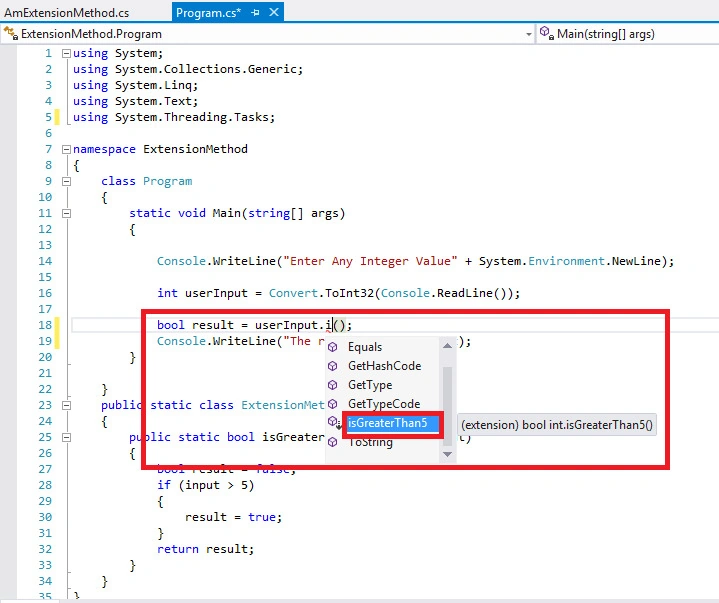
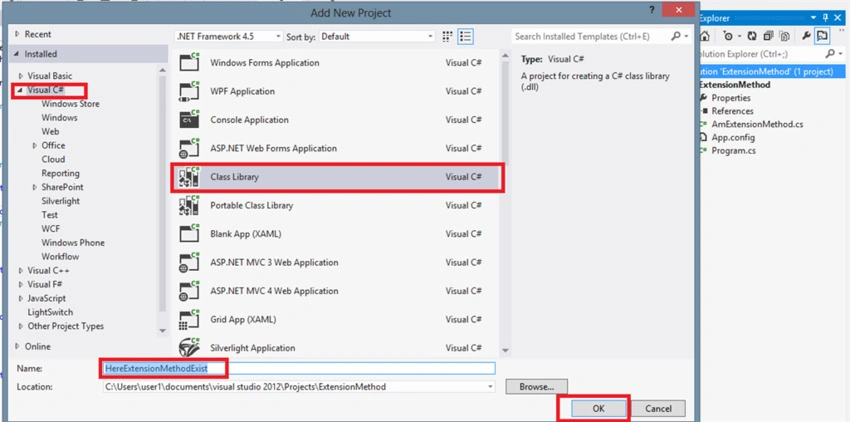
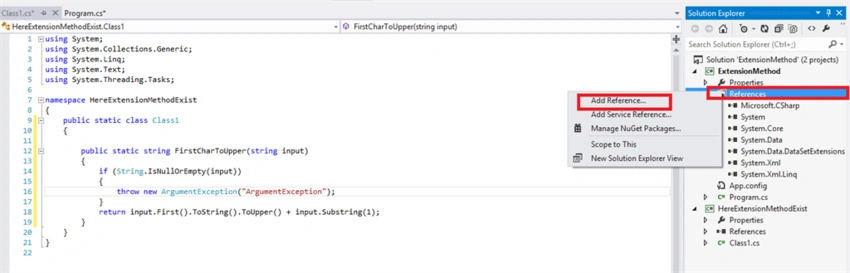
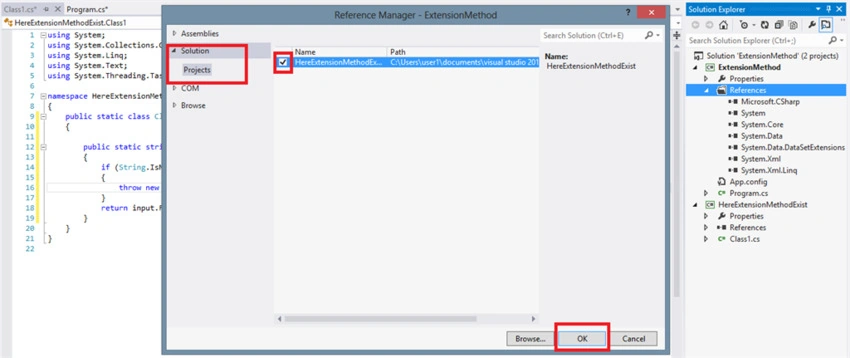
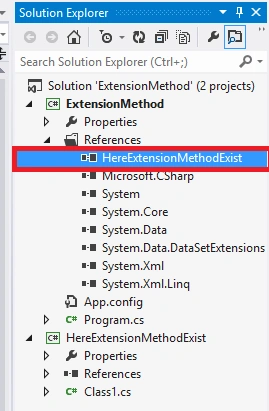
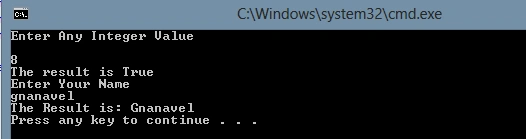
In the previous example, we saw how to invoke the extension method in our class. Now, we are going to see how to invoke the extension method as
- Invoke in the Same Namespace
- Invoke in Different Namespace
Let's see examples one by one to get a clear picture of this.

Karthick KumarPosted Sep 17, 2017, 2:43 AM
Thanks for sharing sir..
DeepakPosted Sep 1, 2017, 1:56 AM
Good one. But many images are not loaded in this article. Can you please recheck it? I am using google chrome.