
Introduction to Markup Extension
In XAML, attributes of control are set by assigning a string literal, i.e., a constant value to that attribute. This is hard coding from XAML’s perspective (You can always change the attribute value from the code behind which makes it dynamic).
E.g.
- <Button Content = “Click Me”/>
Sometimes, a developer may want to assign a dynamic value to these attributes which they can extract from other resources like XML, Databases, other controls etc.
E.g.
- <Label Name="lblId"
- Grid.Row="0"
- Grid.Column="0"
- Content="ID"
- HorizontalContentAlignment="Center"
- VerticalContentAlignment="Center"/>
- <TextBox Name="txtId"
- Grid.Row="0"
- Grid.Column="1"
- Text="{Binding ProductId}"
- HorizontalContentAlignment="Center"
- VerticalContentAlignment="Center"/>
In the above example, a developer may want to assign ‘ProductId’ to TextBox after fetching the product object from database at run time. In this case, he/she cannot hard code the text property of the text box at the development time.
Markup Extensions provide this facility to developers. They resolve property values at runtime by executing the code.
The syntax of Markup Extension
{MarkupEntensionClass Argument}
Some of the frequently used markup extensions in WPF are as follows -
- Binding
- StaticResource
- DynamicResource
- TemplateBinding
- X: Static
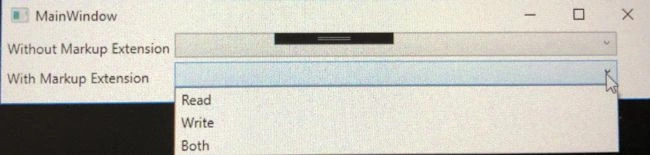
Binding Enum to ComboBox in WPF
PROBLEMS
ComboBox is an ItemControl. To populate its drop-down list, we need to set its ItemSource property with any IEnumerable object which is a rule of thumb.
Now, Enum type is not IEnumerable which means that we cannot directly assign it to ItemSource property of ComboBox.
SOLUTION
- To populate the ComboBox, we can simply use Enum.GetValues() to get an array of values of the constants in specified Enum. Then we can assign this Array to ItemSource of ComboBox since it is of type IEnumerable in code behind.
CODE BEHIND- Type enumType = typeof(enumName);
- Array enumArray = Enum.GetValues(enumType);
- cmbBoxName.ItemSource = enumArray;

Join the conversation! Your thoughts help the community grow.