

Background
Most of the time, clients' requirements will be different regarding the design of the button of any B2B or B2C or C2C Application. Hence, we need to customize the button, as per their requirement.
Thus, let’s understand these concepts in detail.
- Create a new project and give some meaningful name to it, as shown below.
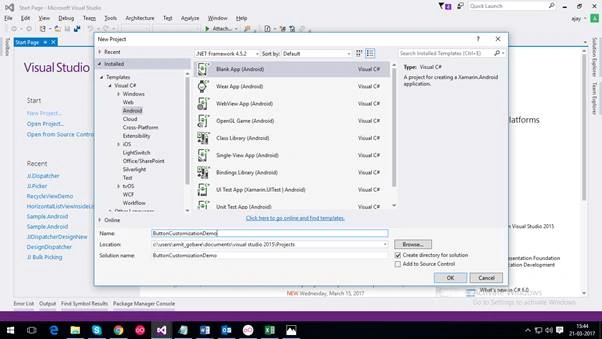
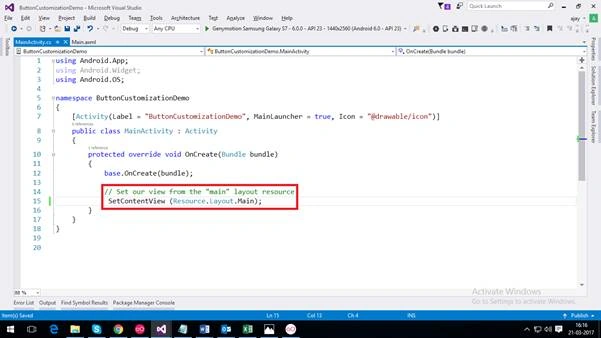
- After creation of the project, class file called MainActivity.cs, which is a default start activity of your project, which is similar to Public Static Main() method in Console Application as well as Main.axml file is also present, which is a default Activity Layout, which is set to MainActivity.cs.
- Now, we are creating a sample app for Login system.
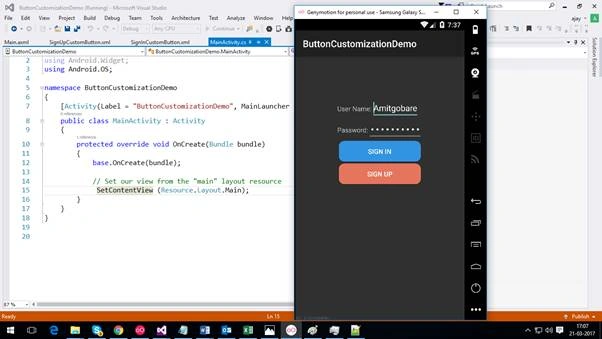
- Design for sample app is shown below.
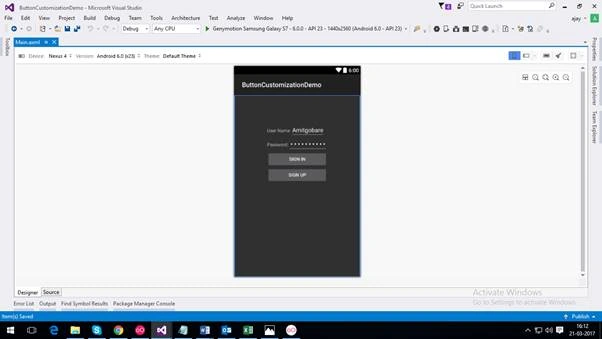
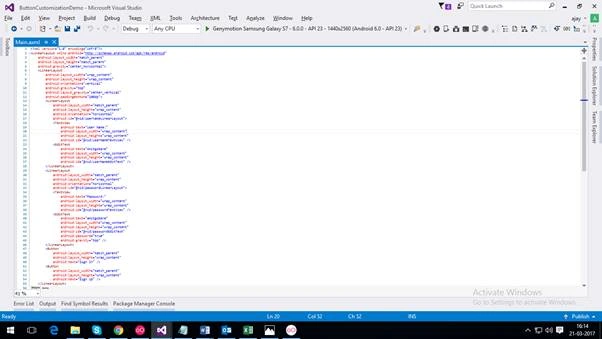
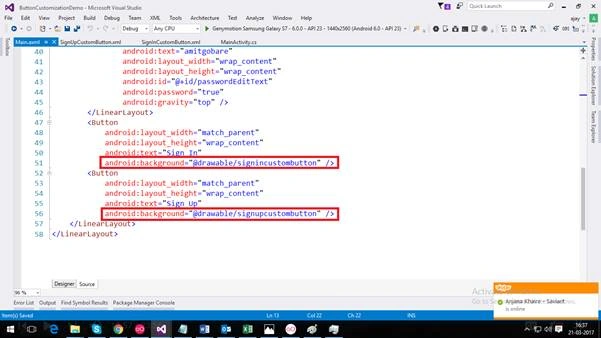
- Source code and screenshot for the design given above is as follows, which is written in Main.axml.
- <?xml version="1.0" encoding="utf-8"?>
- <LinearLayout xmlns:android="http://schemas.android.com/apk/res/android"
- android:layout_width="match_parent"
- android:layout_height="match_parent"
- android:gravity="center_horizontal">
- <LinearLayout
- android:layout_width="wrap_content"
- android:layout_height="wrap_content"
- android:orientation="vertical"
- android:gravity="top"
- android:layout_gravity="center_vertical"
- android:paddingBottom="200dp">
- <LinearLayout
- android:layout_width="match_parent"
- android:layout_height="wrap_content"
- android:orientation="horizontal"
- android:id="@+id/usernameLinearLayout">
- <TextView
- android:text="User Name:"
- android:layout_width="wrap_content"
- android:layout_height="wrap_content"
- android:id="@+id/userNameTextView" />
- <EditText
- android:text="Amitgobare"
- android:layout_width="wrap_content"
- android:layout_height="wrap_content"
- android:id="@+id/userNameEditText" />
- </LinearLayout>
- <LinearLayout
- android:layout_width="match_parent"
- android:layout_height="wrap_content"
- android:orientation="horizontal"
- android:id="@+id/passwordLinearLayout">
- <TextView
- android:text="Password:"
- android:layout_width="wrap_content"
- android:layout_height="wrap_content"
- android:id="@+id/passwordTextView" />
- <EditText
- android:text="amitgobare"
- android:layout_width="wrap_content"
- android:layout_height="wrap_content"
- android:id="@+id/passwordEditText"
- android:password="true"
- android:gravity="top" />
- </LinearLayout>
- <Button
- android:layout_width="match_parent"
- android:layout_height="wrap_content"
- android:text="Sign In" />
- <Button
- android:layout_width="match_parent"
- android:layout_height="wrap_content"
- android:text="Sign Up" />
- </LinearLayout>
- </LinearLayout>
Amit GobarePosted Oct 3, 2019, 4:30 AM
I think when CSharpCorner update there website then it is not showing some content. Actually the above article I wrote 2 year back. so I don't have zip file of that as of now. Sorry for that!
MICHAEL PLIAMPosted Sep 9, 2019, 1:50 PM
Your 'shown below' isn't anywhere to be found, nor do the presumed Xamarin links work. Why don't you provide a zipped application like many of your more astute colleagues?