

Introduction
As we know, Python also supports Data Structure. For new and beginners, let’s first discuss what Data Structure is. A data structure is basically a way of storing data in such a way that it can be easily accessed and worked with, like,
- Storing data in a way so that we can quickly access the last item, we create a STACK (LIFO).
- Storing data in a way so that we can quickly access the first item, we create a QUEUE (FIFO).
In a similar fashion, Python also provides some data structures.
- Series
- Data Frame
- Pandas
In this article, we will know about DataFrame.
Data Frame
- It is a 2-Dimensional labeled array, which stores ordered collection columns that can store data of different types.
- It has two indexes or we can say two axes - a row index and a column index.
- Data Frame is “Value-Mutable” and “Size-Mutable”, i.e., we can change the value as well as the size.
Let’s start with creating DataFrames.
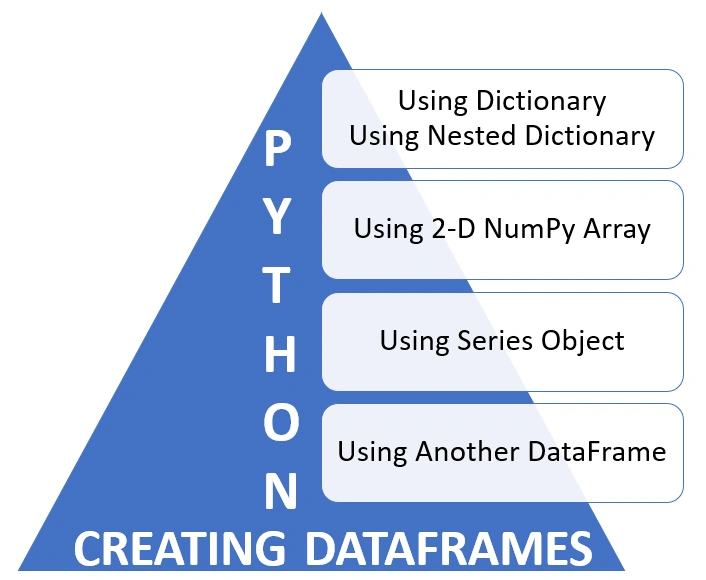
Creating DataFrame from 2-D Dictionary
Creating DataFrame using 2-D Dictionary contains values as a list.
- import pandas as pd
- dictObj={
- ‘EmpCode’ : [‘E01’,’E02’,’E03’,’E04’],
- ‘EmpName’ : [‘Raj’,’Raman’,’Rahul’,’Rohit’],
- ‘EmpDept’ : [‘HR’,’Accounts’,’IT’,’HR’]
- }
- df=pd.DataFrame(dictObj)
- print(df)
The output of the above code is mentioned below.
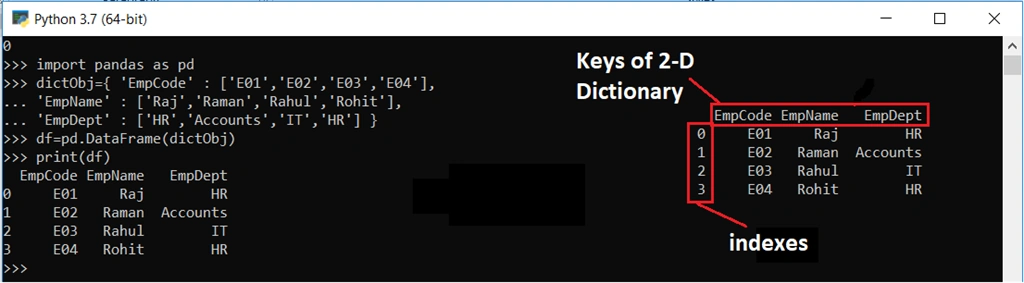
As we can see in the output, it generates the index and keys of 2-D dictionary (which become columns).
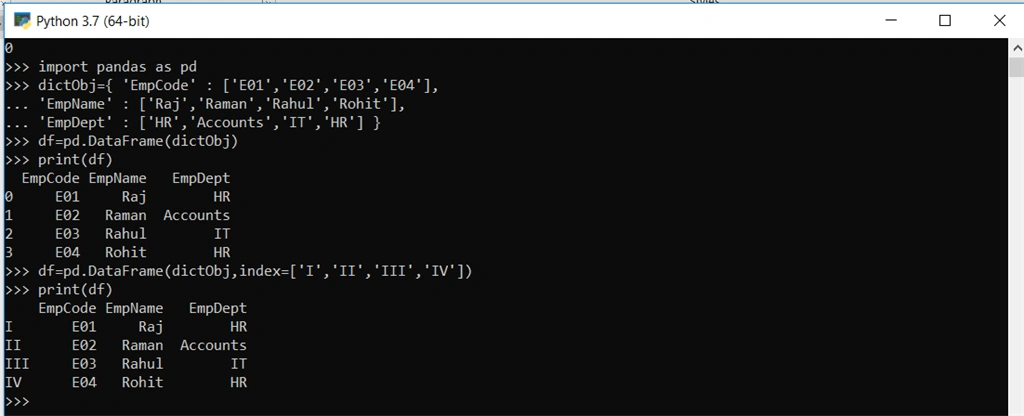
We can also change the index value by passing the index in DataFrame(), like
- df=pd.DataFrame(dictObj, index=[‘I’,’II’,’III’,’IV’])
Note
Creating DataFrame using 2-D Dictionary contains values as Dictionary or Nested Dictionary,
- import pandas as pd
- yr2018 = {‘NoOfArticles’:1200, ‘NoOfBlogs’:1000, ‘NoOfNews’:700}
- yr2019 = {‘NoOfArticles’:1500, ‘NoOfBlogs’:1500, ‘NoOfNews’:900}
- yr2020 = {‘NoOfArticles’:2000, ‘NoOfBlogs’:1800, ‘NoOfNews’:1000}
- Published = {2018:yr2018, 2019:yr2019, 2020:yr2020}
- df = pd.DataFrame(Published)
- print(df)
In the above line of code, first, we created 3 dictionaries - yr2018, yr2019 and yr2020. After that, we created a “Published” dictionary which contains other dictionaries. We can also create the above dictionary like below.
- Published = {
- 2018 = {‘NoOfArticles’:1200, ‘NoOfBlogs’:1000, ‘NoOfNews’:700},
- 2019 = {‘NoOfArticles’:1500, ‘NoOfBlogs’:1500, ‘NoOfNews’:900},
- 2020 = {‘NoOfArticles’:2000, ‘NoOfBlogs’:1800, ‘NoOfNews’:1000}
- }
- df = pd.DataFrame(Published)
- print(df)
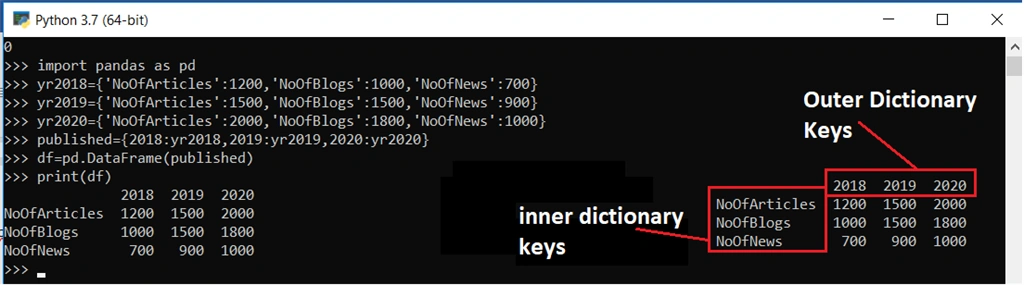
While creating a DataFrame with a 2-D nested dictionary -
Columns: outer dictionary keys
Rows: inner dictionary keys.
See the output,
Creating DataFrame from the 2-D array (Numpy Array)
- import numpy as np
- import pandas as pd
- arr=([[11,12,13],[14,15,16],[17,18,19],[20,21,22]])
- df=pd.DataFrame(arr)
- print(df)
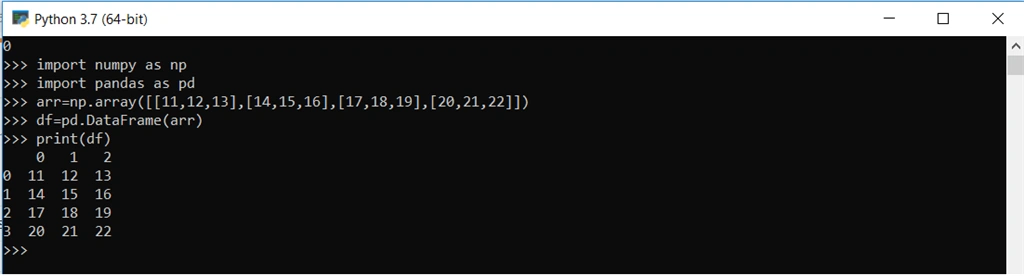
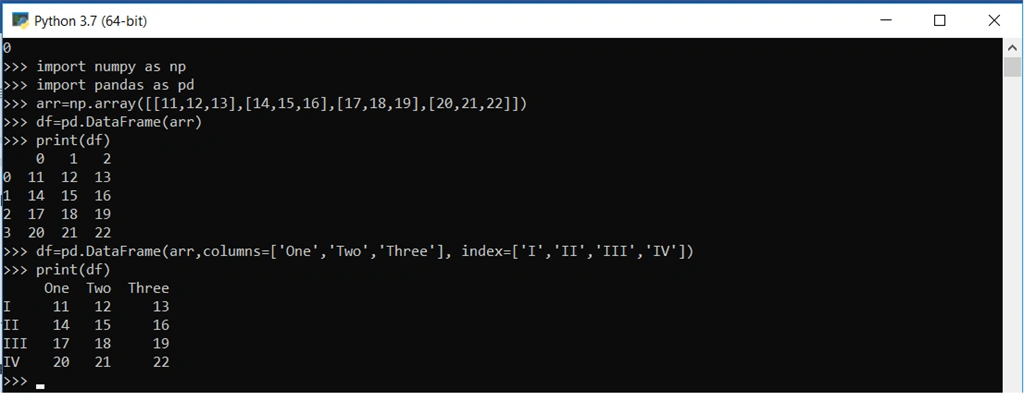
As we can see, the output that it automatically gives row indexes and column indexes which started from 0. We can also change column name and row name like,
- df=pd.DataFrame(arr,columns=[‘One’,’Two’,’Three’], index=[‘I’,’II’,’III’,’IV’])
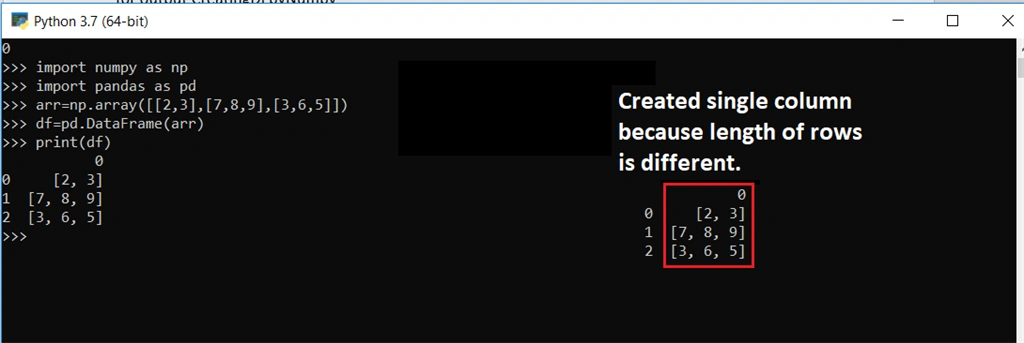
Note
Join the conversation! Your thoughts help the community grow.