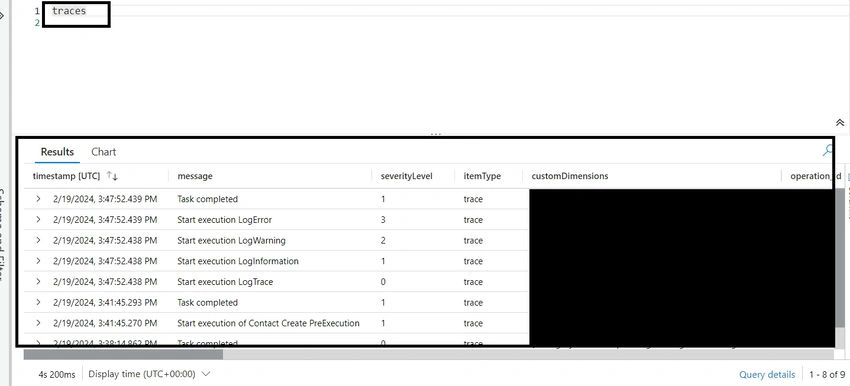
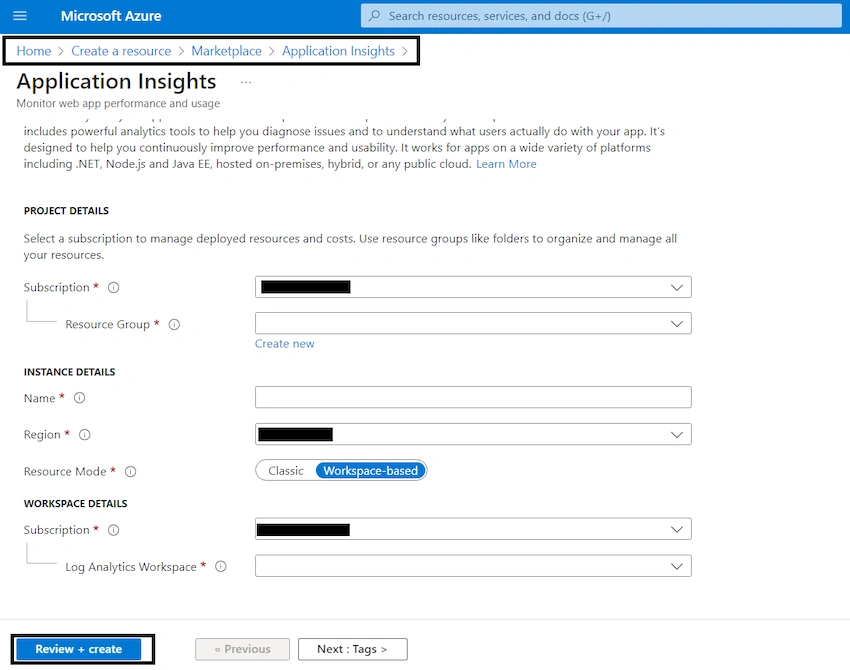
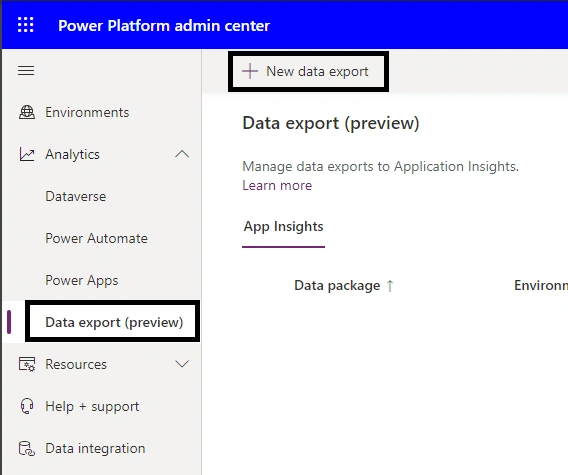
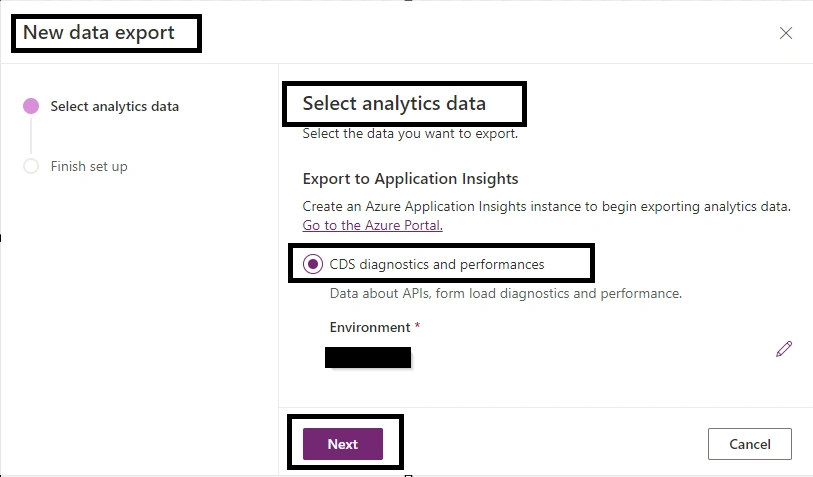
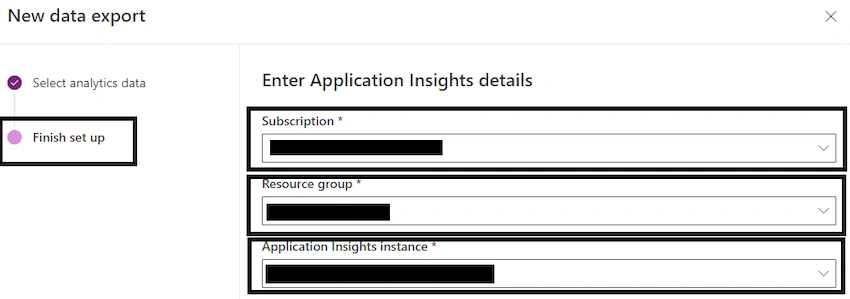
This new integration eliminates the need for additional coding by making all logs a developer writes from the Organization Service SDK within the ILogger interface accessible in the Application Insights resources! There may be a slight delay before the telemetry is visible in Azure because Dataverse will be receiving the logs and forwarding them to the Application Insight resource.
below id the plug-in code that makes usage of the ILogger interface
using System;
using System.IdentityModel.Metadata;
using IMSShared.ExtensionClasses;
using Microsoft.Xrm.Sdk;
using Microsoft.Xrm.Sdk.PluginTelemetry;

namespace Sample.Plugins.Telemetry
{
    public class ManageContact:IPlugin
    {
        public void Execute(IServiceProvider serviceProvider)
        {
            ITracingService tracer = (ITracingService)serviceProvider.GetService(typeof(ITracingService));
            IPluginExecutionContext context = (IPluginExecutionContext)serviceProvider.GetService(typeof(IPluginExecutionContext));
            IOrganizationServiceFactory factory = (IOrganizationServiceFactory)serviceProvider.GetService(typeof(IOrganizationServiceFactory));
            IOrganizationService service = factory.CreateOrganizationService(null);
            ILogger logger = (ILogger)serviceProvider.GetService(typeof(ILogger));
            try
            {
                logger.LogInformation("Start execution of Contact Create PreExecution");
                if (context.MessageName == "Create" && context.StageType() == ExecutionContextExtensions.StageTypeValues.PreExecution)
                {
                    Entity contactTarget = (Entity)context.InputParameters["Target"];
                    if (contactTarget.LogicalName != "contact")
                    {
                        logger.LogWarning("Plug-in registered for wrong entity {0}", contactTarget.LogicalName);
                        return;
                    }
                    contactTarget.Attributes.Add("Sample_externalid", Guid.NewGuid().ToString());
                    logger.LogInformation("Task completed");
                }
            }
            catch(Exception ex)
            {
                logger.LogError(ex, "Plugin failed");
            }
        }
    }
}
Application Insights Logs
Upon registration and activation of the plug-in, you can access the Application Insights Logs console. You can access the Application Insights resource on portal.azure.com.
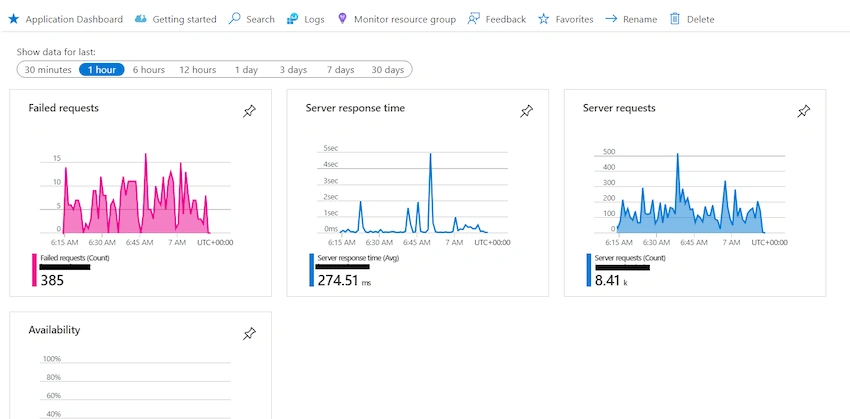
Next, select the Logs button located under the Monitoring section on the right panel to view the telemetry.
Conclusion
Developers can monitor, analyze, and optimize plugin behavior with a comprehensive telemetry solution when they integrate Azure Application Insights with Dataverse plugins. Developers can maximize the value provided to users and stakeholders in Microsoft Dataverse ecosystems by proactively addressing performance issues, enhancing reliability, and continuously improving the quality of plugin solutions by utilizing telemetry data.


16K20Posted May 12, 2025, 6:09 PM
Actually, it is much better to integrate with App Insights directly from plugin read my article to find out how https://dev.to/stas_sultanov/tracking-telemetry-in-power-platform-plugins-2i95