

Introduction
This article explains the date object in JavaScript. When we print a date using JavaScript it will always provide a client date, in other words the date of the client system. So, if the date is incorrect in the client system then obviously it will provide the wrong date. It is recommended not to save the date produced by JavaScript code into the database.
Print today's date using Date object
In this example, we will print today's date using JavaScript.
- <!DOCTYPE html>
- <html xmlns="http://www.w3.org/1999/xhtml">
- <head>
- </head>
- <body>
- <script>
- var today = new Date();
- console.log(today);
- </script>
- </body>
- </html>

- <!DOCTYPE html>
- <html xmlns="http://www.w3.org/1999/xhtml">
- <head>
- </head>
- <body>
- <script>
- var today = new Date();
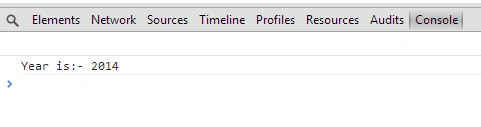
- console.log("Year is:- " + today.getFullYear());
- </script>
- </body>
- </html>
- <!DOCTYPE html>
- <html xmlns="http://www.w3.org/1999/xhtml">
- <head>
- </head>
- <body>
- <script>
- var today = new Date();
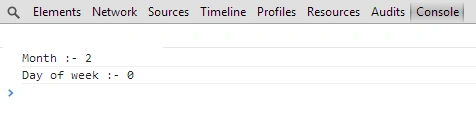
- console.log("Month :- " + today.getMonth());
- console.log("Day of week :- " + today.getDay());
- </script>
- </body>
- </html>
In the same way we can use gethours() , getMunites(), getSecond() , getMillisecond() functio
This article explained the date object in JavaScript. In a future article, we will learn more basic concepts of JavaScript.
Join the conversation! Your thoughts help the community grow.