

In Deferred Execution, the query is not executed when declared. It is executed when the query object is iterated over a loop.
In Immediate Execution, the query is executed when it is declared.
Deferred Execution:
Now we will see both the executions using an example. For this I created a Visual Studio Solution. Here in the solution I added a new Class Employee as in the following screenshot: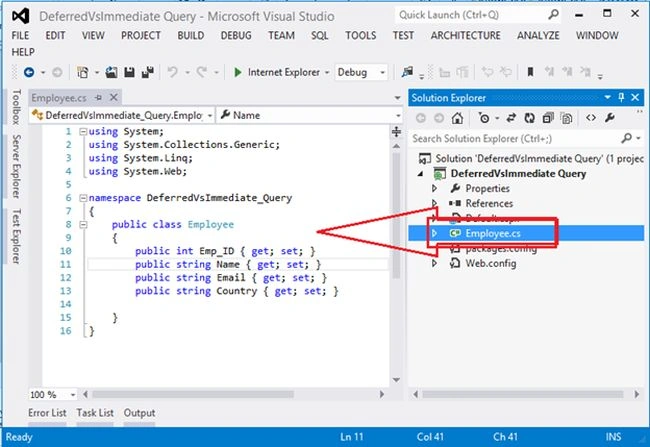
Figure 1: Class Employee
Code
- using System;
- using System.Collections.Generic;
- using System.Linq;
- using System.Web;
- namespace DeferredVsImmediate_Query
- {
- public class Employee
- {
- public int Emp_ID { get; set; }
- public string Name { get; set; }
- public string Email { get; set; }
- public string Country { get; set; }
- }
- }
- using System;
- using System.Collections.Generic;
- using System.Linq;
- using System.Web;
- using System.Web.UI;
- using System.Web.UI.WebControls;
- namespace DeferredVsImmediate_Query
- {
- public partial class Default : System.Web.UI.Page
- {
- protected void Page_Load(object sender, EventArgs e)
- {
- var Emp_List = new List<Employee>(
- new Employee[]
- {
- new Employee{Emp_ID=1, Name="Shambhu Sharma", Email="[email protected]", Country="India"},
- new Employee{Emp_ID=2, Name="Manu Khanna", Email="[email protected]", Country="India"},
- new Employee{Emp_ID=3, Name="Abhishek Nigam", Email="[email protected]", Country="USA"},
- new Employee{Emp_ID=4, Name="Yogesh Gupta", Email="[email protected]", Country="USA"},
- new Employee{Emp_ID=5, Name="Shweta Kashyap", Email="[email protected]", Country="India"},
- new Employee{Emp_ID=6, Name="Shraddha Gaur", Email="[email protected]", Country="India"},
- new Employee{Emp_ID=7, Name="Akhilesh Atwal", Email="[email protected]", Country="India"},
- new Employee{Emp_ID=6, Name="Mayank Dhulekar", Email="[email protected]", Country="USA"},
- new Employee{Emp_ID=7, Name="Saurabh Mehrotra", Email="[email protected]", Country="USA"},
- new Employee{Emp_ID=7, Name="Mehak Jain", Email="[email protected]", Country="India"},
- });
- var Result = from a in Emp_List
- where a.Country.Equals("India")
- select new { a.Name };
- foreach (var EMP in Result)
- Response.Write(EMP.Name + "</br>");
- }
- }
- }
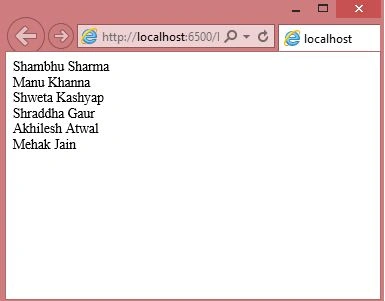
Figure 2: Output
Now you can see the following when your query executes:
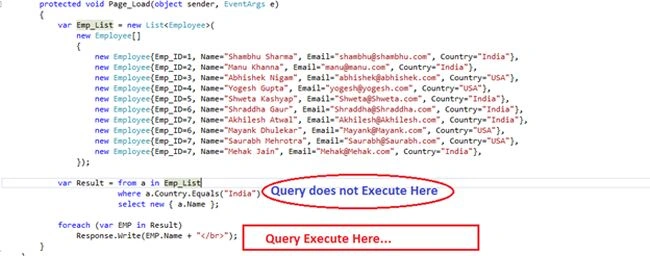
Figure 3: Query Execution
Now add a new record after your query to see the deferred execution:
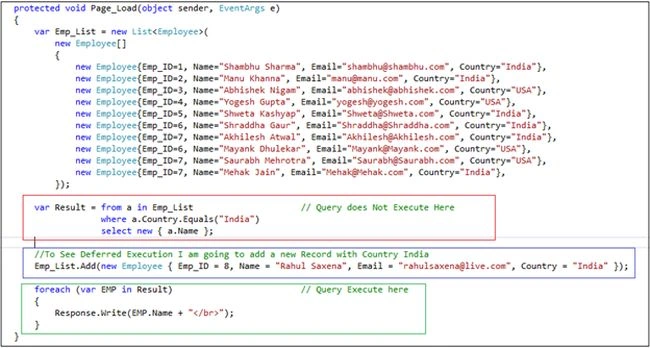
Figure 4: Deferred Execution
Now run your app:
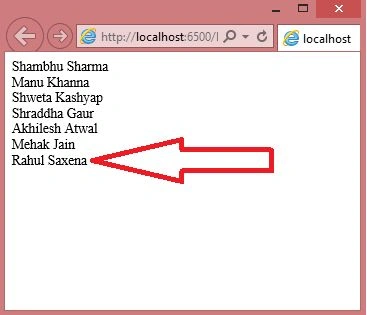
Figure 5: Output
Immediate Execution: We can force our query to execute immediately as in the following:
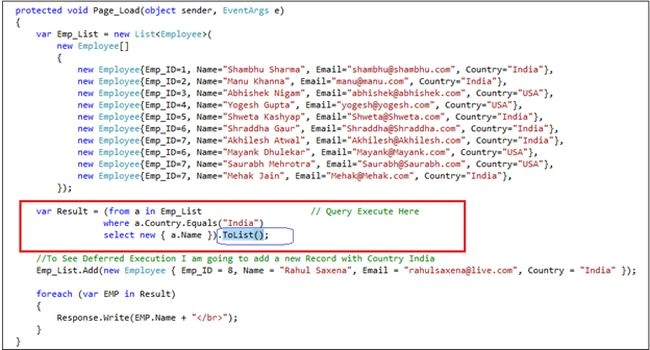
Figure 6: Immediate Execution
Now run your application:
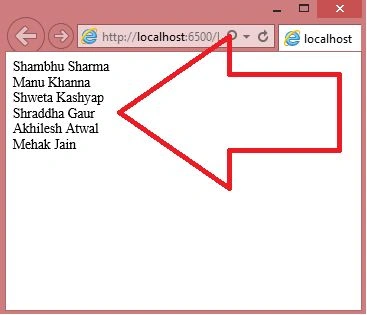
Figure 7: Output
Now let us see both the executions:

Figure 8: Both the executions
Vaseem H PatelPosted Aug 31, 2018, 11:45 AM
Thanks for sharing the best way to understand deferred.
Sonu ChaudharyPosted May 26, 2016, 10:39 AM
Good one...
Bhuvanesh MohankumarPosted May 6, 2016, 3:58 PM
Good one...
Padmavathi APosted Dec 23, 2015, 9:30 AM
Its very helpful one. Thanks for sharing here.
Rahul Kumar SaxenaPosted Jun 9, 2015, 9:03 AM
Welcome Khan Abrar Ahmed...
Khan Abrar AhmedPosted Jun 9, 2015, 7:34 AM
Thanks Rahul, it helps to understand the linq execution.
Rahul Kumar SaxenaPosted Jun 6, 2015, 3:18 AM
Thanks. Santhakumar Munuswamy
Santhakumar MunuswamyPosted Jun 6, 2015, 2:20 AM
Thanks for good work and well explained. :)
Rahul Kumar SaxenaPosted Jun 5, 2015, 2:43 PM
Thanks amol sarkate
Amol SarkatePosted Jun 5, 2015, 11:57 AM
very nice
Rahul Kumar SaxenaPosted Jun 5, 2015, 10:35 AM
Thanku Atul Gupta g
Atul GuptaPosted Jun 5, 2015, 8:10 AM
Very well explained !
Rahul Kumar SaxenaPosted Jun 5, 2015, 6:14 AM
Thanks Pranshu Jaiswal...
Ayush JaiswalPosted Jun 5, 2015, 5:19 AM
Nice
Rahul Kumar SaxenaPosted Jun 5, 2015, 4:57 AM
Thanks Kannan Sudhakaran
Rahul Kumar SaxenaPosted Jun 5, 2015, 4:57 AM
Thanks Nitin Tyagi
Kannan SudhakaranPosted Jun 5, 2015, 4:29 AM
good explanation Rahul
NitinPosted Jun 5, 2015, 2:47 AM
good one