

In this article, I would like to share the procedure to delete a site collection using Central Administration in a SharePoint 2013 web application.
Procedure to delete a site collection
Use the following procedure to delete a site collection.
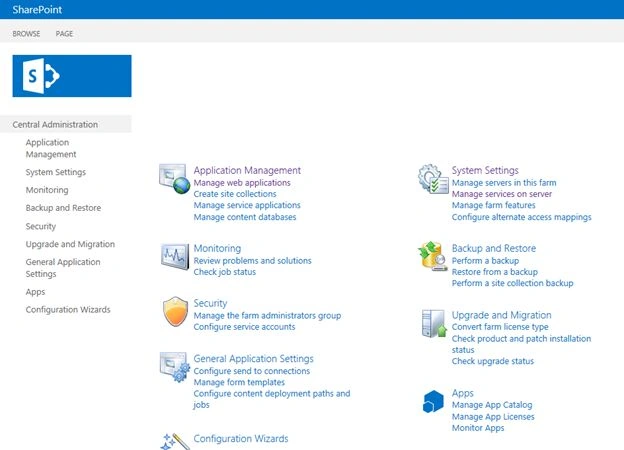
Step 1. Go to Central Administration using a Farm Administrator account as shown below.
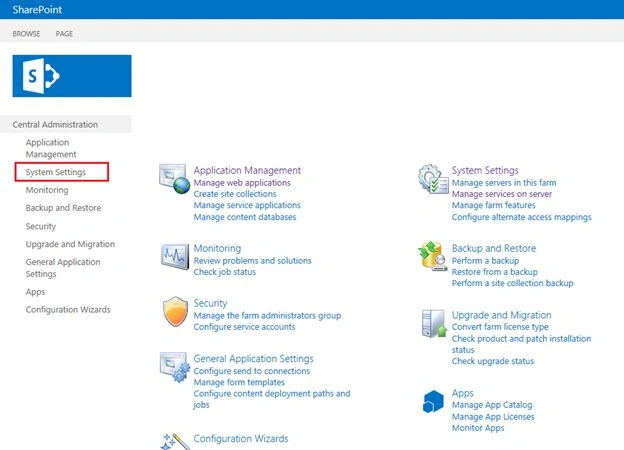
Step 2. In Central Administration, click "System Settings" from the left navigation. Then you will be navigated to the system settings page.
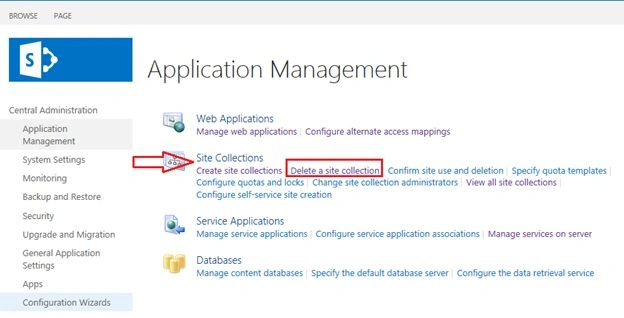
Step 3. On the system settings page, in the “Site Collection” section select the “Delete a site collection” option as shown below
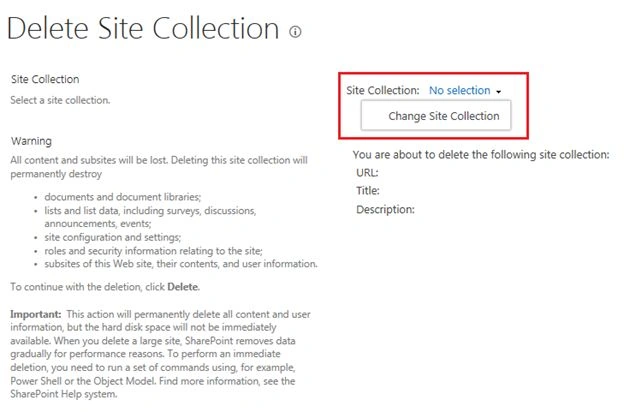
Step 4. Then select the “change site collection” option from the delete site collection page.
Step 5. Then you will get a dialog box to change the web application as shown below.
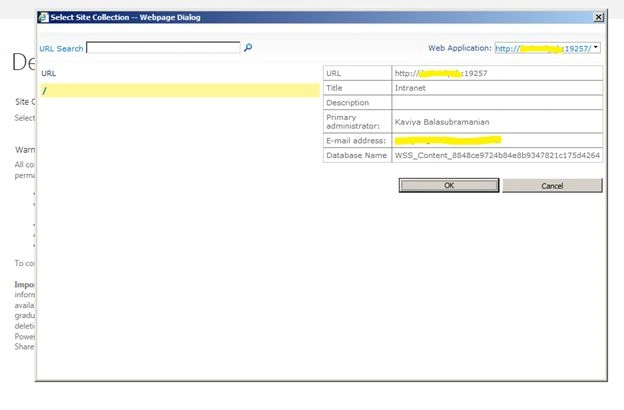
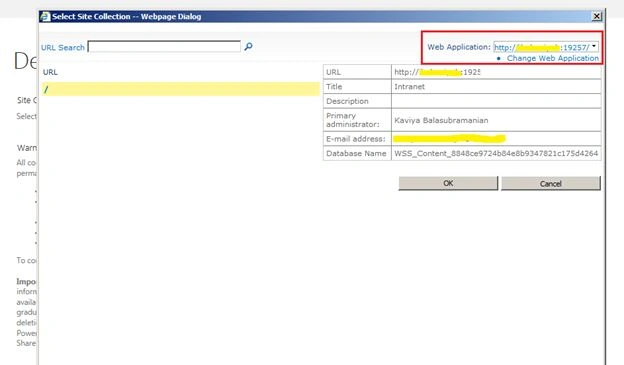
Step 6. On the dialog box select “change web application” from the drop-down to change the different web application as you want.
Step 7. Then the Select Web Application dialog box is shown below.
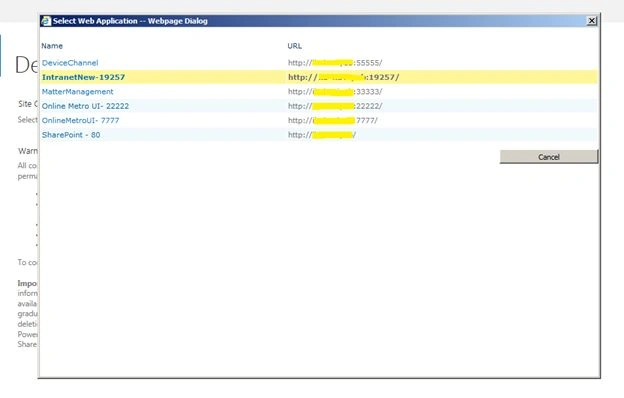
Step 8. In the web application dialog box, you can choose the site collection you want.
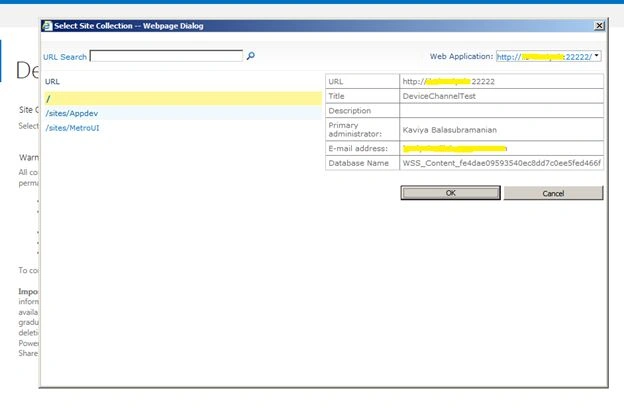
Step 9. Select a site collection from the web application dialog box and then give “OK”
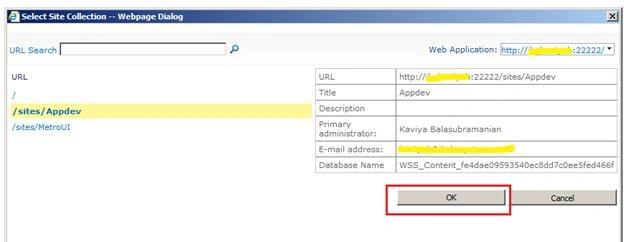
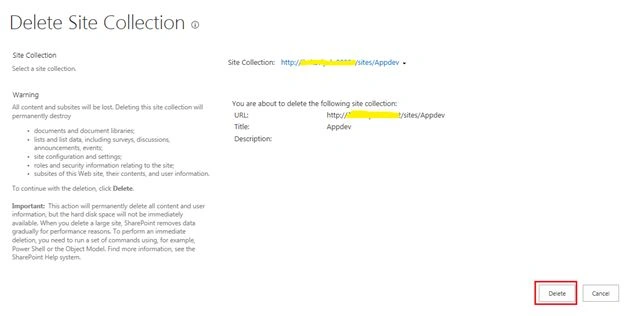
Step 10. After clicking “OK” you will get the selected site collection on the Delete Site Collection page as shown below. Then click on the delete button to delete a site collection.
Step 11. Then you will get the confirmation message as shown below and click “OK” to delete a site collection.
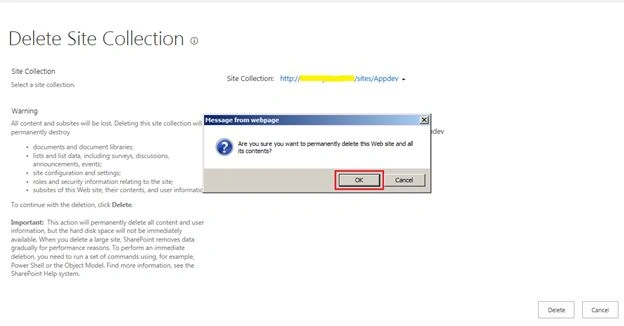
Finally, the selected site collection will be deleted from your web application.
Summary
In this article, we have explored how to delete a site collection using Central Administration in SharePoint 2013.
Gowtham RajamanickamPosted Apr 19, 2015, 2:59 AM
Simple and well explained
Kaviya BalasubramanianPosted Mar 31, 2014, 1:49 AM
Thank you Abhay :)
Abhay ShankerPosted Mar 30, 2014, 3:55 AM
it's looking perfect now and images are visible as well
Lakshmanan Sethu SankaranarayanPosted Mar 19, 2014, 2:13 AM
I can able to view the images. May be due to slow internet connection.
Kaviya BalasubramanianPosted Mar 19, 2014, 2:08 AM
Hi Abhay, I can able to view the images
Abhay ShankerPosted Mar 19, 2014, 12:41 AM
check with C# Corner team.I am unable to view the images in this article